Connect with us

How To

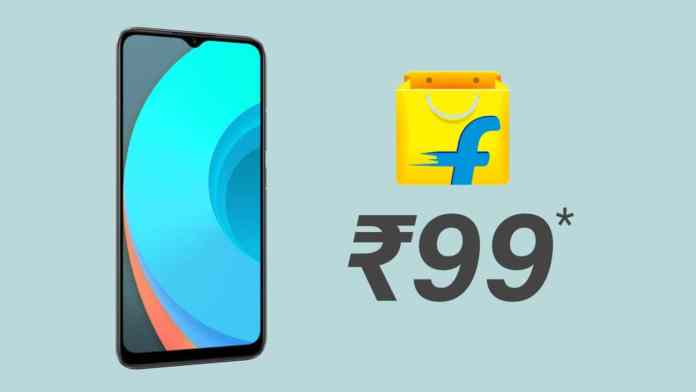
How to Get a Realme C11 Smartphone for Just ₹99 in the Flipkart Electronics Sale

Published

on

How to Get a Realme C11 Smartphone for Just ₹99 in the Flipkart Electronics Sale

Imagine securing a fully functional smartphone for less than the price of a movie ticket. This is the reality for savvy shoppers during Flipkart‘s ongoing electronics sale, where the Realme C11 for ₹99 has become the headline-grabbing offer. But how does this seemingly impossible price work? Let’s break down the mechanics behind this promotion and explore whether this budget device is worth your attention.

Decoding the ₹99 Price Tag on Flipkart

The advertised price of ₹99 isn’t the straightforward retail cost. Instead, it represents the final amount after stacking multiple discounts and offers available during the sale period. The Realme C11 typically carries a market price around ₹9,999. However, Flipkart first applies a standard 10% discount, bringing it down to ₹8,999.

Building on this initial saving, the platform offers additional bank-specific promotions. For instance, using an Axis Bank credit card nets you a 5% cashback, which translates to ₹450 off. Consequently, the effective price drops further to ₹8,549. The real magic, however, happens with the exchange program.

Maximizing Savings with the Exchange Offer

This is where the headline figure comes into play. Flipkart’s exchange program allows you to trade in an old smartphone. If your device qualifies for the maximum exchange value of ₹8,450, subtracting this from the already discounted price of ₹8,549 leaves you with a final payment of just ₹99. Therefore, achieving the lowest possible price hinges on combining the sale discount, bank offer, and a high-value exchange.

Realme C11: Features and Specifications at a Glance

Before rushing into any purchase, it’s wise to examine what you’re actually getting. So, what does the Realme C11 bring to the table for a budget-conscious user?

Starting with performance, the phone is equipped with 4GB of RAM and 64GB of internal storage. This configuration is sufficient for everyday tasks like social media, messaging, and light app usage. For those needing more space, the storage is expandable up to 256GB via a microSD card, a crucial feature for storing photos, music, and videos.

Display and Visual Experience

The device sports a 6.5-inch HD+ LCD display with a resolution of 1600 x 720 pixels. While it won’t compete with flagship AMOLED screens, it provides a perfectly viewable canvas for watching videos, browsing the web, and casual gaming. The in-cell technology helps keep the design relatively slim.

Battery Life and Camera Capabilities

Arguably its strongest suit is the massive 5,000mAh battery. This capacity promises all-day usage and beyond, significantly reducing anxiety about finding a charger. For photography, the Realme C11 features an 8MP rear camera and a 5MP front-facing shooter. These are designed for basic photography needs and video calls, performing adequately in good lighting conditions.

Is This Flipkart Deal Worth Pursuing?

Given the stacked discounts, the offer presents exceptional value if you meet all the conditions. The primary requirement is having an old smartphone with a high exchange value. It’s essential to check the exact quote Flipkart provides for your specific model during the checkout process, as values can vary widely.

Furthermore, you must have access to the required bank card to unlock the additional cashback. If these stars align, paying ₹99 for a device with these specifications is undoubtedly a steal. For more tips on navigating online sales, check out our guide on finding the best smartphone deals.

A Step-by-Step Guide to Claiming the Offer

To ensure you don’t miss out, follow this actionable plan. First, navigate to the Realme C11 product page on the Flipkart app or website during the sale. Select the variant with 4GB RAM and 64GB storage. During checkout, apply the available sale coupon to see the discounted price.

Next, proceed to the payment section and choose the ‘Exchange with Old Device’ option. Enter the details of your old phone accurately to get an instant valuation. Finally, select the Axis Bank credit card (or any other eligible card) as your payment method to apply the cashback discount. Review the final amount, which should be close to ₹99 if your exchange value is high, and complete the purchase.

Final Verdict on the Realme C11 for ₹99 Deal

In summary, the Realme C11 for ₹99 is a legitimate, though conditional, offer. It’s a clever marketing strategy by Flipkart to drive traffic and clear inventory, but it also provides real savings for consumers. The phone itself is a competent entry-level device, ideal for first-time smartphone users, as a secondary phone, or for elderly family members who need a simple, reliable device with excellent battery life.

Therefore, if you have an old phone gathering dust in a drawer, this sale is the perfect opportunity to put it to work and upgrade at a minimal cost. Just remember to act quickly, as such high-demand offers often have limited stock. For other great budget options, explore our list of the best affordable smartphones under ₹10,000.

Continue Reading
Click to comment

Leave a Reply

Your email address will not be published. Required fields are marked *

How To

The one-time darling of the Android world is officially leaving the US

Published

on

OnePlus leaving US

OnePlus is leaving the US — a brand that once defined what a flagship killer should be is packing up

The news hit like a cold front: OnePlus, the scrappy startup that grew into a global smartphone contender, is officially exiting the United States. The company confirmed the move on July 16, 2026, ending a decade-long run in the world’s most competitive phone market.

For anyone who followed Android closely in the mid-2010s, this stings. OnePlus wasn’t just another phone maker. It was the underdog that took on Samsung and Apple with a simple pitch — top-tier specs, a near-stock Android experience, and a price that undercut the big boys by hundreds of dollars. The “Never Settle” slogan wasn’t just marketing; it felt real.

But the US market is brutal. And OnePlus, for all its early magic, couldn’t sustain the momentum.

Why OnePlus is leaving the US now

The official reason, according to the company, is a strategic shift. OnePlus plans to focus its resources on markets where it sees stronger growth — primarily India, parts of Europe, and Southeast Asia. The US, once a trophy market, has become a drain.

Sales numbers tell the story. OnePlus never cracked the top five in US smartphone shipments. In 2025, the brand held less than 2% market share, according to industry analysts. Carrier partnerships, essential for mass adoption in America, remained limited. Verizon never fully embraced the brand, and T-Mobile was the only major carrier that consistently carried OnePlus phones in stores.

The rise of Google Pixel also squeezed OnePlus from above. Samsung’s A-series phones squeezed it from below. And Chinese competitors like Xiaomi and Oppo (OnePlus’s own sibling brand) started offering similar value propositions globally.

A brief history: from invite-only hype to mainstream shrug

OnePlus launched in 2014 with the OnePlus One. It was a sensation. The phone ran CyanogenMod, offered Snapdragon 801 power, and cost just $299. To buy one, you needed an invite — a marketing gimmick that accidentally created massive demand. Forums lit up. People traded invites like currency.

The OnePlus 3 and 3T refined the formula. The OnePlus 5 introduced a dual camera. The OnePlus 6 brought a notch and glass back. Each year, the brand gained more fans.

But somewhere around the OnePlus 8 series, the magic frayed. Prices crept up. The company started cutting corners — removing the headphone jack, watering down the alert slider, and releasing multiple confusing variants. The “flagship killer” was becoming just another flagship.

By the time the OnePlus 12 arrived in 2024, the brand had lost its edge. Reviewers noted that the phone was good, but not special. The price was near $900. The value proposition was gone.

What OnePlus leaving the US means for customers

If you own a OnePlus phone in the US right now, you’re not instantly stranded. The company says it will continue to provide software updates and security patches for existing devices through their promised support windows. The OnePlus 15, launched earlier in 2026, will still receive updates for at least three more years.

Customer support will remain operational, albeit with reduced staffing. Warranty claims will still be honored. But don’t expect new accessories or repair parts to be easy to find after existing stock runs out.

The bigger question: what do you buy next? For former OnePlus fans, the natural alternatives include:

  • Google Pixel 10 — the closest spiritual successor, with clean Android and long update promises
  • Samsung Galaxy S26 — more expensive, but widely supported and available everywhere
  • Nothing Phone (3) — a new underdog with a similar ethos, though still building its US presence

The carrier landscape is also shifting. T-Mobile will still sell OnePlus inventory until it runs out, then likely pivot to promoting Samsung and Google devices more aggressively.

The bigger picture: what OnePlus’s exit says about the US phone market

The US smartphone market is notoriously hard to crack. It’s dominated by Apple and Samsung, which together control roughly 80% of sales. Carriers hold enormous power — they decide which phones get prime shelf space and which get buried. Marketing budgets are astronomical.

OnePlus tried a different approach: online-only sales, community forums, and word-of-mouth buzz. It worked for a while. But eventually, the realities of the market caught up. Without carrier subsidies and nationwide advertising, you can only go so far.

This isn’t the first time a promising Android brand has retreated from the US. LG left the phone business entirely in 2021. HTC faded into obscurity years earlier. Sony barely registers in US sales charts. The graveyard of Android brands that couldn’t make it in America is long.

OnePlus now joins that list. It’s a sobering reminder that even the most beloved underdogs can’t always survive the big leagues.

What’s next for OnePlus globally?

OnePlus isn’t dying — it’s just refocusing. The brand remains strong in India, where it consistently ranks among the top five premium phone makers. In Europe, it has a loyal following, especially in the UK and Germany. Southeast Asia is also a growth market.

The company will continue to launch phones globally, including the rumored OnePlus Open 2 foldable and the next Nord series devices. But US customers will have to import them — and without carrier support, that’s a tough sell for most people.

OnePlus also owns the OxygenOS software skin, which it will keep developing for international devices. The brand’s integration with Oppo’s supply chain means it can still compete on hardware and pricing outside the US.

But the dream of conquering America is over. The one-time darling of the Android world is leaving the US, and the market won’t be the same without it.

Continue Reading

Social Media

Yope raises $12.3M to build a private social network without algorithms or ads

Published

on

Yope raises $12.3M

The pitch: social media without the noise

Yope, a social app that’s been quietly gaining traction, just announced a $12.3 million seed round. The money comes from investors who believe there’s room for a different kind of social experience—one built around private groups of friends and family, not algorithmic feeds or influencer content.

“We’re not trying to compete with TikTok or Instagram for attention,” a company spokesperson said. “We want to help people stay close to the people who actually matter.”

The app is already live and growing. Early users describe it as a cross between a group chat and a photo-sharing album, with a focus on spontaneity and intimacy. No ads. No recommendation engine. No public profiles.

What Yope actually does

At its core, Yope lets users create small, invite-only groups—typically for close friends, family, or a sports team. Inside those groups, members can share photos, send messages, and even use AI-powered features to enhance their interactions.

The AI tools aren’t about generating content for the masses. Instead, they’re designed to strengthen real-world relationships. For example, the app can suggest conversation starters based on shared memories, or automatically create photo albums from a weekend trip.

The company says it has no plans to introduce an algorithmic feed. “We don’t want to optimize for engagement,” the spokesperson added. “We want to optimize for connection.”

No algorithms, no ads—how do they make money?

That’s the obvious question. Yope’s answer: for now, they don’t need to. The $12.3 million seed round gives them runway to focus on product development and user growth. Eventually, they may introduce premium features or a subscription model, but the core experience will remain ad-free and algorithm-free.

It’s a bet that enough people are willing to pay for a private, peaceful social space. Early signals suggest they might be right. The app has seen steady organic growth, especially among users tired of the noise on larger platforms.

Why investors are betting on private social networks

The seed round was led by a group of venture capital firms that have been watching the backlash against public, algorithm-driven social media. Investors see an opportunity in the growing demand for private social networks that prioritize real relationships over viral content.

“People are exhausted by the performative nature of mainstream social platforms,” one investor told reporters. “Yope offers a quiet alternative.”

The trend is real. Apps like Dispo and VSCO have also tried to carve out spaces that feel less like a broadcast channel and more like a living room. Yope’s twist is its emphasis on messaging and AI features that serve small groups, not individual creators.

How Yope compares to WhatsApp and Signal

You might be thinking: isn’t this just a group chat? In some ways, yes. But Yope is designed specifically for sharing life updates in a visual, lightweight way—closer to a private Instagram than a messaging app.

Unlike WhatsApp or Signal, which are primarily text-based, Yope puts photos and videos at the center. And unlike Instagram, there’s no pressure to curate a perfect feed. Posts disappear after a set time, encouraging candid sharing.

The AI features are another differentiator. While Signal and WhatsApp have added some smart functionality, Yope is building tools specifically for group bonding—like automatically stitching together everyone’s photos from an event, or suggesting when to check in on a friend who’s been quiet.

What’s next for Yope

With the new funding, Yope plans to expand its team, improve the AI features, and scale the app to more users. The company is also exploring partnerships with family-focused apps and services that value privacy and real-world connection.

The goal is clear: become the default private space for the people you actually care about. Whether that’s a group of college friends sharing memes, a family sharing holiday photos, or a book club discussing the latest read.

“We’re building for the moments that don’t need to be public,” the spokesperson said. “The ones that are just for you and your people.”

In a world where every social platform is fighting for your attention, Yope is making a quiet bet that sometimes, less really is more.

Continue Reading

How To

I changed these Windows Search settings — and it finally stopped fighting me

Published

on

Windows Search settings

The search that fights back

Let’s be honest: Microsoft‘s Windows Search has a lousy reputation. It’s slow. It’s unreliable. And it keeps shoving Bing suggestions in your face. The knee-jerk fix is to grab a third-party tool like Everything — but that’s another app to install, maintain, and learn. I didn’t want that. So I dug into the settings instead. After a few tweaks, my search bar actually works. No more spinning wheel. No more irrelevant web results. Here’s exactly what I changed.

Step 1: Kill the Bing integration

The single biggest annoyance? Windows Search mixing local files with web results from Bing. It slows everything down and clutters the list. Here’s how to shut it off:

  • Open SettingsPrivacy & securitySearch permissions.
  • Under More settings, toggle Show search highlights to Off.
  • Then go to SettingsPersonalizationTaskbar and turn off Search on the taskbar (or set it to icon-only if you prefer).

That alone cuts out most of the web noise. Your searches will now focus on your own files and apps. It’s not a silver bullet, but it’s the biggest single improvement you’ll feel.

Step 2: Exclude what you don’t search

Windows Search indexes everything by default — including folders you never open. That’s wasted effort. Go to SettingsPrivacy & securitySearching Windows and click Add an excluded folder. I removed my Downloads folder (too many temp files), my browser cache, and the Windows.old folder. You can also exclude specific file types under Advanced search indexer settingsFile Types. For me, removing .tmp and .log files made a noticeable difference.

What about the indexer itself?

If search still feels sluggish, rebuild the index. In the same Advanced menu, click Rebuild. It takes a while — maybe 20–30 minutes — but it forces Windows to start fresh. I do this every few months now.

Step 3: Turn off web results entirely (the nuclear option)

If you want zero web interference, there’s a deeper setting. Open Group Policy Editor (type gpedit.msc in the Run dialog) and navigate to Computer ConfigurationAdministrative TemplatesWindows ComponentsSearch. Find Set what information is shared in Search and set it to Enabled, then choose Anonymous info. This disables all web results and Bing suggestions. No more ads, no more “Did you mean…”. Just local files.

No Group Policy Editor? You’re on Windows Home. No problem — use the Registry Editor instead. Navigate to HKEY_CURRENT_USERSoftwarePoliciesMicrosoftWindowsExplorer, create a DWORD named DisableSearchBoxSuggestions, and set it to 1. Restart Explorer, and you’re done.

Step 4: Speed up the indexer with a smaller scope

Windows Search tries to index everything — your entire user folder, system files, app data. That’s overkill. In Indexing Options (search for it in the Start menu), click Modify. Uncheck everything except the folders you actually search: your Documents, Desktop, and maybe one project folder. I unchecked Pictures and Music because I rarely search by filename there. The index shrinks, and results come back instantly.

One more thing: if you use Windows 11 file search tips, you’ll find that combining these settings with keyboard shortcuts (Win + S, then type) is faster than clicking through menus.

Does this really fix Windows Search?

Yes — but it’s not magic. These Windows Search settings won’t turn it into Everything. What they do is remove the friction: no more web results, no more indexing junk you don’t need, no more waiting. I’ve been using this setup for three months. It’s still not perfect — sometimes it misses a file I know exists — but it’s usable. And that’s more than I could say before.

If you still hate it, sure, go install Everything. But try these tweaks first. You might be surprised how much faster your search bar gets when it’s not fighting you.

Continue Reading

Trending