Connect with us

Artificial Intelligence

6 Things Gemini Intelligence Is About to Do Across Your Android Devices

Published

on

6 Things Gemini Intelligence Is About to Do Across Your Android Devices

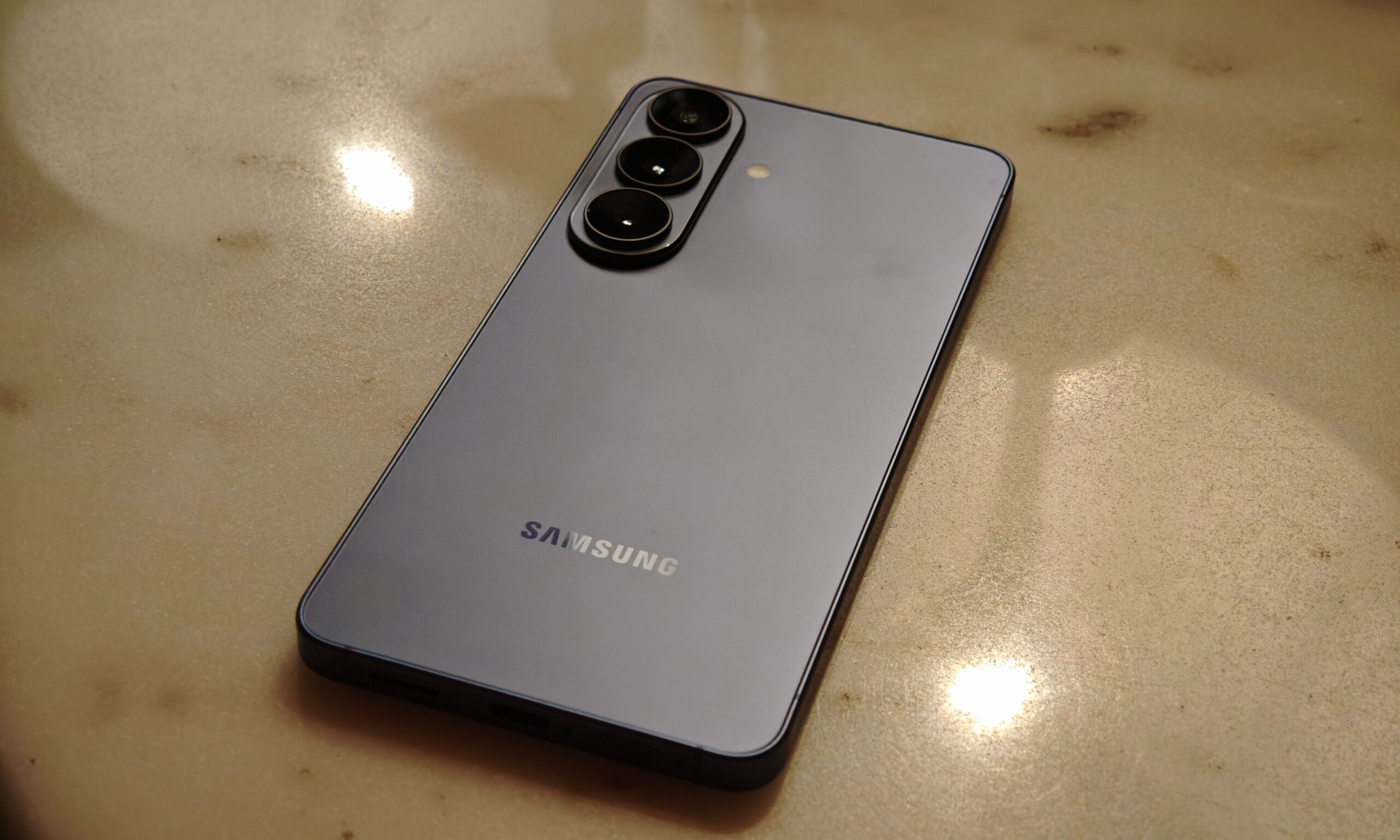
Google is rolling out a major upgrade to its mobile ecosystem, and it revolves around Gemini Intelligence Android. This new layer of artificial intelligence promises to make your phone, watch, car, and even glasses far more proactive. Instead of waiting for commands, your device will anticipate needs, automate tedious tasks, and keep your data private. The first wave hits Samsung Galaxy and Google Pixel devices this summer, with other Android gadgets following later in the year. Here is what you can expect from this intelligent overhaul.

1. A Hands-On Assistant That Acts Without Repeated Prompts

Google is pushing Gemini beyond simple Q&A. With Gemini Intelligence, your phone will handle repetitive steps in everyday tasks, like ordering food or booking a ride. On upcoming devices such as the Samsung Galaxy S26 and Pixel 10, the system already learns from apps you use often.

For example, it can scan your Gmail for a class syllabus, then automatically add required books to your shopping cart. Or it might grab a bike for a spin class without you tapping through multiple screens. Visual context is also key: point your camera at a grocery list or travel brochure, and Gemini will turn it into an actionable task, like building a cart or finding a similar deal online. You stay in control, but the heavy lifting moves to the background.

2. Chrome Becomes a Smarter, More Proactive Browser

Starting in late June, Android users will see Chrome evolve. With Gemini Intelligence Android built directly into the browser, it will no longer just open tabs. Instead, it can summarize articles, extract key points, and compare information across pages automatically.

The standout feature, however, is auto-browse. Chrome can take over tedious online chores like booking appointments or sorting parking reservations. This sounds almost too convenient, but if it works as intended, it could genuinely reduce the effort spent on simple web tasks. Learn more about optimizing Chrome with AI.

3. Smarter Autofill That Understands Context

Android autofill is finally growing up. What used to be a simple shortcut for names and passwords is now powered by Gemini. Your device can understand context and pull relevant information across apps, including Chrome, to fill in those repetitive form fields.

The real win is for long, messy forms on a phone screen. Whether it is address details, booking info, or repetitive sign-ups, Android leans on your connected apps to fill gaps. Importantly, this is fully opt-in. You decide when it steps in, and you can switch it off anytime. This sensible approach respects your personal data while making mobile form-filling far less painful.

4. Voice Typing That Polishes Your Natural Speech

Voice typing on Android has always been useful but messy. Real human speech includes pauses, filler words, and mid-sentence changes. A new feature called Rambler, powered by Gemini, fixes this gap.

Instead of forcing you to speak perfectly, Rambler takes a forgiving approach. Talk naturally, and it intelligently picks out meaningful parts, stitching them into clean, readable messages. It even handles multilingual conversations, switching between English, Hindi, or a mix without issue. Audio is processed in real time for transcription and not stored, easing privacy concerns. This feels like having a patient editor inside your keyboard. Check our guide to mastering voice typing.

5. Widgets That You Build with Natural Language

Android widgets are getting a smart upgrade with Create My Widget. Instead of static blocks, you can now describe what you want in plain language, and Gemini builds a tailored widget. It could be weekly high-protein meal suggestions for your fitness routine, or a weather view showing only wind speed and rain for cycling.

The result is a home screen designed around your actual life. This extends to Wear OS, bringing the right information to your wrist at the right time. It is one of the most practical uses of Gemini Intelligence Android so far.

6. A Visual Makeover That Calms the Chaos

Google is also giving Gemini Intelligence a visual identity built on Material 3 Expressive. This new design language uses animations that guide your attention rather than fight for it. The goal is to calm the chaos modern smartphones tend to create.

What ties everything together is a bigger shift: Gemini Intelligence is not just adding AI features to existing tools. It is reshaping how those tools look, behave, and respond to you. From handling repetitive tasks in the background to building interfaces that adapt to your needs, Google is pushing toward a future where your device feels less like something you operate and more like a partner. If it all comes together, this could be one of those rare Android upgrades that genuinely changes daily use. Explore more Android tips and tricks.

Continue Reading
Click to comment

Leave a Reply

Your email address will not be published. Required fields are marked *

Artificial Intelligence

Google’s Next Chrome Update Brings Gemini AI to Android: A Smarter Browsing Experience

Published

on

Google’s Next Chrome Update Brings Gemini AI to Android: A Smarter Browsing Experience

Google is taking a significant leap forward with its Chrome browser on Android, integrating its advanced Gemini AI directly into the browsing experience. This update, rolling out in June, aims to transform Chrome from a simple page viewer into an intelligent assistant that helps you think, plan, and act more efficiently. The Google Chrome AI update is set to redefine how Android users interact with the web, making it more contextual and productive.

What Gemini Brings to Chrome on Android

At the core of this update is a more contextual version of Gemini embedded directly within Chrome. Instead of copying text or switching between apps, users can tap a Gemini icon to ask questions about the current webpage. This feature can break down long articles, simplify complex topics, and provide clearer explanations without leaving the page. It’s a shift toward a more intuitive and helpful browser experience.

Building on this, Google is pushing Gemini into productivity territory. The AI can now connect across Google’s ecosystem, allowing you to add events to your calendar, save recipe ingredients to Keep, or pull specific information from Gmail—all without interrupting your browsing flow. This focus on task completion makes the Google Chrome AI update feel genuinely useful for everyday activities.

Nano Banana: Unleashing Creativity

On the creative side, Google introduces Nano Banana, a feature that lets users generate and personalize visuals based on what they’re viewing online. In educational contexts, it can transform dense text into visual summaries, adapting content to how you prefer to consume it. This addition highlights Google’s commitment to making browsing both productive and engaging.

Furthermore, Chrome on Android is getting an auto-browse feature designed for repetitive tasks. For example, if you’re planning a trip, you can share an event, and Chrome will automatically gather relevant information like parking details. This Android browser feature quietly removes friction from daily browsing, handling tedious bits so you can focus on what matters.

Safety and Security in the AI Era

Google is also prioritizing safety with these new capabilities. The features are built with protections against emerging threats like prompt injection attacks, ensuring the AI isn’t tricked into harmful actions. This focus on security is crucial as AI-powered browsing becomes more integrated into our digital lives.

Additionally, users can expect a seamless experience that respects privacy while delivering powerful assistance. For more on how AI is shaping digital tools, check out our guide on AI productivity tools for everyday tasks.

Rollout and Availability

The rollout begins in June for select Android 12 or newer devices in the US. Auto-browse will initially be limited to AI Pro and Ultra subscribers on supported devices. As this Google Chrome AI update expands, it signals a shift from Chrome being just a browser to a proactive partner in how you get things done online.

To stay ahead of these changes, explore our tips on optimizing Chrome settings for better performance. The future of browsing is here, and it’s designed to help you achieve more with less effort.

Continue Reading

Artificial Intelligence

This Android Auto update is trying to change how you drive and use your car

Published

on

Android Auto update: how it changes your driving experience

Google’s latest Android Auto update is more than just a cosmetic refresh. As someone who relies on Android Auto daily, I can tell you this redesign feels like a genuine shift in how the system integrates with your car. Instead of a simple phone mirror, Google is aiming for a smarter, more intuitive co-pilot. The core of this change is the adoption of Material 3 Expressive design, which brings fluid animations, modern typography, and even wallpaper support to your dashboard. This makes the interface feel less static and more alive, especially when you are navigating busy streets.

Widgets make glanceable information a reality

One of the most practical additions in this Android Auto update is the introduction of widgets. Instead of tapping through multiple menus, you can now see key information at a glance. For example, weather updates appear directly on the home screen, and you can control smart home devices—like opening your garage door—with a single tap. This small change significantly reduces distraction, as you spend less time fiddling with the screen and more time focused on the road. It is a subtle but powerful improvement that makes daily drives smoother.

Immersive Navigation: a new way to see the road

Google Maps is getting a major boost with Immersive Navigation. This feature uses 3D models to show realistic views of buildings, overpasses, and terrain. It also highlights traffic lights, stop signs, and lane details, which is particularly helpful for complex intersections or highway merges. Instead of relying on abstract arrows, you get a visual representation of your surroundings. This reduces stress and helps you anticipate turns more naturally. Building on this, the system updates in real time, so you always have the latest road information.

How Immersive Navigation works in practice

When approaching a busy junction, the map zooms in to show a detailed 3D view. You can see exactly which lane to be in, and the system highlights potential hazards like pedestrians or cyclists. This makes navigation feel less like following instructions and more like having a conversation with the road. It is one of the most impressive aspects of the Android Auto update and sets a new standard for in-car navigation.

Entertainment and audio upgrades for parked moments

Google is also transforming how you use Android Auto when your car is stationary. Supported vehicles from brands like BMW, Hyundai, and Mercedes-Benz will allow full HD video playback at up to 60 fps from apps like YouTube. This turns your dashboard into a mini theatre, perfect for waiting in the car. However, safety remains a priority: once the car starts moving, video switches to audio-only mode. For audio enthusiasts, the Android Auto update includes support for Dolby Atmos spatial sound, creating a more immersive listening experience. This means that music, podcasts, and calls will feel richer and more detailed, especially in compatible vehicles.

Gemini AI: a smarter assistant for your car

Perhaps the most forward-looking change is the integration of Gemini AI. Google is positioning this as a voice-first assistant that can handle complex tasks. You can ask it to brainstorm ideas, explain dashboard warning lights, or even order food through services like DoorDash. For example, if a check engine light appears, you can ask Gemini what it means instead of panicking or searching forums. It also integrates with meeting apps like Zoom, allowing you to join calls hands-free, depending on regional availability. This makes the Android Auto update feel like a step toward a truly connected car experience.

Practical uses of Gemini in daily driving

Magic Cue is another feature that surfaces quick actions for incoming messages, so you can reply without typing. This reduces the urge to pick up your phone while driving. Additionally, Gemini can suggest routes based on your calendar or habits, making your commute more efficient. While these features are impressive, they will only be as good as their real-world execution. I am curious to see how reliably they work before fully trusting them with critical tasks.

For more insights on how technology is reshaping your commute, check out our guide on best car tech gadgets for 2025. You might also find our article on future of in-car entertainment useful.

Continue Reading

Artificial Intelligence

Googlebook Laptop: Gemini AI Powers a New Category of Devices from Acer, Asus, Dell, HP, and Lenovo

Published

on

Googlebook Laptop: Gemini AI Powers a New Category of Devices from Acer, Asus, Dell, HP, and Lenovo

Google has officially unveiled a new laptop category called Googlebook, placing its Gemini AI at the very core of the user experience. This bold move aims to transform how people interact with their computers, making artificial intelligence a constant companion rather than a tool you have to seek out. Devices from major manufacturers like Acer, Asus, Dell, HP, and Lenovo are expected to hit the market this fall, promising a fresh take on personal computing.

Magic Pointer: AI at Your Fingertips

The standout feature of the Googlebook laptop is undoubtedly Magic Pointer. Developed in collaboration with Google DeepMind, this innovation brings Gemini directly to your cursor. Simply wiggle your mouse over any element on the screen, and contextual suggestions appear instantly.

For example, pointing at a date in an email triggers an option to schedule a meeting. Selecting two images allows you to composite them together without opening a separate app or typing a single prompt. This seamless integration means AI assistance is available at every point of interaction, eliminating the need to navigate menus or launch dedicated tools.

Custom Widgets and Personalized Dashboards

Another key feature is Create your Widget, which lets users build custom desktop widgets using natural language. Describe what you want—like a travel dashboard—and the tool pulls data from your Gmail, Google Calendar, and the web to assemble a personalized display. You can organize flight details, hotel reservations, and a trip countdown into a single widget, making information access effortless.

Seamless Android Integration

Google has also emphasized the Googlebook Android integration as a major selling point. A feature called Quick Access allows you to browse, search, and insert files from your Android phone directly into the laptop’s file browser—no transfers required. Additionally, you can run Android phone apps natively on the laptop without downloading them or dealing with emulated touch controls.

This level of connectivity bridges the gap between mobile and desktop environments, offering a unified ecosystem that many users have long desired.

Design and Operating System

Every Googlebook will feature a glowbar—a light strip on the device body that serves as both a visual identifier and a functional element. Google states that the devices will run “a modern OS that’s designed for Intelligence,” widely believed to be Aluminium OS, the company’s Android-based platform that merges ChromeOS and Android into a single desktop OS.

Exact specs and pricing remain under wraps, but the platform’s real-world appeal will depend on what manufacturing partners deliver this fall. For more insights on AI-driven computing, check out our guide on AI laptop features and best Chromebook 2024.

As a result, the Googlebook laptop represents a significant shift in how AI is integrated into everyday computing. By putting Gemini everywhere—from the cursor to widgets to phone integration—Google is betting that users will embrace a smarter, more intuitive experience.

Continue Reading

Trending