Connect with us

Video

7 Claude AI Side Hustles That Pay $200+ a Day: A Beginner’s Guide to Earning with AI

Published

on

The gig economy is evolving, and artificial intelligence is no longer just a futuristic concept—it’s a practical tool for generating real income. If you’ve been searching for accessible, high-paying side hustles that don’t require a computer science degree, a recent video from Shane Hummus reveals seven Claude AI side hustles that can pay $200 or more per day. These opportunities are designed for beginners, focusing on practical skills rather than technical expertise. Let’s dive into what makes these side hustles so compelling and how you can start earning today.

Why Claude AI Is Perfect for Beginners

Claude AI, developed by Anthropic, stands out for its user-friendly interface and powerful natural language capabilities. Unlike some AI tools that require complex setup or programming knowledge, Claude is accessible to anyone with basic computer skills. This makes it an ideal foundation for side hustles that involve content creation, data analysis, or customer interaction. The video emphasizes that you don’t need to be a coder to profit from AI—you just need creativity and willingness to learn.

The Overlooked Opportunity: Local Business Automation

One of the most promising Claude AI side hustles highlighted is helping local businesses automate their daily operations. Many small business owners struggle with repetitive tasks like drafting emails, managing social media posts, or creating simple reports. By offering a service that uses Claude to handle these tasks, you can charge a monthly retainer. The video explains how one person built a full-fledged agency from scratch with zero prior AI experience, simply by targeting local businesses in need of efficiency. This side hustle is particularly lucrative because it solves a real pain point—business owners are often time-poor and willing to pay for solutions.

The Three-Step System to Land Clients

Building on this, the video outlines a straightforward three-step system for turning any business into a paying client. First, identify a common, repetitive task that the business owner dreads—like writing weekly newsletters or responding to customer inquiries. Second, create a sample using Claude AI to demonstrate how much time and effort you can save. Third, offer a low-risk trial period, such as a week of free service, to build trust. This approach works because it showcases immediate value rather than abstract promises. The key is to focus on outcomes, not features.

The “Boring” Side Hustle That’s Surprisingly Profitable

Not all side hustles need to be glamorous. The video points to a “boring” yet highly effective opportunity: converting outdated documents into modern, engaging content. Many businesses, from real estate agencies to law firms, have old reports, presentations, or guides that are no longer visually appealing or easy to read. Using Claude AI, you can transform these into fresh, SEO-optimized blog posts, infographics, or video scripts. This side hustle is easy to start because you don’t need specialized knowledge—just an eye for organization and basic writing skills.

The Tailor Trick: Repurposing Existing Content

A clever technique mentioned is the “tailor trick,” where you take a single document—such as a company’s history or product description—and use Claude to generate multiple pieces of content from it. For example, you can create a social media post, a short video script, an email newsletter, and a blog article, all from the same source material. This method saves businesses hours of work and positions you as a valuable asset. The video notes that this is one of the easiest wins for beginners because it leverages Claude’s ability to rephrase and restructure information quickly.

The Teacher’s Journey: From Side Project to Full-Time Income

Inspiration comes from a real-life example: a teacher who started using Claude AI to create lesson plans and educational materials for her own classroom. She soon realized other teachers would pay for similar resources. Within months, her side project grew into a full-time income stream, selling digital products like customizable worksheets and presentation templates. This story underscores a key lesson: start with a problem you understand personally, then scale using AI. The video encourages viewers to think about their own skills or hobbies as potential side hustles.

The Banker’s Leap: Walking Away from a Steady Paycheck

Another compelling case study involves a banker who left his secure job to build a business around Claude AI. He focused on helping financial advisors automate client communications—like quarterly reports and market updates—using AI-generated drafts. By charging a premium for his specialized knowledge and AI efficiency, he replaced his salary within six months. This example shows that even in regulated industries, there’s room for AI-assisted services as long as you maintain quality and accuracy.

Behind-the-Camera: The Role Creators Secretly Need

Content creators, especially YouTubers and podcasters, often struggle with tasks that happen off-camera: writing show notes, transcribing episodes, generating thumbnail ideas, and drafting social media captions. The video highlights this as a high-demand Claude AI side hustle. You can offer a “creator assistant” package, handling all behind-the-scenes writing so the creator can focus on producing content. This niche is growing rapidly because many creators are solo operators who value their time highly.

The Style Secret: Making AI Sound Human

A critical tip from the video is how to make AI-generated content sound natural. The secret lies in providing Claude with a clear voice or style guide. For example, you might instruct it to write in a friendly, conversational tone with short sentences, or in a professional, formal style with data-driven language. The more specific you are, the better the output. This skill—prompt engineering—is what separates mediocre results from professional-grade work. It’s a learnable technique that dramatically increases your value as a service provider.

The Method That Keeps Working: Passive Income with AI

Perhaps the most exciting Claude AI side hustle is creating digital products that generate passive income. You can use Claude to write ebooks, create online courses, or develop templates for resumes, business plans, or social media calendars. Once published on platforms like Gumroad or Etsy, these products can earn money for months or years with minimal ongoing effort. The video emphasizes that this method requires upfront work but offers long-term rewards.

Why “I Can’t Code” Is No Longer an Excuse

A recurring theme throughout the video is that coding skills are not necessary for these side hustles. Claude AI handles the technical heavy lifting; your role is to understand the client’s needs, provide clear instructions, and deliver polished results. This democratization of AI means that anyone with strong communication skills and a willingness to learn can participate. The video argues that traditional education can’t keep up with the speed of AI innovation, making self-taught skills more valuable than ever.

The Oddly Specific Coaching Niche Nobody Saw Coming

Finally, the video introduces an unexpected coaching niche: teaching other beginners how to use Claude AI for their own side hustles. As AI tools become more popular, there’s a growing demand for simple, jargon-free training. You can offer one-on-one coaching sessions, create a membership community, or sell a course on platforms like Udemy. This niche is particularly profitable because it taps into the same audience that wants to learn—people just like you.

Ready to Start Your Claude AI Side Hustle?

These seven Claude AI side hustles prove that earning $200 or more per day is achievable, even for complete beginners. The key is to pick one opportunity, start small, and refine your approach based on feedback. Whether you choose to help local businesses, support creators, or create digital products, the tools are at your fingertips. Watch the full video for step-by-step guidance and real-world examples that will inspire your journey. The future of work is here—and it’s more accessible than ever.

Continue Reading
Click to comment

Leave a Reply

Your email address will not be published. Required fields are marked *

Video

Samsung Galaxy Z Fold 8 Ultra: 3 Game-Changing Upgrades and One Potential Disaster

Published

on

Samsung Galaxy Z Fold 8 Ultra

Samsung’s next-generation foldable is shaping up to be both a marvel and a mystery. Recent leaks of the Galaxy Z Fold 8 and Galaxy Z Fold 8 Ultra have surfaced, revealing three massive upgrades that could redefine the foldable experience—alongside one controversial change that might leave longtime fans scratching their heads. If you’ve been waiting for a reason to upgrade, this could be it. But there’s a catch that might just change how you use your phone forever.

A Glimpse at the Galaxy Z Fold 8 Ultra Design and Colors

Building on the momentum of previous models, the Galaxy Z Fold 8 Ultra arrives with a refined aesthetic and new color options. Leaked renders show a sleeker profile, thinner bezels, and a more premium finish. Samsung appears to be offering the Ultra in at least two sophisticated shades, while the standard Fold 8 will come in a broader palette. The design language feels mature, as if Samsung has finally ironed out the wrinkles of early foldables. However, the real story lies beneath the surface.

Upgrade 1: A Display That Dazzles—3600 Nits Peak Brightness

One of the most jaw-dropping revelations is the display upgrade. The Galaxy Z Fold 8 Ultra is rumored to boast a peak brightness of 3,600 nits. To put that in perspective, most flagship phones hover around 1,000 to 2,000 nits. This kind of luminosity means outdoor visibility under direct sunlight will be virtually flawless. Whether you’re editing photos, watching HDR content, or navigating with Google Maps, the screen will remain crisp and vivid. In addition, the Ultra’s main display is expected to be larger and sharper, making multitasking more immersive than ever.

Upgrade 2: A Completely Overhauled Camera System

Samsung has often been criticized for sticking with the same camera sensors across generations. That changes with the Z Fold 8 Ultra. Leaked specifications indicate a new primary sensor, improved ultrawide lens, and a dedicated telephoto camera with enhanced zoom capabilities. This could finally position the Fold series as a serious contender for photography enthusiasts. The standard Galaxy Z Fold 8, however, may miss out on some of these upgrades, creating a clear distinction between the two models. If camera quality is your priority, the Ultra is the obvious choice.

The Nightmare Upgrade: A New Hinge That Threatens Flex Mode

Here’s where things get complicated. Samsung is reportedly introducing a new hinge design that makes the device thinner and more durable. However, this redesign comes with a significant trade-off: it may eliminate Flex Mode. For those unfamiliar, Flex Mode allows the phone to sit at various angles, enabling hands-free video calls, camera timers, and media consumption. If the hinge no longer supports stable mid-fold positions, a beloved feature could vanish. This has sparked debate among fans who rely on Flex Mode for productivity and creativity. Will Samsung find a workaround, or is this the end of an era?

Will Flex Mode Disappear Completely?

It’s still unclear whether Flex Mode will be entirely removed or simply altered. Some rumors suggest that the hinge might still allow a limited range of motion, but not the full flexibility we’ve come to expect. For creators who use the phone as a makeshift tripod or for video calls, this could be a dealbreaker. Samsung might be prioritizing thinness and durability over versatility, but only time—and official announcements—will tell. In the meantime, users are left wondering if the trade-off is worth it.

Upgrade 3: Performance and Storage That Push Boundaries

Under the hood, the Galaxy Z Fold 8 Ultra is expected to pack the Snapdragon 8 Gen 5 Elite chipset, paired with up to 16GB of RAM and storage options reaching 1TB. This is a beast of a machine, capable of handling intensive gaming, video editing, and multitasking without breaking a sweat. The standard Fold 8 will likely feature slightly less RAM and storage, but both models promise blazing-fast performance. Combined with the stunning display, the Ultra is poised to be the most powerful foldable on the market.

Final Thoughts: Is the Galaxy Z Fold 8 Ultra Worth It?

The Samsung Galaxy Z Fold 8 Ultra is shaping up to be a landmark device. With a blindingly bright display, a professional-grade camera system, and top-tier performance, it checks almost every box. Yet the potential loss of Flex Mode casts a shadow over the excitement. For power users who value versatility, this could be a hard pill to swallow. If you’re considering an upgrade, weigh the pros and cons carefully. The full picture will become clearer once Samsung officially unveils the device. Until then, the leaks offer a tantalizing—and slightly nerve-wracking—preview.

Watch the full video breakdown above for an in-depth look at the renders, specs, and what this hinge change could mean for your daily use. The future of foldables is almost here, and it’s both brilliant and risky.

Continue Reading

Video

The Claude AI Passive Income Stream Nobody Is Talking About

Published

on

Claude AI passive income

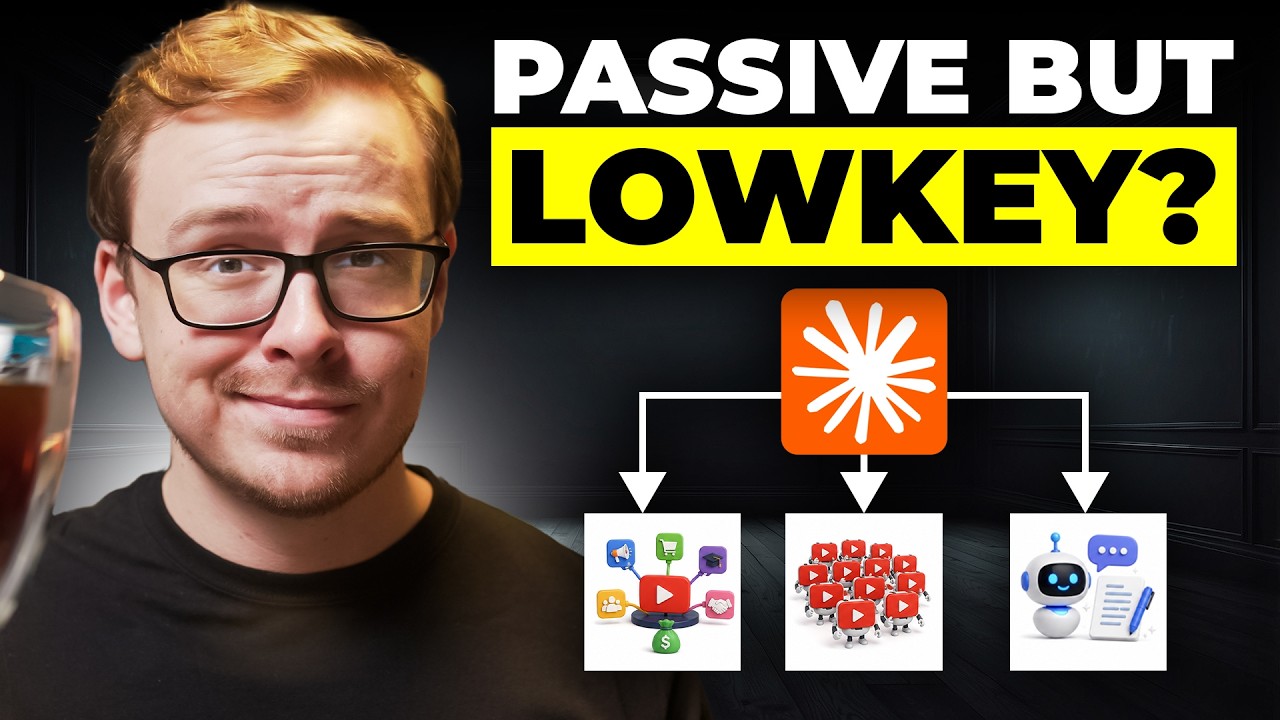
Have you ever wondered if there’s a way to generate income online without constantly creating new content from scratch? A growing number of creators are quietly using AI to build automated systems that produce videos, scripts, and even entire channels with minimal ongoing effort. One such method revolves around a tool that many overlook: Claude AI. In a recent deep dive, a seasoned YouTube strategist reveals the Claude AI passive income stream nobody is talking about—and it might just change how you think about content creation.

What Makes This Claude AI Passive Income Approach Different?

Most people treat AI as a simple writing assistant, typing prompts for blog posts or social media captions. However, the method outlined in the video goes far beyond that. It focuses on building a complete content system that works on autopilot. The key insight? Instead of chasing trends, you leverage existing knowledge and repurpose it into evergreen YouTube videos. By using Claude AI to generate scripts, titles, and even thumbnail ideas, creators can produce high-quality content that continues to attract views months after publication. This is not about quick hacks; it’s about building a sustainable asset.

Building on this, the video highlights a specific case study: a former teacher who vanished from YouTube but whose channel never stopped growing. The secret was a library of content built around timeless topics, each optimized for search. This demonstrates that the Claude AI passive income model relies on consistency and search engine optimization rather than viral moments.

How to Turn What You Already Know Into a Content System

One of the most compelling parts of the training is the revelation that most people already have a niche—they just don’t realize it. The host argues that your personal experiences, professional skills, or even hobbies can form the foundation of a profitable channel. For instance, a nurse with no prior YouTube experience started from scratch and, using this system, achieved results that surprised even her. Her low-tech setup—just a smartphone and Claude AI for scripting—allowed her to produce videos that resonated with viewers searching for practical advice.

In addition, the video explains how to structure a content system that doesn’t require you to be on camera every day. By recording a batch of videos in one session and using Claude AI to generate supporting materials, you can maintain a steady upload schedule while working just a few hours per week. The host himself admits to working only four-hour weeks, thanks to the automation built into this method.

The Copycat Trap and What YouTube Is Secretly Hunting

Not all automation is created equal. The video warns against the “copycat trap”—churning out low-effort, AI-generated content that mimics popular videos without adding value. YouTube’s algorithm is increasingly sophisticated at detecting and demoting such content. Instead, the focus should be on originality, even when using AI tools. The trick is to use Claude AI as a collaborator, not a replacement for your unique perspective.

Moreover, the host reveals what YouTube is secretly hunting right now: authentic, helpful content that keeps viewers engaged. Channels that breach trust—by using misleading titles or clickbait—are being penalized. Therefore, the Claude AI passive income system works best when paired with genuine expertise and a commitment to quality.

Who Can Actually Benefit From This Method?

The video concludes by addressing who qualifies for one-on-one coaching, but the underlying message is clear: anyone with a willingness to learn and a bit of patience can implement this system. Whether you’re a teacher, a nurse, or a corporate professional, the barriers to entry are low. The key is to start with what you know, use AI to scale your efforts, and avoid the shortcuts that lead to burnout or channel termination.

Ready to see the full breakdown? Watch the video below to learn exactly how this Claude AI passive income stream works, including step-by-step examples and real-world case studies that prove its effectiveness.

Continue Reading

Video

How to Repair Corrupt Outlook PST Files Using the Inbox Repair Tool – A Step-by-Step Guide

Published

on

repair corrupt Outlook PST files

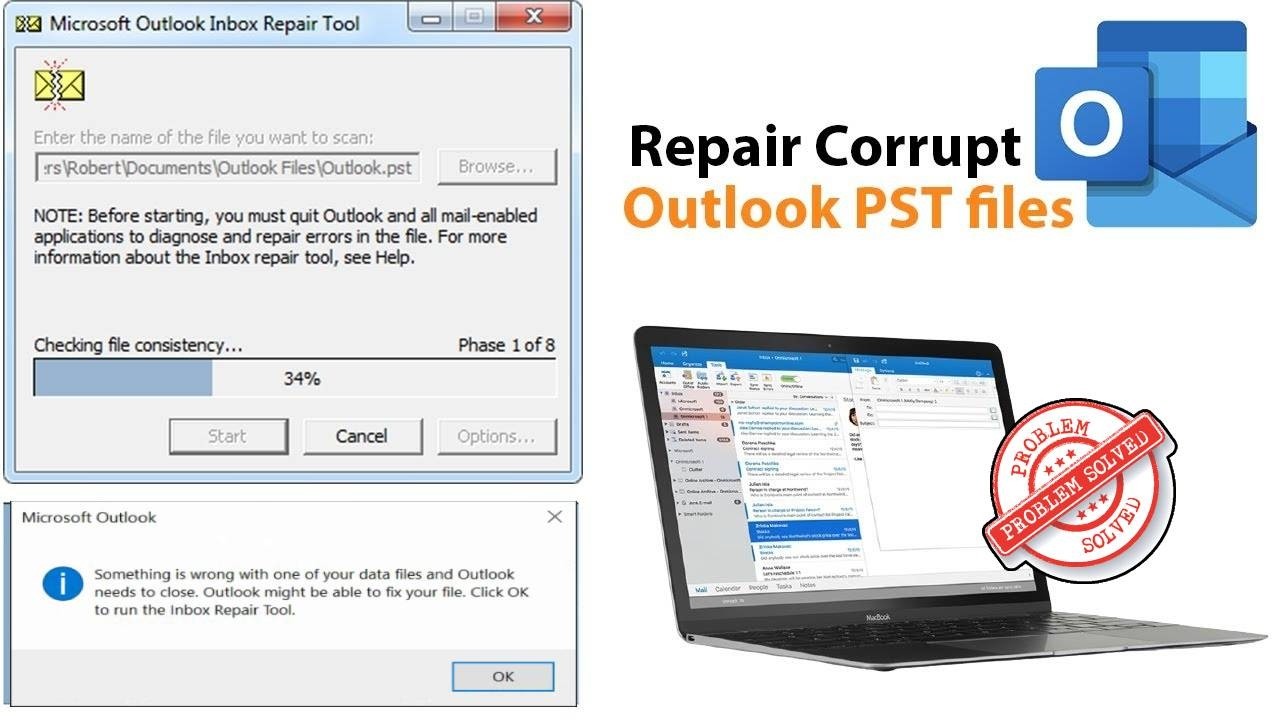
If you’ve ever seen the dreaded error message “Something is wrong with one of your data files and Outlook needs to close,” you know the panic that follows. Your emails, contacts, and calendar entries suddenly feel out of reach. Fortunately, there’s a built-in solution that can save the day: the Inbox Repair Tool. In a straightforward tutorial, a tech expert walks you through the process of using this utility to repair corrupt Outlook PST files and restore your data without third-party software.

Understanding the Inbox Repair Tool

The Inbox Repair Tool, also known as Scanpst.exe, is a free utility included with Microsoft Outlook. Its primary purpose is to scan and repair corrupt Personal Storage Table (PST) files. As explained in the video, this tool is your first line of defense when Outlook crashes or refuses to open your data file. Instead of panicking or searching for expensive recovery software, you can run this tool and often fix the problem in minutes.

Step-by-Step Process to Repair Corrupt Outlook PST Files

Building on the tutorial’s clear instructions, the process begins by locating the Inbox Repair Tool on your computer. Typically, it’s found in the Microsoft Office installation folder. The video shows exactly where to look, whether you’re using Outlook 2010, 2013, 2016, 2019, 2021, or 2024. Once you open the tool, you simply browse to the corrupted PST file and click “Start.” The tool scans the file and reports any errors. If issues are found, you can proceed with the repair, creating a backup of the original file as a safety measure.

Common Errors and How to Avoid Them

Many users encounter the error “Outlook might be able to fix your file” when trying to open their profile. As the video highlights, this is exactly when you should run the Inbox Repair Tool. In addition, the tutorial addresses related issues like print preview errors in Microsoft Word, showing that these tools are part of a larger ecosystem of built-in fixes. To avoid future corruption, always close Outlook properly, avoid large attachments, and regularly archive old emails.

Why This Method Works and When to Seek Alternatives

Therefore, the Inbox Repair Tool is effective for minor to moderate corruption. It can fix damaged headers, missing folders, or indexing issues. However, as the video notes, if the tool fails to repair the file, you may need to use a more advanced third-party PST repair tool. Nonetheless, for most users, this built-in solution resolves the problem without additional cost. The tutorial provides a clear roadmap, making it easy for anyone to follow.

Final Thoughts

In conclusion, learning how to repair corrupt Outlook PST files with the Inbox Repair Tool is an essential skill for any Outlook user. The video offers a practical, no-nonsense guide that saves you time and frustration. So, the next time Outlook gives you that ominous error, remember this simple fix. Watch the full tutorial below to see the exact steps and get your data back in no time.

Continue Reading

Trending