Connect with us

Artificial Intelligence

How iOS 27 and Apple Intelligence Might Rescue the Frustrating Shortcuts Experience

Published

on

How iOS 27 and Apple Intelligence Might Rescue the Frustrating Shortcuts Experience

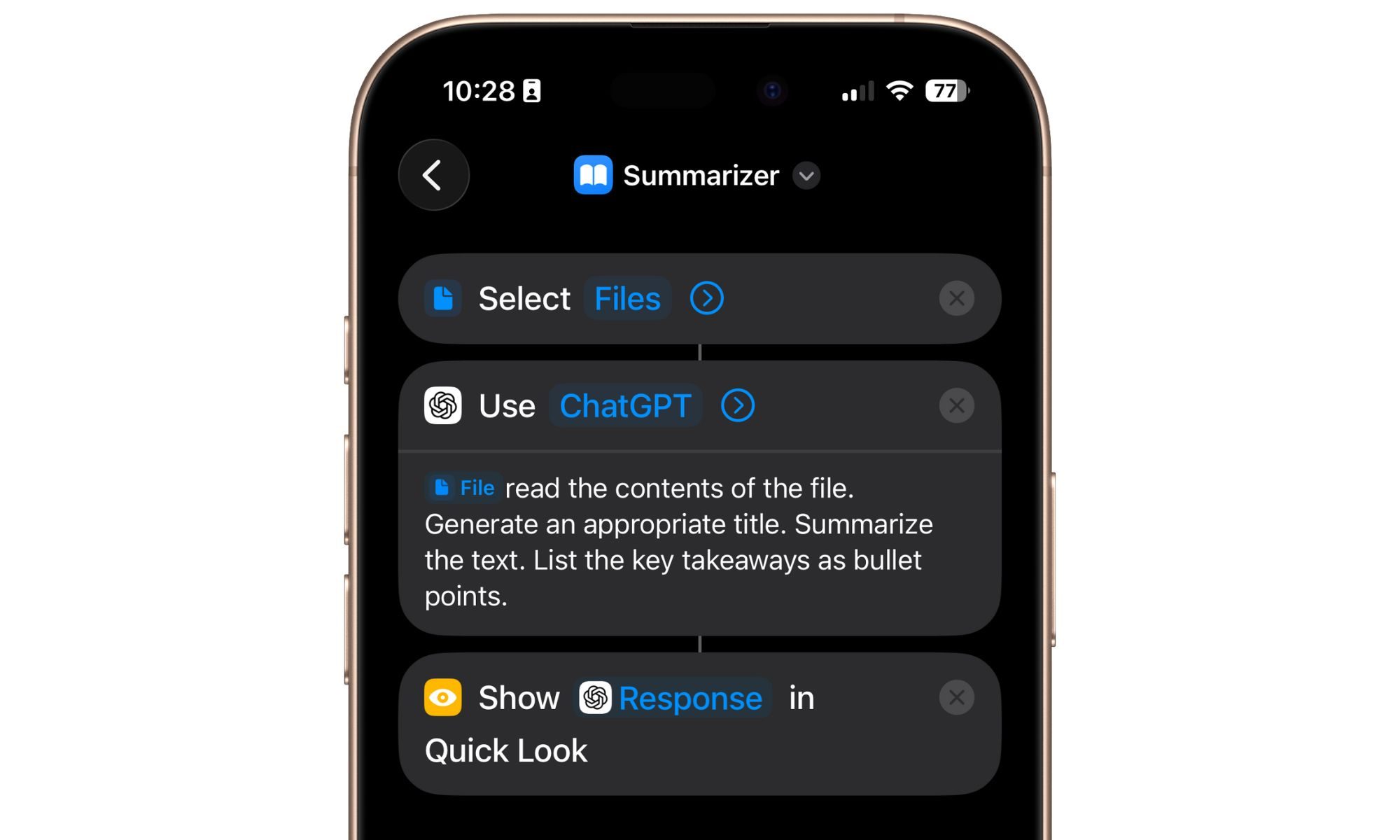
For many iPhone users, the Shortcuts app represents a paradox. It promises immense power—the ability to automate complex tasks with a single tap—yet delivers an experience that often feels archaic and needlessly complicated. While the rest of iOS has evolved with sleek interfaces and intuitive gestures, Shortcuts has remained stubbornly stuck in a past era of manual configuration. This dissonance between potential and usability has long been the app’s defining headache. However, a significant shift appears imminent. Building on this, the upcoming iOS 27 update, powered by Apple Intelligence, presents a compelling vision: transforming Shortcuts from a chore into a genuinely helpful, conversational assistant.

The Core Problem with Today’s Shortcuts App

Currently, creating a shortcut feels less like modern computing and more like assembling IKEA furniture without the picture guide. You must hunt through nested menus, drag and drop individual “actions,” and understand how they logically chain together. The process is procedural, not intuitive. This means that for the average user, the barrier to entry is simply too high. The app’s immense capability is locked behind a steep learning curve, rendering it a tool for enthusiasts rather than a mainstream feature. Consequently, a powerful system designed to save time often ends up consuming it during setup.

How iOS 27 and AI Could Redefine Automation

The proposed solution centers on a fundamental change in interaction. Instead of manual construction, iOS 27’s Shortcuts app is rumored to leverage Apple Intelligence to understand natural language commands. Imagine simply telling your iPhone what you need. You could say, “Text my partner my ETA when I leave the office,” or “Start my evening playlist and dim the smart lights when I get home.” The AI would interpret the intent, identify the necessary components (location triggers, messaging actions, music apps, smart home controls), and build the automation sequence automatically. This shift from a visual programming interface to a conversational one is monumental. It moves the cognitive load from the user to the system, where it belongs.

From Overwhelming to Effortless

This approach directly targets the app’s primary weakness: accessibility. By removing the need to understand the underlying “blocks” of automation, Apple Intelligence could make powerful workflows available to everyone. The focus shifts from *how* to build a shortcut to simply *describing* the desired outcome. This is not just a new feature; it’s a complete philosophy change for the app. For instance, discovering useful automations could become as simple as asking, “What shortcuts would be helpful for my morning routine?” The AI could then suggest and create relevant options based on your app usage and habits.

The Potential Impact on Daily iPhone Use

If executed well, an AI-powered Shortcuts app in iOS 27 could fundamentally alter how we interact with our iPhones. Automation would cease to be a niche power-user feature and become a seamless, background layer of intelligence. Routine tasks—logging workouts, compiling expense reports from photos, managing daily summaries—could be delegated to personalized shortcuts created through conversation. This means that the iPhone becomes more proactive, anticipating needs based on verbal commands rather than requiring manual programming for every scenario. The potential is for the device to feel less like a tool and more like a competent assistant. To explore more about how automation is changing, check out our guide on the future of iPhone productivity.

What This Means for the Future of iOS 27 Shortcuts

The integration of Apple Intelligence suggests a future where the Shortcuts app might not even feel like a separate app. Its functionality could be woven directly into Siri and system-wide search. The goal appears to be making automation an invisible, ambient capability. While the current app is a sandbox you must enter to build things, the iOS 27 vision points to a context-aware system that offers to create shortcuts for you based on repetitive tasks it observes. This evolution could finally deliver on the original promise of Shortcuts: effortless efficiency. Therefore, the success of this update won’t be measured by new complex actions, but by how many people who previously found the app “janky” now use it without a second thought.

Of course, the proof will be in the execution. The AI must reliably parse vague human language into precise technical instructions—a non-trivial challenge. However, the direction is clear and addresses years of user frustration head-on. For anyone who has ever opened the Shortcuts app only to close it in confusion, iOS 27 offers a beacon of hope. It represents a chance to move beyond the clunky, puzzle-like interface and into an era where your iPhone truly understands what you mean, not just what you tap. For a deeper look at Apple’s AI strategy, read our analysis on how Apple Intelligence works behind the scenes.

Continue Reading
Click to comment

Leave a Reply

Your email address will not be published. Required fields are marked *

Artificial Intelligence

I Found the Best Prime Day 2026 Laptop Deals—These Are the 5 I Recommend Buying

Published

on

Prime Day 2026 Laptop Deals: 5 Best Picks I’d Buy Now

If you’ve been shopping for a laptop lately, you already know the bad news: prices have climbed steadily over the past year, and they show no signs of dropping. That’s exactly why Prime Day 2026 laptop deals matter more than ever. Amazon’s annual sale slashes prices on everything from budget workhorses to premium ultrabooks, making it the perfect moment to upgrade without breaking the bank.

I’ve combed through hundreds of listings to find the laptops that actually deliver value at their discounted prices. Below, you’ll find five options arranged from the most affordable to the most expensive. Whether you’re a student, a creative professional, or a gamer, there’s something here for you. Let’s dive in.

Why Prime Day 2026 Is the Right Time to Buy a Laptop

Laptop inflation has been real. New models from brands like Apple, Dell, and Lenovo often launch north of $1,000, and even mid-range machines hover around $700 to $900. Prime Day laptop deals cut through that trend, offering discounts that bring devices back to their original launch prices—or lower.

As a result, you can snag a capable machine for under $500, or a powerful ultrabook for half its retail price. The key is knowing which deals are genuine and which are just marketing fluff. I’ve done the filtering so you don’t have to.

Best Budget Laptop: Asus Vivobook 16

Starting at just $499.99, the Asus Vivobook 16 is one of the most affordable laptops with 16GB of RAM and a Snapdragon X processor. This machine handles everyday tasks like email, web browsing, video streaming, and document editing with ease. It’s a solid choice for students, teachers, or anyone who needs a reliable home laptop.

The 16-inch display offers plenty of screen real estate, though it’s not the brightest panel on the market. Battery life, however, is a standout feature: expect around eight to ten hours of mixed use. With 512GB of storage and built-in AI features, this is a no-brainer for budget-conscious buyers.

Pros: Large display, capable chipset, long battery life, great value.
Cons: Not for gaming, limited ports, average screen brightness.

Check the Asus Vivobook 16 deal on Amazon

Mid-Range Powerhouse: Acer Aspire 14 AI Copilot+ Laptop

For just $589.99, the Acer Aspire 14 AI Copilot+ Laptop packs an Intel Core Ultra 7 processor with a powerful NPU for on-device AI tasks. It also comes with 16GB of RAM and a generous 1TB SSD—rare at this price point. The 14-inch LCD screen is compact and portable, making it ideal for students and professionals who move around.

Connectivity is another strong suit: you get four USB ports, an HDMI port, two USB-4 ports, and a headphone jack. No need for a dongle here. Wi-Fi 6E support ensures fast wireless speeds. While the trackpad isn’t the best in its class, the overall package is hard to beat under $600.

Pros: Lightweight, fast performance, all-day battery, plenty of ports, AI features.
Cons: Average screen quality, not for heavy content creation.

Check the Acer Aspire 14 deal on Amazon

Best 2-in-1: Microsoft Surface Pro 2-in-1 2024

If you want the flexibility of a tablet with the power of a laptop, the Microsoft Surface Pro 2-in-1 (2024) is your best bet. It’s currently available at an all-time low of $869.99—down from $1,347—making it a compelling Prime Day laptop deal for creatives and mobile workers.

The Snapdragon X Elite chip and 16GB of RAM handle daily productivity smoothly. The 13-inch OLED display is bright and crisp, perfect for sketching, reading, or streaming. Battery life ranges from seven to ten hours. Just remember that the keyboard and stylus are sold separately, so factor that into your budget.

Pros: Versatile form factor, excellent display, good performance, long battery.
Cons: Hidden accessory costs, limited ports, single kickstand angle.

Check the Surface Pro deal on Amazon

Premium Ultrabook: Samsung Galaxy Book5 Pro 16-inch

The Samsung Galaxy Book5 Pro 16-inch is a premium ultrabook now available for $1,199.99—nearly half its original $1,999.99 launch price. That’s a steal for a machine with a stunning 16-inch AMOLED display, 120Hz refresh rate, and an Intel Core Ultra 7 processor.

This laptop handles multitasking, casual gaming, and light video editing with ease. Battery life reaches up to 12 hours under light office work. The included S Pen stylus adds value for note-takers and designers. However, under heavy loads, the fan can get loud, and the touchscreen’s palm rejection isn’t always perfect.

Pros: Brilliant AMOLED display, stylus included, great performance, long battery.
Cons: Heavy usage drains battery, fan noise under load, palm rejection issues.

Check the Galaxy Book5 Pro deal on Amazon

Gaming Beast: Asus ROG Strix G18 2025

For gamers and video editors, the Asus ROG Strix G18 2025 is the ultimate Prime Day laptop deal at $1,239.99. It features an 18-inch 144Hz display, Nvidia GeForce RTX 5050 GPU with DLSS 4, and an AMD Ryzen 9 8940HX processor. With 16GB of RAM and a 1TB SSD, this machine chews through demanding workloads.

The trade-offs are battery life (three to five hours for non-gaming tasks) and weight (11.27 lbs). This isn’t a laptop you’ll carry around daily, but for desktop-replacement performance, it’s unmatched at this price.

Pros: Smooth 144Hz gaming, large screen, fast performance, great for video editing.
Cons: Heavy, limited battery, IPS screen not as vibrant as OLED.

Check the ROG Strix G18 deal on Amazon

Final Thoughts: Which Prime Day Laptop Should You Choose?

Each of these laptops serves a different purpose. For budget buyers, the Asus Vivobook 16 offers unbeatable value. Students and professionals will love the Acer Aspire 14’s portability and ports. Creative users should consider the Surface Pro or Galaxy Book5 Pro. And if gaming or video editing is your priority, the ROG Strix G18 delivers raw power.

Remember, these Prime Day 2026 laptop deals won’t last forever. If you see a price that fits your budget, act quickly. For more savings, check out our complete Amazon Prime Day guide and student laptop buying tips.

Continue Reading

Artificial Intelligence

OpenAI launches Patch the Planet to fix open-source security vulnerabilities at scale

Published

on

OpenAI launches Patch the Planet to fix open-source security vulnerabilities at scale

OpenAI has unveiled a new initiative called Patch the Planet, designed to address a persistent and often overlooked issue: the chronic underfunding of open-source security. This effort aims to reduce the burden on volunteer maintainers who struggle to keep up with a rising tide of security flaws.

By combining OpenAI’s most advanced security-focused AI models with the expertise of security firm Trail of Bits, the project seeks to turn the tide on vulnerability management. Support also comes from bug bounty platform HackerOne and other partners.

How Patch the Planet works to improve open-source security

The core problem is straightforward: AI tools can now generate vast numbers of potential vulnerabilities, but sorting real threats from false alarms remains a manual, time-consuming task. Overworked maintainers, many working for free, are drowning in low-quality, AI-generated bug reports.

OpenAI’s cyber tech lead Fouad Matin noted that maintainers do this work out of love for open source, yet now find themselves overwhelmed. Trail of Bits CEO Dan Guido called the project a massive effort to help open-source software get ahead of AI bug hunting tools, while also demonstrating the positive side of AI coding tools.

Researchers use OpenAI’s Codex Security and GPT-5.5-Cyber models to investigate and validate issues. Every finding is personally reviewed before it reaches a maintainer. Additionally, OpenAI is subsidizing roughly 20 trillion tokens of Codex Security usage for both open-source and private code.

Why this matters beyond bug fixes

More than 30 projects are already participating, including cURL, Python, and the Go project. Trail of Bits is running an opening sprint with a fifth of its entire workforce. In its first week alone, the effort has surfaced hundreds of bugs and dozens of patches.

This announcement comes as rival Anthropic was forced to pull its Mythos 5 and Fable 5 models from the market over White House concerns about AI cybersecurity capabilities. OpenAI’s updated GPT-5.5-Cyber reportedly outscores Mythos 5 on the CyberGym benchmark, 85.6% to 83.8%.

That benchmark gap may seem small, but it signals that the real race between AI labs could shape internet security far more than any single product launch. For maintainers, the hope is that AI can become a tool for open-source security rather than another source of noise.

What this means for the future of open-source security

Building on this, Patch the Planet could set a new standard for how AI is used in vulnerability management. Instead of flooding maintainers with alerts, the initiative filters and validates issues before they ever become a problem. This approach could reduce burnout and help projects stay secure.

Furthermore, the partnership with Trail of Bits ensures that human expertise remains central. AI handles the initial analysis, but experts verify every finding. This hybrid model may become a blueprint for other cybersecurity efforts.

On the other hand, critics might question whether such initiatives can scale beyond flagship projects. Smaller open-source tools often lack visibility and resources. However, OpenAI’s substantial token subsidy and the involvement of HackerOne suggest a commitment to broad impact.

Therefore, Patch the Planet represents more than a bug-fixing drive. It is an attempt to rebalance the relationship between AI and open-source security, turning AI from a threat into an ally. For maintainers, that shift cannot come soon enough.

For more insights, read about how AI changes cybersecurity or explore open-source tools for developers.

Continue Reading

Artificial Intelligence

Google’s NotebookLM Just Got a Smarter Flashcard Upgrade — Here’s What Changed

Published

on

Google’s NotebookLM Just Got a Smarter Flashcard Upgrade — Here’s What Changed

Google’s NotebookLM note-taking tool has quietly become one of the company’s most practical AI products. Now, with the latest NotebookLM flashcard upgrade, it’s even more useful for students and lifelong learners. The update brings full editing control over generated questions, answers, and deck sharing — turning a one-shot AI feature into a flexible study companion.

What the NotebookLM Flashcard Upgrade Adds

Previously, NotebookLM generated flashcards from your uploaded sources — class notes, PDFs, or lecture transcripts — but you couldn’t tweak them. If a card missed a key term or phrased an answer oddly, you were stuck. That’s no longer the case.

With this upgrade, users can now edit any question, adjust its answer, and add brand-new cards from scratch. You can also share your polished deck with classmates, friends, or study groups. As NotebookLM announced on social media, “Flashcards are now fully customizable. Edit questions, tweak answers, and add brand-new cards to create the ultimate set of study tools.”

This moves NotebookLM closer to a genuine study aid rather than a novelty. A rough first pass can now become a refined deck worth reviewing before an exam.

Why Editing AI-Made Flashcards Matters for Real Studying

AI-generated study cards save time, but accuracy matters more than speed. A generated card might be too broad, skip a critical term, or frame an answer in a way that doesn’t match how your class expects you to explain it. That’s where editing becomes essential.

With the new controls, you can fix a weak answer, sharpen a confusing prompt, or add a card for something the system entirely skipped. For example, a student could split an overloaded card into two simpler ones, rewrite a question using their own phrasing, or patch a gap after checking class notes.

This brings the tool closer to real studying. Instead of passively accepting AI output, you actively shape it around the material you actually need to learn. For more on getting the most from AI tools, see our guide to using AI study tools effectively.

Shared Decks Get More Useful When You Can Polish Them

Sharing flashcards only makes sense when the deck is clean. A group study set is rarely perfect on the first try, especially when several people notice different missing details. The NotebookLM flashcard upgrade solves this by letting you edit before you share.

NotebookLM already has an advantage because it builds flashcards from your own sources rather than a generic prompt. Editable cards make that source-based approach more practical. You can start with the generated set, then shape it around the specific material your study group needs to cover.

After editing, you can share the finished deck with a simple link. Your classmates get a polished set without having to rebuild it themselves. This collaborative workflow is a big step up from static, uneditable flashcard exports. For more on collaboration features, check out our tips for studying with NotebookLM.

Who Should Try the NotebookLM Flashcard Upgrade First

This update is most useful for students who already use NotebookLM with class notes, readings, or lecture material. It’ll also help anyone preparing for a test from a defined batch of sources — whether that’s professional certification materials or personal study guides.

Still, the feature depends heavily on the quality of what you put into NotebookLM. The exact rollout timing and regional availability weren’t provided, so the smart move is to test the flashcards with one narrow topic first. Check the answers closely, and expand only after the deck looks reliable.

In short, the NotebookLM flashcard upgrade turns a decent AI feature into a genuinely useful study tool. Editing, adding, and sharing cards makes it far more practical for real learning. If you haven’t tried NotebookLM yet, this might be the moment to start.

Continue Reading

Trending