Connect with us

How To

Best Android Screen Lock Apps 2024: Revolutionary Mobile Security Solutions

Published

on

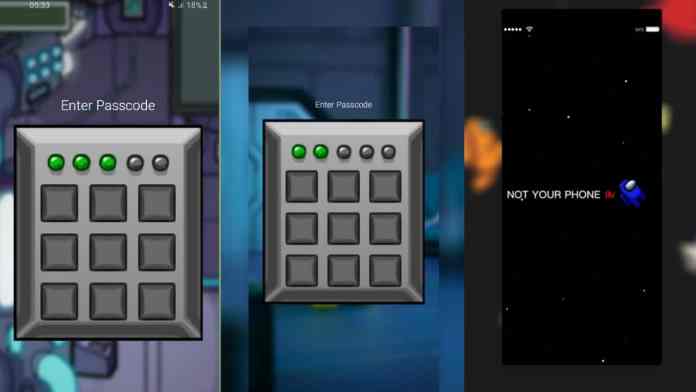
As mobile devices become central to our digital lives, the importance of robust security measures cannot be overstated. Android screen lock apps have evolved beyond simple pattern locks to offer sophisticated protection mechanisms that safeguard your personal information. Today’s smartphone users demand more than basic security—they want comprehensive solutions that combine functionality with advanced protection.

Essential Security Features in Modern Android Screen Lock Apps

Contemporary Android screen lock apps deliver far more than traditional PIN codes or pattern recognition. These applications incorporate multiple layers of security designed to thwart unauthorized access attempts. Advanced biometric authentication, including fingerprint scanning and facial recognition, represents just the beginning of modern mobile protection.

However, what sets premium security applications apart is their ability to customize protection levels based on user preferences. Some apps offer time-sensitive locks, location-based security protocols, and even decoy modes that display fake content to potential intruders. This means that your device remains secure while providing you with flexible access options tailored to your lifestyle.

Installation Process for Enhanced Mobile Security

Getting started with professional-grade security apps requires careful selection and proper installation. The Google Play Store hosts numerous security applications, but choosing the right one demands understanding your specific protection needs.

Therefore, begin by evaluating which features matter most for your usage patterns. Do you prioritize biometric authentication, or do you prefer pattern-based systems with additional encryption? Once you’ve identified your requirements, follow these steps:

  • Navigate to the official app store on your device
  • Search for reputable security applications with high ratings
  • Read user reviews and developer credentials carefully
  • Download only from verified publishers to avoid malicious software

Maximizing Protection Through Smart Configuration

After installing your chosen Android screen lock apps, proper configuration becomes crucial for optimal security. Most users make the mistake of accepting default settings without customizing protection levels to match their specific needs. This approach often leaves security gaps that determined intruders can exploit.

On the other hand, over-securing your device can create usability issues that frustrate daily interactions. The key lies in finding the perfect balance between security and convenience. Consider enabling automatic lock timers that activate after periods of inactivity, while ensuring emergency access remains possible through trusted contacts or backup authentication methods.

Furthermore, many advanced applications offer privacy protection features that extend beyond simple screen locking. These might include app-specific locks, secure photo vaults, or encrypted messaging capabilities that provide comprehensive digital privacy.

Advanced Features That Set Premium Apps Apart

Professional security applications distinguish themselves through innovative features that address modern privacy concerns. Intruder detection systems can photograph unauthorized access attempts, while stealth modes hide sensitive applications from casual observers. Some apps even offer remote wiping capabilities that protect your data if your device is stolen.

Additionally, integration with wearable devices allows for seamless authentication when your smartwatch or fitness tracker is nearby. This technology recognizes when trusted devices are in proximity, automatically adjusting security levels accordingly. Such intelligent adaptation makes your device more secure without compromising convenience.

Troubleshooting Common Security App Issues

Despite their sophistication, even the best Android screen lock apps can encounter operational challenges. Battery drain represents the most frequent complaint among users, particularly with applications that continuously monitor biometric sensors or location data. To address this concern, review background activity permissions and disable unnecessary features that consume excessive power.

As a result of software updates or system changes, some security apps may experience compatibility issues. Regular updates from both the app developer and Android system help maintain optimal performance. If problems persist, clearing app cache or reinstalling the application often resolves technical difficulties.

In conclusion, selecting and implementing effective Android screen lock apps requires careful consideration of your security needs, proper installation procedures, and ongoing maintenance. By choosing reputable applications with comprehensive features, you can transform your mobile device into a fortress of digital privacy while maintaining the convenience that modern smartphones should provide.

Continue Reading
Click to comment

Leave a Reply

Your email address will not be published. Required fields are marked *

How To

Simple Methods to Regain Access on WhatsApp After Being Blocked

Published

on

Understanding WhatsApp Unblock Methods

Getting blocked on WhatsApp can feel frustrating, especially when you need to reconnect with someone important. However, there are legitimate WhatsApp unblock methods that can help restore communication channels while respecting privacy boundaries.

This comprehensive guide explores practical approaches to regain access when blocked, focusing on account-based solutions rather than circumventing privacy settings.

Why People Get Blocked on WhatsApp

Before exploring unblock techniques, it’s essential to understand common reasons behind blocking. Often, misunderstandings, excessive messaging, or privacy concerns lead to this action.

Additionally, some users block contacts temporarily during conflicts or when needing space. Recognizing these patterns helps determine whether attempting to reconnect is appropriate.

The Account Reset Method for WhatsApp Unblock

The most effective approach involves resetting your entire WhatsApp presence. This method works because it creates a fresh account identity, essentially bypassing previous block settings.

However, this technique requires careful preparation to avoid losing important data. Start by backing up all conversations through Settings > Chats > Chat backup.

Step-by-Step Account Deletion Process

Navigate to WhatsApp Settings and select Account options. Choose “Delete my account” and enter your phone number when prompted. This action permanently removes your current profile.

After deletion, uninstall the application completely from your device. This ensures all cached data gets cleared during the process.

Reinstallation and Setup

Restart your phone before reinstalling WhatsApp from your device’s app store. This refresh eliminates any residual files that might interfere with the fresh installation.

During setup, use the same phone number to create your new account. The system treats this as a completely new user registration.

Alternative WhatsApp Unblock Methods

Besides account resetting, consider reaching out through alternative communication channels. Sometimes direct conversation resolves underlying issues more effectively than technical workarounds.

Furthermore, asking mutual friends to mediate can help clarify misunderstandings without compromising anyone’s privacy preferences.

Using Different Phone Numbers

If available, creating a WhatsApp account with a different phone number provides another path to reconnection. This approach allows fresh communication while maintaining your original account.

Nevertheless, this method should only be used for legitimate reconciliation purposes, not harassment or unwanted contact.

Respecting Digital Boundaries

While these WhatsApp unblock methods are technically feasible, ethical considerations must guide their application. Blocking often represents a clear boundary that deserves respect.

Therefore, before attempting any unblocking technique, honestly evaluate whether reconnection serves both parties’ interests. Sometimes accepting the block and moving forward demonstrates greater maturity.

Building Trust After Reconnection

If you successfully regain contact, focus on rebuilding trust rather than returning to previous communication patterns. Address the original concerns that led to blocking.

As a result, future interactions become more positive and sustainable, reducing the likelihood of repeated blocking incidents.

Important Considerations and Limitations

These methods work best for resolving misunderstandings rather than overriding deliberate privacy choices. Success depends largely on the blocker’s willingness to engage again.

Remember that repeated attempts to circumvent blocks can be perceived as harassment, potentially leading to more severe consequences including permanent account restrictions.

In addition, always maintain backup copies of important conversations before attempting account deletion, as this process permanently removes all chat history.

Ultimately, the most sustainable approach combines technical knowledge with emotional intelligence, ensuring that reconnection efforts contribute positively to all relationships involved.

Continue Reading

How To

Google’s Gemini CLI: Revolutionary Open-Source AI Command-Line Tool Transforms Developer Workflows

Published

on

The landscape of software development has witnessed a revolutionary shift with Google‘s latest innovation. The tech giant recently unveiled its groundbreaking Gemini CLI tool, an open-source artificial intelligence utility designed to transform how developers interact with code directly from their command terminals.

This innovative solution represents a significant advancement in AI-assisted programming. Rather than switching between multiple applications, developers can now harness the power of artificial intelligence seamlessly within their existing terminal environment.

What Makes the Gemini CLI Tool Revolutionary for Developers?

At its core, the Gemini CLI tool serves as a bridge between cutting-edge AI technology and practical development needs. The application integrates Google’s sophisticated Gemini AI model directly into command-line interfaces, creating an unprecedented coding experience.

Developers can now execute complex programming tasks using natural language commands. This approach eliminates the traditional barriers between human intent and machine execution. The tool interprets conversational requests and translates them into actionable code solutions.

Built with performance in mind, this lightweight application operates efficiently across various operating systems. Its streamlined architecture ensures rapid response times without compromising system resources. The tool’s design philosophy prioritizes both functionality and accessibility.

Comprehensive Features That Enhance Developer Productivity

Beyond basic code generation, the Gemini CLI tool offers an extensive suite of capabilities. The application excels in debugging complex programming challenges, providing intelligent suggestions for error resolution. Developers can leverage its advanced search functionality to locate specific code segments or documentation.

The tool’s integration with web-based resources sets it apart from competitors. Through Google Search connectivity, it retrieves real-time information and current programming best practices. This feature ensures developers always have access to the latest industry standards and solutions.

Additionally, the application supports multimedia content creation. Developers can generate visual assets and video content using integrated AI models like Veo and Imagen. This versatility makes it valuable for full-stack development projects requiring diverse content types.

Advanced Automation and Workflow Integration

The Gemini CLI tool excels in automating repetitive development tasks. Its scripting capabilities allow developers to create custom workflows that streamline their daily operations. The application can execute complex sequences of commands based on simple natural language instructions.

Integration with popular development environments like VS Code enhances its practical utility. This compatibility ensures developers can maintain their preferred working environments while benefiting from AI assistance.

Flexible Access Models and Usage Limitations

Google has structured the Gemini CLI tool’s access model to accommodate various developer needs. The free tier provides substantial functionality for individual developers and small teams. Users receive access to the powerful Gemini 2.5 Pro model along with comprehensive Code Assist features.

The generous usage allowances include one million token context support, enabling the tool to process extensive codebases and complex prompts. Free users can make up to 60 requests per minute, with a daily limit of 1,000 requests. These parameters accommodate most standard development workflows effectively.

For enterprise-level requirements, Google offers scalable solutions through AI Studio and Vertex AI platforms. These premium options provide usage-based billing models that scale with organizational needs. Professional developers can upgrade seamlessly when their projects demand additional computational resources.

Open-Source Philosophy and Community Benefits

The Apache 2.0 licensing model demonstrates Google’s commitment to open-source development principles. This licensing approach allows both personal and commercial usage without restrictive limitations. Developers can examine the source code, contributing to transparency and security validation.

The open-source nature encourages community contributions and customizations. Development teams can modify the tool to suit specific organizational requirements or industry standards. This flexibility promotes innovation while maintaining compatibility with existing development ecosystems.

Security-conscious organizations benefit from the ability to audit the codebase thoroughly. This transparency addresses common concerns about proprietary AI tools and closed-source algorithms in enterprise environments.

Future Implications for AI-Assisted Development

The introduction of the Gemini CLI tool signals a broader transformation in software development methodologies. As AI becomes increasingly integrated into development workflows, tools like this establish new standards for human-machine collaboration in programming contexts.

This development positions Google competitively against similar offerings in the market. While OpenAI’s Codex CLI tool pioneered this space, Google’s implementation introduces enhanced features and more comprehensive integration capabilities.

The tool’s impact extends beyond individual productivity improvements. Organizations adopting AI-assisted development tools can expect accelerated project timelines and improved code quality. The natural language interface lowers barriers for junior developers while providing advanced capabilities for experienced programmers.

In conclusion, Google’s Gemini CLI tool represents a significant milestone in AI-assisted software development. By combining powerful artificial intelligence with practical command-line functionality, it addresses real-world developer challenges while maintaining the flexibility and transparency that modern development teams require. As this technology continues evolving, it promises to reshape how we approach coding, debugging, and project management in the digital age.

Continue Reading

How To

PersonalDNSFilter App: Your Ultimate Shield Against Ads, Tracking, and Malware

Published

on

Tired of intrusive advertisements ruining your mobile experience? The PersonalDNSFilter app offers a comprehensive solution to eliminate unwanted ads, block malicious tracking, and protect your device from harmful content. This powerful DNS-based filtering tool transforms how you interact with your smartphone.

Understanding How PersonalDNSFilter App Works

Your smartphone relies on Domain Name System (DNS) servers to translate website addresses into IP addresses. Think of DNS as the internet’s address book. However, standard DNS servers often allow advertising networks and tracking services to reach your device.

The PersonalDNSFilter app intercepts these requests at the DNS level. Instead of letting your device communicate with ad servers, it blocks these connections entirely. This approach proves more effective than traditional ad blockers because it operates before content loads.

As a result, you’ll notice faster browsing speeds, reduced data consumption, and enhanced privacy protection across all your applications.

Key Features That Make PersonalDNSFilter App Stand Out

This DNS filtering solution includes several powerful capabilities that set it apart from conventional ad blocking methods:

Advanced DNS Customization

Users can configure custom DNS servers to optimize their filtering experience. The app supports popular privacy-focused DNS providers like Cloudflare and Quad9, ensuring faster response times and enhanced security.

Comprehensive Ad Blocking Technology

Unlike browser-based blockers, this system-wide solution prevents advertisements from appearing in games, social media apps, and streaming services. The blocking mechanism operates at the network level, making it virtually undetectable to apps attempting to circumvent traditional ad blockers.

Application Whitelisting Options

Sometimes you might want to support certain developers by allowing advertisements in specific applications. The whitelist feature lets you selectively disable filtering for chosen apps while maintaining protection elsewhere.

Simple Installation and Setup Process

Getting started with the PersonalDNSFilter app requires just a few straightforward steps:

Begin by downloading the application from the Google Play Store. Search for “PersonalDNSFilter” or access it directly through the official listing.

Once installed, launch the application and grant necessary permissions. The app will request access to create a VPN connection, which is essential for DNS filtering functionality.

Navigate to the main settings screen and enable the filtering service. The interface displays a simple toggle switch that activates system-wide ad blocking immediately.

Access advanced configurations through the settings menu. Here you can customize DNS servers, adjust filtering intensity, and manage your application whitelist.

Maximizing Your PersonalDNSFilter App Experience

To get the most from this DNS filtering solution, consider these optimization strategies:

Regular Filter List Updates

The app automatically updates its filtering databases to stay current with new advertising domains and tracking services. However, you can manually trigger updates to ensure maximum protection against emerging threats.

Battery Optimization Settings

Enable the “Prevent Device Sleep” option to maintain consistent filtering protection. This setting ensures the DNS service remains active even when your device enters low-power modes.

Additionally, configure backup and restore options to preserve your custom settings. This feature proves invaluable when switching devices or recovering from system resets.

Privacy and Security Benefits

Beyond blocking advertisements, the PersonalDNSFilter app enhances your digital privacy in several important ways. The DNS filtering process prevents tracking pixels from loading, making it harder for companies to build detailed profiles of your online behavior.

The app also blocks connections to known malware distribution networks. This proactive approach protects against malicious downloads and phishing attempts that traditional antivirus software might miss.

Furthermore, by reducing the number of external connections your device makes, the filtering system minimizes your digital footprint and potential attack surface.

Performance Impact and Considerations

Many users worry about performance impacts when using DNS filtering applications. However, the PersonalDNSFilter app typically improves overall device performance by reducing network traffic and preventing resource-intensive advertisements from loading.

Battery consumption remains minimal because the app operates efficiently at the system level. Most users report negligible impact on battery life compared to the benefits gained from reduced ad processing.

Network speed often increases because your device no longer waits for advertising content to load. Pages render faster, and applications become more responsive.

The PersonalDNSFilter app represents a powerful solution for users seeking comprehensive ad blocking and privacy protection. Its DNS-based approach offers superior effectiveness compared to traditional browser extensions while maintaining simplicity and ease of use.

Whether you’re concerned about privacy, annoyed by intrusive advertisements, or seeking better device performance, this application provides a robust foundation for a cleaner mobile experience. Consider exploring advanced DNS security solutions and mobile privacy protection guides to further enhance your digital security posture.

Continue Reading

Trending