How to Boost Your Phone’s Earpiece Speaker Volume with a Free App
Is your phone’s earpiece speaker too quiet during calls or when listening to media? This common frustration often stems from hardware limitations or accumulated software glitches. Fortunately, a dedicated earpiece speaker volume booster application offers a practical software-based solution to amplify your audio experience significantly.
What is an Earpiece Speaker Volume Booster?
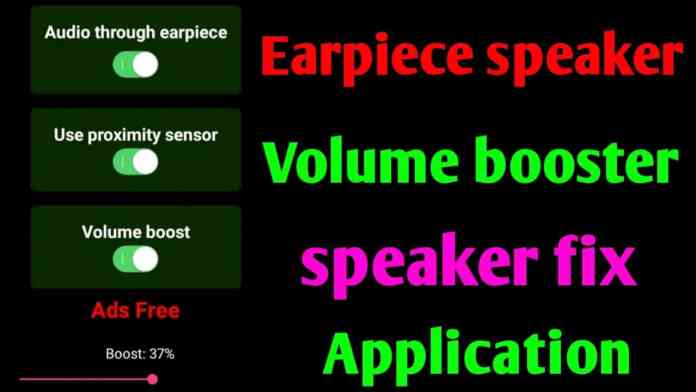
An earpiece speaker volume booster is a specialized Android application designed to override default audio limits. It works by processing and amplifying the audio signal sent specifically to the phone’s top earpiece speaker, which is typically used for calls. This means you can potentially hear conversations, podcasts, or music much more clearly without needing headphones or an external speaker.
Building on this, the core promise of these apps is to enhance audio output where hardware repairs are not an option. They act as a digital intermediary, boosting the signal before it reaches the speaker driver.
Key Features of a Reliable Volume Booster App
Not all audio apps are created equal. A trustworthy earpiece speaker volume booster should include several essential features for safety and effectiveness.
Amplification Without Distortion
The primary function is clean amplification. The best apps can increase perceived volume by up to 10 times while intelligently managing sound to prevent the harsh distortion or cracking that occurs when pushing hardware beyond its limits. This requires sophisticated software algorithms.
Simple, User-Friendly Interface
Ease of use is critical. A good app provides a straightforward toggle or slider, allowing users to adjust boost levels instantly. There should be no complex setup or technical knowledge required, making it accessible for everyone.
Built-in Audio Equalizer
Many boosters include a basic equalizer. This lets you fine-tune frequencies, potentially making voices more crisp or music more balanced directly through the earpiece. This feature is invaluable for tailoring sound to your specific hearing preferences or media type.
How to Download and Use the App Safely
Therefore, finding and installing the right tool is a straightforward process, but caution is advised.
First, search for a reputable “earpiece speaker booster” or “speaker fix” app on the Google Play Store. Always check ratings, recent reviews, and the developer’s information. Avoid apps with excessive permissions unrelated to audio control. Once downloaded, open the app and grant the necessary audio permissions.
Typically, you will see a main volume boost slider. Start at a low level and gradually increase it while playing audio from your earpiece. Find a level that is clear and loud without causing distortion. The app may run in the background, maintaining your settings until you disable it.
Practical Uses and Benefits
Consequently, the applications for this technology extend far beyond just fixing a broken speaker. Users have found creative and practical ways to integrate it into daily life.
For instance, it can be a game-changer for listening to podcasts or audiobooks privately in a noisy environment. Similarly, it aids those with mild hearing difficulties who struggle with standard call volume. Furthermore, it can repurpose an old phone with a weak speaker into a dedicated media player for personal listening.
On the other hand, it’s important to manage expectations. These apps amplify the existing audio signal; they cannot magically repair a physically damaged or blown speaker. If there is no sound at all or severe crackling, the issue is likely hardware-based.
Important Precautions and Limitations
While useful, it’s vital to use a volume booster app responsibly to avoid damaging your device or your hearing.
Always use the minimum effective volume. Pushing your phone’s small earpiece speaker to its maximum for prolonged periods can cause permanent damage to the speaker component. Additionally, listening at very high volumes directly next to your ear can contribute to hearing loss over time.
This means that the app is best used as a temporary fix or for moderate boosts. For a permanent solution to a hardware problem, professional repair is the recommended course of action. For more tips on managing your device’s audio, explore our guide on controlling individual app volumes.
In addition, remember that app performance can vary between different phone models and Android versions due to manufacturer audio drivers and system restrictions. What works brilliantly on one device might have a muted effect on another.
Conclusion: A Handy Tool for Audio Enhancement
In summary, an earpiece speaker volume booster app is a powerful, free tool for anyone struggling with inadequate phone audio. It provides a significant software boost, enhances privacy, and can improve media consumption. By following safe usage guidelines and setting realistic expectations, you can reclaim clear, loud sound from your device. Ready to try it? A simple search on your app store can lead you to a solution that might just save you from missing another important call or lyric. For other ways to personalize your device, check out our review of the latest transparent wallpaper applications.








 CyberSecurity7 months ago
 How To6 months ago
 How To4 months ago
 How To6 months ago
 How To5 months ago
 How To7 months ago

 How To6 months ago