Connect with us

Artificial Intelligence

Google Home’s Gemini Gets a Major Polish: More Human Interactions, Smarter Lists & Better Music

Published

on

Google Home’s Gemini Gets a Major Polish: More Human Interactions, Smarter Lists & Better Music

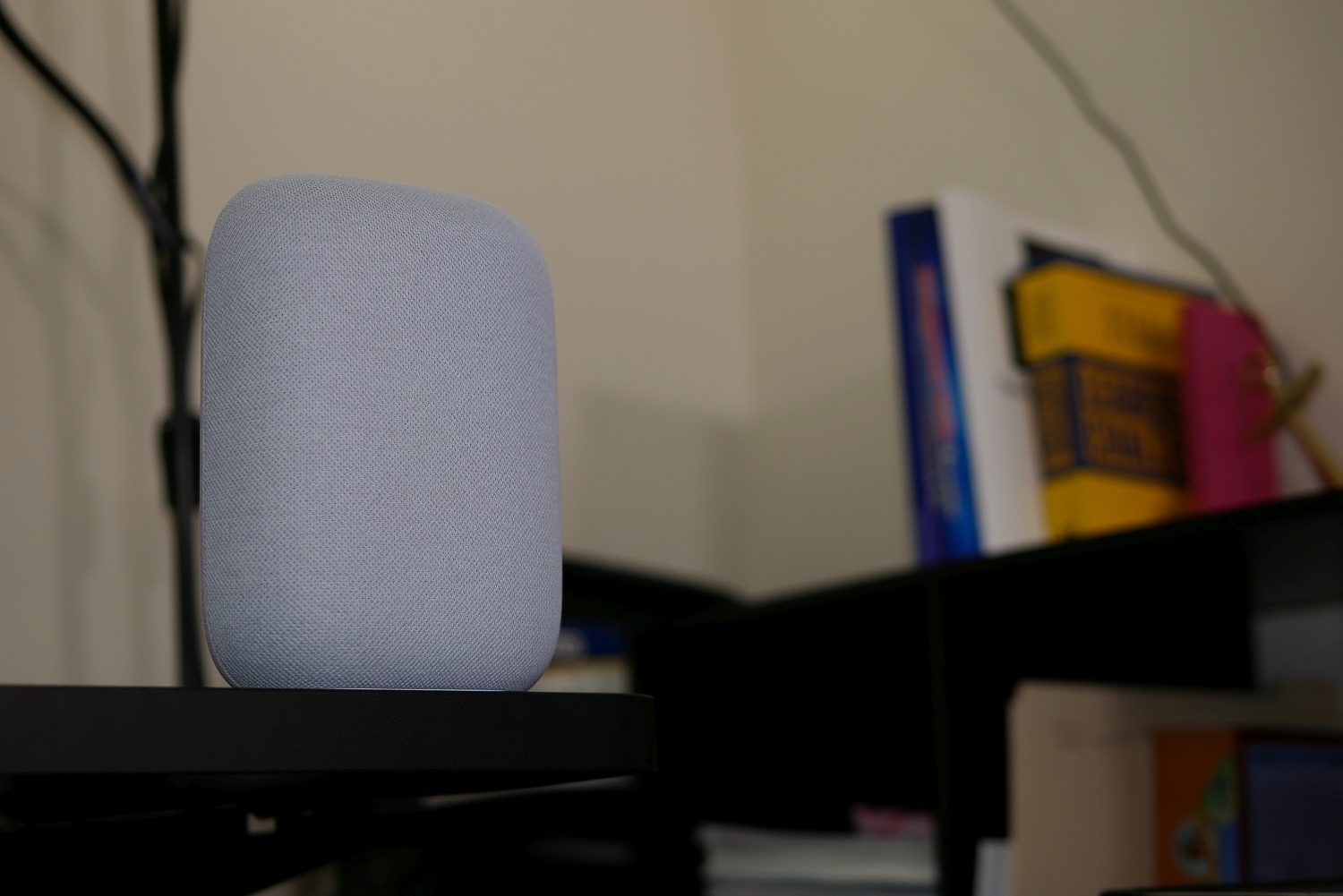
The journey from the classic Google Assistant to the AI-driven Gemini within Google Home has required some fine-tuning. Now, a significant wave of updates aims to erase the digital friction, transforming your smart home commands from robotic transactions into fluid, almost human-like conversations.

No More Awkward Interruptions: Gemini Learns to Listen

Perhaps the most welcome change targets a universal voice assistant pet peeve: being cut off. Google has retooled Gemini’s core listening mechanics. Instead of relying on a simple pause, the system now analyzes your unique speaking rhythm. This means whether you’re thoughtfully pausing or rattling off a quick request, Gemini is far more likely to wait for your actual sentence to conclude before responding. The result? You can finally finish your thought without having to repeat “Gemini, I wasn’t finished.”

Building on this, a new layer of contextual intelligence has been added. The AI is better at using environmental and conversational hints to interpret your intent accurately. Asking to “dim the lights” while in the living room or starting a “pizza timer” while in the kitchen should now trigger the correct action without unnecessary back-and-forth. For simple queries like the time or date, backend optimizations promise snappier responses than ever.

Smarter Home Management: Lists and Music Get an AI Boost

Moving beyond basic conversation, these Google Home Gemini upgrades bring tangible improvements to daily tasks. Managing shopping and to-do lists becomes significantly more intuitive. You can now use plain language to reorganize your lists. A command like “move all the snacks from my grocery list to my party list” is understood and executed. You can even ask Gemini to transform a standard note into a structured checklist, blending productivity seamlessly into your routine.

Enhanced Audio and Visual Reliability

On the entertainment front, music recognition receives a notable upgrade. Gemini is now more robust at identifying your personal playlists, even with background noise or if you slightly fumble the playlist name. The update also aims to reduce those frustrating moments where it plays the wrong artist. For iPhone users, the experience with Nest cameras is also enhanced. Live streams should be more stable, and scrubbing through your video history will be a clearer, smoother process.

Introducing Controls for a Healthier Digital Home

A crucial part of this update focuses on user well-being. New Parental Controls and Digital Wellbeing settings are now integrated directly into the Home app. This allows you to set content filters and, importantly, schedule “quiet periods.” These are designated times when Gemini will disconnect, helping you and your family create intentional tech-free zones in your home. It’s a feature that acknowledges the need for balance in a connected world.

Therefore, while each individual tweak might seem minor, their collective impact is substantial. They shift the experience from interacting with a piece of software to collaborating with a helpful, attentive presence in your home. This evolution is key to making advanced smart home technology feel less like an experiment and more like a natural extension of your living space. For more on optimizing your setup, explore our guide on mastering your voice assistant.

Continue Reading
Click to comment

Leave a Reply

Your email address will not be published. Required fields are marked *

Artificial Intelligence

Google Chrome’s New Skills Feature Turns Gemini Prompts Into One-Click Tools

Published

on

Google Chrome’s New Skills Feature Turns Gemini Prompts Into One-Click Tools

How many times have you retyped the same complex request into Google’s Gemini? If you’re like most users, repetitive prompting drains time and breaks your workflow. Consequently, Google has introduced a direct solution within the browser itself. The new ‘Skills’ feature in Chrome transforms your most valuable AI prompts into permanent, reusable tools accessible with a single click.

What Exactly Are Google Chrome Skills?

In essence, Skills are your personal library of supercharged shortcuts for Gemini. Instead of copying, pasting, or memorizing lengthy prompts, you save them once. After that, they become instantly available across every desktop where you’re signed into your Google account. This means a prompt crafted on your work computer can be deployed just as easily on your home machine, creating a seamless AI assistant experience.

Practical Uses for Saved Prompts

Early adopters have already found powerful applications. For instance, one can save a skill to analyze a recipe webpage and instantly calculate nutritional macros. Another might create a prompt to compare technical specifications from multiple product tabs side-by-side. Furthermore, a skill could be designed to digest long, complex documents and provide concise summaries, saving hours of manual reading.

Getting Started with the Skills Feature

Currently, the feature is available to desktop Chrome users with their language set to English (US). The process to create your first Skill is straightforward. First, open Gemini in your Chrome browser and run a prompt you intend to reuse. Once the conversation appears in your chat history, you’ll see a new option to save it directly as a Skill.

To activate a saved Skill later, simply type a forward slash (/) in the Gemini chat box. A menu will appear showing your personal library. Alternatively, you can click the plus sign (+) button to access the same list. Managing your collection is just as simple; type ‘/’ and click the compass icon to edit, rename, or delete your Skills.

Exploring Google’s Pre-Built Skills Library

Beyond creating your own, Google offers a curated library of ready-to-use Skills for common tasks. You can browse this collection within the same management menu. These templates cover a range of activities and can be used immediately or customized to better fit your specific needs. This library serves as an excellent starting point for understanding the potential of prompt engineering.

Privacy and Control in the Skills System

Importantly, Google has integrated privacy safeguards. Before a Skill executes any action that could have real-world consequences—like sending an email or creating a calendar event—it will request explicit confirmation from you. This ensures you remain in complete control, preventing automated tasks from running without your oversight.

The Bigger Picture: Organizing AI Workflows

Skills represent one part of Google’s broader strategy to make AI interactions more structured and efficient. Separately, the company is testing a ‘Projects’ feature for Gemini, which allows users to organize chats into dedicated folders—a functionality similar to that offered by competitors like ChatGPT. While Projects is not yet widely available, its development signals a focus on helping users manage complex, ongoing AI collaborations. For more on organizing digital workflows, see our guide on boosting browser productivity.

Ultimately, the introduction of Skills addresses a fundamental friction point in daily AI use. By reducing repetitive typing and context-switching, it allows users to focus on outcomes rather than process. As this feature evolves and reaches more users, it could significantly change how we interact with AI assistants for research, analysis, and content creation. To explore other ways to enhance your browsing, check out our article on essential Chrome extensions.

Continue Reading

Artificial Intelligence

Google’s Personal Intelligence Expands Globally: How Gemini Is Becoming Your True AI Assistant

Published

on

Google’s Personal Intelligence Expands Globally: How Gemini Is Becoming Your True AI Assistant

Imagine an AI that doesn’t just answer questions but understands your life. That vision is now materializing as Google expands its Gemini Personal Intelligence feature from U.S. subscribers to users across the globe. This represents a fundamental shift in how artificial intelligence interacts with us, moving from generic responses to deeply contextual assistance.

For months, this capability was limited to paying subscribers in one region. Today, that barrier is falling. Consequently, millions more users will soon experience an AI that feels less like a tool and more like a partner familiar with their daily routines, preferences, and history.

What Exactly Is Gemini Personal Intelligence?

At its core, Gemini Personal Intelligence is a bridge. It connects the Gemini AI model to the rich, personal data stored across your Google applications. This includes services like Gmail, Google Photos, YouTube, Search, Maps, Calendar, and Drive. Instead of treating each query in isolation, Gemini can now reference your existing information to provide answers that are uniquely relevant to you.

This means you no longer have to provide exhaustive context for every request. The AI can pull from your digital footprint to understand what you’re asking about and why it matters to you personally.

Practical Applications and Real-World Use Cases

The potential here is transformative. Consider planning a complex trip with a tight connection. You could ask Gemini for help, and it would automatically check your flight details in Gmail, calculate walking times between gates using Maps, and even suggest dining options at the airport based on your past preferences noted in Search or Reviews.

Similarly, if you’re troubleshooting a gadget but can’t recall the model number, Gemini can scan your purchase receipts in Gmail to find the exact product information. Looking for a new hobby? The AI might analyze patterns in your YouTube watch history, Google Photos albums, and Search activity to propose activities you’re likely to enjoy.

Who Gets Access and How Does It Work?

Building on this capability, Google is implementing a phased rollout. Initially, Gemini Personal Intelligence is available globally to Google AI Plus, Pro, and Ultra subscribers. However, users in the European Economic Area, Switzerland, and the UK will have to wait due to regional regulatory considerations.

Importantly, this is an opt-in feature. You maintain full control over which Google apps you connect to Gemini. Google emphasizes a critical privacy distinction: while Gemini can reference your data from Gmail or Photos to answer questions, it does not use this personal content to train its underlying AI models. Your private information remains siloed from the model’s learning process.

The functionality works across platforms—desktop, Android, and iOS—wherever Gemini is supported.

Why This Global Expansion Is a Major Shift

This move is arguably the most significant development for Gemini since its launch. It transforms the AI from a knowledgeable internet researcher into an assistant that comprehends your individual world. The difference is profound. A generic chatbot answers based on public data; a personalized assistant answers based on *your* data.

Google’s strategy here leverages an unparalleled advantage: its existing ecosystem. Billions of users already live significant parts of their digital lives within Google’s services. This gives Gemini a foundational dataset for personalization that competitors simply cannot match at scale.

For instance, OpenAI‘s ChatGPT operates without a first-party ecosystem of personal apps. Apple‘s AI initiatives are still evolving, while Microsoft‘s Copilot is primarily integrated into productivity software. Therefore, Google isn’t just entering the personalized AI race; it’s starting with a substantial head start.

The Future of Personalized AI Assistance

As this feature rolls out to free Gemini users worldwide in the coming weeks, we are witnessing the dawn of a new standard for AI assistants. The benchmark is no longer just accuracy or speed, but relevance and contextual understanding.

This evolution raises important questions about the future of digital assistance. Will we become more reliant on AI that knows our habits? How will the balance between convenience and privacy be managed? What new, unforeseen use cases will emerge when an AI truly understands the context of our lives?

One thing is clear: the era of the one-size-fits-all chatbot is ending. The next phase belongs to AI that knows you. For more insights on how AI is changing digital habits, explore our analysis on the future of AI assistants. Additionally, understanding your data’s role is crucial; learn more in our guide to managing Google privacy settings.

Continue Reading

Artificial Intelligence

Beatbot Sora 70 Review: A Cordless 4-in-1 Robot That Masters Your Pool’s Toughest Spots

Published

on

Beatbot Sora 70 Review: A Cordless 4-in-1 Robot That Masters Your Pool’s Toughest Spots

Owning a pool should be about relaxation, not constant maintenance. The Beatbot Sora 70 enters the market as a cordless, 4-in-1 robotic cleaner promising to handle the grunt work. This review dives deep into whether its unique features, like shallow-water cleaning and active surface skimming, justify its position in the competitive pool tech landscape.

Design and Build: More Than Just a Pretty Purple Machine

Right out of the box, the Beatbot Sora 70 makes a statement with its distinctive purple casing. However, its looks are backed by substance. Weighing 23 pounds, it feels robust and is mounted on heavy-duty continuous tracks for reliable traction. The top compartment opens easily to reveal its standout feature: a cavernous 6-liter debris basket. This capacity means you can run multiple cleaning cycles before needing to empty it, a significant convenience.

Smart Engineering for Easy Handling

Furthermore, the unit incorporates a clever Smart Surface Parking system. When the battery is low or the cycle ends, internal chambers fill with air, causing the robot to float to the surface and drive itself to the pool’s edge. A complementary SmartDrain function then quickly expels water as you lift it out, preventing a heavy, sloshing haul to the storage area.

Comprehensive Cleaning Performance Tested

In practice, the Beatbot Sora 70 lives up to its 4-in-1 claim. It scrubs the pool floor, climbs walls to clean the waterline, and actively skims the surface. Powered by a substantial 6,800 GPH suction motor, it made short work of leaves, dirt, and clumped pollen during testing. Its methodical, S-shaped cleaning path is thorough, though it operates at a deliberate pace to ensure coverage.

Mastering Walls and the Elusive Waterline

Thanks to its tank-style treads, scaling vertical walls posed no challenge. It consistently stopped at the waterline to scrub away the unsightly ring of oils and sunscreen. While effective, some competing models with dedicated jet systems can clean slightly higher on the tile. Nevertheless, for an all-in-one unit, its waterline performance is commendable.

A Standout Feature: Shallow Water and Ledge Cleaning

Perhaps the most significant advantage of the Beatbot Sora 70 is its ability to operate in water as shallow as 8 inches. This means it can clean tanning ledges, sun shelves, and even pool stairs—areas where many robotic cleaners simply fail or refuse to go. While performance on complex stair layouts can be inconsistent, its capability alone places it ahead of numerous rivals.

Surface Skimming: How Effective Is JetPulse?

Moving beyond floor cleaning, the Sora 70’s active surface skimming is a major differentiator. Using its proprietary JetPulse technology, twin water jets create a current that pulls floating debris like leaves and pollen into the suction inlet. For light, dry debris, the system is highly effective, achieving a high capture rate. However, heavier, waterlogged material like wet flower petals can sometimes be pushed under by the jets, sinking to the floor for a later cleaning cycle to retrieve.

Battery Life and Efficiency: Power to Spare

One common pitfall of all-in-one cleaners is short battery life. Beatbot addresses this decisively by equipping the Sora 70 with a massive 10,000 mAh battery. In demanding Pro Mode tests, it delivered over six hours of continuous cleaning. An intelligent battery management system ensures the robot surfaces and parks itself with 15% charge remaining, so you’re never fishing a dead unit from the deep end. Recharging takes about 4.5 hours, though the lack of an included wireless charging dock is a noted omission at this price point.

App Control and Smart Features

Control is managed through the well-designed Beatbot companion app. It offers five cleaning modes—Quick, Standard, Pro, ECO, and Custom—along with real-time battery and cycle status. A useful feature is the ability to assign a favorite mode to a physical button on the robot for phone-free operation. When the cleaner is skimming the surface, a remote control mode lets you pilot it manually via a virtual joystick to target specific debris clusters.

Warranty and Brand Confidence

Beatbot supports the Sora 70 with a strong 3-year full replacement warranty, signaling confidence in its durability. This policy is more comprehensive than the limited warranties often offered by established brands like Dolphin or Polaris, providing significant peace of mind for a four-figure investment.

Verdict: Who Should Buy the Beatbot Sora 70?

So, is the Beatbot Sora 70 the right pool cleaner for you? The answer depends on your specific needs. If you have a pool with a tanning ledge, sun shelf, or multiple stairs, this robot’s shallow-water capability is a game-changing advantage. It’s also an ideal solution for those seeking a single, cordless unit to handle floor, wall, waterline, and surface cleaning without needing a separate skimmer.

On the other hand, if your pool is very small or you require the fastest possible cleaning cycle before gatherings, its methodical pace might be a drawback. The absence of a wireless charging dock also feels like a cost-cutting measure on a premium product.

Ultimately, the Beatbot Sora 70 excels as a thorough, set-and-forget maintenance partner. It combines robust cleaning power, exceptional battery life, and unique shallow-water functionality into a reliable package. For pool owners tired of multiple tools and manual skimming, it represents a compelling step toward truly automated pool care. For more insights on maintaining a spotless pool, explore our guide on seasonal pool maintenance tips or compare different models in our robotic pool cleaner buyer’s guide.

Continue Reading

Trending