Connect with us

How To

How to Record Discreet Videos and Photos Using Your Phone’s Volume Button

Published

on

How to Record Discreet Videos and Photos Using Your Phone’s Volume Button

Imagine needing to document something quickly without drawing attention. Your phone is in your pocket, but unlocking it, opening the camera app, and pressing record would be obvious. What if a single press of a physical button could start recording secretly? This is the promise of a specialized secret camera app designed for Android users.

Building on this, these applications transform an ordinary smartphone into a tool for discreet observation. They are often used for legitimate purposes like personal security, gathering evidence, or journalistic fieldwork where overt recording is impossible or dangerous. However, their power comes with significant responsibility regarding privacy and legal use.

How Does a Secret Camera App Work?

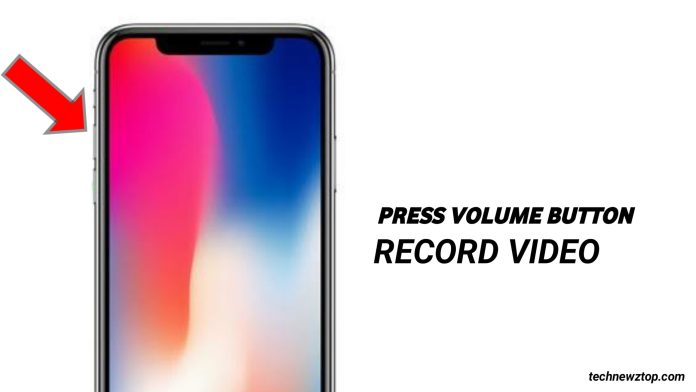
A secret camera app operates by hijacking a phone’s hardware functions for covert purposes. The core feature is the remapping of the volume buttons—physical keys that are accessible even when the phone is in a pocket or bag. Instead of adjusting sound, a quick press can activate the camera shutter or begin video recording without displaying any on-screen preview or making a sound.

Furthermore, advanced apps offer a “stealth mode.” This means the screen can remain black or show a fake interface (like a home screen or a news article) while the camera is actively recording in the background. Consequently, even if someone glances at your phone, they would have no indication it’s capturing video or photos.

Key Features of a Discreet Recording App

To understand the utility, let’s break down the common features. First, volume button control is standard: pressing Volume Down might capture a photo, while Volume Up could start/stop video recording. Second, a hidden gallery protects your media behind a password or a disguised icon, separate from your main photo library.

Additionally, other settings enhance covert operation. You can typically disable the camera shutter sound, the screen flash, and even haptic feedback vibrations. Some apps allow you to switch between front and rear cameras with a gesture, like a two-finger tap on a black screen.

Legitimate Uses and Critical Ethical Considerations

Why would someone need such an app? The reasons can be varied. For instance, activists might document protests or police interactions in volatile regions. Individuals could record evidence of harassment or unsafe conditions at work. Journalists may capture footage in restrictive environments. In personal safety, having a quick, one-button record function can be crucial.

On the other hand, the potential for misuse is enormous and illegal. Secretly recording people in private places like bathrooms, changing rooms, or their homes without consent is a serious crime in virtually every jurisdiction. It violates fundamental privacy rights and can cause severe psychological harm. Therefore, it is imperative to stress that this technology is for educational and legal self-documentation purposes only.

How to Set Up and Use a Covert Camera Application

If you have a legitimate need, setting up such an app is straightforward. After downloading and installing a reputable application from the Google Play Store, you’ll grant it necessary permissions like camera, microphone, and storage access. Next, navigate to the settings menu to configure your triggers.

Typically, you’ll assign actions to the volume buttons. You might also enable “stealth mode” and set a password for the private gallery. To access this gallery or change settings while the app is in stealth mode, you often use a secret gesture, like long-pressing a specific corner of the screen.

For a deeper look at managing private media on Android, explore our guide on secure data backup.

Choosing the Right App and Staying Safe

Not all apps are created equal. When selecting a secret camera app, read reviews carefully. Look for comments about reliability, battery usage (as background recording can be draining), and the developer’s privacy policy. Avoid apps that request excessive permissions unrelated to camera function.

It’s also wise to test the app’s functionality in a safe, private environment first. Ensure you understand how to quickly start and stop recording, and how to reliably access your footage. Remember, the legality of your actions is your responsibility. Always comply with local laws regarding audio/video recording, which often require consent from at least one party (or all parties, depending on the region).

For other creative uses of your phone’s camera, you might be interested in our article on using Google Lens for visual search.

Final Thoughts on Discreet Mobile Recording

In summary, technology that allows recording via the volume button represents a double-edged sword. It empowers users with a potent tool for documentation and security in sensitive situations. This means that when used ethically and legally, it can serve an important purpose.

However, the same features make it susceptible to gross invasion of privacy. The onus is entirely on the user to apply this tool with integrity and strict adherence to the law. Ultimately, understanding both the capability and the consequence is key to responsible use.

Continue Reading
Click to comment

Leave a Reply

Your email address will not be published. Required fields are marked *

How To

The Ultimate Guide to Android Chat Apps: Connect with Friends and Find Dates

Published

on

The Ultimate Guide to Android Chat Apps: Connect with Friends and Find Dates

In our increasingly digital world, Android chat apps have become essential tools for maintaining friendships and exploring new relationships. The right application can transform your smartphone into a portal for meaningful conversations, whether you’re catching up with old friends or hoping to meet someone special. This guide cuts through the noise to highlight platforms that prioritize genuine connection over superficial interaction.

Why Modern Chat Apps Are Revolutionizing Social Interaction

Gone are the days when texting was limited to simple SMS. Today’s messaging platforms offer video calls, group chats, media sharing, and sophisticated matching algorithms. Consequently, choosing the right app depends entirely on your goals. Are you looking to strengthen existing friendships, or are you venturing into the world of online dating? Understanding this distinction is the first step toward a better digital social life.

Building on this, the best apps create safe, engaging environments. They combine robust features with intuitive design, ensuring that technology facilitates rather than hinders conversation. From encrypted messaging for privacy to interest-based matching systems, the modern toolkit for connection is more powerful than ever.

Top-Tier Apps for Chatting with Friends on Android

For pure, uncomplicated communication with your existing social circle, several giants dominate the landscape. WhatsApp remains a global powerhouse, offering end-to-end encryption, voice notes, and high-quality video calls. Its widespread adoption means you likely already have contacts using it, eliminating the friction of convincing friends to join a new platform.

Alternatively, Telegram provides unparalleled flexibility with its cloud-based chats, massive group capacities, and robust file-sharing capabilities. For friends who share a lot of photos and videos, its lack of compression is a significant advantage. Meanwhile, apps like Discord have evolved beyond gaming communities to become versatile hubs for friend groups, organizing conversations into dedicated channels for different topics.

Key Features to Look for in a Friends-Only App

When your goal is sustaining friendships, prioritize reliability and shared experience. Look for apps that offer seamless syncing across devices, so you never lose a conversation. High-quality voice and video call functionality is non-negotiable for deeper connection. Furthermore, features like shared calendars, collaborative playlists, or watch-together modes can enhance your shared activities beyond just texting.

Security is another critical pillar. Ensure the app you choose has a strong track record of protecting user data and offers transparency about its privacy policies. After all, the most personal conversations deserve the highest level of protection. For more on securing your digital life, explore our guide on essential Android privacy settings.

Navigating the World of Android Dating Apps

The landscape shifts when you’re using Android chat apps to meet new people. Here, the focus moves from utility to discovery and compatibility. Popular platforms like Tinder and Badoo use location-based swiping to introduce you to potential matches nearby. Their success lies in simplicity, but they are just the beginning.

For those seeking more substance, apps like Hinge prompt users to engage with specific parts of a profile—a photo or a prompt answer—to spark more personalized conversations. This design encourages meaningful interaction from the first message, moving beyond generic greetings. Similarly, Bumble gives women the initiative in heterosexual matches, which can lead to more comfortable and respectful exchanges.

Creating a Standout Dating Profile

Your profile is your digital first impression. Therefore, invest time in selecting clear, recent photos that show your face and interests. Write a bio that is authentic and gives potential matches something to ask about. Most importantly, be clear about your intentions. Are you looking for casual dating, a serious relationship, or just new friends? Honesty sets the right expectations and attracts compatible people.

This approach saves time and reduces frustration for everyone involved. Remember, a successful profile on a dating app is a conversation starter, not a comprehensive autobiography. Keep it light, positive, and genuinely reflective of who you are. For tips on taking great profile pictures with your Android, check out our mobile photography guide.

Balancing Safety and Openness in Online Chats

Whether chatting with friends or new acquaintances, safety should never be an afterthought. Reputable Android chat apps offer in-app reporting tools, block functions, and the ability to control who can contact you. Never feel pressured to share personal information like your home address, financial details, or other sensitive data early in a conversation.

When moving from app-based chatting to an in-person meeting, always choose a public place for the first few dates and inform a friend or family member of your plans. Trust your instincts—if something feels off, it’s okay to end the conversation or date. The best connections are built on mutual respect and comfort.

The Future of Social Connection on Android

As technology advances, so do the possibilities for connection. We’re seeing the integration of augmented reality (AR) filters in video chats, AI-powered icebreakers, and even virtual reality (VR) spaces where users can interact as avatars. These innovations promise to make digital interaction feel more natural and immersive.

Ultimately, the “best” app is subjective. It’s the one that aligns with your communication style, social goals, and comfort level with technology. The good news is that the Google Play Store offers a vast selection, most with free core features, allowing you to experiment. Try a few, see which interface and community resonate with you, and remember that the tool is only as good as the intention behind its use. Real connection, whether rekindled or new, is the ultimate goal.

Continue Reading

How To

iPhone 18 Camera Revolution: Why Samsung Could Replace Sony as Apple’s Sensor Supplier

Published

on

iPhone 18 Camera Revolution: Why Samsung Could Replace Sony as Apple’s Sensor Supplier

For years, the alliance between Apple and Sony has defined smartphone photography. However, the industry is buzzing with reports that this partnership could face its most significant challenge yet. According to emerging analyses, Samsung is positioning itself to supply advanced camera sensors for the upcoming iPhone 18 series, potentially marking a seismic shift in Apple’s supply chain strategy for 2026.

The End of an Era for Sony’s iPhone Dominance?

Traditionally, Sony’s Exmor RS sensors have been the heart of iPhone cameras, a critical component in Apple’s reputation for imaging excellence. This means that any change in this core supplier relationship is far from trivial. Building on this, recent technical reports suggest Samsung is developing a groundbreaking three-layer stacked sensor with a PD-TR-Logic architecture. Consequently, this move isn’t just about adding a new vendor; it’s about Apple potentially accessing a new tier of imaging technology to maintain its competitive edge.

What Makes Samsung’s Sensor Technology Different?

So, what does this new sensor design entail? In essence, it stacks three specialized chips—one for photodiodes, one for transistors, and one for logic processing—vertically. This structure, compared to traditional side-by-side layouts, promises several key advantages. For instance, it allows for significantly faster image processing, which is crucial for capturing rapid action shots without blur. Additionally, the design is engineered to deliver a wider dynamic range, capturing more detail in both shadows and highlights, alongside improved color accuracy for more lifelike photos.

Strategic Implications for Apple’s Supply Chain

Shifting a portion of its sensor procurement to Samsung would represent a classic diversification play by Apple. Therefore, it would reduce reliance on a single source, which is a strategic imperative in global manufacturing. On the other hand, this could also grant Apple increased bargaining power in negotiations with Sony, potentially leading to better terms or accelerated innovation from its long-time partner. This strategic maneuvering is about securing both technological superiority and supply chain resilience.

Naturally, questions remain about the scope of such a deal. Would Samsung provide sensors for every lens in the iPhone 18 lineup—the main, ultra-wide, and telephoto—or would its role be limited to a specific module? The answer will reveal much about Apple’s confidence in Samsung’s technology and the depth of this potential partnership. For more on how Apple manages its component strategies, see our analysis on Apple’s supply chain innovations.

The Broader Battle in Smartphone Imaging

Samsung’s ambitions extend far beyond becoming a supplier to its rival. The company is reportedly on a path to develop sensors with resolutions as high as 500MP for its own Galaxy series, with 320MP and 440MP sensors likely arriving as intermediate steps. This aggressive roadmap underscores Samsung’s commitment to being a leader, not just a participant, in camera hardware innovation. Its current flagship, the Galaxy S24 Ultra, already boasts a 200MP ISOCELL main camera, a sensor that is rumored to carry over to the S25 Ultra.

This context makes a potential Apple-Samsung deal even more fascinating. It signals that Samsung’s sensor technology has reached a level of maturity and performance that even its direct competitor finds compelling. In the high-stakes arena of mobile photography, the best technology often wins, regardless of corporate rivalries. To understand the evolution of this competition, explore our feature on the history of smartphone camera wars.

What This Means for the Future of iPhone Photography

For consumers, the potential inclusion of Samsung’s iPhone 18 camera sensors could translate to tangible improvements. The promised benefits of faster processing, better low-light performance, and superior color science would directly enhance the user experience. As a result, the iPhone 18 could represent a more significant generational leap in camera capability than recent models, helping Apple fend off increasingly sophisticated competition from Android manufacturers.

Ultimately, while the reports are still speculative, the logic behind them is sound. Apple constantly seeks the best available technology to differentiate its products. If Samsung’s stacked sensor technology delivers a measurable advantage over Sony’s current offerings, a partnership becomes not just possible, but probable. This potential shift highlights the dynamic, interconnected nature of the tech industry, where today’s fiercest competitors can become tomorrow’s essential suppliers in the relentless pursuit of innovation.

Continue Reading

How To

Poco M7 Pro 5G and Poco C75 5G: Full Feature Breakdown Ahead of India Launch

Published

on

Poco M7 Pro 5G and Poco C75 5G: Full Feature Breakdown Ahead of India Launch

The smartphone arena in India is about to get a fresh injection of competition. Poco has officially set December 17 as the launch date for two new 5G devices: the Poco M7 Pro 5G and the Poco C75 5G. While the official curtain is yet to rise, the company has proactively revealed a compelling suite of features, giving us a clear picture of what to expect from these budget-conscious powerhouses.

Poco M7 Pro 5G: A Display and Camera Powerhouse

Positioned as the more premium offering, the Poco M7 Pro 5G seems designed to impress from the moment you turn it on. Consequently, its visual experience is a major selling point.

Superior Visuals for Every Scenario

The device boasts a spacious 6.67-inch Full HD+ AMOLED display. This means you can expect deep blacks, vibrant colors, and excellent contrast. More importantly, the screen features a 120Hz adaptive refresh rate, ensuring silky-smooth scrolling and responsive touch feedback in games and everyday use. Building on this, Poco claims a staggering peak brightness of 2,100 nits. This figure suggests the phone will remain perfectly readable even under harsh, direct sunlight—a common pain point for many users.

Furthermore, the display isn’t just about looks. It carries both TUV triple certification and SGS eye care certification. This indicates a focus on reducing blue light emissions and minimizing eye strain, making it a more comfortable companion for long browsing or streaming sessions. For more on display technology, check out our guide on AMOLED vs. LCD displays.

Advanced Imaging with Sony’s Help

Transitioning to photography, the Poco M7 Pro 5G makes another bold statement. Its primary camera utilizes a 50-megapixel Sony LYT-600 sensor. This is a significant step for a phone in this segment. The camera system is packed with features typically reserved for higher-priced models.

Optical Image Stabilization (OIS) is a headline feature, promising sharper photos and more stable video by physically counteracting hand shake. Additionally, the phone employs multi-frame noise reduction and four-in-one pixel binning. In practice, these technologies work together to capture more light data and produce cleaner, more detailed images, especially in low-light conditions. The inclusion of in-sensor zoom and super-resolution technology further hints at versatile photographic capabilities.

Audio and Build: A Complete Package

Beyond the screen and camera, the M7 Pro 5G doesn’t cut corners. For audio enthusiasts, it packs dual stereo speakers with Dolby Atmos support, promising an immersive soundscape for movies and games. Notably, it also retains the increasingly rare 3.5mm headphone jack. On the durability front, the phone is protected by Corning Gorilla Glass 5 and includes an in-display fingerprint sensor for security and convenience.

The Poco C75 5G: Redefining the Budget Segment

On the other hand, the Poco C75 5G represents a strategic move to bring compelling features to an even more accessible price point. Reports suggest it will be priced under ₹9,000, making its announced features particularly noteworthy.

Performance and Software Foundations

At its heart, the C75 5G is powered by the Qualcomm Snapdragon 4s Gen 2 chipset, built on a power-efficient 4nm architecture. This should provide a solid foundation for everyday tasks and 5G connectivity. The phone supports up to 8GB of RAM (with 4GB of virtual Turbo RAM) and offers expandable storage up to a massive 1TB via microSD card.

Perhaps its most intriguing feature is software-related. The Poco C75 5G is set to be the first phone in the Poco C-series to run on Xiaomi’s new HyperOS platform right out of the box. This promises a fresh software experience with potential improvements in performance, animation fluidity, and ecosystem integration. Poco has committed to supporting the device with two years of major OS upgrades and four years of security updates, a commendable promise for a budget device.

Camera and Practical Features

In a first for its class, the C75 5G also incorporates a Sony sensor for its main camera, though the exact model hasn’t been specified. This move signals a push for better image quality in the entry-level segment. Practical features include a side-mounted fingerprint sensor that supports tap gestures, dual SIM support, and the MIUI dialer for a familiar calling interface.

Market Impact and Final Thoughts

Therefore, the launch of these two phones represents a clear two-pronged strategy from Poco. The M7 Pro 5G aims to offer near-flagship display and camera specs at a mid-range price, challenging competitors in the ₹15,000-20,000 bracket. Simultaneously, the C75 5G seeks to raise the bar for what consumers can expect from a sub-₹10,000 phone, particularly with the introduction of HyperOS and a Sony camera sensor.

As a result, the December 17 launch event is poised to be significant for the Indian budget and mid-range smartphone market. With detailed specs already on the table, the final reveal will likely focus on pricing, availability, and any surprise features. For consumers looking for capable 5G devices without breaking the bank, keeping an eye on these two launches is essential. Discover other great options in our list of the best budget phones of 2024.

Continue Reading

Trending