Connect with us

CyberSecurity

Google Launches Android Intrusion Logging to Help Uncover Spyware Attacks

Published

on

Google Launches Android Intrusion Logging to Help Uncover Spyware Attacks

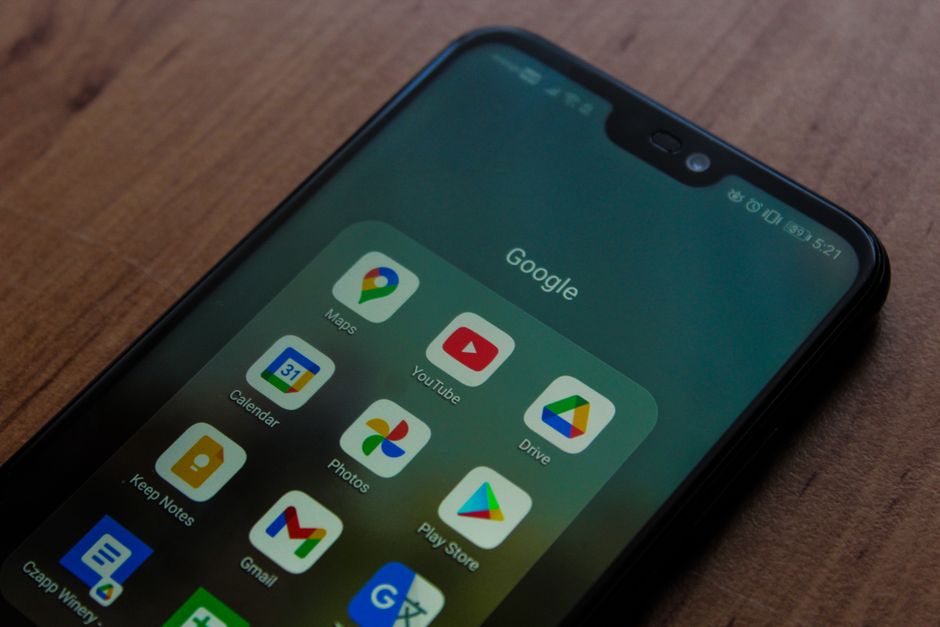
Google has quietly begun rolling out a new security tool called Android Intrusion Logging, designed to give researchers and at-risk users a clearer picture of potential spyware infections. This opt-in feature, part of the existing Advanced Protection Mode, marks the first time a smartphone manufacturer has introduced a specific mechanism to aid in the forensic investigation of digital espionage.

What Is Android Intrusion Logging?

Intrusion Logging creates a dedicated log that records system errors and other anomalies, capturing evidence when something goes wrong with the software. Unlike standard system logs, which are often overwritten quickly and not built for security analysis, this new log is stored encrypted in the user’s Google account in the cloud. This approach prevents spyware from deleting traces of an attack, as the cloud copy remains intact.

According to Amnesty International, which collaborated with Google on the feature, this represents “a fundamental shift in the amount and quality of forensic data available on Android devices.” Previously, researchers struggled to detect compromises because logs were temporary and easily erased. Now, with cloud-based storage, investigators have a more reliable source of evidence.

How Does Intrusion Logging Work in Practice?

Once enabled, Intrusion Logging tracks a range of events that could indicate a spyware attack. These include: when the phone was unlocked, when apps were installed or uninstalled, which websites and servers the device connected to, and whether someone used Android Debug Bridge (ADB) — a tool that allows a computer or forensic device like Cellebrite to connect to the phone. The feature also logs any attempts to delete these records, which could signal an effort to hide evidence.

Building on this, the logs help investigators understand the timeline of an attack. For example, they can show if a phone was forcibly unlocked and connected to a forensics tool, or if it accessed a malicious website designed to install spyware. This data is encrypted end-to-end, meaning only the user can access and share it with researchers; Google itself cannot view the logs.

Who Should Use This Feature?

Google designed Advanced Protection Mode and Intrusion Logging for people who face heightened digital threats, such as human rights defenders, activists, journalists, and dissidents. These groups are often targets of government spyware or police forensic tools that attempt to extract data from devices. The feature is similar to Apple’s Lockdown Mode, which has proven effective against spyware — Apple stated in March that it has never detected a successful attack on users with Lockdown Mode enabled.

However, there are limitations. Currently, Intrusion Logging requires Android 16 or newer, works only on Google Pixel devices, and needs a linked Google account. Some users may also be wary of sharing browser navigation history with investigators. Despite these constraints, the feature is a significant step forward for spyware detection on Android.

Amnesty’s Role and Expert Insights

Donncha Ó Cearbhaill, head of Amnesty’s Security Lab, told TechCrunch that Android’s previous technical limits made it difficult to deeply analyze system logs. “These limits have meant we’ve been unable to reliably detect known attacks against Android,” he said. With Intrusion Logging, researchers now have a better chance of identifying and understanding spyware campaigns.

Amnesty has published step-by-step instructions on how to download and share logs if a user suspects they have been targeted. This complements existing threat notification systems from Google, Apple, and Meta, which have been vital in exposing abuse cases.

Why This Matters for the Future of Mobile Security

The rollout of Android Intrusion Logging is a direct response to the growing threat of commercial spyware and forensic tools. In at least one documented case in Serbia, authorities used a Cellebrite device to unlock a phone and then installed spyware for ongoing surveillance. This feature aims to make such attacks more visible and harder to conceal.

For users concerned about privacy, the encrypted cloud storage ensures that only they control the data. For researchers, the new logs provide a forensic trail that was previously unavailable. As Google continues to refine the feature, it could become a standard tool for anyone at risk of digital espionage.

Interested in learning more about protecting your device? Check out our guide on how to enable Android Advanced Protection or read about the difference between spyware and stalkerware.

Continue Reading
Click to comment

Leave a Reply

Your email address will not be published. Required fields are marked *

CyberSecurity

OkoBot Malware Framework Injects Seed Phrase Phishing Into Ledger and Trezor Apps

Published

on

OkoBot malware

What Is OkoBot and How Does It Work?

OkoBot is a Windows-based malware framework that has been active since April 2025. Its main goal is to trick hardware wallet owners into giving up their recovery seed phrase, which would let attackers drain funds from their crypto wallets.

The malware operates by injecting malicious code into legitimate desktop applications, specifically targeting Ledger and Trezor wallet software. When a user opens their wallet app on an infected PC, OkoBot displays a fake page that looks like the official wallet interface, asking for the seed phrase.

What makes this attack particularly sneaky is that it waits for the right moment. Sometimes it triggers when the user plugs in their hardware wallet. The request appears to come from inside the wallet’s own desktop software, making it very difficult to spot.

How the Seed Phishing Attack Unfolds

Here’s a step-by-step breakdown of how OkoBot executes its seed phrase phishing attack:

  • Infection: The malware lands on a Windows PC, often through a malicious download or a compromised website.
  • Injection: OkoBot injects its code into the installed Ledger or Trezor desktop application.
  • Trigger: The fake page appears either immediately or when the hardware wallet is plugged in.
  • Phishing: The user sees a screen asking them to enter their recovery seed phrase, believing it’s a legitimate request from the wallet software.
  • Exfiltration: Once the seed phrase is entered, it’s sent to the attackers, who can then access the victim’s funds.

Why This Attack Is So Hard to Detect

The most alarming aspect of OkoBot is that the surrounding application is the real one you installed. The malware doesn’t replace the app or show a separate popup. It works from within the legitimate software, which makes it nearly impossible to distinguish from a genuine request.

This is a significant departure from earlier phishing attempts that used fake websites or standalone malicious apps. OkoBot blends in so well that even experienced users might fall for it.

Protecting Yourself from OkoBot and Similar Threats

Given the sophistication of OkoBot, it’s crucial to adopt a security-first mindset when dealing with hardware wallets. Here are some practical steps to protect yourself:

  • Never enter your seed phrase on a computer: Hardware wallets like Ledger and Trezor are designed so that the seed phrase is only entered on the device itself, never on a connected computer. If any software asks for it, that’s a red flag.
  • Keep your wallet software updated: Regular updates often include security patches that can block known malware injection techniques.
  • Use a dedicated, clean computer: If you’re dealing with significant crypto holdings, consider using a separate machine that’s only used for wallet transactions.
  • Verify the source of downloads: Only download wallet software from official websites, and check file hashes if possible.
  • Use antivirus and anti-malware tools: Keep your security software up to date and run regular scans.

What to Do If You Suspect an Infection

If you think your PC might be infected with OkoBot, act immediately. Disconnect the machine from the internet, and do not enter your seed phrase anywhere. Use a different, clean device to transfer your funds to a new wallet if you have any doubts.

It’s also wise to report the incident to your wallet provider’s support team. They can offer guidance specific to your situation.

Final Thoughts on OkoBot

OkoBot represents a new level of sophistication in crypto phishing attacks. By targeting the very software users trust, it bypasses many of the security habits people have developed. The best defense is a healthy dose of skepticism and a strict rule: your seed phrase belongs only on your hardware wallet, never on a computer screen.

Stay informed about the latest crypto security threats and always double-check any request for sensitive information, even if it appears to come from a trusted app.

Continue Reading

CyberSecurity

Anubis Ransomware Gang Says It Stole 1TB of Data From Coca-Cola’s Fairlife Unit

Published

on

Fairlife ransomware attack

Anubis Group Claims Credit for Fairlife Disruption

The cybercriminal group known as Anubis has publicly claimed responsibility for the ransomware attack that forced Coca-Cola’s dairy subsidiary Fairlife to halt production. On its dark web leak site, the gang says it grabbed a full terabyte of confidential files before locking up the company’s servers.

The claim, posted July 20, gives Coca-Cola a week to pay up. If no ransom arrives, Anubis says the stolen data will be dumped online.

That’s a tight window, and it puts the beverage giant in an uncomfortable spot. Paying could fund more attacks. Refusing could mean sensitive corporate data ends up public.

What We Know About the Attack on Fairlife

Coca-Cola disclosed the incident last week, confirming that production at Fairlife had been suspended while the company assessed the damage. The full scope of the breach is still being determined.

Fairlife is a major player in the U.S. dairy market, known for its high-protein milk products and sports drinks. A prolonged shutdown doesn’t just hurt the bottom line — it can ripple through grocery shelves and supply contracts.

SecurityWeek has reached out to Coca-Cola for additional comment on the Anubis claims, but no further details have been released so far.

Who Is the Anubis Ransomware Group?

Anubis isn’t a household name like LockBit or BlackCat, but it’s been busy. Active since December 2024, the group has already listed roughly 100 victim organizations on its leak site.

The gang operates on the standard double extortion model: encrypt files to disrupt operations, then threaten to leak the stolen data if the victim won’t pay. It’s a tactic that’s become the industry norm because it works.

What sets Anubis apart is a darker feature. The group has a ‘wiper mode’ that can permanently delete files, making recovery impossible even with backups. That’s a threat that goes beyond financial damage — it’s aimed at destroying a company’s data forever.

Why the Wiper Mode Matters

Most ransomware gangs want to get paid and move on. A wiper function signals a group willing to burn everything down if negotiations stall. For incident responders, that changes the calculus entirely. Restoring from backups becomes a race against time, not a routine procedure.

The Growing Threat of Data Leak Extortion

This incident is another reminder that ransomware is rarely just about encryption anymore. The real leverage is the data. Companies like Fairlife now face the possibility that trade secrets, employee records, or financial documents could surface on the dark web.

Recent attacks on Estée Lauder and Clover Health show the pattern: a breach is disclosed, then weeks or months of fallout follow. The Ernst & Young data breach that exposed personal and financial information is a stark example of how far the damage can spread.

For security teams, the lesson is grim but clear. Assume that if attackers get in, they’ll get out with something valuable. Preparation for data theft is no longer optional.

What Happens Next for Coca-Cola and Fairlife?

The clock is ticking. Anubis has set a deadline, and the industry is watching to see how Coca-Cola responds. Will it negotiate, hold the line, or quietly pay?

There’s no easy answer. Law enforcement agencies generally advise against paying ransoms, but for a company facing a production halt and the threat of leaked data, the pressure is immense.

One thing is certain: this won’t be the last time a major brand finds itself in this position. Ransomware groups are getting bolder, and their tools are getting meaner. The Fairlife attack is just the latest example of a threat that keeps evolving.

Continue Reading

CyberSecurity

Two SonicWall SMA 1000 Zero-Days Under Active Attack — One Grants Full Admin Command Access

Published

on

SonicWall SMA 1000 zero-days

Emergency Warning for SMA 1000 Admins

SonicWall has issued an urgent security advisory as two zero-day vulnerabilities in its Secure Mobile Access (SMA) 1000 series appliances are now being actively exploited in the wild. One of these flaws carries a perfect CVSS score of 10.0 and could let a remote attacker execute arbitrary commands on the device.

If you manage an SMA 1000, this is not a drill. The vendor is urging immediate patching, and the clock is ticking.

The Two Flaws: What You’re Dealing With

The first vulnerability, tracked as CVE-2026-15409, is a server-side request forgery (SSRF) issue. A remote, unauthenticated attacker can exploit it to trick the appliance into making requests to internal resources. That alone is bad. But the real kicker? It can be chained to achieve arbitrary command execution.

The second flaw has not been fully detailed in the advisory, but SonicWall confirms it is also under active exploitation. Together, these SonicWall SMA 1000 zero-days represent a serious threat to any organization relying on these appliances for remote access.

Why This Matters So Much

Think about what an SMA 1000 does. It’s the gateway for remote employees to reach your internal network. A successful exploit gives an attacker a foothold inside that perimeter. With command execution, they’re not just snooping — they can potentially install backdoors, steal credentials, or pivot deeper into your infrastructure.

The CVSS 10.0 rating isn’t hyperbole. This is as severe as it gets.

Immediate Actions for Administrators

If you run an SMA 1000, here’s what you need to do right now:

  • Check SonicWall’s advisory and apply the latest firmware patch immediately.
  • If a patch isn’t available yet, restrict access to the management interface — don’t expose it to the internet.
  • Review logs for suspicious activity, especially SSRF patterns or unexpected outbound requests.
  • Monitor for any signs of post-exploitation, like new user accounts or unusual processes.

Waiting is not an option. Attackers are already using these flaws.

Context: A Growing Trend in Edge Device Attacks

This isn’t an isolated incident. Over the past year, we’ve seen a surge in attacks targeting edge devices — VPNs, firewalls, and remote access appliances. Threat actors know these devices are often left unpatched and sit at the network perimeter, making them prime targets.

SonicWall has been here before. Earlier vulnerabilities in their products have been exploited in campaigns, and the pattern is consistent: patch quickly or risk becoming a headline.

For more on securing remote access, check out VPN security best practices and how to harden network edge devices.

Final Thoughts

The SonicWall SMA 1000 zero-days are a wake-up call. If you haven’t already, prioritize this patch. The attackers certainly have.

Stay vigilant, check your logs, and make sure your incident response plan is ready. In the world of edge device security, complacency is the real vulnerability.

Continue Reading

Trending