Connect with us

Artificial Intelligence

Android 17 Is Here: Everything New in Google’s Latest OS for Pixel Phones

Published

on

Android 17 Is Here: Everything New in Google’s Latest OS for Pixel Phones

After months of speculation and two major keynote events in May 2026, Google has officially released Android 17 for its Pixel lineup. The stable build is now rolling out to devices ranging from the Pixel 6 series to the latest Pixel 10 series. If you are a Pixel owner, the update is ready for download today.

This release packs a host of features that were first teased at The Android Show and Google I/O. However, those hoping to get their hands on the new Gemini Intelligence will have to wait a bit longer—Google says it will arrive later this summer on select advanced devices. For now, let’s dive into what Android 17 offers at launch.

Core Android 17 Features: Bubbles and Screen Reactions

The most immediately useful addition to Android 17 is a feature called Bubbles. This tool lets you access your favorite apps in a floating window that hovers over other content. When minimized, it appears as a small circular icon on the screen. To use it, simply long-press an app icon and select the Bubble option. It is ideal for quick two- or three-app workflows, allowing you to switch between them with a single tap. On foldables and tablets, Bubbles dock into a dedicated bar at the bottom of the display.

Another standout feature is Screen Reactions. This tool records your phone’s screen and your face simultaneously using the front-facing camera. It is designed primarily for content creators who want to make reaction videos without needing a separate editing app. This is a smart addition for social media enthusiasts and influencers.

Gaming, Security, and Performance Upgrades

Android 17 also brings improvements for gamers. Foldable devices now support a 50/50 layout where the game appears on the top half of the screen and a dynamic gamepad sits below. Google has also optimized memory management to reduce frame drops and stutters during demanding gaming sessions.

Security receives a meaningful upgrade with several new controls. Temporary location permissions allow you to grant location access for a limited time. Contact-level sharing lets you share specific contacts instead of your entire address book. The Mark as Lost feature in the Find Hub now locks your phone via biometrics, preventing anyone from unlocking or resetting it with a passcode.

Google has also introduced PIN guessing caps, with longer wait times between failed attempts. Rounding out the update are hidden app names on the home screen, a dedicated volume slider for your AI assistant (Gemini on Pixel phones), expanded Parental Controls across all Android devices, and app memory limits that preserve system resources.

When Will Other Brands Get Android 17?

Pixel phones are the first to receive the Android 17 update. However, other manufacturers are expected to announce their own versions in the coming weeks. For example, Samsung is rumored to launch One UI 9 at the second Galaxy Unpacked event of the year, reportedly scheduled for July 22, 2026. Brands like OnePlus will likely follow soon after.

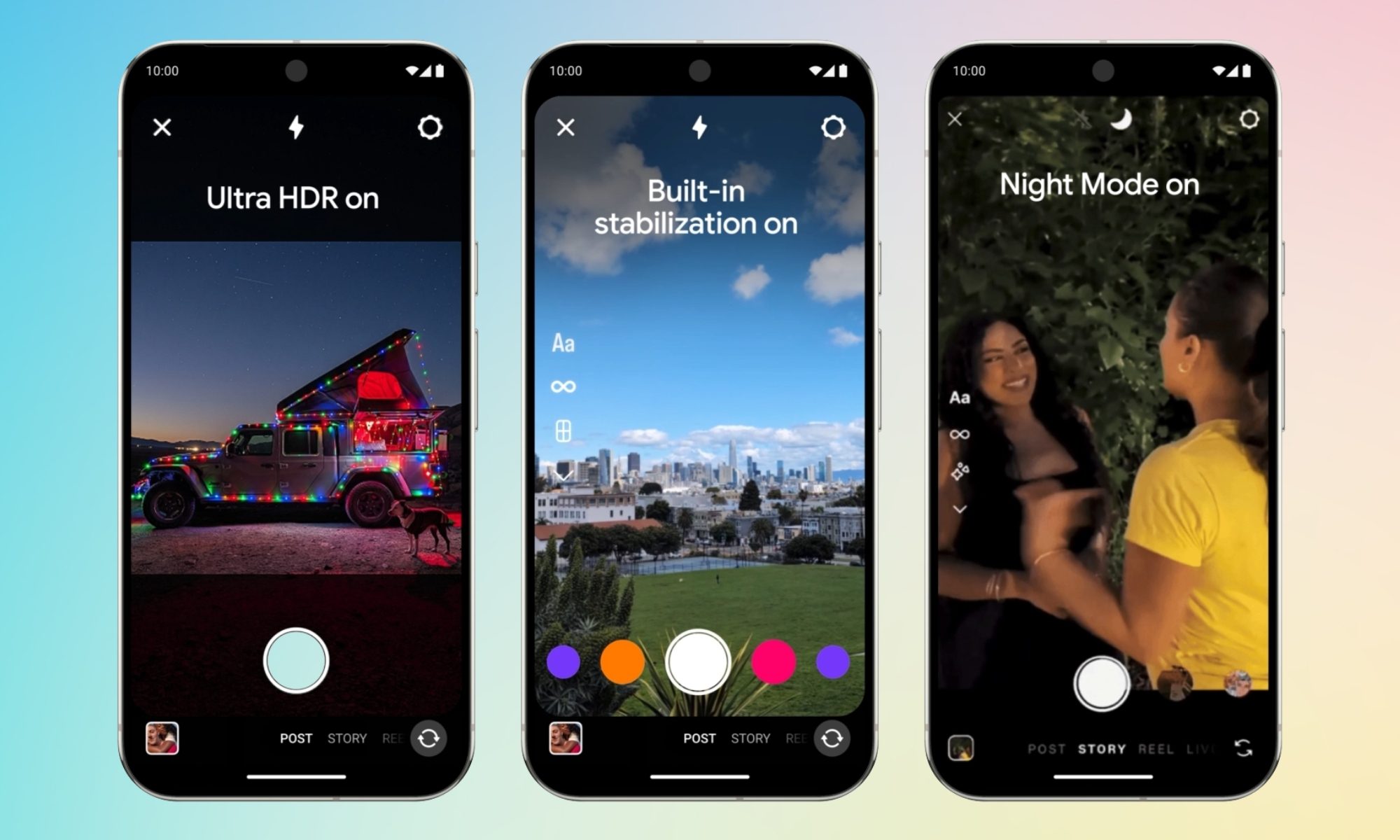
If you own a Pixel device, you can check for the update by going to Settings > System > System update. For more tips on managing your device, see our guide on optimizing Pixel battery life. Additionally, you might want to explore the best camera settings for Pixel phones in 2026 to make the most of your device.

In conclusion, Android 17 delivers a solid mix of productivity tools, security enhancements, and gaming optimizations. While the Gemini Intelligence feature is still on the horizon, the current build offers plenty of reasons to update your Pixel phone today.

Continue Reading
Click to comment

Leave a Reply

Your email address will not be published. Required fields are marked *

Artificial Intelligence

Wear OS 7 is here and your Pixel Watch is about to get a lot smarter

Published

on

Wear OS 7 is here and your Pixel Watch is about to get a lot smarter

Google has officially started rolling out the Wear OS 7 update to eligible Pixel Watch devices, bringing a suite of intelligent features that aim to make your wrist-worn companion more helpful than ever. With over half of Wear OS users wearing their watch seven days a week, and the most active keeping it on for more than 23 hours daily, this software refresh is designed for that level of commitment.

Live updates: real-time info on your wrist

The standout addition in the Wear OS 7 update is Live Updates, which brings Android’s real-time information system directly to your smartwatch. Instead of reaching for your phone, you can now track food delivery progress, live sports scores, or workout metrics right from your watch face. This feature mirrors data from your phone apps seamlessly, keeping you informed without breaking your stride.

For example, if you order dinner through a delivery app, the watch will display the driver’s location and estimated arrival time. Similarly, fitness enthusiasts can monitor their heart rate zones and distance without swiping through menus. It’s a practical step toward reducing phone dependency during daily activities.

Smarter device control and audio management

Another key improvement in the Wear OS 7 update is the enhanced media output switcher. You can now control audio playback across your headphones, home speakers, and other connected devices directly from your watch. This means you can switch music from your living room speaker to your earbuds with a single tap, without touching your phone.

Additionally, if you use audio glasses to capture photos—like Google’s upcoming intelligent eyewear launching this fall—you can preview the image instantly on your Pixel Watch. This integration highlights how Wear OS 7 positions the watch as a central hub for your connected ecosystem.

Gemini Intelligence: AI-powered personalization

Later this summer, select Pixel Watch devices will unlock Gemini Intelligence, a set of AI-driven features that elevate the smartwatch experience. One of the most exciting tools is Create My Widget, which lets you build personalized watch dashboards simply by describing what you want in plain language. For instance, you could say, “Show my steps, next meeting, and weather,” and the watch will generate a custom widget instantly.

Multi-step app automation takes this further. Gemini can complete complex tasks on your behalf, such as booking a spin class or reordering your usual coffee from a favorite restaurant. This reduces the need to navigate multiple apps manually.

Personal Intelligence draws from your Gmail, Search history, and chat history to offer tailored suggestions. It might remind you of an upcoming flight or suggest a restaurant based on your past preferences. The AI also adopts Gemini’s Neural Expressive design language, giving the watch face a fresh visual identity that feels both modern and intuitive.

For more on how AI is reshaping wearables, check out our guide on top smartwatch AI assistants.

Battery life boost and performance improvements

Beyond new features, the Wear OS 7 update delivers up to 10% better battery life compared to Wear OS 6. For a device you wear around the clock, this extra endurance can make a significant difference. You might find yourself charging less frequently, which is especially valuable for sleep tracking and continuous health monitoring.

Performance optimizations also ensure smoother navigation and faster app launches. Google has focused on refining the core experience, so everyday tasks feel more responsive.

If you’re considering upgrading your smartwatch, explore our comparison of best smartwatches 2025 to see how Pixel Watch stacks up.

What this means for Pixel Watch users

With the Wear OS 7 update, your Pixel Watch becomes a smarter, more proactive assistant. The combination of live updates, enhanced device control, and AI-driven personalization transforms it from a simple notification mirror into a genuine productivity tool. As Google continues to refine its wearable ecosystem, updates like this reinforce the platform’s potential.

However, not all features arrive at once. Live Updates and media controls are available now, while Gemini Intelligence will roll out later in the summer. Patience will reward early adopters with an even richer experience.

For a deeper dive into Wear OS changes, read our article on Wear OS 7 vs Wear OS 6.

Continue Reading

Artificial Intelligence

Microsoft Copilot Cowork: The New AI Agent That Wants to Finish Your Projects for You

Published

on

Microsoft Copilot Cowork: The New AI Agent That Wants to Finish Your Projects for You

Microsoft is taking workplace AI to the next level with the general availability of Copilot Cowork, an AI agent designed to handle complete projects from start to finish. Instead of just offering suggestions or generating text, this system executes multi-step workflows on its own. This launch signals a major shift in how enterprises can use artificial intelligence, moving from simple assistance to full task automation.

After a three-month preview in Microsoft’s Frontier program, the company reports that more than half of the Fortune 500 have already adopted Copilot Cowork. Early adopters include Accenture, Zurich Insurance, and Capital Group. According to Microsoft, this is one of the fastest-growing launches in the history of the Frontier program.

What Makes Copilot Cowork Different from Other AI Assistants?

Traditional AI tools like chatbots or content generators answer questions or produce drafts. However, Copilot Cowork is built to take over entire tasks. It can compare thousands of files across product versions, automate spreadsheet-heavy workflows, generate dependency charts, and identify stalled sales opportunities. All of this happens without constant human oversight.

How does it achieve this? Microsoft combines cloud-based processing, enterprise-grade security controls, and what it calls “Work IQ.” This context engine pulls information from the tools and systems businesses already use. As a result, the AI agent understands the full scope of a project before acting.

The Technology Behind Copilot Cowork

Microsoft emphasizes flexibility in model selection. Copilot Cowork can tap into different AI models depending on the task. At launch, it runs on Anthropic’s Opus 4.8 and Sonnet 4.6 models. Frontier customers can also access GPT-5.5. Additionally, Microsoft plans to release its own in-house model, Cowork 1, in the coming weeks.

This multi-model approach means businesses are not locked into a single AI provider. Instead, they can match the best model to each specific workflow. This is a critical advantage for enterprises that need reliability and performance across diverse tasks.

Copilot Cowork Pricing: A Consumption-Based Model

One of the most notable aspects of Copilot Cowork pricing is its departure from flat subscription fees. While the agent requires a Microsoft 365 Copilot subscription, usage is billed separately through a consumption-based model. Organizations pay according to the resources each task consumes, including model usage, context retrieval, tool calls, and runtime.

To help businesses estimate costs, Microsoft has identified three common categories of work: light, medium, and heavy tasks. Light tasks involve limited reasoning, while heavy tasks pull data from multiple sources and require deeper analysis. This approach allows companies to scale usage based on actual need rather than paying for unused capacity.

Microsoft claims internal testing showed Copilot Cowork to be roughly 30% to 40% cheaper per prompt than competing enterprise AI offerings that use Microsoft 365 connectors. For CFOs and IT leaders, this pricing model could make AI adoption more predictable and cost-effective.

Real-World Use Cases for the AI Agent

Early adopters have already found practical applications for Copilot Cowork. For example, financial analysts use it to automate reconciliation tasks across thousands of rows of data. Project managers rely on it to generate dependency charts and identify bottlenecks. Sales teams use the agent to detect stalled opportunities and suggest follow-up actions.

This is not about generating content faster; it is about handing entire projects to an AI agent and letting it bring back finished work. As a result, employees can focus on higher-value strategic decisions instead of repetitive manual tasks.

What This Means for the Future of Work

Microsoft is betting that the next phase of workplace AI is about full automation, not just assistance. With Copilot Cowork now available worldwide, enterprises have a powerful tool to offload complex workflows. This could dramatically change how teams operate, especially in data-heavy industries like finance, insurance, and consulting.

However, businesses must also consider the implications. While the AI agent is designed for enterprise security, companies still need to govern its access to sensitive data. Additionally, the consumption-based pricing model requires careful monitoring to avoid unexpected costs.

For more insights on AI agents in the workplace, check out our guide on AI agent workflow automation. You can also explore Microsoft 365 Copilot tips to maximize your productivity.

Final Thoughts on Copilot Cowork

Microsoft’s Copilot Cowork represents a significant leap forward for enterprise AI. By combining multi-model flexibility, consumption-based pricing, and deep integration with Microsoft 365, it offers a compelling solution for organizations looking to automate complex projects. As more companies adopt this technology, the line between human work and AI-driven execution will continue to blur.

Are you ready to let an AI agent take projects off your plate? The future of work is here, and it is powered by Copilot Cowork.

Continue Reading

Artificial Intelligence

Are ChatGPT and Claude Making You a Worse Writer? The ‘Fluency Trap’ Explained

Published

on

Are ChatGPT and Claude Making You a Worse Writer? The ‘Fluency Trap’ Explained

Have you ever used ChatGPT or Claude to polish a paragraph, only to realize later that the content was hollow? A new study suggests you might be falling into what researchers call the fluency trap. This phenomenon occurs when AI-generated text feels so smooth and confident that it tricks writers into thinking the work is complete—even when the ideas are shallow or inaccurate.

Published in the journal Computers and Composition, the research followed 38 undergraduate students over two semesters in an experimental “AI and Writing” course. The findings are a wake-up call for anyone relying on AI for writing tasks.

What Is the Fluency Trap in AI Writing?

The fluency trap describes a dangerous dynamic: AI writing tools produce text that reads as polished, authoritative, and error-free. But this surface-level perfection often masks a lack of depth. According to Abram Anders, associate professor of English at Iowa State University and co-author of the study, “AI writes in confident sentences, uses the right tone and sounds smart. But that polish can trick students into trusting it, even when it’s wrong, shallow, or missing the point entirely.”

Many students initially approached AI like a search engine—typing in a vague prompt and accepting whatever output appeared. They assumed that because the text flowed well, it was accurate and complete. In reality, the AI was generating plausible-sounding but hollow content.

Why Polished Output Isn’t Enough

This trap is particularly insidious because it exploits our cognitive biases. When text looks clean and reads smoothly, we naturally assume it’s correct. However, as the study highlights, fluency does not equal accuracy. Writers end up with a false sense of accomplishment, skipping the critical thinking required to evaluate and refine ideas.

As Anders and co-author Emily Dux Speltz (assistant professor at Embry-Riddle Aeronautical University) note, students who fell into the trap often spent less time revising or fact-checking. They mistook AI’s confident tone for reliable substance.

How to Avoid the Fluency Trap

The good news is that the fluency trap is avoidable. The researchers identified three key thresholds that writers must cross to use AI effectively:

1. Embrace Trial and Error

Effective AI writing isn’t about a single prompt and accept. It requires genuine trial and error. Writers need to experiment with different prompts, refine their queries, and compare multiple outputs before settling on a version. This process mirrors the drafting and revision cycle that strong writers already practice.

2. Apply Human Judgment

AI output still needs human oversight. Writers must check claims, refine logic, and ensure the text matches the expectations of their audience or context. As the study emphasizes, “AI can generate text, but it cannot generate purpose.” Only the writer can decide what the piece is arguing and why it matters.

3. Move from Outsourcing to Orchestrating

Students who mastered these thresholds stopped treating AI as a shortcut. Instead, they used it to test ideas, evaluate options, and sharpen their arguments. Anders and Dux Speltz describe this shift as moving from outsourcing your writing to orchestrating it. This approach transforms AI from a crutch into a creative partner.

For more on improving your writing process, check out our guide on best practices for AI-assisted writing.

What Good AI-Assisted Writing Looks Like

So, what does effective AI-assisted writing actually look like? It starts with a clear purpose. Instead of asking AI to “write an essay on climate change,” a skilled user might prompt: “Generate three contrasting arguments about carbon pricing, each supported by one potential counterpoint.” This approach forces the writer to think critically about structure and evidence.

The researchers observed that students who succeeded treated AI as a brainstorming tool rather than a final editor. They used it to explore angles, identify gaps in their reasoning, and test the strength of their thesis. In the end, they produced work that was both fluent and substantive.

If you’re looking to refine your AI writing skills, consider exploring our resource on effective prompt engineering techniques.

The Bottom Line: Writing Is Still Thinking

As Anders puts it, “AI changes the workflow, but it doesn’t change the fact that writing is thinking.” This distinction matters more than ever as AI-generated text becomes harder to distinguish from human writing. The fluency trap is real, but it’s not inevitable. By staying aware of its dangers and adopting a more deliberate approach, writers can harness AI’s power without sacrificing depth or originality.

Ultimately, the best AI-assisted writing combines machine fluency with human insight. Don’t let the polish fool you—keep questioning, keep refining, and keep thinking.

Continue Reading

Trending