Connect with us

CyberSecurity

Study of 281 Free Android VPN Apps Finds Traffic Leaks, Unencrypted Data, and Tracking

Published

on

free Android VPN leak

Your Free VPN Might Be a Sham — Here’s the Proof

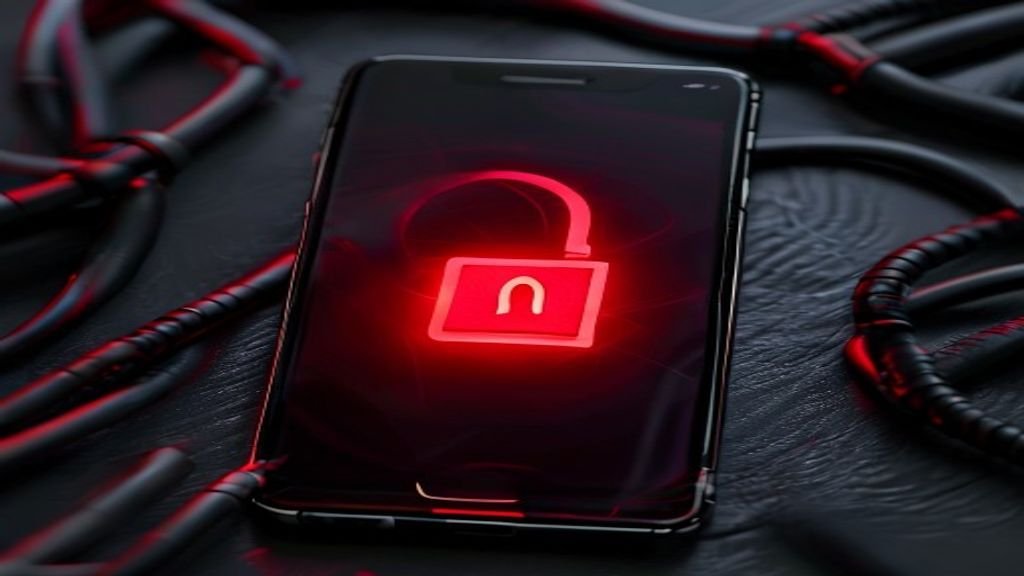
You download a free VPN from the Google Play Store. You think your traffic is hidden, your data is safe. But a sweeping new study suggests otherwise. Researchers put 281 of the most popular free Android VPN apps through a rigorous testing system. The results are ugly.

Many of these apps fail at the one basic job people install them for: keeping traffic private and secure. The apps flagged with at least one serious problem have been installed more than 2.4 billion times. That’s billions of users whose privacy may be compromised.

And these aren’t sophisticated attacks. These are basic failures. 29 apps let user traffic leak outside the VPN tunnel entirely. That means your real IP address and browsing activity are exposed, even while the VPN claims to be protecting you.

Another batch of apps sends user data — including login credentials and browsing history — completely unencrypted. Some even hardcode API keys and secret tokens into the app code, making it trivial for anyone to intercept or hijack the service.

The study, conducted by researchers using a new automated testing framework, looked at the top free VPNs by download count on Google Play. They didn’t name every single offender, but the pattern is clear: free VPNs are often a privacy nightmare.

What Exactly Did the Researchers Find?

The team built a system called VPNalyzer to automatically test each app. They checked for six core problems:

  • Traffic leaks — data escaping the VPN tunnel (29 apps)
  • Unencrypted traffic — sensitive data sent in plaintext
  • Hardcoded secrets — API keys, tokens, or credentials baked into the app
  • DNS leaks — domain requests visible to your ISP
  • IPv6 leaks — traffic bypassing the VPN over IPv6
  • Aggressive tracking — third-party SDKs collecting data for ad networks

More than half the apps had at least one of these issues. Some had multiple. The most common problem? Tracking. Many free VPNs are packed with analytics and ad SDKs from companies like Google, Facebook, and dozens of lesser-known trackers. You install a privacy tool, and it becomes a surveillance tool instead.

Why Free VPNs Are So Dangerous

Running a VPN costs money — servers, bandwidth, maintenance. If you’re not paying, you’re the product. That old adage holds brutally true here. Free VPNs have to make money somehow, and many do it by selling your data, showing you ads, or upselling you to a paid plan.

But the study shows it’s worse than just data collection. Some apps are so poorly coded that they actively undermine your security. Leaking traffic outside the tunnel is a catastrophic failure. It means your real IP is visible to every website you visit. Your ISP can see everything. The VPN is doing nothing.

Unencrypted data is another shocker. Modern web traffic is mostly encrypted anyway (HTTPS), but not everything. DNS queries, for example, are often sent in plaintext. A good VPN encrypts everything. A bad one leaves you exposed.

Hardcoded secrets are a developer sin. If an app stores its API key in the code, anyone who decompiles the app can steal that key and use it to access the VPN provider’s backend. That could mean free service for attackers — or worse, a way to intercept other users’ connections.

How to Pick a VPN That Actually Works

Not all VPNs are bad. But the free ones on Google Play are a minefield. If you need a VPN, here’s what to look for:

  • Paid services — A reputable paid VPN has a business model that doesn’t rely on selling your data. You pay for the service.
  • Independent audits — Look for VPNs that have been audited by third-party security firms. They publish the results.
  • No-log policy — The provider should promise not to log your activity. Check if they’ve proven it in court.
  • Open-source apps — If the code is open, anyone can check for leaks or tracking. It’s not a guarantee, but it’s a good sign.
  • Kill switch — A proper VPN has a kill switch that blocks all internet traffic if the VPN connection drops. This prevents leaks.

Some of the safer options include ProtonVPN (which has a free tier with no data limits and no ads) and Mullvad (a paid service known for strong privacy). Both have been independently audited.

The Bottom Line: Free VPNs Are a Bad Bet

The study of 281 free Android VPN apps is a wake-up call. Over 2.4 billion installs — and a huge chunk of those users are getting a false sense of security. Their traffic leaks, their data is unencrypted, and they’re being tracked.

If you care about privacy, do not trust a free VPN. Not without serious vetting. Even then, be skeptical. The safest bet is a paid, audited service that doesn’t need to monetize your data.

For more on staying safe online, check out our guide on how to check if your VPN is leaking your IP and our comparison of the best VPNs for Android in 2025.

Continue Reading
Click to comment

Leave a Reply

Your email address will not be published. Required fields are marked *

CyberSecurity

Estée Lauder Confirms Employee Data Stolen in Oracle EBS Zero-Day Attack

Published

on

Estée Lauder data breach

A Delayed Disclosure, a Massive Data Haul

Nearly a year after the infamous Cl0p cybercrime group exploited a critical vulnerability in Oracle E-Business Suite (EBS), cosmetics giant Estée Lauder has finally begun notifying employees that their personal information was stolen. The breach, which the company says occurred in early August 2025, leveraged a zero-day flaw — tracked as CVE-2025-61882 — that allowed unauthenticated remote code execution.

The Cl0p group wasted no time. By November 2025, over 100 companies found themselves listed on Cl0p’s leak site. Most confirmed the impact quickly. Estée Lauder did not. It took until March 2026 for the group to dump 870GB of archive files allegedly stolen from the company, making Estée Lauder one of the last major holdouts — alongside Broadcom, Bechtel, and Abbott Laboratories — to disclose the full scope of the damage.

What Was Stolen? A Full HR Dossier

The notification letter, filed with the California Attorney General’s Office, spells it out in grim detail. Estée Lauder’s Oracle EBS instance was used for HR management. That means the compromised data reads like a complete employee dossier: names, addresses, dates of birth, Social Security numbers, passport numbers, bank account numbers, health information, and payroll records.

It’s hard to overstate how sensitive that mix is. Bank details alone can fuel fraud. Combine them with SSNs and health data, and you have the raw material for identity theft that can plague victims for years. Estée Lauder is offering 24 months of free identity monitoring to those affected — a standard but necessary step.

The Timeline: How the Attack Unfolded

The zero-day itself was patched by Oracle in early October 2025. Shortly after, CrowdStrike confirmed that in-the-wild exploitation had begun on August 9 — the same day Estée Lauder was hit. The company’s internal investigation only concluded in June 2026, determining that data had indeed been exfiltrated from its EBS system.

That’s a long gap between intrusion and confirmation. Security teams often struggle to piece together what exactly was taken, especially when attackers have had months to cover their tracks. But a year-long investigation raises questions about visibility and logging within Estée Lauder’s Oracle environment.

Why the Delay?

Estée Lauder hasn’t explained why the notification took so long. The company says it has notified law enforcement and taken steps to harden its systems. It has not disclosed how many employees are affected. SecurityWeek has reached out for comment but has not yet received a response.

The Bigger Picture: Cl0p’s Oracle EBS Campaign

This wasn’t just a one-off breach. CVE-2025-61882 was a zero-day in Oracle EBS — a widely used enterprise resource planning platform. Cl0p, known for its big-game hunting tactics, scanned for vulnerable instances and punched through. The campaign hit dozens of organizations across industries, from manufacturing to healthcare.

What makes this incident particularly concerning is the nature of the data. Oracle EBS often centralizes HR, finance, and supply chain operations. When an attacker gains access to that system, they don’t just grab a few emails. They pull the company’s entire internal operating picture.

What Estée Lauder Employees Should Do Now

For the affected employees, the advice is straightforward but critical. Monitor bank accounts for unauthorized transactions. Watch for phishing emails that reference your stolen data — Cl0p or other criminals may try to weaponize the information. Place a fraud alert or credit freeze with the major credit bureaus. Estée Lauder’s identity monitoring service is a good start, but it’s not a silver bullet.

The company is also urging vigilance against suspicious calls and texts. Social engineering attacks often follow data breaches, with criminals posing as HR or IT support to extract even more information.

Lessons for Enterprise Security Teams

This breach underscores a few hard truths. First, zero-day vulnerabilities in legacy ERP systems are a ticking clock. Oracle EBS is decades old, but it’s still the backbone of HR and finance operations at thousands of companies. Patching alone isn’t enough — segmentation, monitoring, and incident response plans need to assume that an attacker will eventually get in.

Second, disclosure timelines matter. A year-long investigation erodes trust and leaves employees in the dark. Faster, more transparent communication — even if the full picture isn’t clear — can help mitigate the fallout.

Finally, the Cl0p group isn’t going anywhere. They’ve proven they can exploit enterprise software at scale and hold data for ransom or exposure. Companies running Oracle EBS should treat that as a given, not a possibility.

This is a developing story. SecurityWeek will update this article if Estée Lauder provides additional details on the number of impacted individuals or the remediation steps taken.

Continue Reading

CyberSecurity

GigaWiper: The Windows Backdoor That Wipes Disks, Fakes Ransomware, and Steals Data

Published

on

GigaWiper Windows backdoor

The anatomy of a destroyer

Microsoft’s threat intelligence team has dissected a nasty piece of malware it calls GigaWiper. This isn’t your average backdoor. It’s a Frankenstein’s monster — three older, proven destructive tools stitched together under one command-and-control interface. The operator picks what kind of digital wrecking ball to swing.

Each option is a different flavor of ruin. Wipe the entire disk. Overwrite only the Windows partition. Or deploy a fake ransomware routine that scrambles files with a key it never bothers to save. That last one is pure theater — the data is gone for good, and no payment will bring it back.

This isn’t a bug. It’s a feature set built for maximum, irreversible damage.

Three weapons, one trigger

GigaWiper doesn’t invent new destruction. It weaponizes old code. The three modules are:

  • Full disk wiper — overwrites every sector on the drive, making recovery impossible without a backup.
  • Windows partition killer — targets only the system drive, leaving other partitions intact but the OS dead.
  • Fake ransomware — encrypts user files but discards the encryption key. The victim sees a ransom note, but there’s zero chance of decryption.

The operator issues commands via a simple backdoor shell. No complex multi-stage attack. Just pick your poison and execute.

Why fake ransomware is the cruelest trick

Real ransomware at least offers a theoretical path to recovery — pay up, maybe get the key. GigaWiper’s version eliminates that. The key is generated and immediately thrown away. The encryption is a one-way street.

This matches a pattern seen in state-sponsored wiper attacks, where the goal is pure destruction, not profit. But GigaWiper also includes spyware capabilities, suggesting the attacker wants to steal data before burning the machine. Exfiltrate first. Wipe second. Leave nothing behind.

It’s a reminder that ransomware recovery strategies don’t apply here. Offline backups are the only defense.

Microsoft’s analysis and the broader threat

Microsoft has not attributed GigaWiper to a specific group yet. The malware appears to target Windows systems, likely in corporate or government networks. The modular design suggests a threat actor with access to a toolkit — or a developer who grabbed three old exploit-kits and wired them together.

The backdoor component itself is lightweight. It listens for commands, executes the chosen wiper module, and reports back. No persistence mechanism is mentioned, which means the attacker probably drops GigaWiper after already gaining a foothold.

This is a final-stage payload. By the time GigaWiper runs, the network is already compromised.

Defense: what actually works

Standard antivirus may catch some components, but wipers often fly under the radar because they use legitimate system calls to overwrite data. Behavioral detection — looking for unusual disk write patterns — is more effective.

Key steps for defenders:

  • Maintain offline, immutable backups. If the wiper hits, you restore from cold storage.
  • Monitor for mass file modifications or unusual volume writes.
  • Restrict administrative access. GigaWiper needs privilege to wipe disks.
  • Use endpoint detection and response (EDR) tools that flag rapid file encryption or disk overwrite operations.

Microsoft has released indicators of compromise (IoCs) for GigaWiper. Security teams should ingest those into their SIEM immediately.

The takeaway for Windows users

GigaWiper is a blunt instrument. It doesn’t care about stealth after activation. It’s designed to finish the job — destroy data, cause chaos, and leave a clean slate for the attacker’s narrative (or just spite).

For IT admins, the lesson is old but worth repeating: assume breach, segment your network, and test your backups. A wiper that deletes encryption keys doesn’t care about your ransomware insurance policy.

And if you see a ransom note after a GigaWiper infection? Don’t pay. The key never existed.

Continue Reading

CyberSecurity

Attackers weaponize dormant GitHub accounts to map corporate networks undetected

Published

on

dormant GitHub accounts

The quiet threat of ‘ghost’ accounts

When a GitHub account sits untouched for years, most teams assume it’s harmless. A forgotten developer profile, an old bot, a test user — nothing to worry about, right?

Wrong. According to Datadog Security Labs, attackers are actively weaponizing these dormant accounts. They call them ‘ghost’ accounts, and they’re a core part of a broader campaign to map out corporate GitHub organizations, repositories, and user accounts without raising alarms.

The technique is deceptively simple: automated scripts scrape the GitHub API using custom user agents that sound legitimate. The accounts themselves are often years old — meaning they pass basic age checks and don’t trigger the suspicion a fresh profile would.

How the enumeration works

Datadog’s report details several overlapping campaigns, all targeting the same thing: organizational structure. Attackers aren’t after code — at least not yet. They want the map.

By making API calls to list members of an organization, pull repository metadata, and check user profiles, they can build a detailed picture of who works where, what projects exist, and which accounts have elevated access. That reconnaissance is gold for a follow-up phishing attack or a credential-stuffing attempt.

OAuth tokens in the mix

It gets worse. Some of these campaigns don’t rely on ghost accounts at all. Instead, they use compromised OAuth tokens — keys that were either stolen or leaked — to authenticate as a legitimate user. Once inside, the attacker can scrape even more data because the API trusts the token.

This is a classic GitHub API abuse scenario: the API itself is working as designed. The problem is that the credentials behind the requests are not what they seem.

Why old accounts fly under the radar

Security teams often focus on new accounts and unusual login locations. A dormant GitHub account that suddenly starts making API calls? That’s harder to catch. The account already exists. It might have a history of commits, comments, or issues. The behavior shift is subtle.

Add in custom user agents that mimic popular tools like curl or official GitHub CLI clients, and you have a recipe for invisibility. The traffic looks normal. The account looks normal. Only the intent is malicious.

What organizations should do

There’s no single fix, but Datadog points to a few concrete steps that reduce the risk significantly:

  • Audit OAuth tokens regularly. Revoke any token that hasn’t been used in 90 days. Attackers love old, forgotten tokens.
  • Monitor API call patterns. A sudden spike in member enumeration or repository listing from a single account — especially an old one — is worth investigating.
  • Enforce two-factor authentication (2FA). It won’t stop a compromised token, but it makes ghost account takeovers much harder.
  • Review organization membership. Remove users who no longer work on the project. Every extra account is a potential entry point.

For more on securing your development pipeline, check out our guide on GitHub security best practices and how to handle compromised API tokens.

The bottom line

Attackers are getting smarter about blending in. They’re not smashing the front door — they’re using keys that were left under the mat years ago. Dormant GitHub accounts, old tokens, and legitimate-looking traffic are the new normal in corporate reconnaissance.

The takeaway? Clean up your digital attic. Every old account and every unused token is a liability. And in this case, the ghosts are very real.

Continue Reading

Trending