How To
I let my Galaxy Watch run my day—this one feature did the heavy lifting
Published
50 minutes agoon

The experiment: handing my wrist the remote control
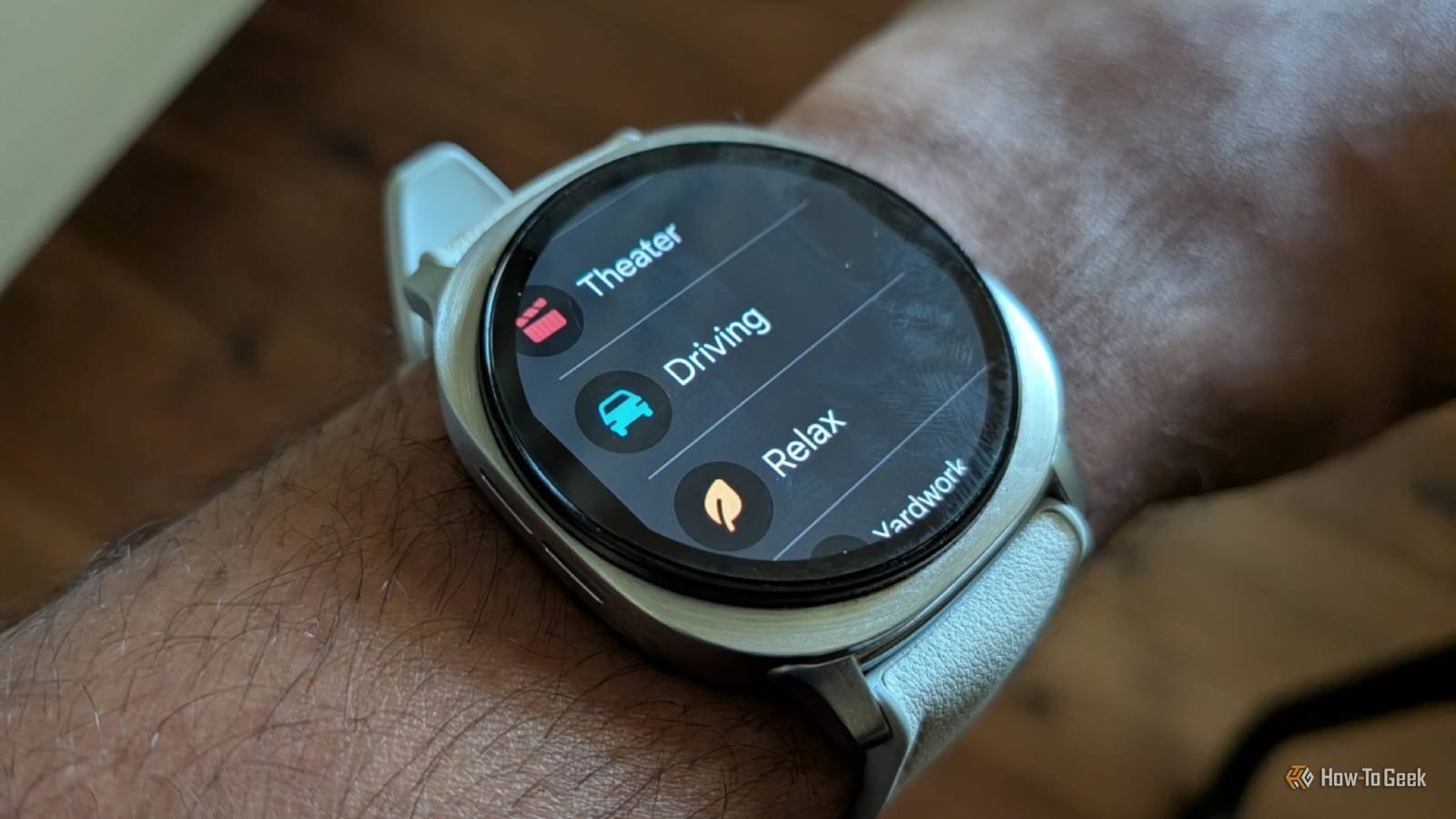
Last week, I did something a little unusual. I gave my Galaxy Watch permission to call the shots. Not for notifications, not for step counts—for the actual rhythm of my day. Wake up, focus, eat, rest, sleep. The watch decided when each should happen.
The tool that made it possible? Samsung’s Routines feature. It’s been hiding in plain sight on Galaxy devices for years, and honestly, it deserves more hype than it gets.
Here’s what happened when I let automation take the wheel.
What are Galaxy Watch routines, exactly?
Routines are conditional automations. You set a trigger—like a specific time, a location, or an app opening—and the watch responds with one or more actions. Think of it as IFTTT, but baked directly into your wrist.
On the Galaxy Watch, these routines can control everything from Do Not Disturb to Sleep Mode, brightness, sound profiles, and even which watch face appears. The beauty is that you don’t have to think about any of it. The watch just… knows.
How to set up your first routine
- Open the Galaxy Wearable app on your phone.
- Tap on Watch settings.
- Scroll to Advanced features and select Routines.
- Hit the plus icon to create a new routine.
- Choose a trigger (time, location, or app).
- Pick the actions you want the watch to perform.
It took me about three minutes to set up my first routine. The payoff lasted all week.
Morning: the watch decides when I wake up
My first routine was simple: at 6:30 AM, the watch would switch to my “Morning” watch face—a clean analog design with the date and weather front and center. It also turned off Do Not Disturb and played a gentle chime.
What surprised me wasn’t the functionality. It was the psychological shift. When my watch changed faces at 6:30, it felt like a signal to my brain: day mode engaged. I wasn’t checking my phone to see what time it was. The watch was telling me what phase of the day I was in.
Deep work: blocking out the noise
Here’s where things got interesting. I set a routine for 9 AM to 12 PM—my deep work window. During that block, the watch automatically enabled Do Not Disturb, dimmed the screen, and switched to a minimal watch face with just the time and my next calendar appointment.
The result? I stopped glancing at my wrist for trivial notifications. The watch became a tool for focus, not a distraction. It’s a small change, but it made a measurable difference in how many times I picked up my phone.
I also added a second trigger: whenever I opened my note-taking app on my phone, the watch would switch to the same minimal face. That way, even if I started working outside my scheduled window, the automation kicked in automatically.
Evening wind-down: the watch tells me to stop
My favorite routine was the evening one. At 9 PM, the watch would switch to a dark watch face, enable Sleep Mode, and mute all notifications except calls from my partner.
It sounds trivial, but having a physical signal to wind down changed my evening habits. I started putting my phone down earlier. I read more. I slept better.
The routine also turned off the always-on display, which saved a surprising amount of battery. A full day of heavy use still left me with around 40% by bedtime—better than I expected.
What I learned from a week of wrist-led living
Handing control to a watch sounds like a gimmick. It’s not. The Galaxy Watch routines feature turned out to be the most useful tool I’ve used on a wearable in years.
Here’s what I’d tell anyone thinking about trying it:
- Start small. You don’t need ten routines on day one. One or two will do.
- Use triggers that matter. Time-based routines are easy, but location and app triggers are where the magic happens.
- Let it replace habits, not create new ones. The watch won’t make you more disciplined. It just removes friction from the habits you already have.
- Battery life improves. Automating screen brightness and always-on display can add hours to your day.
If you’re curious about other ways to get more from your wearable, check out our guide on smartwatch battery saving tips or learn how to customize your Galaxy Watch face for better glanceability.
One week with a watch calling the shots, and I’m not going back. The routines feature did the heavy lifting—all I had to do was press start.
You may like
Social Media
X Money launch draws a wave of password reset attacks — here’s what we know
Published
5 minutes agoon
September 2, 2026
Password reset emails flood X users after X Money rollout
Attackers are taking aim at X users in the wake of the platform’s new payments service launch. Over the past few days, a wave of users has reported receiving unsolicited password reset emails — the kind that make you wonder if someone is trying to break into your account.
X product engineer Mridul Singhai acknowledged the issue on the platform Tuesday, saying the company is actively investigating. So far, there’s no evidence that any breaches have succeeded.
“Attackers appear to believe that, now that @XMoney is widely available, they can gain unauthorized access to accounts,” Singhai wrote. “We are actively investigating the issue and, so far, have found no evidence of any breaches. We apologize for the multiple emails and appreciate your patience as we work to resolve this.”
What is X Money and why does it matter?
X Money is the social network’s freshly launched payments service, complete with a bank card and other perks. For creators, it’s a potential game-changer — a way to collect payments directly on the platform without bouncing through third-party services. That’s a big step for X’s ambitions to build a full digital economy inside its walls.
But here’s the flip side: money attracts bad actors. Always has, always will. And when a platform suddenly starts handling financial transactions, the criminals take notice.
What exactly is happening to X accounts?
Users are reporting a barrage of password reset emails they never requested. The pattern suggests attackers are using a technique called “mass-triggering” — essentially flooding the password reset form with public usernames to generate emails en masse.
X’s own AI chatbot, Grok, has weighed in on the situation, confirming the attacks are happening while reassuring users that there’s been “no confirmed system breach or mass takeovers.”
The bot also pointed users toward enabling Password Reset Protect, a security feature that adds an extra layer of verification before a password can be changed.
What the attacks mean for your account
Here’s the uncomfortable truth: even if these attempts are unsuccessful, the sheer volume of reset emails suggests attackers are testing the waters. They’re looking for weak points, and they’re betting that X Money’s popularity will make users more vulnerable — or at least more panicked.
- Enable two-factor authentication if you haven’t already. It’s the single most effective step you can take.
- Turn on Password Reset Protect in your security settings. It requires additional verification before a password reset can go through.
- Don’t click links in unexpected emails. If you get a password reset email you didn’t ask for, ignore it — or better yet, report it.
- Use a unique password for X that you don’t use anywhere else.
X’s response: investigation and threats of legal action
X hasn’t posted an official statement to its company accounts yet, and the platform hasn’t responded to press inquiries at the time of writing. But X general counsel James Burnham didn’t mince words in a post of his own.
“The legal and security teams @X will stop at nothing to identify, locate, and hold criminally accountable any person anywhere on or off earth who attempts to victimize our platform’s users,” he wrote.
Strong words, for sure. Whether they’ll translate into actual arrests remains to be seen. But the message is clear: X is treating this as a criminal matter, not just a technical glitch.
How to protect yourself during the X Money launch chaos
If you’re an X user, now is the time to tighten up your security. The attackers are counting on confusion and complacency. Don’t give them the satisfaction.
Head to Settings and privacy, then Security and account access. From there, you can enable two-factor authentication and turn on Password Reset Protect. It takes about two minutes and could save you a world of trouble.
For more on keeping your accounts safe, check out our guide on two-factor authentication best practices and how to spot phishing attempts before they catch you.
The bottom line? X Money is here, and it’s changing how the platform handles payments. But with new features come new risks. Stay alert, enable your protections, and don’t let the panic — or the phishing emails — get the best of you.
How To
The Shocking Truth About PC Upgrades in 2026: RAM and SSD Prices Are Out of Control
Published
6 hours agoon
September 2, 2026
Think you can buy a budget laptop today and upgrade the RAM or SSD later? Think again. The era of cheap, effortless PC upgrades is crumbling before our eyes. RAM and SSD prices have spiked dramatically, and for anyone planning to buy a new computer, this is not just a minor inconvenience—it’s a potential financial trap. The old advice about buying the base model now and upgrading down the road is dangerously outdated. If you’re about to spend your hard-earned money on a new machine, you need to understand what’s happening before you make a costly mistake.
Why RAM and SSD Prices Have Skyrocketed
The first question on everyone’s mind is simple: why is this happening? The answer lies in a perfect storm of market forces. DRAM and NAND flash—the core components of RAM and SSDs—are facing a severe supply shortage. Manufacturers have been slow to increase production capacity, and the demand from AI data centers has exploded. These facilities require massive amounts of memory for training and running AI models, consuming chips that would otherwise go to consumer products. As a result, prices for new RAM and SSD modules have risen by 30% to 50% in recent months, and the trend shows no signs of slowing down.
Building on this, the pandemic-era boom in PC sales created a temporary glut that kept prices low. But that inventory has been depleted, and now the market is correcting. Major memory makers are prioritizing high-margin enterprise contracts over consumer-grade components. Consequently, if you’re looking to buy a new PC or upgrade an existing one, you’re facing the highest prices we’ve seen in years.
What This Means When Buying a New PC
So, what does this price surge mean for your next purchase? The most critical takeaway is that you cannot rely on future upgrades to save you money. In the past, you could buy a laptop with 8GB of RAM and a 256GB SSD, then swap in larger components later for a fraction of the cost. That strategy is now dead. With component prices inflated, buying a machine with the specs you need from day one is far more cost-effective than trying to upgrade it later.
Moreover, the issue is compounded by design trends. Many modern laptops, especially ultraportables, have memory and storage soldered directly to the motherboard. This means there’s no upgrade path at all. If you buy a laptop with 8GB of soldered RAM, you’re stuck with it for the life of the device. Therefore, you must check the specifications carefully before you commit. Look for terms like “soldered” or “onboard” memory, and verify whether the SSD uses a standard M.2 slot or is also fixed in place.
How to Check If a Laptop’s Memory Is Upgradeable
Before you finalize any purchase, take a few minutes to inspect the upgradeability of the system. Start by checking the manufacturer’s spec sheet—it will often state whether memory is soldered or upgradable. If that information is unclear, a quick search for the model number plus “RAM upgrade” will usually reveal teardown videos or forum discussions from other users. In addition, pay attention to the number of memory slots. Some laptops have two slots, with one populated and one free, allowing for easy expansion. Others have memory chips permanently attached to the motherboard, leaving no room for growth.
For SSDs, the situation is similar but slightly more flexible. Most laptops still offer a standard M.2 slot for NVMe drives, but some budget models use soldered eMMC storage, which is slow and non-upgradeable. When assessing SSD/NVMe storage, also consider the interface speed. A PCIe Gen4 drive is significantly faster than a Gen3, and Gen5 is now emerging on premium models. While speed isn’t everything, it does affect how future-proof your system will be. In short, do your homework now to avoid a dead-end machine later.
Should You Buy a New PC Right Now?
Given the volatile market, is it wise to make a purchase at all? The answer is yes, but with caution. If you genuinely need a new computer—for work, school, or because your current one is failing—don’t wait. Prices are unlikely to drop dramatically in the near future, and delaying could mean paying even more. However, be strategic about what you buy. Prioritize machines with the maximum RAM and storage you can afford, as upgrading later will be prohibitively expensive.
On the other hand, if your current PC is still functional, consider holding off for a while. The market is cyclical, and prices may eventually stabilize, though experts predict it could take a year or more. In the meantime, you can optimize your existing system by using tools like the free Windows Survival Guide, which helps you clean up and speed up your current setup. Alternatively, if you’re concerned about security, the 7 Days to Secure Your Digital Life system can help you protect your data without needing new hardware.
As a result, the decision boils down to your personal circumstances. But one thing is clear: the days of cheap, easy PC upgrades are over. The wrong configuration today could leave you stuck with a machine you can’t easily upgrade—or paying far more than you expected later. So, before you spend a dime on a new computer, watch the video above. It breaks down everything you need to know about RAM, SSDs, and upgradeability in 2026, saving you from a costly mistake.
Stay informed, stay prepared, and make your next PC purchase count.
How To
Ditch the Cable Bill: Watch The Walking Dead, UFC, and 100+ Channels on PS5 for Free
Published
10 hours agoon
September 2, 2026
The Console That Replaces Cable
Your PlayStation 5 is a gaming beast. But it’s also a surprisingly capable streaming box. Most people know about Netflix and Disney+. Fewer realize the PS5 can pull in over 100 live TV channels — completely free.
No subscription. No hidden fees. Just a solid internet connection and a few minutes of setup. It’s the kind of thing that makes you wonder why you’re still paying for cable.
What You Can Watch for Free
The lineup is more impressive than you’d expect from a free service. You’re not just getting old reruns and infomercials. There’s real, current content here.
- The Walking Dead — Catch up on the zombie apocalypse or rewatch your favorite seasons.
- UFC fights — Live events and replays for fight fans.
- News channels — Stay informed with major networks broadcasting 24/7.
- Classic movies — A rotating library of films across genres.
- Kids’ programming — Dedicated channels to keep the little ones entertained.
- Documentaries — Nature, history, and science content.
That’s just the tip of the iceberg. The full channel list is extensive, covering everything from cooking shows to vintage sitcoms.
How to Set It Up on Your PS5
Getting started takes less than five minutes. Here’s the quick breakdown:
- Turn on your PS5 and head to the Media section from the home screen.
- Find the free streaming app — it’s usually featured prominently.
- Download and install it. The app is lightweight and won’t eat up much storage.
- Launch the app and browse the channel guide.
- Start watching. No account creation required.
That’s it. You’re in. The interface is clean and responsive, designed to work well with a controller or a remote.
Why This Beats Traditional Streaming Services
Subscription fatigue is real. Between streaming price hikes and fragmented content libraries, cord-cutting has become a headache. This free option on PS5 sidesteps all that.
You get live TV, which is something most on-demand services don’t offer. Sports, news, and events happen in real-time. That immediacy matters for UFC fans who don’t want spoilers.
The best part? It’s genuinely free. Not a trial period. Not a freemium model with paywalls everywhere. Just free.
Is the Quality Any Good?
You might expect grainy video and constant buffering from a free service. That’s not the case here. Most channels stream in HD, and the picture quality holds up on a big screen.
Audio is solid too. Whether you’re watching a fight or a drama, the sound comes through clear. The PS5’s hardware handles the streaming effortlessly, so you won’t notice any lag or stuttering.
There are occasional ads, sure. That’s how the service stays free. But they’re not intrusive, and they’re nowhere near as frequent as traditional TV.
What About the Competition?
Other consoles have similar apps. But the PS5’s implementation feels more polished. The integration with the system’s UI is smoother, and the app launches faster than on older hardware.
If you’re a PlayStation owner, this is a no-brainer. You already have the console. Why pay for another service when you can get this for nothing?
For those who want even more options, there are other free streaming apps for consoles worth checking out. But this one stands out for its channel count and content quality.
Final Thoughts: Cut the Cord, Keep the Content
The days of needing a cable subscription to watch live TV are over. Your PS5 can handle it all — gaming, streaming, and now live channels.
Whether you’re a Walking Dead fan, a UFC enthusiast, or just someone tired of paying for content, this free option delivers. Set it up once, and you’ll wonder how you ever lived without it.

X Money launch draws a wave of password reset attacks — here’s what we know

I let my Galaxy Watch run my day—this one feature did the heavy lifting

Anthropic Just Showed How AI Could Start Improving Itself — With a Twist

LeakBase Data Breach Forum Seized in Major Europol Operation

The Truth About Fast Charging Apps for Android: Can They Speed Up Your Battery?
Zero-Day Attacks Hit Record High as Enterprise Software Becomes Prime Target

The Shocking Truth About PC Upgrades in 2026: RAM and SSD Prices Are Out of Control

Old vs. New IT Certification Exams: A Strategic Guide to Choosing the Right Path

Samsung Issues Emergency Update for Millions of Galaxy Phones: Here’s What You Must Do
Trending
CyberSecurity6 months agoLeakBase Data Breach Forum Seized in Major Europol Operation
How To5 months agoThe Truth About Fast Charging Apps for Android: Can They Speed Up Your Battery?
CyberSecurity6 months agoZero-Day Attacks Hit Record High as Enterprise Software Becomes Prime Target
CyberSecurity6 months agoRussian Hackers Target WhatsApp and Signal in Global Espionage Campaign
Social Media6 months agoYouTube Live Streaming API: A Developer’s Guide to Managing Live Broadcasts
Video4 months agoSamsung One UI 8.5 Official Update Is Here: Release Timeline, Eligible Devices & Key Features
Infosecurity6 months agoCybersecurity Communication: Why Fear-Based Messaging Fails and What Works
CyberSecurity6 months agoContextCrush Vulnerability: How a Trusted AI Tool Became an Attack Vector