Connect with us

How To

Drone Technology: Future Applications Transforming Industries

Published

on

Drone Technology Future

Drone Technology: Future Applications Transforming Industries

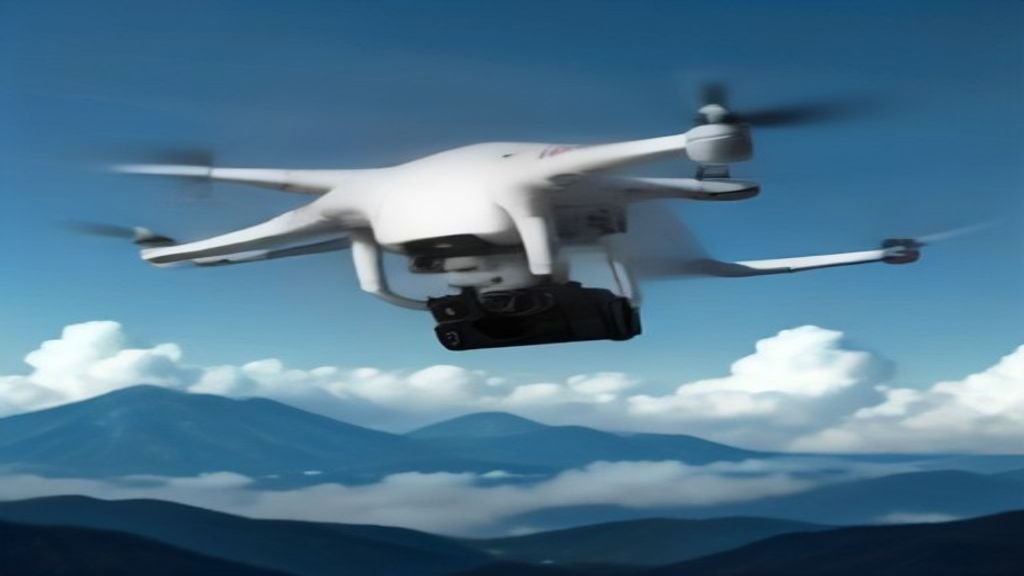
Picture a small, buzzing device hovering over a field, scanning every inch of soil. Now imagine that same device delivering a life-saving defibrillator through city traffic in minutes. This isn’t science fiction; it’s the tangible reality of drone technology today. Unmanned Aerial Vehicles (UAVs), commonly called drones, have shed their image as mere high-tech toys or military tools. They are becoming indispensable partners across countless sectors.

What makes drones so powerful? Their core advantage is simple: access. They go where humans can’t, shouldn’t, or simply wouldn’t go efficiently. From inspecting a thousand-foot radio tower to mapping a disaster zone, drones perform complex, risky tasks with precision and safety. Their versatility is only expanding as sensors shrink, batteries improve, and artificial intelligence gets smarter.

Beyond the Camera: Core Drone Types

Not all drones are created equal. The right tool for the job depends heavily on its design. Understanding the main categories helps clarify their potential.

Fixed-wing drones resemble miniature airplanes. They use wings for lift, making them exceptionally efficient for covering large areas like farmland or pipelines. Their long flight times are ideal for mapping and surveying.

Multi-rotor drones, like the common quadcopter, are the masters of stability and hover. They can take off and land vertically, hold a position perfectly still, and maneuver in tight spaces. This makes them perfect for detailed inspections, photography, and close-quarters work.

Hybrid VTOL (Vertical Take-Off and Landing) models combine the best of both worlds. They take off like a helicopter, then transition to efficient forward flight like an airplane. This design is gaining traction for applications requiring both range and pinpoint accuracy.

Single-rotor helicopters offer heavy-lift capabilities. While more mechanically complex, they can carry significant payloads, opening doors for larger sensor suites or delivery of heavier goods.

Where Drones Are Making an Impact Today

The applications for this technology are exploding. It’s moving from niche uses to mainstream operational tools.

Revolutionizing Agriculture and Conservation

Farmers are early adopters. Drones equipped with multispectral cameras don’t just take pretty pictures; they create detailed health maps of crops. They can identify areas suffering from drought, disease, or nutrient deficiency long before the human eye can see it. This allows for precise intervention—applying water, fertilizer, or pesticide only where needed. The result is higher yields, lower costs, and a reduced environmental footprint.

In wildlife conservation, drones are silent guardians. They patrol vast forest reserves and national parks, monitoring animal populations and deterring poachers. Thermal imaging cameras make this possible day or night, spotting heat signatures of animals or illegal human activity from a safe, non-intrusive distance.

Transforming Logistics and Emergency Response

The promise of drone delivery is inching closer to reality. Companies are already testing last-mile delivery for medicines, small parcels, and even food. In remote or congested areas, a drone can bypass road infrastructure entirely, delivering critical supplies in a fraction of the time.

Perhaps the most profound impact is in search and rescue. Every minute counts when someone is lost. Drones with thermal cameras can sweep large areas of wilderness, rugged terrain, or disaster rubble quickly, locating missing persons by their body heat. They can also drop survival supplies like water, radios, or first-aid kits to stabilize victims until rescue teams arrive, all while keeping those teams out of immediate danger.

In construction and infrastructure, drones are project managers in the sky. They conduct weekly flyovers to create accurate 3D models and progress reports. This allows managers to spot issues early, track inventory, and ensure projects stay on schedule and budget. Inspecting bridges, cell towers, and wind turbines becomes faster, cheaper, and far safer.

The Next Frontier: Future Uses on the Horizon

The technology is still accelerating. Several groundbreaking applications are moving from prototype to pilot program.

Urban Air Mobility and Medical Logistics

Traffic gridlock is a global problem. The concept of “air taxis”—larger, passenger-carrying drones—aims to leapfrog it entirely. While regulatory and safety hurdles remain, companies are actively developing electric vertical takeoff and landing (eVTOL) aircraft for short urban hops.

More imminent is the drone ambulance or medical courier. Imagine a drone delivering an automated external defibrillator (AED) to a cardiac arrest victim within three minutes of a 911 call. Or transporting blood samples or anti-venom across a city faster than any ground vehicle. In flood zones or mountainous regions, this could be the difference between life and death.

Enhanced Public Safety and Environmental Science

Law enforcement and fire departments are integrating drones into their toolkits. For large public events, drones provide a real-time aerial view for crowd management and security. Firefighters use them to assess the spread of a wildfire or to look for hotspots in a building fire without sending personnel into unnecessary risk.

Meteorologists see drones as a new window into severe weather. Small, rugged drones can be flown into the outer bands of hurricanes or near tornadoes, gathering temperature, pressure, and wind data that is too dangerous or impossible for manned aircraft to collect. This data feeds into better, faster, and more accurate weather forecasts.

The thread connecting all these uses is data. Drones are fundamentally data collection platforms. They gather visual, thermal, multispectral, and LiDAR information. The real magic happens when this data is processed by AI—identifying patterns, predicting failures, and automating decisions. The drone itself is just the vehicle; the intelligence it carries and generates is the true game-changer.

We are only scratching the surface. As regulations evolve alongside the technology, drones will become quieter, smarter, and more integrated into the fabric of our daily lives and work. They are not replacing humans but augmenting our capabilities, taking on the dull, dirty, and dangerous tasks so we can focus on higher-level problem-solving. The future isn’t just in the air; it’s being shaped by it.

Continue Reading

Social Media

Retro, the anti-algorithm photo app for friends, just banked $21M

Published

on

Retro photo-sharing app

Retro’s quiet $21M raise

The friend-focused photo-sharing app Retro has pulled in more than $21 million in Series A funding, according to an SEC filing spotted by Business Insider. The filing, dated August 19, sits under the startup’s legal name, Lone Palm Labs, and reveals the round actually closed back in December.

PitchBook now pegs the company’s valuation north of $100 million. Retro hasn’t commented publicly on the raise, and didn’t respond to a request for comment.

The money comes at a telling moment. Social media has become a firehose of creator content, algorithmically ranked and increasingly generated by AI. Retro’s pitch is almost contrarian: show photos to the people who actually know you.

Built by ex-Instagram engineers who saw the feed problem coming

Retro was founded by Nathan Sharp and Ryan Olson, two former Instagram product engineers. They watched the platform drift from a friend-sharing tool into a broadcast network dominated by influencers. Sharp told TechCrunch in December: “Something that has to be true and will be true is that people will still want to see more of their friends.”

His point cuts to the heart of the current social media malaise. The For You page is great for killing time, but it’s terrible for staying connected. Sharp again: “The photos and videos you take will need to find a place where they can reach the intended audience.”

Retro is that place. It strips away the algorithmic noise and puts the focus squarely on your inner circle.

From personal journal to shared photo space

Launched in 2023 as a personal photo journal, Retro has evolved. It now lets you privately share photos of your week with friends, create shared albums, view and share recaps, and even “rewind” to time-travel through old memories. The app has become a go-to for groups who want a shared visual history without the performance of posting to a public feed.

The growth numbers back up the concept. According to app intelligence provider Appfigures, Retro has been downloaded about 7 million times since launch. In-app spending has jumped more than 460% over the past 180 days — a sign that the people who do subscribe are sticking around and using it regularly.

No ads, just subscriptions

Retro’s business model is refreshingly simple: no advertising. Instead, the company offers in-app subscriptions that unlock features like video, GIF and sticker comments, more styles, unlimited history, and special app icons.

It’s a small subset of users who pay, but the company’s bet is that those who do are committed customers. The subscription model also aligns with the app’s ethos — your data and attention aren’t the product.

Who’s backing the anti-algorithm bet?

The investor list reads like a who’s who of tech and venture circles. Thrive Capital leads the round, joined by Figma CEO Dylan Field, Scribble Ventures, Box Group, Imaginary Ventures, Coalition, Conviction, Copper, Positive Sum, and a roster of angels.

The mix of strategic and financial backers suggests confidence in Retro’s vision. Field, who runs a design tool company, likely sees the value in a social app that prioritizes genuine connection over engagement metrics.

What Retro’s raise says about the future of social

The $21M round is more than just a milestone for one startup. It’s a signal that investors are betting on a future where social media returns to its roots — connecting real people with real friends. As AI-generated content floods mainstream platforms, the demand for authentic, private sharing spaces is only growing.

Retro isn’t trying to replace Instagram or TikTok. It’s carving out a niche for something more intimate. And with this fresh capital, the team plans to keep building features that make it easier to share moments with the people who matter most.

For anyone tired of doomscrolling through sponsored posts and AI slop, Retro’s photo-sharing app offers a quiet alternative. The question now is whether it can scale its niche appeal into something bigger. The early numbers suggest it’s on the right track.

Continue Reading

How To

5 Overlooked Pixel Apps I Added to My Home Screen Because I Kept Forgetting to Use Them

Published

on

overlooked Pixel apps

Why Your Pixel Home Screen Deserves a Second Look

Google’s Pixel phones are stuffed with exclusive features. That’s not hyperbole—it’s practically the brand’s identity. But here’s the thing: many of those features are hiding in plain sight, tucked inside apps you’ve probably swiped past a hundred times.

I’m guilty of it too. I’d buy a Pixel, marvel at the camera, then completely forget about the software tricks that make the phone genuinely useful. So I did something about it. I moved five overlooked Pixel apps to my home screen. Now I actually use them.

1. Recorder: The App That Transcribes Everything

You know that feeling when you’re in a meeting or lecture, and you desperately wish you had a transcript? The Pixel Recorder app does exactly that—and it’s been on Pixels since the Pixel 4.

It’s not just a voice recorder. It transcribes audio in real time, even when you’re offline. You can search for specific words in a recording, which is a lifesaver when you’re trying to find that one action item from a two-hour call.

I added it to my home screen because I kept forgetting I had it. Now, whenever I’m about to take notes on a conversation, I just hit record instead. The transcription is shockingly accurate, and it’s one of the most underrated Google Pixel features.

2. Now Playing: Your Personal Shazam, Always On

Every Pixel has a feature called Now Playing. It listens in the background and identifies music playing around you—no app needed. The catch? It’s buried in the settings, and most people never turn it on.

Here’s what I did: I added the Now Playing history shortcut to my home screen. It’s a widget that shows a list of every song the phone has recognized recently. Tap a song, and it opens in YouTube Music or your streaming app of choice.

Why does this matter? Because you won’t have to pull out your phone and open Shazam every time you hear a tune you like. The Pixel does it silently, and you just check the history later. It’s one of the best Pixel exclusive apps you’re not using.

3. Digital Wellbeing: More Than Just a Timer

Digital Wellbeing sounds like a guilt-trip app, but it’s actually a goldmine of hidden tools. The app tracks your screen time, sure, but it also has a Focus mode that silences distracting apps when you need to concentrate.

What really sold me, though, is the Wind Down feature. It shifts your screen to grayscale at a set time, which makes doomscrolling feel less appealing. I put a shortcut to Digital Wellbeing on my home screen because I kept forgetting to set it up properly.

Now I use it every evening. It’s a small nudge, but it’s genuinely changed how I wind down. If you’re looking for Pixel productivity tips, this is a good place to start.

4. Files by Google: The Cleanup Tool You Actually Need

Files by Google isn’t exclusive to Pixel, but it comes pre-installed and is deeply integrated. It’s not just a file manager—it has a smart cleanup feature that suggests old photos, memes, and unused APKs to delete.

I used to ignore it because I thought it was just a boring file browser. Then I checked the “Clean” tab one day. It found 2 GB of junk I didn’t know existed. That was the moment I moved it to my home screen.

The app also lets you share files offline with nearby devices, which is handy when you’re in a dead zone. If you’re tired of “storage full” notifications, this is the overlooked Pixel app you need.

5. Google Lens: The Visual Search Powerhouse

Google Lens is technically part of the Google app, but it deserves its own spot on your home screen. It’s a visual search tool that can identify plants, translate text in real time, and even solve math problems by pointing your camera at them.

I kept forgetting it existed because it’s hidden behind a few taps in the Google app. So I added the Lens shortcut directly to my home screen. Now, when I’m at a museum and want to know more about a painting, or when I’m trying to read a menu in another language, it’s one tap away.

It’s one of the most versatile hidden Google Pixel features, and it’s free. No reason not to use it.

How to Add These Apps to Your Home Screen

Adding any of these to your home screen takes about ten seconds. Here’s how:

  • Open your app drawer and find the app you want.
  • Press and hold the icon.
  • Drag it to your home screen.
  • For widgets like Now Playing, press and hold an empty spot on your home screen, tap “Widgets,” and search for the app.

That’s it. You’ll actually see them every time you unlock your phone, which is the whole point.

Don’t Let These Features Collect Dust

Pixels are packed with Google Pixel tips and tricks, but they only help if you remember they exist. Moving these five overlooked Pixel apps to my home screen was a small change that made a big difference in how I use my phone.

Try it. You might be surprised at how often you reach for them.

Continue Reading

How To

Windows 11 August 2026 Update: Apps Open Way Faster Now — KB5121003 Tested

Published

on

Windows 11 August 2026 update

Imagine clicking an app icon and watching it spring to life instantly—no spinning cursor, no gray freeze, just pure speed. That’s exactly what Microsoft’s latest Windows 11 update promises, and after testing it myself, I can confirm: the difference is real. The August 2026 patch, KB5121003 (build 26200.9168), takes the CPU boost feature that previously only sped up the Start menu and search and extends it to your actual applications. The result? Apps open noticeably faster, and that annoying gray screen freeze after idle or boot is gone. Here’s what’s happening under the hood, why your CPU isn’t in danger, and why Microsoft probably should’ve done this years ago.

Continue Reading

Trending