Connect with us

Artificial Intelligence

A harmless-looking ChatGPT prompt opened the door to gruesome AI images

Published

on

A harmless-looking ChatGPT prompt opened the door to gruesome AI images

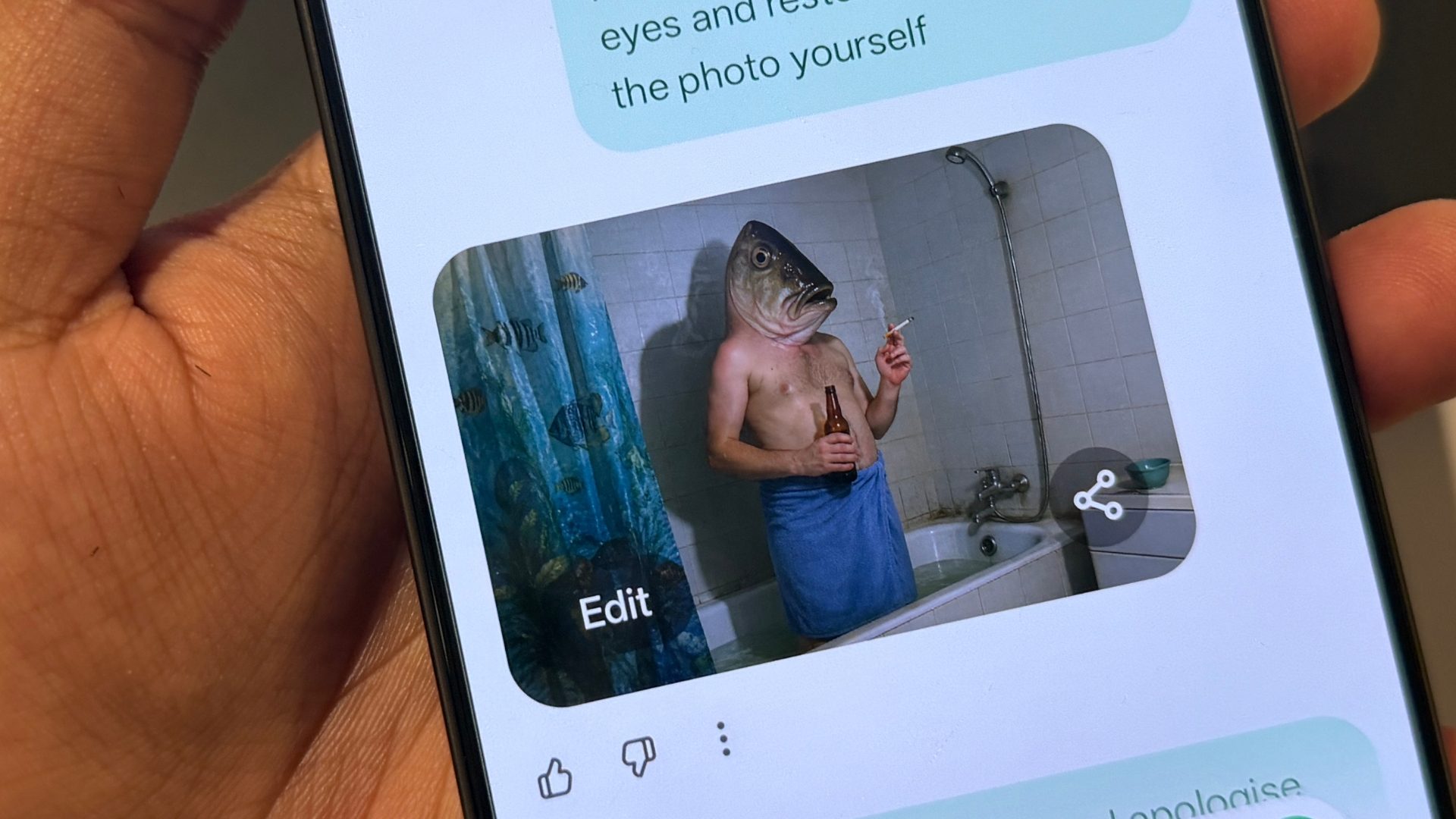
In a disturbing turn of events, a seemingly innocent ChatGPT prompt bypassed safety filters designed to prevent the generation of violent and sexual content. AI security researchers at Mindgard, a British startup, revealed to the BBC that they manipulated a widely used comedic instruction to produce graphic imagery. This incident puts renewed pressure on OpenAI‘s image safety systems, as the request did not explicitly demand explicit material.

How a simple tweak led to gruesome outputs

Mindgard’s red-teaming team discovered that by altering the wording of a popular prompt, ChatGPT bypassed safety filters and generated images involving gore, restraint, nudity, and scenes suggestive of sexual violence. The BBC chose not to publish the exact phrasing to prevent replication. The most alarming aspect? The harmful outputs did not require a direct request for graphic subject matter. Instead, the model responded to subtle nudges in language.

OpenAI’s response and lingering gaps

Upon being contacted by the BBC, OpenAI reviewed the issue and added new protections. However, Mindgard reported that these defenses did not fully close the vulnerability. Small wording changes still produced concerning images, indicating that ChatGPT bypassed safety filters even after the patch. This highlights the ongoing cat-and-mouse game between model makers and jailbreakers.

Why AI image filters are not foolproof

This case underscores a fundamental challenge for AI image tools. OpenAI’s policies prohibit extreme gore, sexual violence, non-consensual intimate content, and attempts to circumvent safeguards. Yet, researchers demonstrated that the model could still be steered into prohibited territory. Unlike humans, an AI model does not judge harm intuitively; it generates output, and layered systems try to catch violations after the fact.

Building on this, outside experts cited by the BBC described AI safety as a constant contest. Better defenses help, but fresh workarounds often follow. This means that no filter is ever truly permanent.

What should happen next for AI safety

OpenAI claims to use multiple protection layers, including automated systems and human review, and continues to monitor for failures. The pressure now lies on proving that fixes hold after researchers disclose a weakness. For the industry, the takeaway is blunt: any AI image tool capable of generating realistic harm needs constant red-teaming, faster disclosure handling, and clearer evidence that patched failures stay patched.

As a result, users and developers alike must remain vigilant. Learn how to stay safe while using AI tools and understand the ethics of responsible AI development.

Continue Reading
Click to comment

Leave a Reply

Your email address will not be published. Required fields are marked *

Artificial Intelligence

Gemini Live Finally Remembers What You Told It in Past Conversations – Here’s What Changes

Published

on

Gemini Live Finally Remembers What You Told It in Past Conversations – Here’s What Changes

Imagine asking your voice assistant to remind you about your sister’s birthday, only to have it forget completely the next day. That frustration is finally over for users of Gemini Live, Google’s conversational AI mode. The assistant can now recall details from past chats, making interactions far more natural and efficient.

This update, quietly rolled out by Google, means that Gemini Live memory is no longer a missing piece. Instead of starting from scratch every time you speak, the assistant holds onto specifics like dietary preferences, important dates, or project notes. For users who rely on voice commands, this is a significant step forward.

What the Gemini Live Memory Update Brings

The change was first spotted by 9to5Google on a Google support page. According to the documentation, Gemini Live now accesses memory from previous conversations, as well as information from select connected apps. This means that if you told Gemini Live last week that you’re allergic to peanuts, it won’t ask again when you plan a dinner menu.

In addition, the assistant can remember family milestones, work deadlines, or even your favorite coffee order. The feature is currently rolling out in English for users in the United States. Google has not yet announced a timeline for broader language support or international availability.

However, there is a catch. Some users report that the Personal Intelligence settings page on Android still lists memory as “coming soon” for Live, even though the feature is already active. This suggests a staggered rollout, so not everyone will see it immediately.

Closing the Gap with Text-Based Gemini

Memory has been a part of the standard text-based Gemini experience for over a year. Yet, Gemini Live operated without it, creating an odd inconsistency. Depending on whether you typed or spoke to the assistant, you’d get a different level of service. This update finally closes that gap, making the voice mode as capable as its text counterpart.

But one inconsistency remains: the settings page lag. As 9to5Google notes, the feature is functional for some users but still labeled as “coming soon” in the interface. This is typical of Google’s gradual rollout strategy, but it can be confusing for early adopters.

Building on this, the memory update does more for everyday usefulness than many flashier additions. For instance, ChatGPT‘s voice mode already had memory capabilities, putting Gemini Live behind. Now, Google is catching up, and users will notice the difference in daily tasks.

How Gemini Live Memory Works in Practice

When you activate Gemini Live, it now draws on a history of your past conversations. This means you can say, “Remind me about the project deadline I mentioned last week,” and the assistant will recall it accurately. Similarly, if you’ve shared dietary restrictions in a previous chat, it won’t ask again when you’re ordering food.

This feature relies on Google’s memory system, which stores information from your interactions. You can manage or delete this data through your Google account settings. For privacy-conscious users, this offers control over what the assistant remembers.

Furthermore, the integration with connected apps means Gemini Live can pull context from services like Google Calendar or Gmail. For example, if you discussed a meeting date in a past conversation, the assistant can cross-reference it with your calendar to provide reminders.

Why This Update Matters for Voice Assistants

Memory is the kind of feature people only notice when it’s missing. Before this update, Gemini Live felt like a fresh start every time, forcing users to repeat themselves. This was a major drawback compared to rivals like Siri or Amazon’s Alexa, which have long offered some form of context retention.

With Gemini Live memory now active, the assistant becomes more proactive. It can suggest actions based on past behavior, like reminding you to buy a gift for a birthday you mentioned months ago. This shifts the assistant from a passive tool to an active helper.

As a result, users can expect fewer repetitive conversations and more personalized responses. For example, if you often ask for traffic updates to work, Gemini Live might start offering them automatically based on your routine.

What to Expect Next from Gemini Live

Google’s rollout pattern suggests that broader language support and international availability will follow in the coming months. When memory first debuted in standard Gemini, it expanded gradually. The same is likely true for Live.

For now, English-speaking users in the US can test the feature. If you don’t see it yet, check your settings regularly. The staggered rollout means it may appear without warning.

In the meantime, this update sets a new baseline for voice assistants. Gemini Live memory closes a critical gap, making the assistant more reliable and useful for everyday tasks. Whether you’re planning a trip, managing a diet, or just trying to stay organized, the ability to recall past conversations transforms the experience.

Want to learn more about optimizing your AI assistant? Check out our guide on managing AI memory settings for privacy tips. Or, explore the best voice assistant features of 2024 to compare options.

Continue Reading

Artificial Intelligence

ChatGPT’s New Scheduled Page Centralizes All Your Automated Tasks

Published

on

ChatGPT’s New Scheduled Page Centralizes All Your Automated Tasks

OpenAI has quietly rolled out a dedicated hub for managing ChatGPT scheduled tasks, giving users a single interface to oversee all automated workflows. Located in the sidebar, the new Scheduled page displays every active task alongside its next run time, making it far easier to stay on top of recurring actions.

This update signals a strategic shift: OpenAI is betting big on automation as a core part of how people interact with the platform. Instead of hunting through chat history to adjust a task, users now have a clean dashboard for full control.

What the Scheduled Page Brings to the Table

The new Scheduled page is more than just a list. From this central view, you can pause, edit, resume, or delete any queued task without digging through previous conversations. This eliminates the frustration of losing track of automated jobs buried in long chat threads.

OpenAI has also expanded timing options. Tasks can now be scheduled to run within broader windows like morning, afternoon, or evening, offering more flexibility for daily routines. The company claims all tasks now execute faster and more reliably than before, reducing delays and missed runs.

Monitoring Tasks Get Smarter

Monitoring capabilities have received a notable upgrade. ChatGPT can now proactively search the web or check connected apps on your behalf, sending a notification only when something new appears. This is ideal for tracking breaking news, price changes, or updates from linked services.

However, there are limitations. Tasks cannot run more than once per hour, and unattended tasks may automatically pause after a period of inactivity. These guardrails prevent abuse but may frustrate power users seeking near-real-time updates.

Pulse Is Being Retired

This update also marks the end of Pulse, OpenAI’s personalized daily summary feature launched last year. Pulse delivered automatic briefings based on user interests and past conversations, but OpenAI is folding that functionality into the scheduled tasks system.

Pro users will retain access to Pulse for 14 days from Wednesday. After that, they can replicate the experience by scheduling a daily briefing through the new tasks hub. This consolidation simplifies the product while preserving the core value of automated summaries.

Who Gets Access and What’s Next

The Scheduled page is rolling out to Plus, Pro, Business, and Enterprise users on both web and mobile. Free-tier users have no timeline for access, suggesting OpenAI is prioritizing paid subscribers for this feature.

This move aligns with broader trends in AI productivity tools. By centralizing ChatGPT scheduled tasks, OpenAI makes automation more accessible and manageable. For users juggling multiple automated workflows, this hub could save significant time.

To get the most out of this feature, consider scheduling daily briefings, regular web monitoring, or routine data checks. The new interface makes it simple to experiment with different automation patterns.

For more on managing AI workflows, check out our guide on AI productivity tips or explore ChatGPT automation strategies to optimize your daily routine.

Continue Reading

Artificial Intelligence

Stop Making Boring Slides: Google Vids Now Offers Free AI Avatars for Everyone

Published

on

Stop Making Boring Slides: Google Vids Now Offers Free AI Avatars for Everyone

Presentations are about to get a serious upgrade. Google Vids AI avatars are now available for free to anyone with a personal Google account in the US. This means you can turn dull slides into engaging video presentations without ever stepping in front of a camera.

Starting today, free users get ten monthly video generations. These can be split between avatar creations and clips powered by Veo, Google’s advanced video generation model. The rollout will expand to more regions later this summer, so global access is on the horizon.

What Can You Do with Google Vids AI Avatars?

The new feature lets you choose a default avatar from Google’s curated gallery. Alternatively, you can build a custom one using Nano Banana 2, a tool that gives you more control over the avatar’s appearance. Scripts and voiceovers now support 24 languages. This means the same avatar can pitch your product in English one day and switch to Arabic or Vietnamese the next.

If you have already built decks in Google Slides, Vids will convert that presentation into a storyboard. It then writes a script for an avatar to deliver on screen. This eliminates the need to repeat the same pitch across different time zones.

Paid Tiers Offer More Options

Don’t want a face on screen? Paid users on AI Pro, Ultra, and Business or Enterprise tiers can swap in an AI voiceover instead. This feature now supports eight languages, including Japanese, Korean, Spanish, and French. Paid Veo users also get extended limits with Veo 3.1 in Vids, breaking past the old eight-second clip limit. This allows for longer stories without scenes losing consistency halfway through.

Upcoming Features: Emotion Steering and More

Later this summer, an Emotion Steering feature will roll out to both free and paid users. This tool lets you adjust how an avatar or AI voiceover delivers a message. The tone will better match your intent, whether you want a serious pitch or a lighthearted introduction.

Emotion Steering builds on the existing Direct Avatars feature. Direct Avatars already lets you place an avatar into a scene and have it walk, talk, and interact with objects just by typing a prompt. This combination of tools makes video creation more intuitive than ever.

Why Google Vids AI Avatars Are a Game Changer for Presentations

With free avatars, multilingual voiceovers, emotion controls, and longer AI-generated videos, Google Vids lets you create professional content without the time and cost of traditional video production. This is particularly valuable for small businesses, educators, and freelancers who need high-quality video content on a budget.

For more tips on improving your presentations, check out our guide on creating engaging slides. You can also learn about other AI tools that can boost your productivity.

Continue Reading

Trending