Connect with us

Video

AI’s Impact on Network Engineers: Key Takeaways from the Summer of CCNA Live AMA

Published

on

The rise of artificial intelligence has sparked intense debate across every tech discipline, and networking is no exception. In a recent live AMA session as part of the Summer of CCNA program, industry experts and aspiring network engineers came together to tackle one pressing question: How will AI truly affect the role of network engineers? The 90-minute discussion, filled with candid insights and practical advice, offers a roadmap for anyone navigating this shifting landscape. Whether you are studying for your CCNA certification or already working in the field, the takeaways from this session are invaluable.

Understanding the Real AI Impact on Network Engineers

One of the most reassuring messages from the AMA was that AI is not coming to replace network engineers—it is coming to augment them. The panelists emphasized that while AI can automate routine tasks like configuration checks, monitoring alerts, and even some troubleshooting, it cannot replicate the deep contextual understanding that human engineers bring. For example, AI can flag an anomaly in network traffic, but it takes a skilled engineer to interpret the business impact and decide on the best course of action. As a result, the AI impact on network engineers is more about shifting their focus from repetitive chores to higher-level strategy and problem-solving.

Network Automation: The New Essential Skill for CCNA Professionals

Building on this idea, the session highlighted that network automation is no longer a nice-to-have—it is becoming a core competency. The experts stressed that CCNA candidates should start learning automation tools like Ansible, Python scripting, and APIs alongside traditional routing and switching. They pointed out that many entry-level networking tasks are already being automated, meaning that engineers who can design and manage automated workflows will have a significant edge. In addition, the AMA addressed common fears about job security: rather than eliminating positions, automation frees up engineers to focus on innovation, security, and optimizing network performance.

Practical Career Advice from the Summer of CCNA Live AMA

During the live Q&A portion, participants asked about specific steps they can take today to future-proof their careers. The panel offered three clear recommendations. First, earn your CCNA—it remains the foundational credential that demonstrates you understand networking fundamentals. Second, start a home lab or use virtual environments to practice automation scripts. Third, follow industry blogs, join networking communities, and watch sessions like this one to stay current. They also warned against chasing every new AI tool; instead, focus on understanding how AI can solve real problems in your network. This balanced approach ensures you remain adaptable without getting overwhelmed.

The Future of Networking: Collaboration Between Humans and AI

Looking ahead, the AMA painted a picture of networking where AI acts as a powerful assistant. Predictive analytics can forecast bandwidth needs, AI-driven security tools can detect threats in real time, and automated provisioning can deploy new devices in minutes. However, the human element—critical thinking, creativity, and ethical judgment—will always be needed. The Summer of CCNA community left the session feeling empowered, not threatened. The key is to embrace lifelong learning and view AI as a tool that amplifies your capabilities.

If you missed this live session, you can still catch the recording. The Summer of CCNA program continues to offer free resources and expert guidance for anyone serious about a networking career. Watch the full AMA to hear the panel’s unfiltered answers and join a community that is actively shaping the future of network engineering.

Continue Reading
Click to comment

Leave a Reply

Your email address will not be published. Required fields are marked *

Video

7 Realistic Claude AI Side Hustles for People With Full-Time Jobs

Published

on

Claude AI side hustles

In a world where hustle culture often demands more hours than a 9-to-5 can provide, finding a side gig that doesn’t feel like a second full-time job is the holy grail. Enter Claude AI side hustles—a practical, low-overhead way to generate extra income without sacrificing your evenings or weekends. Shane Hummus, a seasoned content creator and career strategist, recently broke down seven realistic methods in a video that cuts through the noise. Whether you’re drowning in debt or just want a financial cushion, these strategies are designed for real people with real jobs.

Why Most Side Hustle Advice Fails—and How Claude AI Changes the Game

Building on the frustration many face with traditional side hustle advice, Hummus points out a critical flaw: most recommendations are secretly disguised full-time traps. They demand constant attention, client management, or specialized skills that take months to develop. However, Claude AI side hustles flip the script. By leveraging artificial intelligence, you automate the heavy lifting—research, content drafting, even data analysis—so you can focus on scaling. The key is choosing methods that align with your existing schedule and energy levels, not adding more stress.

7 Realistic Side Hustles You Can Start This Week

1. The “Oldest Method” Hiding in Plain Sight

One of the most straightforward approaches involves using Claude to generate niche content for platforms like Medium or Substack. Instead of writing from scratch, you prompt the AI to produce well-researched articles on topics you already understand from your day job. This method requires minimal setup—just a few hours to refine your prompts—and can generate passive income through ad revenue or subscriptions.

2. Garage Sale Finds Turned Digital Gold

In a surprising twist, Hummus shares a story about a garage sale item that turned into a wild return. The lesson? Use Claude to research collectibles, vintage items, or rare books you find at thrift stores. The AI can instantly provide pricing history, market demand, and listing descriptions, turning a $5 find into a $200 profit. It’s a low-risk, high-reward side hustle that relies on your eye for bargains and Claude’s analytical power.

3. The Exact Prompt That Stops Generic Advice

A standout insight from the video is a specific prompt template that forces Claude to produce actionable, personalized advice. Instead of vague suggestions, you get step-by-step plans tailored to your goals. For example, asking Claude to “act as a career coach and create a 30-day plan for earning $500 in freelance income” yields concrete tasks. This prompt can be repurposed for any side hustle, saving you hours of planning.

4. A Setup That Takes Under an Hour to Go Live

Hummus demonstrates how to set up a simple digital product store using platforms like Gumroad or Payhip, powered by Claude-generated content. Whether it’s an e-book, a printable planner, or a course outline, you can create the core material in one sitting. The AI handles the writing, structure, and even marketing copy. Within an hour, your product is live and ready to sell while you sleep.

The Gig App Category Most People Get Wrong

Many assume gig apps like Fiverr or Upwork are saturated, but Hummus reveals a hidden niche: AI-assisted services. Instead of competing on price, offer packages like “Claude-optimized resume rewriting” or “AI-generated business plans.” These services command higher rates because they combine human oversight with AI efficiency. The catch? You need to position yourself as a consultant, not a commodity. This approach works best for professionals who already understand a specific industry—like HR, marketing, or finance—and can add value through curation.

The “Lazy Person’s Favorite” Hands-Off Method

For those who prefer passive income, Hummus recommends creating a faceless YouTube channel or TikTok account that repurposes Claude-generated scripts. Topics like “history facts” or “productivity tips” require no on-camera presence. You simply feed the AI a topic, edit the output for tone, and use text-to-speech software for narration. This method takes minimal effort each week but can build a steady stream of ad revenue over time.

The Niche Skill Window Almost Nobody’s Talking About

One of the most overlooked opportunities involves using Claude to create specialized templates for industries like real estate, legal, or healthcare. For instance, a real estate agent could sell AI-drafted listing descriptions or buyer guides. The beauty of this side hustle is its scalability: once you create a template, you can sell it repeatedly with no additional work. Hummus emphasizes that the window for this niche is still open, as few people have combined domain expertise with AI tooling.

How Repeat Questions Turn Into Something Sellable

A recurring theme in the video is turning your day-job knowledge into a product. If colleagues frequently ask you about a specific process—like data visualization or client onboarding—you can use Claude to compile a comprehensive guide. Then, sell it on platforms like Gumroad or Etsy. This method leverages your existing expertise, requires no new learning, and creates a passive income stream from a single weekend of work.

The Single Platform That Multiplies Every Method

Hummus identifies one platform that secretly amplifies all these strategies: LinkedIn. By sharing your AI-assisted projects, insights, or templates, you build authority and attract clients. For example, posting a Claude-generated industry report can lead to consulting gigs or product sales. It’s a free marketing channel that compounds your efforts over time.

The Real Timeline Before This Tips in Your Favor

Patience is key. Hummus notes that most side hustles take 3-6 months to gain traction. The first month is for setup and refinement, the second for building an audience, and the third for seeing consistent returns. However, with Claude AI side hustles, the learning curve is shorter because the AI handles the heavy lifting. The transformation—from overwhelmed employee to confident side hustler—is gradual but rewarding.

Final Thoughts: Your Next Step

If you’re tired of side hustle advice that demands more than you can give, these seven methods offer a realistic path forward. They respect your time, leverage your existing skills, and use Claude AI to fill the gaps. Watch Shane Hummus’s full video for detailed walkthroughs and prompt examples that will save you hours of trial and error. Your financial freedom might be just one AI prompt away.

Continue Reading

Video

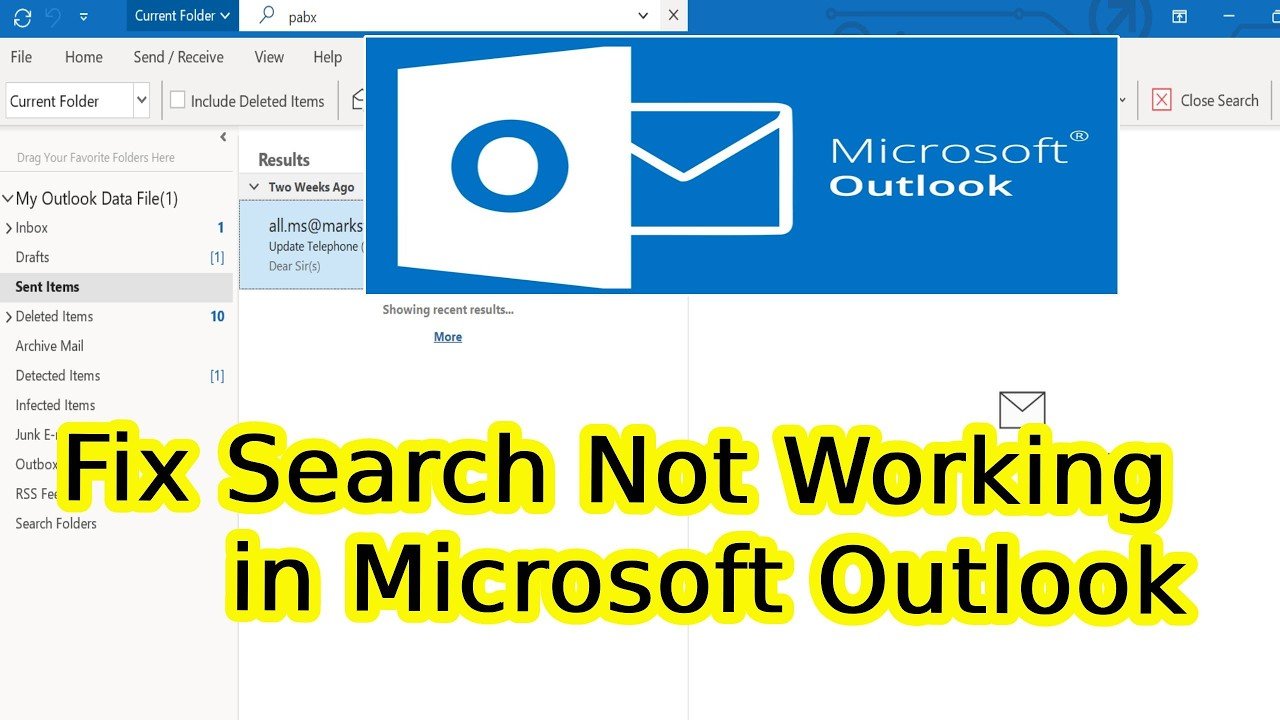
How to Fix Search Not Working in Microsoft Outlook – Step-by-Step Guide

Published

on

fix search not working in Microsoft Outlook

If you rely on Microsoft Outlook for daily email management, a broken search function can bring your workflow to a grinding halt. You type a name, subject, or keyword into the search bar, and nothing appears — no results, no suggestions, just an empty void. It’s frustrating, especially when you need to find a critical message in a hurry. Fortunately, there’s a straightforward solution. This guide walks you through two proven methods to fix search not working in Microsoft Outlook, helping you restore full search functionality without unnecessary stress.

Why Does Outlook Search Stop Working?

Before diving into fixes, it helps to understand why Outlook search fails. The most common culprit is a corrupted or incomplete search index. Outlook relies on a background indexing service to scan and catalog your emails, contacts, and calendar items. When this index becomes damaged, outdated, or misconfigured, the search feature stops returning results. Other factors include incorrect indexing settings, permission issues, or conflicts with third-party add-ins. However, the indexing problem is the most frequent offender, and the following methods address it directly.

Method 1: Adjusting Indexing Settings via Outlook Options

The first approach involves tweaking Outlook’s internal settings. This method is quick and often resolves minor indexing glitches. Building on this, you’ll need to access the Outlook Options menu.

1. Open Microsoft Outlook and click on the **File** tab located in the top-left corner.
2. From the left sidebar, scroll down and select **Options**.
3. In the Outlook Options window, click on the **Search** tab.
4. Under the “Sources” section, click **Indexing Options**.
5. If you see an “Access is denied” error, move to Method 2. Otherwise, ensure that Microsoft Outlook is checked in the list of indexed locations.
6. Click **Modify**, then confirm that **Microsoft Outlook** and your local drive (usually C:) are selected. Click **OK** to save changes.
7. Wait for the indexing process to complete. This may take a few minutes depending on your mailbox size.

As a result, Outlook will rebuild the search index automatically, and search functionality should return. If the issue persists, proceed to the second method.

Method 2: Rebuilding the Search Index from Windows

When the first method fails or you encounter permission errors, a more thorough approach is needed. This method uses Windows’ built-in Indexing Options to force a complete rebuild of the Outlook search index. It’s the most reliable way to fix search not working in Microsoft Outlook.

1. Press the **Windows key** on your keyboard and type “Indexing Options” into the search bar. Click on the result to open the Indexing Options window.
2. Click the **Modify** button. In the list that appears, ensure that **Microsoft Outlook** and **Local Disk (C:)** are both checked. If not, check them and click **OK**.
3. Now, click the **Advanced** button. Under the **Troubleshooting** section, click **Rebuild**.
4. A confirmation dialog will appear. Click **OK** to begin the rebuild process. This can take a significant amount of time, especially if you have a large mailbox. Leave your computer on and connected to power while it completes.
5. Once the rebuild finishes, restart your computer to apply the changes.

After reboot, open Outlook and test the search bar. In most cases, this resolves the problem completely. However, if search still doesn’t work, consider checking for Windows updates or repairing your Office installation.

Preventing Future Search Issues

Now that your search is working again, you can take a few proactive steps to avoid future breakdowns. First, keep both Windows and Microsoft Office updated to the latest versions. Updates often include fixes for indexing bugs. Second, avoid manually deleting or moving files from the indexing folder (usually located at C:ProgramDataMicrosoftSearch). Third, if you use multiple email accounts in Outlook, ensure each account’s data file is included in the indexing scope. Finally, periodically restart your computer to clear temporary glitches that may affect the indexing service.

Watch the Full Tutorial

If you prefer a visual walkthrough, the video tutorial linked below demonstrates both methods in real time. The creator shows exactly where to click and what to look for, making it easy to follow along. Whether you’re a casual user or a busy professional, this guide will help you fix search not working in Microsoft Outlook and get back to finding your emails instantly. Click play and solve the problem today.

Continue Reading

Video

5 Boring But Easiest Steps to Get 1,000 YouTube Subscribers (With Claude AI)

Published

on

get 1,000 YouTube subscribers

Growing a YouTube channel from scratch feels like shouting into the void. You post, you wait, and nothing happens. But what if the secret isn’t more effort, but smarter, simpler steps? In a recent video, Shane Hummus breaks down five boring but easiest steps to get 1,000 YouTube subscribers using Claude AI. This isn’t about flashy hacks or overnight stunts. It’s a repeatable system that even a total beginner can follow. Let’s dive into the key lessons and why they work.

Why Most Creators Focus on the Wrong Number

Many new YouTubers obsess over view counts. However, Shane argues that this is a distraction. The real metric to watch is subscriber conversion rate—how many viewers actually hit that subscribe button. Building on this, he explains that a video with 100 views and 10 subscribers is far more valuable than one with 1,000 views and zero subs. The goal isn’t just traffic; it’s trust. When you use Claude AI to craft content that resonates deeply, you naturally increase this conversion rate. As a result, your channel grows even with modest viewership.

The Street Food Vendor Trick That Changes Everything

One of the most counterintuitive tips in the video involves borrowing a tactic from street food vendors. Instead of posting on a rigid schedule, Shane recommends posting when your audience is most likely to be scrolling—and more importantly, when they’re ready to commit. For example, late evenings or weekends often see higher engagement. In addition, he suggests using Claude AI to analyze your niche and generate topic ideas that have proven demand. This eliminates guesswork and ensures every video has a higher chance of converting viewers into subscribers.

The Hidden Ratio That Separates Winners from Guessers

Shane introduces a simple but powerful ratio: the idea-to-subscriber ratio. Before you even film, you can predict whether a video will attract subscribers. The trick is to test your idea using Claude AI to generate a short script or hook, then gauge audience interest through comments or polls. If the idea doesn’t spark curiosity, it’s not worth filming. Therefore, this step saves weeks of wasted effort. By focusing on ideas that naturally trigger a psychological need to subscribe—like solving a specific problem or offering exclusive value—you create a funnel that converts without begging.

The One Step Almost Everyone Skips Before Publishing

Here’s a truth that stings: most creators hit publish without optimizing for first impressions. Shane reveals a setting hiding in plain sight that quietly multiplies views. It’s not about thumbnails or titles alone, but about leveraging Claude AI to write a compelling video description and pinned comment that reinforces why someone should subscribe. Moreover, he emphasizes the importance of a strong call-to-action that feels natural, not pushy. When you combine this with a consistent upload schedule that prioritizes quality over frequency, you build a channel that attracts subscribers organically.

How a Full Script Comes Together in Minutes Without Sounding Robotic

Many creators worry that using AI will make their content feel generic. However, Shane demonstrates how to use Claude AI to generate a script that sounds like you—not a robot. The key is to feed Claude your own notes, style preferences, and examples of your past work. Then, you edit the output to match your voice. This approach saves hours of writing while maintaining authenticity. As a result, you can produce more videos without burning out, which directly accelerates your path to 1,000 subscribers.

The Psychological Trigger That Makes Strangers Trust Your Channel Instantly

Trust is the currency of YouTube. Shane explains a simple psychological trigger: social proof. When new viewers see that others have subscribed and engaged, they’re more likely to follow. He recommends using Claude AI to craft comments or community posts that highlight your channel’s value. In addition, showcasing subscriber milestones in your videos creates a bandwagon effect. This low-effort tactic can dramatically boost your subscriber count over time.

What Happened When a Total Beginner Used This System

To prove his method works, Shane handed this exact system to a beginner with zero experience. The result? Within weeks, the beginner saw a steady increase in subscribers—not millions, but a solid, repeatable growth pattern. This confirms that the steps are not only easy but also effective for anyone willing to follow them. The key takeaway is consistency: apply these boring steps daily, and the numbers will follow.

Ready to See the Full System in Action?

If you’re tired of chasing vanity metrics and want a straightforward path to 1,000 subscribers, this video is for you. Shane breaks down each step with clear examples and shows exactly how Claude AI can simplify the process. Watch the full video to get the complete blueprint and start growing your channel today.

Continue Reading

Trending