Connect with us

Artificial Intelligence

ChatGPT Arrives in Apple CarPlay: Voice-Powered AI for the Road

Published

on

ChatGPT Arrives in Apple CarPlay: Voice-Powered AI for the Road

The artificial intelligence revolution has found its way onto the roads. OpenAI recently announced that ChatGPT CarPlay integration is now available, transforming how drivers interact with AI during their daily commutes. This development represents a significant milestone in automotive technology, bringing conversational AI directly to vehicle dashboards across compatible Apple devices.

Revolutionary ChatGPT CarPlay Integration Changes Driving

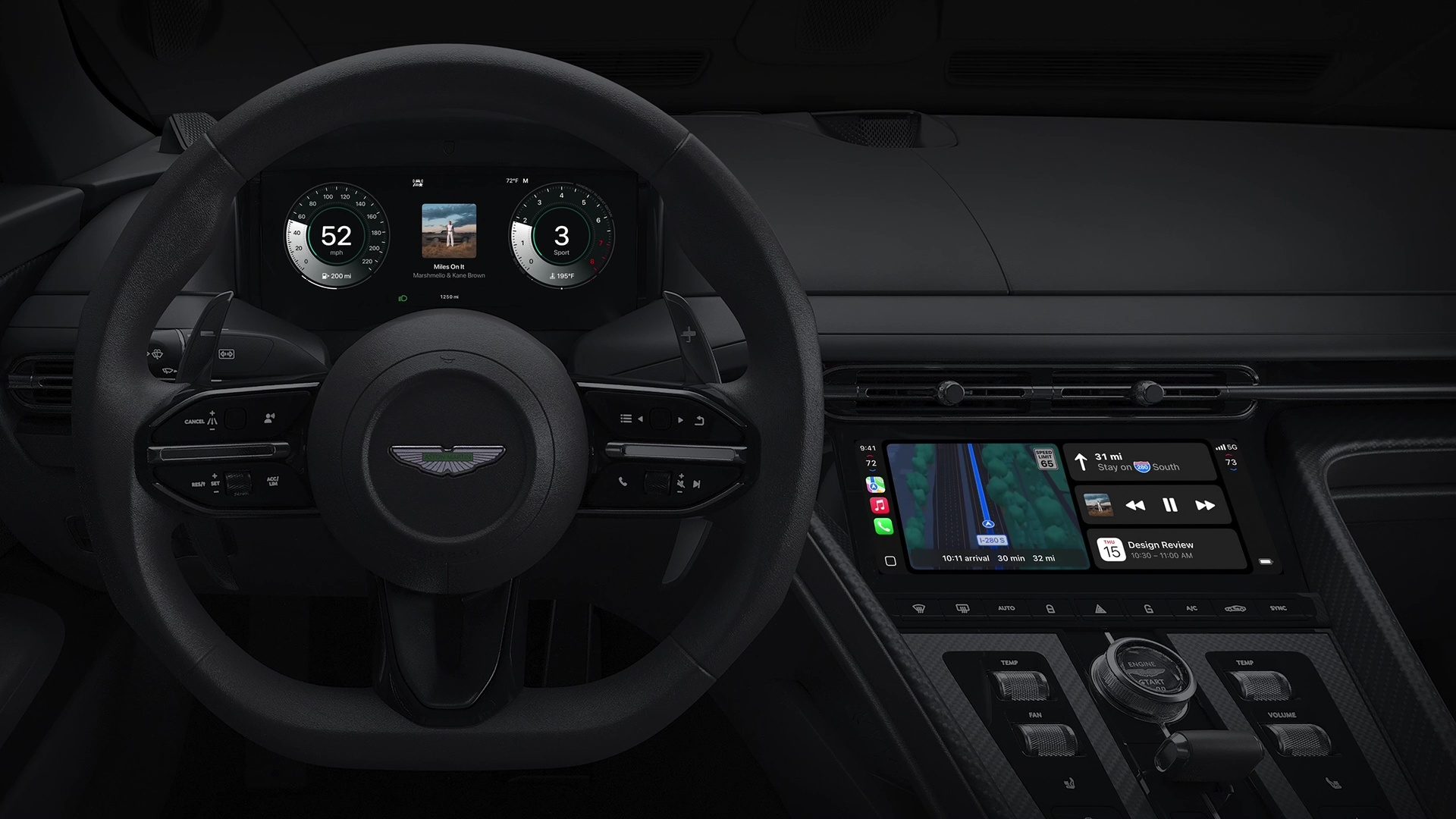
The latest iOS 26.4 update introduces this groundbreaking feature, allowing iPhone users to access ChatGPT’s voice capabilities through their car’s infotainment system. However, this isn’t simply a mobile app transplanted to automotive screens. Instead, developers have crafted a voice-first experience specifically designed for road safety.

Unlike traditional ChatGPT interactions, this CarPlay version eliminates text-based communication entirely. Drivers won’t find scrollable responses or readable paragraphs cluttering their dashboard. Everything operates through audio exchanges, maintaining focus on the road ahead.

Additionally, the interface displays minimal visual elements—simple indicators showing “listening” or “speaking” status. This streamlined approach ensures that conversations with AI don’t compromise driving attention or safety protocols.

How Voice-First AI Works in Your Vehicle

Operating the system feels remarkably similar to making a phone call. Once activated through the ChatGPT app, drivers can engage in natural conversations with the AI assistant. The experience supports various use cases, from answering questions to drafting messages or explaining complex topics.

Nevertheless, the current implementation requires manual activation. Unlike Siri, there’s no wake word functionality, meaning drivers must tap the screen to initiate sessions. This limitation highlights the early-stage nature of automotive AI integration.

Despite this minor inconvenience, the hands-free conversation capability represents a significant advancement. Drivers can now access OpenAI’s powerful language model without compromising road safety or requiring extensive interaction with touchscreen controls.

Apple’s Strategic Shift in CarPlay AI Policy

This ChatGPT CarPlay integration signals a major policy change for Apple’s automotive platform. Historically, CarPlay maintained strict control over voice interfaces, with Siri dominating as the primary AI assistant. The inclusion of third-party AI tools suggests Apple recognizes the growing importance of diverse AI capabilities in vehicles.

Furthermore, this decision positions automobiles as the next frontier for computing experiences. As cars become increasingly connected and autonomous, the demand for sophisticated AI assistance naturally grows. Apple’s willingness to accommodate external AI providers demonstrates forward-thinking strategy.

The current cautious approach—emphasizing safety through voice-only interaction and limited system integration—reflects responsible development practices. However, it also establishes groundwork for more comprehensive AI features in future updates.

Safety-First Design Philosophy

The developers prioritized driver safety throughout the ChatGPT CarPlay integration development process. By eliminating visual text and complex interface elements, the system minimizes cognitive load and visual distraction. This approach aligns with automotive safety standards while delivering meaningful AI functionality.

In addition, the voice-centric design encourages natural communication patterns. Drivers can ask questions, seek explanations, or request assistance using normal conversational language, making the technology accessible to users regardless of their technical expertise.

The system’s limitations—such as requiring manual activation—serve as additional safety measures. These constraints prevent accidental activation while ensuring drivers maintain conscious control over AI interactions.

Future Implications for Automotive AI

This initial ChatGPT CarPlay integration represents just the beginning of automotive AI evolution. As voice recognition technology improves and safety protocols mature, we can expect more sophisticated features and deeper system integration.

Looking ahead, the technology could transform daily commutes into productive conversation sessions. Imagine discussing project ideas, brainstorming solutions, or learning new concepts during traffic jams. The potential applications extend far beyond simple question-and-answer interactions.

Moreover, this development may encourage other AI providers to develop CarPlay-compatible solutions. Competition in this space could accelerate innovation and improve user experiences across different AI platforms.

The integration of ChatGPT into CarPlay marks a pivotal moment in automotive technology. While current capabilities remain intentionally limited, the foundation exists for revolutionary changes in how we interact with AI while driving. As safety protocols evolve and technology matures, voice-powered AI assistants may become as essential to driving as navigation systems are today.

Continue Reading
Click to comment

Leave a Reply

Your email address will not be published. Required fields are marked *

Artificial Intelligence

Microsoft Copilot in Excel Gets Smarter: Reusable Skills, Live Data Connectors, and Full Edit Transparency for Finance Teams

Published

on

Microsoft Copilot in Excel Gets Smarter: Reusable Skills, Live Data Connectors, and Full Edit Transparency for Finance Teams

If your daily grind involves endless spreadsheets, repetitive calculations, and manual data entry, there is finally some good news. Microsoft Copilot in Excel has received a significant upgrade designed specifically for finance professionals. The new features focus on three pain points: automating repeatable tasks, pulling live data from trusted sources, and maintaining a clear audit trail of every change made by the AI. This update promises to transform how teams handle financial modeling, closing processes, and variance analysis.

What Are Copilot Skills and How Do They Work?

The headline feature of this update is called Skills. Think of it as a way to teach Copilot your specific workflow once, and then reuse it across any workbook. Instead of typing the same detailed prompt every time you need to build a discounted cash flow (DCF) model or compile a monthly report, you simply save a SKILL.md file in OneDrive. From that point on, Copilot follows your instructions, formatting, and structure automatically.

Microsoft also offers prebuilt finance skills for common tasks. For those who need something more tailored, building your own skill is straightforward. Later this year, partners like LSEG, Ramp, Rogo, and Vena will sell their own skills through the Microsoft Marketplace. This ecosystem could turn Copilot into a central hub for specialized financial analysis.

How to Get Started with Custom Skills

To create a custom skill, you write a SKILL.md file that describes the steps, formulas, and outputs you want Copilot to follow. Save it in a designated OneDrive folder, and Copilot will recognize it the next time you open a relevant workbook. This approach eliminates the need to repeat instructions, saving hours each week for finance teams who deal with recurring reports.

Live Data Connectors: Real-Time Numbers Without Copy-Paste

Another major enhancement is the ability to pull live data directly into Excel through new connectors. Microsoft Copilot in Excel now integrates with CB Insights, Daloopa, FactSet, Morningstar, PitchBook, and S&P Global. These join the existing LSEG and Moody’s connectors that were introduced in May. The result is less time spent copying and pasting data from external reports and more time analyzing current numbers.

It is worth noting that some of these connectors require a separate subscription. However, for finance teams that rely on these data sources daily, the convenience and accuracy of live data can justify the cost. This feature ensures that your models are always based on the most recent information, reducing the risk of stale data skewing your analysis.

Full Transparency: Tracking Every Edit Copilot Makes

Trust has always been a challenge when using AI in finance. Microsoft addresses this with a new Plan with Copilot mode. Before Copilot makes any changes, it lays out exactly which ranges, formulas, and assumptions it will touch. You can review and approve these changes before they are applied. After the edits are made, the Show Changes pane clearly distinguishes between changes made by Copilot and those made by human teammates.

This level of transparency builds on Excel’s existing Agent Mode and comes shortly after Microsoft’s acquisition of the finance AI startup Fintool. Together, these moves signal that Microsoft is serious about making AI trustworthy for financial work. For auditors and compliance teams, this traceability is a game-changer.

Availability and Rollout

These updates are live now for Microsoft 365 Copilot customers using Excel on the web, Windows, and Mac. Custom Skills are rolling out to all users over the next month. If you are a finance professional who spends hours in Excel, now is the time to explore these new capabilities. For more on how AI is transforming office productivity, check out our guide on best AI tools for productivity.

In addition, you might want to learn about Microsoft Copilot vs ChatGPT for a broader comparison of AI assistants. And if you are new to Excel automation, our Excel formulas cheat sheet can help you get started.

Overall, this update makes Microsoft Copilot in Excel a more powerful and reliable assistant for finance teams. By automating repetitive tasks, integrating live data, and providing full edit transparency, Microsoft is addressing the core needs of financial professionals. The future of spreadsheet work looks faster, smarter, and more trustworthy.

Continue Reading

Artificial Intelligence

As Hollywood Jobs Dry Up, Workers Quietly Train the AI That Worries Them

Published

on

As Hollywood Jobs Dry Up, Workers Quietly Train the AI That Worries Them

Three years after the 2023 strikes spotlighted fears of artificial intelligence replacing creative talent, a surprising shift is underway. Hollywood workers train AI models on the side, taking on gigs that once seemed like the enemy. Writers, editors, and even former executives are quietly signing up to fine-tune the very technology that threatens their livelihoods. It’s a survival move born from necessity, not ideology.

The Rise of RLHF: How Hollywood Workers Train AI Behind the Scenes

This work is formally known as Reinforcement Learning from Human Feedback (RLHF). In simple terms, humans rate and correct AI outputs to make them smarter. According to The Hollywood Reporter, editor Gabe Sena turned to AI training after a stretch of unemployment. He wanted to understand the technology rather than simply fear it. Former HBO development executive Steven Woolworth had a similar motivation. He called the work a way to stay informed while job hunting proved fruitless for over a year.

Both found gigs through Mercor, a recruiting platform that pairs domain experts with AI companies needing human feedback. This trend aligns with a broader industry pattern, as Amazon also turns to AI to cut film and TV production costs through its own dedicated studio. For more on how AI is reshaping entertainment, check out our analysis of AI trends in film.

What the Work Actually Looks Like Once You’re In It

Screenwriter Ruth Fowler described a far rougher experience in her own essay for Wired. She detailed eight months and twenty contracts across five different platforms. The pay ranges from $16 per hour for entry-level annotation work up to $150 per hour for specialized writing tasks. She described abrupt project cancellations, shifting pay rates, and young, inexperienced managers overseeing workers decades into their careers.

The Emotional Toll of Training Your Replacement

Many workers report a deep sense of irony. They are paid to teach AI how to write scripts, edit footage, or analyze story structure—skills that could soon make their own roles obsolete. Yet, with film and TV jobs growing harder to find, these gigs offer a lifeline. As one anonymous worker put it, “It’s not about passion; it’s about paying the electricity bill.”

A Growing AI Industry Built on Real Legal and Ethical Tension

RLHF work has expanded rapidly regardless. AI-related job postings within the arts nearly doubled between 2025 and 2026, even as lawsuits pile up alleging worker misclassification and unstable scheduling. Even Martin Scorsese has officially joined the AI camp, a sign of how far the acceptance of these tools has spread. Critics of generative AI in Hollywood, like Breaking Bad creator Vince Gilligan, say they understand why struggling workers take these gigs despite the contradictions. For many in Hollywood right now, training the machine has become less about curiosity and more about simply making rent.

This ethical tension is unlikely to fade. As the industry contracts, more professionals may find themselves in this gray zone. To understand the broader implications, read our piece on AI ethics in entertainment.

What This Means for the Future of Hollywood

As Hollywood workers train AI, they are also reshaping their own careers. Some see it as a temporary stopgap; others view it as a new career path in tech. But the underlying reality remains stark: the entertainment industry is in flux, and workers are adapting in ways they never imagined. Whether this trend accelerates or fades depends on how quickly traditional jobs return—and whether the industry can find a sustainable balance between human creativity and machine efficiency.

Continue Reading

Artificial Intelligence

Microsoft’s New Surface PCs Are Cheaper — But There’s a Hidden Catch

Published

on

Microsoft’s New Surface PCs Are Cheaper — But There’s a Hidden Catch

In the ever-shifting landscape of laptop pricing, manufacturers are walking a tightrope between affordability and performance. Microsoft has just made its Surface lineup more accessible with a lower price tag, but the move comes with a significant compromise. The company’s newest entry-level configurations of the 12-inch Surface Pro and 13-inch Surface Laptop now start at reduced prices — yet they hide a trade-off that could leave some buyers frustrated down the road.

These cheaper Surface PCs stick with the same processors and storage options as their predecessors. However, Microsoft has slashed the memory to 8GB of RAM to hit those lower price points. On paper, this sounds like a win for budget-conscious shoppers. In practice, it means sacrificing both future-proofing and access to the latest AI features.

The Price Drop: Smart Marketing or Short-Sighted Saving?

Instead of discounting existing models, Microsoft introduced new configurations with 8GB of RAM. This approach lets the company advertise attractive starting prices while keeping the rest of the hardware intact. For many casual users, 8GB might still be enough for everyday tasks like browsing the web, checking emails, attending online classes, or working in Office apps.

Nonetheless, memory is one specification that tends to matter more over time. As applications grow heavier and multitasking becomes more demanding, that extra headroom starts to feel essential. Choosing 8GB today could mean sluggish performance in a year or two. This is a classic case of saving now but potentially paying later.

Copilot+ AI Features: The Real Casualty

Perhaps the more significant consequence of this RAM reduction is that these new models no longer qualify as Copilot+ PCs. Microsoft currently requires at least 16GB of memory for its Copilot+ certification. As a result, buyers of the cheaper Surface devices miss out on the suite of on-device AI features available on higher-end models.

Over the past year, Microsoft has positioned Copilot+ as the future of Windows PCs. Now, some brand-new Surface devices are arriving without access to that future. That’s a notable shift for a company that has been pushing AI integration hard. To be fair, Microsoft’s flagship Surface models still start with 16GB of RAM. These new variants are designed to create a more accessible entry point rather than redefine the lineup. Still, the move feels like a sign of the times: when hardware costs rise, something has to give. This time, it was memory.

What Does This Mean for Buyers?

If you’re a light user who rarely multitasks heavily, an 8GB Surface might serve you well for a couple of years. However, if you plan to keep your laptop for three to five years — or if you want to experiment with AI tools like Windows Copilot — the extra $200 to $300 for a 16GB model could be money well spent. The decision ultimately depends on your usage patterns and future expectations.

Furthermore, this trend isn’t unique to Microsoft. Many PC makers are making similar compromises as component prices climb. For instance, Dell and Lenovo have also introduced budget configurations with reduced RAM. The key is to read the fine print and understand exactly what you’re giving up before clicking “buy.”

How to Decide: Should You Buy a Cheaper Surface PC?

Here are a few questions to ask yourself before purchasing one of these entry-level Surface devices:

  • How long do you plan to keep the laptop? If it’s two years or less, 8GB might suffice. For longer use, consider 16GB.
  • Do you rely on AI features? If Copilot+ tools are important to you, avoid the 8GB models.
  • What’s your typical workload? Light browsing and Office apps are fine. Video editing, coding, or heavy multitasking require more memory.

In the end, Microsoft’s cheaper Surface PCs offer a genuine price cut — but only if you’re willing to live with the limitations. For many users, the trade-off will be acceptable. For others, it might be a dealbreaker. As always, the best choice depends on your individual needs and budget.

Continue Reading

Trending