Drone Technology: Future Applications Transforming Industries
Picture a small, buzzing device hovering over a field, scanning every inch of soil. Now imagine that same device delivering a life-saving defibrillator through city traffic in minutes. This isn’t science fiction; it’s the tangible reality of drone technology today. Unmanned Aerial Vehicles (UAVs), commonly called drones, have shed their image as mere high-tech toys or military tools. They are becoming indispensable partners across countless sectors.
What makes drones so powerful? Their core advantage is simple: access. They go where humans can’t, shouldn’t, or simply wouldn’t go efficiently. From inspecting a thousand-foot radio tower to mapping a disaster zone, drones perform complex, risky tasks with precision and safety. Their versatility is only expanding as sensors shrink, batteries improve, and artificial intelligence gets smarter.
Beyond the Camera: Core Drone Types
Not all drones are created equal. The right tool for the job depends heavily on its design. Understanding the main categories helps clarify their potential.
Fixed-wing drones resemble miniature airplanes. They use wings for lift, making them exceptionally efficient for covering large areas like farmland or pipelines. Their long flight times are ideal for mapping and surveying.
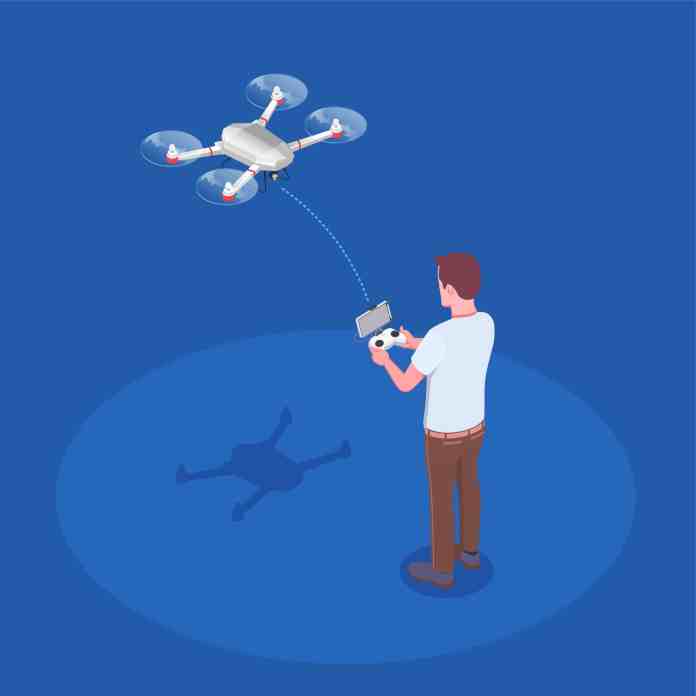
Multi-rotor drones, like the common quadcopter, are the masters of stability and hover. They can take off and land vertically, hold a position perfectly still, and maneuver in tight spaces. This makes them perfect for detailed inspections, photography, and close-quarters work.
Hybrid VTOL (Vertical Take-Off and Landing) models combine the best of both worlds. They take off like a helicopter, then transition to efficient forward flight like an airplane. This design is gaining traction for applications requiring both range and pinpoint accuracy.
Single-rotor helicopters offer heavy-lift capabilities. While more mechanically complex, they can carry significant payloads, opening doors for larger sensor suites or delivery of heavier goods.
Where Drones Are Making an Impact Today
The applications for this technology are exploding. It’s moving from niche uses to mainstream operational tools.
Revolutionizing Agriculture and Conservation
Farmers are early adopters. Drones equipped with multispectral cameras don’t just take pretty pictures; they create detailed health maps of crops. They can identify areas suffering from drought, disease, or nutrient deficiency long before the human eye can see it. This allows for precise intervention—applying water, fertilizer, or pesticide only where needed. The result is higher yields, lower costs, and a reduced environmental footprint.
In wildlife conservation, drones are silent guardians. They patrol vast forest reserves and national parks, monitoring animal populations and deterring poachers. Thermal imaging cameras make this possible day or night, spotting heat signatures of animals or illegal human activity from a safe, non-intrusive distance.
Transforming Logistics and Emergency Response
The promise of drone delivery is inching closer to reality. Companies are already testing last-mile delivery for medicines, small parcels, and even food. In remote or congested areas, a drone can bypass road infrastructure entirely, delivering critical supplies in a fraction of the time.
Perhaps the most profound impact is in search and rescue. Every minute counts when someone is lost. Drones with thermal cameras can sweep large areas of wilderness, rugged terrain, or disaster rubble quickly, locating missing persons by their body heat. They can also drop survival supplies like water, radios, or first-aid kits to stabilize victims until rescue teams arrive, all while keeping those teams out of immediate danger.
In construction and infrastructure, drones are project managers in the sky. They conduct weekly flyovers to create accurate 3D models and progress reports. This allows managers to spot issues early, track inventory, and ensure projects stay on schedule and budget. Inspecting bridges, cell towers, and wind turbines becomes faster, cheaper, and far safer.
The Next Frontier: Future Uses on the Horizon
The technology is still accelerating. Several groundbreaking applications are moving from prototype to pilot program.
Urban Air Mobility and Medical Logistics
Traffic gridlock is a global problem. The concept of “air taxis”—larger, passenger-carrying drones—aims to leapfrog it entirely. While regulatory and safety hurdles remain, companies are actively developing electric vertical takeoff and landing (eVTOL) aircraft for short urban hops.
More imminent is the drone ambulance or medical courier. Imagine a drone delivering an automated external defibrillator (AED) to a cardiac arrest victim within three minutes of a 911 call. Or transporting blood samples or anti-venom across a city faster than any ground vehicle. In flood zones or mountainous regions, this could be the difference between life and death.
Enhanced Public Safety and Environmental Science
Law enforcement and fire departments are integrating drones into their toolkits. For large public events, drones provide a real-time aerial view for crowd management and security. Firefighters use them to assess the spread of a wildfire or to look for hotspots in a building fire without sending personnel into unnecessary risk.
Meteorologists see drones as a new window into severe weather. Small, rugged drones can be flown into the outer bands of hurricanes or near tornadoes, gathering temperature, pressure, and wind data that is too dangerous or impossible for manned aircraft to collect. This data feeds into better, faster, and more accurate weather forecasts.
The thread connecting all these uses is data. Drones are fundamentally data collection platforms. They gather visual, thermal, multispectral, and LiDAR information. The real magic happens when this data is processed by AI—identifying patterns, predicting failures, and automating decisions. The drone itself is just the vehicle; the intelligence it carries and generates is the true game-changer.
We are only scratching the surface. As regulations evolve alongside the technology, drones will become quieter, smarter, and more integrated into the fabric of our daily lives and work. They are not replacing humans but augmenting our capabilities, taking on the dull, dirty, and dangerous tasks so we can focus on higher-level problem-solving. The future isn’t just in the air; it’s being shaped by it.











 CyberSecurity2 weeks ago
 CyberSecurity2 weeks ago
 How To2 days ago
 CyberSecurity2 weeks ago
 CyberSecurity2 weeks ago