Connect with us

How To

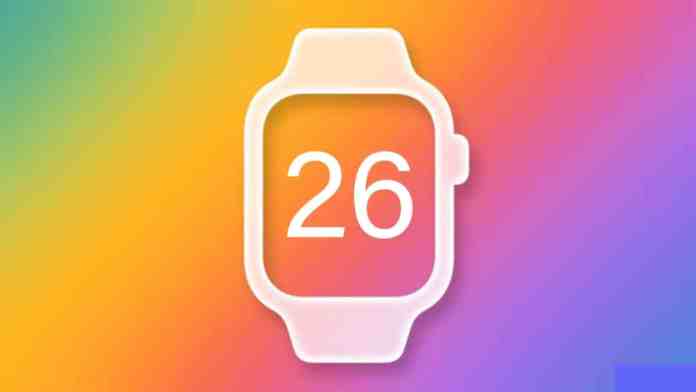
Exclusive: watchOS 26 Leaks Point to Major AI Integration, Custom Widgets, and VisionOS-Inspired Design

Published

on

Exclusive: watchOS 26 Leaks Point to Major AI Integration, Custom Widgets, and VisionOS-Inspired Design

Rumors surrounding the next major update for the Apple Watch are intensifying. According to multiple sources, watchOS 26 leaks indicate a significant evolution, moving beyond incremental improvements to introduce smarter, more personalized, and visually cohesive features. This anticipated update, expected to be unveiled at Apple’s WWDC 2025, could redefine how users interact with their wrist-worn devices.

A New Era of Personalization with Third-Party Widgets

For years, Apple Watch users have requested greater control over their device’s interface. Building on this demand, the most compelling detail from the watchOS 26 leaks is the introduction of fully customizable third-party widgets for the Control Center. Currently, this quick-access panel is limited to Apple’s native toggles. Consequently, this change represents a fundamental shift in philosophy.

Imagine adding a battery widget from your favorite travel app, a live sports score complication, or a one-tap shortcut for your home automation system directly to your wrist. This level of customization promises to make the Control Center a truly personal command hub. Therefore, developers will gain a powerful new canvas to enhance utility, while users finally get the flexibility they’ve longed for.

How Custom Widgets Will Transform Your Workflow

The implications are substantial. Instead of swiping through multiple watch faces or diving into apps, essential information and actions could be just a swipe away. This means that checking your next calendar appointment, toggling a Focus mode, or monitoring your Wi-Fi strength could become instantaneous. The potential for streamlining daily interactions is immense, making the Apple Watch an even more efficient companion.

Apple Intelligence Comes to the Forefront

While AI features have begun to surface in recent updates, watchOS 26 leaks suggest a deeper, more integrated approach branded under “Apple Intelligence.” The goal appears to be making the watch not just a notification relay, but a proactive, context-aware assistant. However, it’s important to note that the watch itself may still rely on a paired iPhone for heavy computational tasks.

Expected tools include a smarter Focus Mode that dynamically filters notifications based on urgency, a Smart Summary feature for condensing long messages or emails, and Genmoji for creating unique emoji characters on the fly. These features aim to reduce digital clutter and save precious time, directly on your wrist. For a deeper look at how AI is shaping Apple’s ecosystem, explore our analysis on Apple’s broader AI strategy.

A Fresh, Unified Design Language

Beyond new features, a visual refresh is also on the horizon. Reports indicate Apple is drawing inspiration from the spatial interface of visionOS to create a more harmonious experience across all its platforms. As a result, watchOS 26, alongside iOS 26 and macOS 26, may receive a subtle yet noticeable design update.

You can anticipate refined icons, smoother animations, and improved visual consistency. This isn’t about a complete overhaul but rather a polishing of the interface to feel more modern and aligned with Apple’s latest design principles. The objective is clear: to ensure moving between your iPhone, iPad, Mac, and Apple Watch feels seamless and intuitive.

Enhanced Accessibility and Inclusivity

True to its core values, Apple is reportedly doubling down on accessibility. New features highlighted in the leaks are designed to make the Apple Watch more powerful for users with diverse needs. These include expanded Live Captions supporting more languages, enhanced Live Listen controls for hearing assistance, and the introduction of “Accessibility Nutrition Labels” on the App Store.

This latter feature would allow users to see detailed accessibility information for apps before downloading them. Such initiatives underscore Apple’s commitment to building technology for everyone. To understand how these features build on past efforts, read our guide on maximizing Apple Watch accessibility.

Release Timeline and What You Need to Know

So, when can you expect these changes? The official announcement is slated for Apple’s Worldwide Developers Conference (WWDC) in June 2025. Following the developer beta, a public beta will likely arrive in July, with the final, stable release of watchOS 26 expected in September, coinciding with new iPhone models.

Regarding compatibility, while not officially confirmed, it is expected to support Apple Watch models from Series 6 onward. Naturally, to access all new features, a compatible iPhone running iOS 18 will be required. If you’re considering installing the beta, proceed with caution. Beta software can be unstable, and downgrading is not straightforward.

The Road Ahead: Smarter Health and Wellness

Looking beyond the immediate leaks, the trajectory points toward a health-centric future powered by AI. Rumors persist about advanced sensors for blood pressure monitoring and non-invasive glucose tracking, though these may not materialize in watchOS 26. The foundation being laid now—with smarter notifications, personalized summaries, and a more adaptable interface—sets the stage for the Apple Watch to become an even more indispensable health guardian.

In summary, the watchOS 26 leaks paint a picture of a mature platform ready for its next leap. By blending powerful AI, user-requested customization, and a refined design, Apple is preparing an update that aims to make the Apple Watch feel both more personal and more capable than ever before. All eyes are now on WWDC for the official confirmation.

Continue Reading
Click to comment

Leave a Reply

Your email address will not be published. Required fields are marked *

How To

The Complete Guide to Finding and Managing Saved Passwords in Google Chrome

Published

on

The Complete Guide to Finding and Managing Saved Passwords in Google Chrome

In our interconnected digital lives, the average person juggles dozens of online accounts. Remembering a unique, strong password for each one is a monumental task. This is where your browser’s built-in tools become essential. Specifically, learning how to handle your Google Chrome passwords can transform your online security from a constant worry into a streamlined process.

Google Chrome includes a powerful, free password manager directly within the browser. It securely stores your login credentials, auto-fills them on websites, and even helps generate strong passwords. Understanding how to access and control this feature is the first step toward a more secure and convenient browsing experience.

Why Rely on Chrome’s Built-In Password Manager?

Before we navigate the steps, let’s consider the advantages. A dedicated password manager, even a built-in one like Chrome’s, solves several critical problems. First, it eliminates the need to memorize countless passwords. Second, it encourages the use of strong, unique passwords for every site, drastically reducing your risk if one service suffers a data breach. Since it’s integrated into Google Chrome, it’s always available, syncs across your devices if you’re signed in, and requires no additional software installation or subscription fees.

For many users, this native tool provides sufficient security for everyday accounts. It represents a significant upgrade over the dangerous habit of reusing simple passwords or, worse, writing them down on sticky notes.

How to Access Your Saved Passwords in Chrome

Retrieving your stored login information is a straightforward process. Follow these steps to view your Google Chrome passwords on a desktop computer.

Step-by-Step Navigation

Begin by opening your Chrome browser. Look to the top-right corner of the window and click the three vertical dots, which represent the “More” menu. From the dropdown list that appears, select “Settings.” This will open a new tab dedicated to Chrome’s configuration options.

Once in Settings, direct your attention to the left-hand sidebar. Click on “Autofill and passwords.” Here, you will find the central hub for all things related to form-filling and credentials. Now, click on “Password Manager.” You have now arrived at the vault containing all your saved usernames and passwords.

Viewing a Specific Password

Within the Password Manager, you’ll see a list of websites for which Chrome has saved credentials. To view a password, simply click the eye icon next to the obscured password field. For security, Chrome will first ask you to authenticate. This typically involves entering your computer’s user account password or using Windows Hello/PIN. After successful verification, the password will be revealed in plain text.

This process is vital for when you need to log into a site on a new device or share credentials securely (though sharing is not generally recommended). For more on securing your entire system, read our guide on protecting your Android device.

Best Practices for Managing Chrome Passwords

Access is only half the battle. Effective management is what turns a simple storage tool into a robust security asset. Here are key strategies for handling your Google Chrome passwords.

1. Audit and Clean Your Password List

Periodically review your saved passwords. Remove entries for old accounts you no longer use. Chrome also features a “Password Checkup” tool that proactively alerts you if any of your saved passwords have been compromised in a known data breach, are weak, or are reused across multiple sites. Addressing these warnings should be a top priority.

2. Leverage the Built-In Password Generator

When creating a new account or updating an old password, let Chrome suggest a strong one. When Chrome detects a password creation field, it will often offer a complex, random string of characters. Using this generator ensures your passwords are virtually impossible to guess and unique to each site.

3. Know the Limits: When Not to Save

While convenient, you should think twice before letting Chrome save passwords for highly sensitive accounts. This includes primary email accounts, banking sites, and any service that holds your financial or deeply personal data. For these, consider using a separate, dedicated password manager with additional security layers or memorizing them. The logic is simple: if someone gains physical access to your unlocked computer, they have immediate access to any password saved in Chrome.

4. Sync Securely (With Caution)

If you use Chrome across multiple devices, signing in to your Google account will sync your passwords. This is incredibly convenient but ties the security of your passwords to your Google account’s strength. Therefore, enable two-factor authentication (2FA) on your Google account without fail. This adds a critical second step for verification, making unauthorized access far more difficult.

When to Consider a Dedicated Password Manager

Chrome’s tool is excellent for basic needs, but it has limitations. For instance, it lacks features like secure password sharing with family members, more detailed security reports, or separate vaults for different types of data. If you require advanced functionality, dedicated apps like LastPass or 1Password are powerful alternatives. They often operate across all browsers and platforms, not just Chrome, and may offer more granular control.

Ultimately, the best password manager is the one you will use consistently. For many, the simplicity and immediacy of Chrome’s built-in solution make it the perfect starting point. By mastering how to access and manage your Google Chrome passwords, you take a major step in securing your digital identity. Remember, good security is a habit, not a one-time setup. For related tips on communication security, explore our article on enabling WhatsApp’s encrypted backup.

Continue Reading

How To

The Complete Guide to Liking and Unliking Content on Instagram

Published

on

The Complete Guide to Liking and Unliking Content on Instagram

Navigating the world of social media engagement can sometimes feel like a puzzle. On Instagram, one of the most fundamental ways to interact is by liking content. But what if you change your mind? Understanding how to both like and unlike posts, videos, and Reels is essential for curating your digital footprint and providing genuine feedback to creators.

Why Your Likes Matter on Instagram

Every tap on the heart icon sends a signal. For creators, these likes are a vital metric, offering insight into what resonates with their audience. For you, the user, they help personalize your feed. The algorithm learns from your interactions, showing you more of what you enjoy. This means your likes directly shape your Instagram experience. Conversely, removing a like—or “unliking”—allows you to keep your engagement authentic and your profile activity reflective of your current interests.

How to Like an Instagram Post or Video

The process is designed to be intuitive. First, open the Instagram app and ensure you’re logged into your account. Scroll through your main feed or visit the Explore page to discover new content. When you find a photo or video you appreciate, you have two primary options. You can simply tap the heart icon located directly beneath the post. Alternatively, for a quicker action, double-tap anywhere on the image or video itself. A red heart will appear, confirming your like.

The Double-Tap Shortcut

This gesture has become synonymous with Instagram approval. It’s a fast, seamless way to show appreciation without moving your thumb to a specific button. It works universally across standard posts and videos in your feed.

How to Unlike an Instagram Post or Video

Changing your mind is a normal part of social browsing. Perhaps you liked something by accident, or your opinion shifted. To remove your like, navigate back to the post in question. If you are viewing it in your feed, you will see that the heart icon below it is now filled in and red. Tap this icon once. It will revert to its empty, outlined state, indicating you have successfully unliked the content. Your engagement will be removed from the post’s public count.

Mastering Engagement with Instagram Reels

Instagram Reels have taken center stage as the platform’s short-form video hub. Liking them follows a similar principle but within a dedicated space. To start, tap the Reels icon (it looks like a clapperboard) at the bottom of your Instagram screen. This opens the full-screen, vertical Reels player. As you watch, you can like a Reel by tapping the heart icon on the right side of the screen, next to the comment and share buttons. Just like with posts, you can also double-tap directly on the video playing in the center of your screen for an instant like.

Unliking a Reel You’ve Enjoyed

If you need to retract a like on a Reel, the process is just as straightforward. Find the Reel again—you can look in your “Liked” saved folder or search for the creator’s profile. Once the Reel is playing, look at the heart icon on the right. If it’s red, tap it once. The color will fade, showing you have unliked it. This action helps keep your saved likes collection accurate.

Managing Your Broader Instagram Engagement

Beyond individual actions, it’s wise to periodically review your liked content. You can view all the posts you’ve ever liked by going to your profile, tapping the menu (three lines), and selecting “Your activity.” From there, tap “Interactions” and then “Likes.” This gives you a historical view and an opportunity to manage your past engagements in bulk. For more tips on organizing your profile, check out our guide on Instagram profile optimization.

Furthermore, understanding these mechanics is part of a larger strategy for effective social media use. Consistent, genuine interaction is key. Therefore, don’t underestimate the power of a thoughtful like; it fuels the creator ecosystem. On the other hand, don’t hesitate to unlike content that no longer aligns with your views or interests. This ensures your digital identity remains current.

The Impact of Your Interactions

Each like and unlike is a small data point that influences two things: the creator’s understanding of their audience and Instagram’s algorithm concerning your preferences. This creates a feedback loop where quality content gets promoted, and your feed becomes more tailored. In essence, you are training the app to serve you better. For users looking to grow their own presence, mastering engagement is the first step. Explore our article on increasing Instagram engagement for deeper strategies.

In conclusion, the ability to like and unlike is more than a simple feature—it’s the core of interactive social media. By using these tools intentionally, you enhance your own experience while contributing to the platform’s vibrant community. So go ahead, double-tap with purpose, and curate your digital world with confidence.

Continue Reading

How To

Realme 14 Pro India Launch Imminent: Key Specs, Camera Details & Model Variants Revealed

Published

on

Realme 14 Pro India Launch Imminent: Key Specs, Camera Details & Model Variants Revealed

The Indian smartphone market is poised for a significant new arrival. According to recent certifications and database leaks, the Realme 14 Pro is gearing up for its official launch in the country. This move signals Realme’s continued commitment to strengthening its position in the competitive mid-range segment.

Official Certification Hints at Realme 14 Pro Launch Timeline

Building on this, the device’s appearance on regulatory platforms provides the first concrete evidence. The Realme 14 Pro, identified by the model number RMX5055 for China, has cleared the 3C certification process. Consequently, its Indian variant, expected to carry the RMX5056 designation, is likely in the final stages of preparation. This certification, while sparse on details, is a reliable indicator that the commercial release is on the horizon.

Camera Capabilities: A Closer Look at the Realme 14 Pro

Therefore, photography enthusiasts have reason to be optimistic. Leaks from the Camera FV-5 database shed light on the imaging hardware. The primary rear sensor is suggested to be a 50MP unit with an f/1.8 aperture, electronic image stabilization (EIS), and a 26.6mm focal length. This combination typically allows for better low-light performance and sharper details. On the front, the selfie camera is listed with a 4MP resolution (likely binned from a 16MP sensor), an f/2.4 aperture, and EIS, promising clear and stable video calls and self-portraits.

Storage Configurations and Color Choices

In addition, the Realme 14 Pro is rumored to cater to diverse user needs with multiple memory options. Reports suggest the phone will be available in three configurations: 8GB RAM with 128GB storage, 8GB RAM with 256GB storage, and a top-tier model with 12GB RAM and 512GB storage. Aesthetically, it is expected to launch in two sophisticated finishes: Pearl White and Suede Grey, offering a blend of elegance and style.

Will a Realme 14 Pro Lite Model Join the Lineup?

On the other hand, the excitement may extend beyond the standard Pro model. Industry whispers point to the potential debut of a Realme 14 Pro Lite. This variant, bearing the model number RMX990, could feature up to 12GB of RAM and 512GB of internal storage. More vibrant color options like Emerald Green, Monet Purple, and Monet Gold are also speculated for the Lite version. However, it remains unclear if this model will launch simultaneously with the Realme 14 Pro or follow at a later date.

Market Positioning and What to Expect

As a result, the Realme 14 Pro series appears strategically positioned to make a strong impact. By offering capable camera specs, generous storage variants, and a potential Lite option, Realme seems to be targeting a wide audience within the value-for-money segment. This launch will be crucial for the brand as it competes with other players in a fiercely contested market. For more insights on competing devices, check our analysis of the upcoming iQOO 15.

This means that prospective buyers should stay tuned for an official announcement regarding the launch event date, final specifications, and Indian pricing. The combination of certification sightings and detailed leaks strongly suggests that the wait for the new Realme 14 Pro in India will soon be over. To understand how such launches affect the broader ecosystem, read about Airtel’s latest 5G innovations.

Continue Reading

Trending