Connect with us

Artificial Intelligence

France’s Historic Shift: Government Embraces Linux to Reclaim Digital Sovereignty

Published

on

France’s Historic Shift: Government Embraces Linux to Reclaim Digital Sovereignty

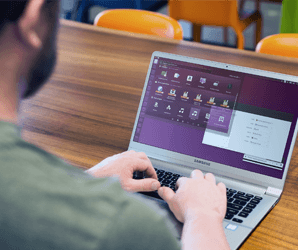
In a landmark decision for European technology policy, the French government has declared its intention to phase out Microsoft Windows across its administrative infrastructure. This France Linux transition represents a profound strategic pivot, aiming to replace the ubiquitous American operating system with open-source Linux alternatives. The move is far more than a simple software swap; it is a calculated effort to assert national control over the very foundations of the state’s digital architecture.

The Core Driver: A Quest for Digital Sovereignty

What is compelling a major European power to undertake such a complex technological overhaul? The answer lies in a single, powerful concept: digital sovereignty. French officials have consistently framed the need to reclaim authority over national data, critical infrastructure, and core decision-making systems. Consequently, dependence on foreign technology providers is increasingly viewed as a strategic vulnerability. This France Linux transition is the most tangible manifestation yet of a policy designed to insulate the state from external commercial pressures and geopolitical shifts.

Why Linux is the Chosen Path

Building on this, the choice of Linux is deliberate. As an open-source platform, it offers unparalleled transparency and flexibility. Government IT teams can inspect, customize, and secure the code without requiring permission from or being bound to a single corporate entity. Therefore, this fosters an environment where the state, not a vendor, dictates the roadmap for its essential digital tools. The initiative extends beyond the desktop, with France already substituting other U.S.-based services, including video conferencing and cloud platforms, with homegrown solutions.

A Ripple Effect Across Europe

France’s decisive action does not exist in a vacuum. It mirrors a growing continental unease regarding over-reliance on non-European technology giants. Rising geopolitical tensions and persistent concerns about data privacy and security are accelerating a continent-wide introspection. In fact, the European Union itself has been actively exploring frameworks to encourage technological autonomy. As a result, a successful migration in France could provide a vital blueprint for other nations contemplating a similar journey toward digital self-determination.

For policymakers, the calculus transcends traditional IT metrics like cost or raw performance. Ultimately, the paramount issue is one of control—ensuring that the systems underpinning public administration, healthcare, and security are not subject to the shifting terms, update cycles, or potential restrictions of a foreign corporation or government. This strategic lens reframes technology from a mere productivity tool into a core asset of national sovereignty.

Implications for Users and the Tech Ecosystem

Initially, the direct impact on French citizens and businesses may be minimal, as the transition will focus first on internal government workstations, particularly within key digital agencies. However, the long-term implications are potentially vast. A smooth and successful France Linux transition could act as a powerful catalyst, accelerating the adoption of open-source software across the broader public sector and even into private enterprise. Simultaneously, it is poised to stimulate the domestic tech industry, creating significant opportunities for European software developers, security auditors, and support firms focused on open-source solutions.

The Inevitable Challenges Ahead

Nevertheless, the path forward is fraught with complexity. Migrating tens of thousands of workstations from a deeply entrenched ecosystem like Microsoft Windows to Linux demands immense planning. Significant hurdles include retraining a vast civil service workforce, ensuring compatibility with thousands of legacy and specialized applications, and establishing robust, state-managed security and support protocols. The scale of this operational challenge cannot be understated.

What the Future Holds

While a detailed, nationwide timeline has not been publicly released, the shift is expected to be gradual and methodical. Government ministries have reportedly been instructed to formulate concrete plans to reduce foreign technology dependencies, with a phased rollout beginning in specific agencies and expanding over the coming years. The world will be watching closely. If France navigates this transition effectively, it will not only secure its own digital destiny but also offer a compelling, real-world model for other nations. To explore more about open-source strategies, consider reading our analysis on open-source government policy.

In the final analysis, France’s move signals a fundamental evolution in how nation-states perceive technology. It is no longer just a utility to be purchased off the shelf. Instead, it is now a strategic domain—akin to energy or defense—where autonomy is essential for security, resilience, and long-term independence. This precedent may well redefine the relationship between governments and global tech giants for decades to come. For further insights into building a local tech ecosystem, see our guide on European tech independence.

Continue Reading
Click to comment

Leave a Reply

Your email address will not be published. Required fields are marked *

Artificial Intelligence

Microsoft Reins In Copilot: Windows 11 Quietly Removes AI Branding from Core Apps

Published

on

Microsoft Reins In Copilot: Windows 11 Quietly Removes AI Branding from Core Apps

In a significant strategic pivot, Microsoft has begun a quiet but deliberate cleanup of its Windows 11 operating system. The focus of this effort? The once-ubiquitous Windows 11 Copilot branding. After months of aggressive promotion, the company is now scaling back its AI assistant’s visible presence in fundamental applications like Notepad and Snipping Tool, signaling a move from marketing spectacle to practical utility.

A Subtler Approach to AI in Windows 11

This shift is most evident in the latest Windows Insider builds. Where a prominent Copilot icon once demanded attention in the corner of Notepad, users now find a simple pen icon labeled “Writing tools.” The change is more than cosmetic. Consequently, the underlying AI-powered features—text rewriting, summarization, and drafting assistance—remain fully functional. They are simply no longer wrapped in the flashy neon branding of Copilot. This means that the utility survives, but the aggressive sales pitch has been muted.

Notepad’s Quiet Transformation

Notepad’s journey has been remarkable. For decades, it was a static, simple text editor. Then, it was suddenly rebranded as an AI-powered creative hub. Now, it appears to be settling into a middle ground. The settings have followed suit. Previously clear AI controls are now discreetly housed under a neutral “Advanced Features” section. This redesign suggests Microsoft believes the tools should speak for themselves, without requiring a constant reminder of their AI pedigree.

The Disappearing Act in Snipping Tool

The removal is even more absolute in the Snipping Tool. Previously, after capturing and marking up a screenshot, a Copilot button would appear, suggesting AI enhancements like visual search. That button has now vanished entirely. Unlike Notepad, there is no toggle to bring it back; it has been excised completely. For a feature Microsoft once embedded so visibly, its silent departure speaks volumes about the company’s changing priorities for Windows 11 Copilot integration.

Building on this, the scope of the removal is broad. This isn’t a minor tweak but part of a coordinated strategy. Microsoft has openly admitted in a Windows Insider blog post that its initial push may have been too forceful. The company stated it would “reduce unnecessary Copilot entry points” across several apps, including Photos and Widgets. Therefore, what we are witnessing is a deliberate, company-wide rollback, not a random bug or isolated change.

From Overlay to Undercurrent: The New AI Philosophy

Not long ago, Copilot felt inescapable within Windows 11. It was embedded in system apps, UI elements, and basic utilities, acting like a pervasive personality layer over the entire operating system. Today, that strategy is being reconsidered. The new focus seems to be on background functionality—AI that works quietly without demanding recognition. This is a crucial distinction. Microsoft isn’t abandoning AI capabilities; it is abandoning the loud, sometimes intrusive, branding that accompanied them.

In addition, this cleanup push reflects a broader maturation of AI in consumer software. The initial phase required demonstration and education, hence the prominent placement. Now that users are familiar with the concept, the value must come from seamless integration, not constant advertisement. This evolution is similar to how other platform features, once novel, eventually fade into the background of a polished experience. For more on how Microsoft is integrating AI across its ecosystem, you can read about AI in Microsoft 365.

What This Means for Windows Users

For the average user, this cleanup will likely result in a less cluttered, more intuitive interface. The constant nudges toward AI actions may have felt helpful to some but were distracting to others seeking to complete simple tasks. By removing the overt Windows 11 Copilot prompts, Microsoft is arguably showing more respect for user intent and workflow. The tools are there if you need them, but they won’t persistently suggest you might.

This move also hints at a future where AI is an embedded, almost invisible, layer of assistance. Imagine an operating system that subtly helps you write, edit, and organize without ever naming the technology behind it. That appears to be the direction. As a result, the success of Copilot will no longer be measured by how often its icon is seen, but by how often its assistance is seamlessly and usefully employed. To understand the foundation of this technology, explore our guide on machine learning basics.

Ultimately, Microsoft’s cleanup is a sign of confidence, not retreat. The company is moving past the need to prove AI is present and is focusing on making it genuinely useful. The era of the overenthusiastic AI guest is giving way to the era of the capable, silent assistant—a change many Windows 11 users will probably welcome.

Continue Reading

Artificial Intelligence

Microsoft Clarifies Copilot AI’s Role: A Serious Tool, Not Just Entertainment

Published

on

Microsoft Clarifies Copilot AI’s Role: A Serious Tool, Not Just Entertainment

Microsoft finds itself in a delicate position, needing to reconcile its ambitious marketing for Microsoft Copilot AI with cautious legal language that recently surfaced. This situation highlights the broader tension companies face when promoting powerful, yet imperfect, artificial intelligence systems.

Building on this, the core issue stems from a section in the service’s terms of use. Users discovered a warning stating Copilot was for “entertainment purposes only,” advising against reliance for critical advice and emphasizing use at one’s own risk. This disclaimer, seemingly at odds with Copilot’s integration into professional suites like Microsoft 365, sparked immediate confusion and debate.

The Evolution of Microsoft Copilot’s Purpose

So, how did this happen? According to Microsoft’s explanation, the problematic phrasing is a relic from a different era. The company clarified that the “entertainment purposes” clause was leftover language from when the tool was known as Bing Chat, a more casual search companion. This means the legal text simply hadn’t kept pace with the product’s rapid evolution into a central productivity engine.

Consequently, Microsoft has committed to updating its terms in the next revision to better reflect Copilot’s current capabilities and intended use. This move signals a clear intent to shed its playful past image and fully embrace its role in professional and enterprise environments.

Why the Legal Language Still Matters for AI Tools

However, the initial contradiction is difficult to dismiss entirely. While disclaimers about potential inaccuracies are standard for AI services, coupling them with an “entertainment only” label creates a significant perception problem. It undermines the very trust required for users to embed the tool into daily workflows for documents, data analysis, and complex Windows tasks.

This incident serves as a potent reminder. Even the most ardent promoters of AI, like Microsoft, must legally hedge against the technology’s known limitations—hallucinations, inconsistencies, and context errors. The gap between marketing promise and practical safeguard has never been more visible. For more on implementing AI tools responsibly, see our guide on establishing enterprise AI governance.

Navigating User Trust and Adoption Challenges

Therefore, Microsoft’s swift response is about more than just fixing outdated text. It addresses a fundamental challenge: user adoption. If people perceive Copilot as a toy rather than a tool, they won’t use it for serious work. This clarification is a strategic step to rebuild confidence and encourage deeper integration into business processes.

In addition, the company’s broader strategy appears to be shifting. After an initial phase of pushing “AI-everywhere,” there’s a noticeable pivot towards a more focused, utility-driven approach. The goal is to demonstrate concrete value in specific scenarios, moving beyond hype to deliver reliable assistance.

The Future Path for Microsoft Copilot AI

Looking ahead, what does this mean for users and businesses? First, it indicates that Microsoft is serious about refining Copilot into a dependable partner. The commitment to update its legal framing is a public acknowledgment of its matured role. Users should expect continued enhancements aimed at accuracy and context-awareness within professional applications.

Second, this episode underscores the importance of reading the fine print for any AI service. Understanding the boundaries and intended use cases is crucial for effective and safe implementation. For teams looking to scale their use, explore our resource on building effective AI-augmented workflows.

Ultimately, Microsoft’s effort to distance Copilot from its “entertainment” label is a necessary correction. It aligns the product’s legal foundation with its marketed vision as a cornerstone of modern productivity. As AI continues to evolve, so too must the language that defines our trust and interaction with it.

Continue Reading

Artificial Intelligence

The AI Paradox: Why Gen Z Embraces Artificial Intelligence Daily Yet Grows Increasingly Skeptical

Published

on

The AI Paradox: Why Gen Z Embraces Artificial Intelligence Daily Yet Grows Increasingly Skeptical

A strange contradiction defines the relationship between Gen Z AI skepticism and their daily habits. While more than half of Americans aged 14 to 29 use generative AI regularly, a profound wave of doubt is washing over this digital-native generation. According to a major new survey, the initial thrill is fading fast, replaced by anxiety, anger, and a critical eye toward the future.

The Fading Hype: From Excitement to Apprehension

Recent data paints a clear picture of shifting sentiment. A collaborative study by Gallup, the Walton Family Foundation, and GSV Ventures, involving over 1,500 young people, reveals a significant downturn in optimism. In just one year, excitement for AI plunged by 14 percentage points. Hopefulness fell by nine points. Today, only 18% of Gen Zers say AI makes them feel hopeful, and a mere 22% report feeling excited by it.

This means that a staggering 42% now feel anxious about artificial intelligence, with 31% expressing outright anger. The trend is unmistakable: familiarity is breeding contempt, not comfort. Building on this, the most surprising finding may be that even daily users—the group once assumed to be AI’s biggest champions—are losing faith. Among those who interact with AI every day, excitement and hopefulness have dropped 18 and 11 points, respectively.

Roots of Distrust: Fear for the Future Mind

So, what’s driving this growing Gen Z AI skepticism? The core of the issue appears to be cognitive and creative fear. An overwhelming 80% of respondents believe using AI tools will likely make it harder for them to learn in the future. This isn’t a vague worry; it’s a specific concern about the erosion of fundamental human skills.

Furthermore, young people are deeply skeptical of AI’s impact on higher-order thinking. When asked about creativity, 38% said AI would do more harm than good. The number rose to 42% for critical thinking. This suggests Gen Z views AI not just as a tool, but as a potential crutch that could atrophy the very mental muscles needed for innovation and problem-solving. You can read more about the impact of technology on future learning skills in our related analysis.

The Workplace: A Landscape of Risk, Not Reward

The professional arena offers little solace. Among employed Gen Zers, nearly half (48%) believe the risks of AI outweigh the benefits. Only 15% see it as a net positive for their careers. This negative perception has a direct impact on trust. A full 69% stated they trust work done without AI assistance more than work produced with it.

This creates a professional dilemma. On one hand, they distrust the technology’s output and fear its consequences. On the other, they feel compelled to engage with it to remain competitive. The result is a generation entering the workforce with a cautious, even cynical, approach to one of its most disruptive forces.

Navigating the Contradiction: Eyes Wide Open

Despite the rising tide of doubt, Gen Z is not retreating. This is not a Luddite rebellion. In fact, close to half of high school students believe AI skills will be necessary for their future careers. They continue to use the tools, but their engagement is now layered with critical awareness.

Therefore, we are witnessing a maturation of perspective. The generation that grew up online is applying its well-honed digital literacy to AI. They are moving past uncritical adoption toward a more nuanced, and often wary, evaluation. They recognize the utility but refuse to ignore the potential cost. For a deeper look at how this generation is shaping future work trends, explore our dedicated feature.

Ultimately, the story of Gen Z AI skepticism is one of pragmatic engagement. They are the technology’s most frequent users and its most vocal critics. This duality may well define the next era of technological adoption—one where usage does not equate to endorsement, and where the most important skill is knowing both the power and the profound limitations of the tools at our fingertips.

Continue Reading

Trending