Connect with us

How To

Game Mode is tanking your gaming performance — here’s what to use instead

Published

on

Game Mode performance

Why Game Mode might be doing more harm than good

You’d think a feature literally called “Game Mode” would be your best friend on a gaming PC. Microsoft built it into Windows 10 and 11 to prioritize your game’s access to CPU and GPU resources. In theory, it’s a no-brainer: flip a switch, get smoother frames.

In practice, it’s often the opposite. A growing number of gamers report that Game Mode is tanking their performance — causing micro-stutters, frame drops, and even crashes in titles that ran fine before. The irony isn’t lost on anyone.

The core issue? Windows doesn’t always know what’s best for your specific hardware. Game Mode can interfere with background processes in unpredictable ways, sometimes starving essential system services while trying to feed your game. That can lead to the exact stuttering you were trying to eliminate.

How Game Mode actually works (and where it breaks)

Game Mode works by setting a higher priority for your game’s processes and suppressing background tasks. It also disables Windows Update during gameplay and can tweak how the scheduler allocates CPU cores.

That sounds great on paper. But here’s the catch: the feature is a blunt instrument. It doesn’t know whether you’re playing a CPU-bound esports title or a GPU-heavy AAA open world. It applies the same blanket policy to everything.

On systems with many background apps — Discord, browser tabs, recording software — Game Mode can cause more context switching, which adds latency rather than removing it. Some users even see their frame pacing go haywire, resulting in a game that feels far worse than the average FPS suggests.

What to use instead: real fixes that work

If Game Mode is hurting your gaming performance, the good news is you have better options. Here’s a practical list of alternatives that address the root causes, not just the symptoms.

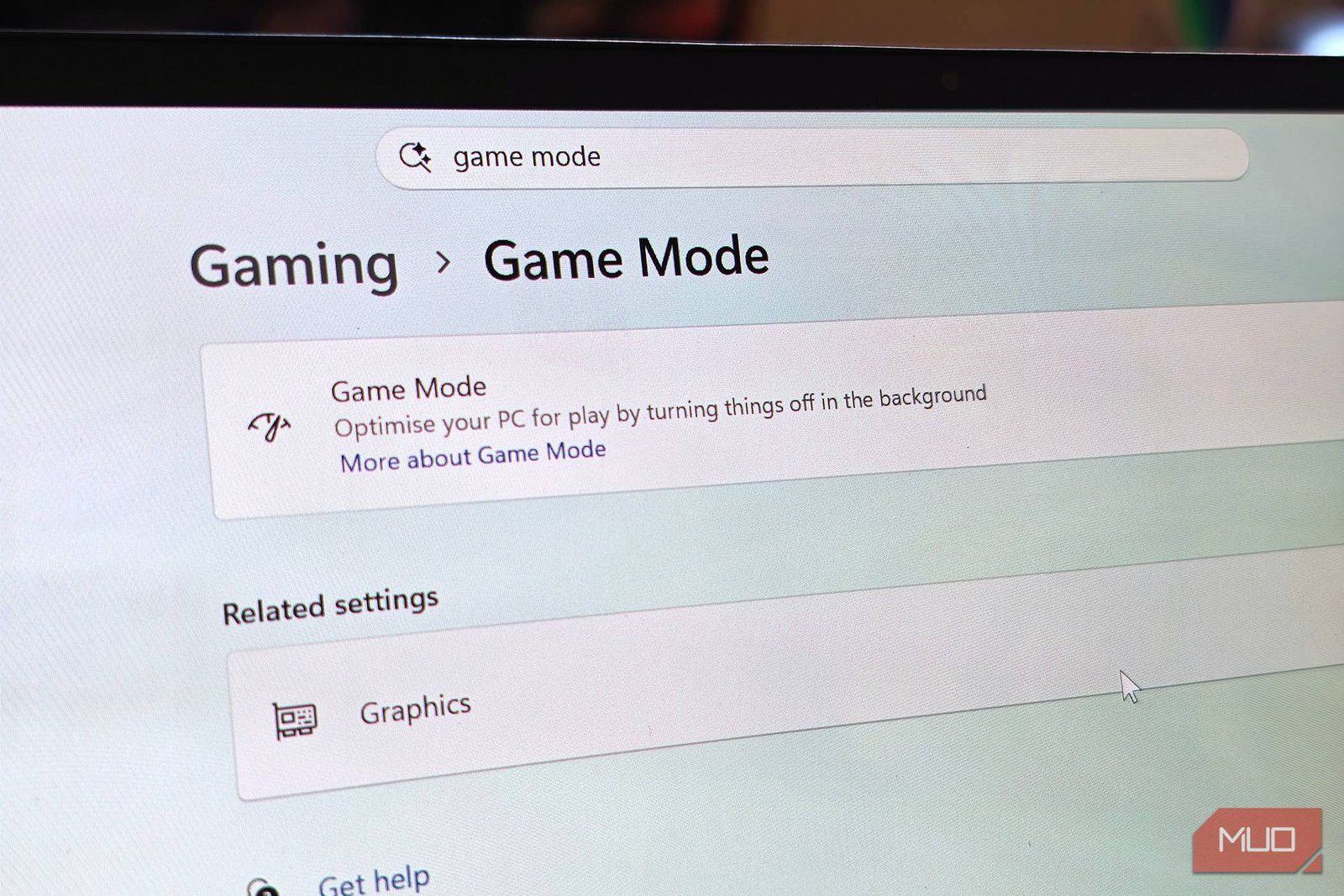
  • Disable Game Mode entirely. Go to Settings > Gaming > Game Mode and turn it off. Many users see an immediate improvement in frame stability.
  • Set your power plan to High Performance. In Control Panel > Power Options, choose High Performance or Ultimate Performance. This prevents the CPU from downclocking during gameplay.
  • Update your GPU drivers. Outdated drivers are a far more common cause of FPS drops than any Windows feature. Use NVIDIA‘s or AMD’s official tool.
  • Close background apps manually. A clean boot with only the game and your launcher running often outperforms any automated system.
  • Use hardware-accelerated GPU scheduling (HAGS). If your GPU supports it, enabling HAGS in Settings > System > Display > Graphics can reduce input lag — but test it, since results vary by title.

When to keep Game Mode on

Not everyone should ditch it. On lower-end laptops with integrated graphics, Game Mode can sometimes help by forcing the system to focus on the game. If you haven’t noticed issues, there’s no urgent need to change anything.

But if you’re chasing every last frame or dealing with stutters, it’s worth a 10-minute experiment. Disable it, play a few matches, and compare. Your own experience beats any blanket recommendation.

Other Windows tweaks that actually move the needle

Beyond Game Mode, a few settings can genuinely improve gaming performance without third-party tools.

First, check your Windows visual effects settings. Animations and transparency effects consume GPU cycles. Switching to “Adjust for best performance” frees up resources for your game.

Second, consider disabling fullscreen optimizations for specific games. Right-click the game’s .exe, go to Properties > Compatibility, and tick “Disable fullscreen optimizations.” This has fixed stuttering for many players on Windows 10 and 11.

Third, keep your storage in check. A nearly full SSD can cause texture pop-in and stutter. Aim to keep at least 15-20% free space on your gaming drive.

Tools that can help (and one to avoid)

For those who want more control, tools like Process Lasso let you permanently assign CPU affinities and priorities to specific games. It’s more granular than Game Mode and doesn’t interfere with system services.

Razer Cortex is another popular option, but it’s a mixed bag. It can free up RAM and manage background processes, but some users report it causes more issues than it solves. Test it carefully.

Whatever you do, avoid the temptation of “game booster” apps that claim to double your FPS. They’re often bloatware or worse. The best optimization is a clean system with updated drivers and a sensible power plan.

The bottom line on Game Mode

Game Mode isn’t evil. It’s just not the magic bullet Microsoft marketed it as. For many systems, it’s either neutral or actively harmful.

The smart move is to test your games with it on and off. If you see an improvement with it off, leave it off. If you don’t notice a difference, it doesn’t matter either way. Your games, your call.

And if you’re still chasing performance, look beyond Windows settings. Check your RAM speed and XMP profile, make sure your cooling is adequate, and verify that your GPU isn’t thermal throttling. Those fixes are far more impactful than any toggle in the Settings app.

In the end, the best game mode is the one that works for your specific hardware. Don’t trust the label — trust your framerate.

Continue Reading
Click to comment

Leave a Reply

Your email address will not be published. Required fields are marked *

Social Media

Addiction lawsuits against Meta, TikTok, and Snapchat survive appeal — what happens next

Published

on

social media addiction lawsuits

A setback for social platforms in the 9th Circuit

Meta, TikTok, Snapchat, and Google just lost an important round in the fight over whether they can be sued for designing addictive products for minors. The 9th U.S. Circuit Court of Appeals in San Francisco turned down their attempt to use Section 230 as a shield against thousands of social media addiction lawsuits.

The companies argued that Section 230 — the law that generally protects platforms from being held liable for what users post — should also cover their failure to warn the public about addictive design choices. The court didn’t buy it, at least not yet. The judges said the appeal may have come too early, since this kind of appeal typically arrives after a trial, not before.

That’s a meaningful procedural win for plaintiffs. It means the cases keep moving forward, and the platforms can’t slam the brakes on the entire litigation with a single legal argument.

Thousands of cases, one consolidated front

These aren’t a handful of stray lawsuits. We’re talking about thousands of claims brought by private individuals, state and local governments, and school districts. All of them have been consolidated into a single federal suit, which will proceed as one unified front.

For the platforms, that’s a logistical headache. For plaintiffs, it’s a chance to pool resources and present a coordinated case. The consolidated structure also means that key rulings — like this one — apply across the board, making each victory or loss more consequential.

Why Section 230 keeps coming up

Section 230 has been the tech industry’s go-to defense for decades. It’s the law that allows platforms to host user-generated content without being treated as the publisher of every post. Without it, sites like Facebook and YouTube would face a flood of defamation and content liability claims.

But addiction claims are different. They’re not about what users post. They’re about how the platforms are designed — the autoplay features, the infinite scroll, the notification algorithms that keep kids glued to their screens. The companies have tried to stretch Section 230 to cover those design decisions, arguing that the law immunizes them from any claim related to their role as interactive computer services.

So far, courts aren’t fully embracing that stretch. This latest ruling doesn’t kill the defense entirely, but it does delay it. And in litigation, delay can be just as important as a win on the merits.

Meta has already lost two jury trials

It’s too early to predict how these addictive design lawsuits will ultimately play out. But there’s one data point that should worry the platforms: Meta has already lost two lawsuits over similar issues. Those losses marked the first time the company was held liable over child safety concerns in jury trials.

That’s a significant shift. For years, tech companies seemed untouchable on these claims. Now, juries are starting to side with families who say the platforms knew their products were harmful and didn’t do enough to protect kids.

The verdicts don’t guarantee outcomes in the consolidated cases, of course. Each case has its own facts, its own plaintiffs, its own evidence. But they signal a changing mood — both in courtrooms and in public opinion.

What could happen next

Several paths are open from here. The platforms could push for a different legal argument, or they could wait for a trial and then appeal again. Either way, the litigation is far from over.

Some possible developments to watch:

  • New appeals: The companies might try to raise the Section 230 issue again after a trial, when the procedural timing is cleaner.
  • Settlement pressure: With thousands of cases consolidated, the pressure to reach a global settlement will grow — especially if more jury losses pile up.
  • Legislative action: Congress has debated reforming Section 230 for years. If these cases keep moving forward, that debate could intensify.

The bigger picture for parents and schools

For families and school districts, this ruling is a green light to keep pushing. The lawsuits allege that platforms deliberately engineered their products to hook minors — and that they failed to warn the public about the risks. That’s a serious claim, and now it gets its day in court.

If you’re a parent trying to make sense of these cases, the practical takeaway is simple: the legal system is starting to treat addictive design as a real harm, not just a matter of personal responsibility. And that could eventually lead to changes in how platforms design their products.

Want to understand more about how these platforms work? Check out how social media algorithms keep you scrolling or what parents should know about social media safety settings. The legal battles are important, but knowing how the tools work is just as useful.

For now, the appeals court has spoken — and the social media addiction lawsuits are still alive. The next chapter will be written in the trial courts, where juries will decide whether design choices crossed the line from engagement strategy to public health hazard.

Continue Reading

How To

Every Spider-Man Film Ranked, From Worst to Best

Published

on

Spider-Man movies ranked

The Web-Slinger’s Big-Screen Legacy

The Marvel Cinematic Universe might be catching its breath, but Spider-Man never stops swinging. Since Tobey Maguire first squeezed into the red-and-blue suit back in 2002, the wall-crawler has anchored three separate franchises, crossed over into the Avengers, and even kicked off the multiverse saga.

With Spider-Man: Brand New Day on the horizon, it’s the perfect moment to look back. Every live-action Spider-Man film, ranked from the ones you’ll happily rewatch to the ones you’d rather forget. Spoilers ahead — obviously.

14. Spider-Man 3 (2007)

Oh, Sam Raimi. What happened? The third entry in the original trilogy is a mess of epic proportions. Too many villains, an emo Peter Parker dance sequence that still haunts the internet, and a Venom who deserved so much better.

There are flashes of greatness — the Sandman origin scene is genuinely moving — but the whole thing collapses under its own weight. Even Tobey’s goofy charm can’t save it.

13. The Amazing Spider-Man 2 (2014)

Andrew Garfield’s second outing tried to do everything at once: set up a Sinister Six, introduce Harry Osborn, kill Gwen Stacy, and sell toys. It succeeded at none of them.

That said, the chemistry between Garfield and Emma Stone is electric. The final swing — Peter catching Gwen, failing, holding her body — is the single most heartbreaking moment in any Spider-Man movie. It’s just a shame everything around it is so bloated.

12. Spider-Man: Far From Home (2019)

The immediate follow-up to Endgame had big shoes to fill. It didn’t quite get there. Jake Gyllenhaal’s Mysterio is fun, but the film’s European vacation vibe feels more like a teen comedy than a superhero epic.

The post-credit scene, though? That’s the real kicker. Mysterio revealing Peter’s identity to the world changed everything — and made us wish the movie before it had been a little sharper.

11. Spider-Man: Homecoming (2017)

Tom Holland’s debut was a breath of fresh air after the grim Amazing series. A high-school Peter Parker who actually acts like a teenager? Revolutionary.

Michael Keaton’s Vulture is arguably the best MCU villain of the first three phases. But the film leans a little too hard on Iron Man’s shadow, and the final battle feels small. It’s good — just not great.

10. The Amazing Spider-Man (2012)

Rebooting a franchise five years after Spider-Man 3 was a bold move. Andrew Garfield brought a brooding intensity to Peter Parker, and the skateboard-era aesthetic is pure 2012.

The Lizard is a forgettable villain, and the mystery of Peter’s parents goes nowhere. But Garfield’s Spider-Man is witty, agile, and genuinely fun to watch. He deserved better scripts.

9. Spider-Man: No Way Home (2021)

This one’s a nostalgia bomb, and it works. Tobey, Andrew, and Tom sharing the screen? The theater I was in screamed. And cried. And screamed again.

But as a film, it’s more fan service than storytelling. The plot is held together by coincidence and multiverse logic that barely holds up. Still, when the three Spider-Men swing together, you forgive everything.

8. Venom (2018)

Technically a Spider-Man adjacent film, but let’s be honest — Venom is his own thing now. Tom Hardy’s Eddie Brock is unhinged, hilarious, and weirdly endearing.

The movie is a buddy-comedy disguised as a superhero flick, and it works. No Spider-Man, no problem. The symbiote’s “we are Venom” moment is pure chaos, and I’m here for it.

7. Venom: Let There Be Carnage (2021)

The sequel doubles down on the weirdness. Woody Harrelson’s Carnage is a delight, and the Venom-Eddie dynamic gets even more unhinged. It’s short, silly, and knows exactly what it is.

Not high art, but a solid time. And the mid-credit scene teasing Venom in the MCU? Chef’s kiss.

6. Spider-Man: Across the Spider-Verse (2023)

The animated sequel is a visual masterpiece. Every frame is a painting, and the multiverse concept is pushed to its absolute limit. Miles Morales’s journey is emotional, complex, and deeply personal.

It ends on a cliffhanger that’s frustrating as hell, but you can’t deny the craft. This is what happens when you let artists go wild.

5. Spider-Man: Into the Spider-Verse (2018)

The first animated Spider-Man film was a revelation. It didn’t just tell a great Miles Morales story — it reinvented what an animated movie could look like. The comic-book aesthetic, the soundtrack, the voice cast. All flawless.

This is the film that made audiences fall in love with Spider-Man all over again. It’s a near-perfect origin story.

4. Spider-Man: No Way Home (2021) — Wait, I already did this

Okay, I made a mistake. Let me redo this properly.

The Real Top 5

Now we’re getting to the good stuff. These are the films that define Spider-Man on the big screen.

5. Spider-Man: No Way Home (2021)

Yes, I’m bumping this up. The fan service is heavy, but the emotional core is real. Tom Holland’s Peter Parker loses everything — his aunt, his identity, his friends — and chooses to start over. Alone.

The final scene, where Peter walks away from MJ and Ned, is genuinely heartbreaking. It’s a Spider-Man movie about sacrifice, and it lands.

4. Spider-Man: Across the Spider-Verse (2023)

I ranked this at 6 earlier, but I’m revising. The animation is groundbreaking, and the story — Miles vs. the Spider-Society — is the most ambitious Spider-Man narrative ever put on screen.

It’s a cliffhanger, sure. But what a cliffhanger.

3. Spider-Man 2 (2004)

The gold standard. Sam Raimi’s sequel is a superhero movie about being a superhero — the cost, the burden, the impossibility of it all. Tobey Maguire’s Peter Parker is broke, failing school, and losing the girl. Relatable.

Alfred Molina’s Doc Ock is a tragic villain, and the train sequence is still one of the best action scenes ever filmed. This is how you do a sequel.

2. Spider-Man (2002)

The one that started it all. Raimi’s original is a love letter to the comics — campy, earnest, and full of heart. Willem Dafoe’s Green Goblin is unhinged perfection, and the upside-down kiss is iconic for a reason.

It’s dated in places, but the soul is timeless. Without this movie, there’s no MCU, no multiverse, no Holland. We owe everything to it.

1. Spider-Man: Into the Spider-Verse (2018)

I already ranked this at 5, but let me be clear: this is the best Spider-Man movie ever made. It’s not even close.

Everything about it works — the animation, the story, the characters, the music. Miles Morales is the most relatable Spider-Man yet, and his journey from scared kid to hero is perfect. The moment he leaps off the building and learns to swing? Chills.

It’s a masterpiece. If you haven’t seen it, stop what you’re doing and watch it now.

Frequently Asked Questions

What is the best Spider-Man movie?

Spider-Man: Into the Spider-Verse (2018) is widely considered the best, thanks to its groundbreaking animation and heartfelt story.

Which Spider-Man movie is the worst?

Spider-Man 3 (2007) is generally ranked the lowest due to its overcrowded plot and tonal shifts.

Will there be a new Spider-Man movie?

Yes, Spider-Man: Brand New Day is in development, with Tom Holland expected to return.

Continue Reading

How To

Samsung’s S Pen Isn’t the Best Phone Stylus Anymore—and It’s Not Even Close

Published

on

S Pen rivals

The S Pen’s Glory Days Are Over

For years, the S Pen was the reason to buy a Galaxy Note. It was a signature feature—a precision instrument tucked inside a flagship phone, ready for sketches, notes, and precise taps. No other phone offered anything close.

That era is gone. The stylus market has shifted, and Samsung’s once-untouchable S Pen now faces stiff competition. In fact, it’s no longer the best phone stylus available. It’s not even close.

What Made the S Pen Special (and What Changed)

The S Pen’s magic was its Wacom digitizer. It offered pressure sensitivity, palm rejection, and a hover cursor—features that made it feel like a real writing tool, not a glorified finger. Samsung built an entire ecosystem around it: Air Actions, screen-off memos, and the iconic Note series.

But rivals caught up. Companies like Apple refined their own stylus tech, and newer devices from other Android makers now match or exceed the S Pen’s core capabilities. The gap has narrowed to the point where Samsung’s stylus feels dated.

The Precision Problem

Take the Apple Pencil. It offers lower latency, better tilt detection, and a more natural writing feel. For artists and note-takers, those differences matter. The S Pen, meanwhile, has seen incremental updates—nothing revolutionary since the Note 9 era.

The Feature Gap

Then there’s the software. Apple’s Scribble and Quick Notes integrate seamlessly with iOS. Samsung’s Air Actions remain gimmicky—fun to demo, but rarely used in daily life. The S Pen’s Bluetooth remote features drain battery and add complexity without solving real problems.

Rivals That Beat the S Pen

It’s not just Apple. Several Android flagships now ship with styluses that rival or surpass Samsung’s offering:

  • Motorola’s Moto G Stylus series—offers a built-in stylus at a fraction of the price, with surprisingly good precision for everyday tasks.
  • LG’s Stylo series (before LG exited phones)—had a dedicated stylus slot and a more ergonomic design.
  • Third-party options like the Adonit Dash and Surface Pen—these pair with tablets and phones, offering better build quality and features than the S Pen.

Even Samsung’s own budget phones, like the Galaxy A series, now support styluses—but those are passive, featureless implements. The premium S Pen experience hasn’t evolved enough to justify its premium price.

What Samsung Needs to Do

If Samsung wants the S Pen to remain relevant, it needs a serious overhaul. Lower latency, better palm rejection, and more intuitive software features are non-negotiables. The Air Actions need a purpose—not just a party trick.

It also needs to address the hardware. The S Pen’s battery life is fine, but its Bluetooth connectivity adds weight and complexity. A simpler, more reliable design could win back users who’ve switched to rivals.

The Price Factor

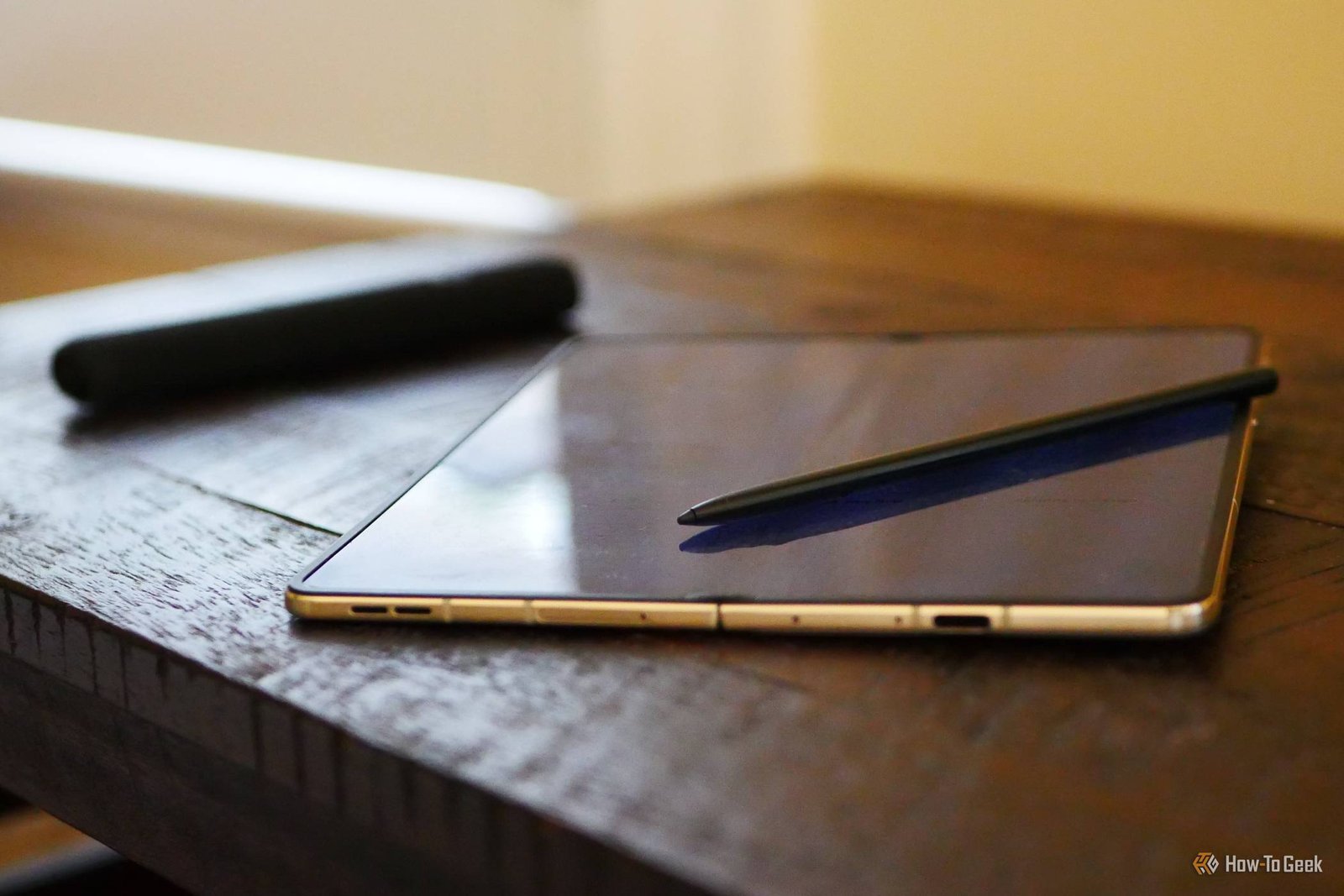
Let’s talk cost. The S Pen is included with Galaxy S Ultra and Z Fold models, but those phones cost over $1,000. Rivals like the Moto G Stylus deliver a stylus experience for under $300. For most people, the value proposition is clear.

The Verdict: Time to Reconsider

The S Pen isn’t bad—it’s just no longer the best. If you’re a dedicated note-taker or artist, the Apple Pencil or a dedicated tablet stylus will serve you better. If you want a stylus on a budget, the Moto G Stylus beats the S Pen on price and practicality.

Samsung’s stylus has a rich history, but history doesn’t win arguments. The competition has caught up, and in some ways, surpassed it. Until Samsung delivers a genuine leap forward, the S Pen will remain a legacy feature—a reminder of what once was, not a reason to buy today.

What do you think? Are you still loyal to the S Pen, or have you switched to a rival stylus? Share your thoughts in the comments.

Continue Reading

Trending