Connect with us

Artificial Intelligence

Google’s Gemini Can Now Comb Through Your Gmail Inbox While You Work in Drive

Published

on

Google’s Gemini Can Now Comb Through Your Gmail Inbox While You Work in Drive

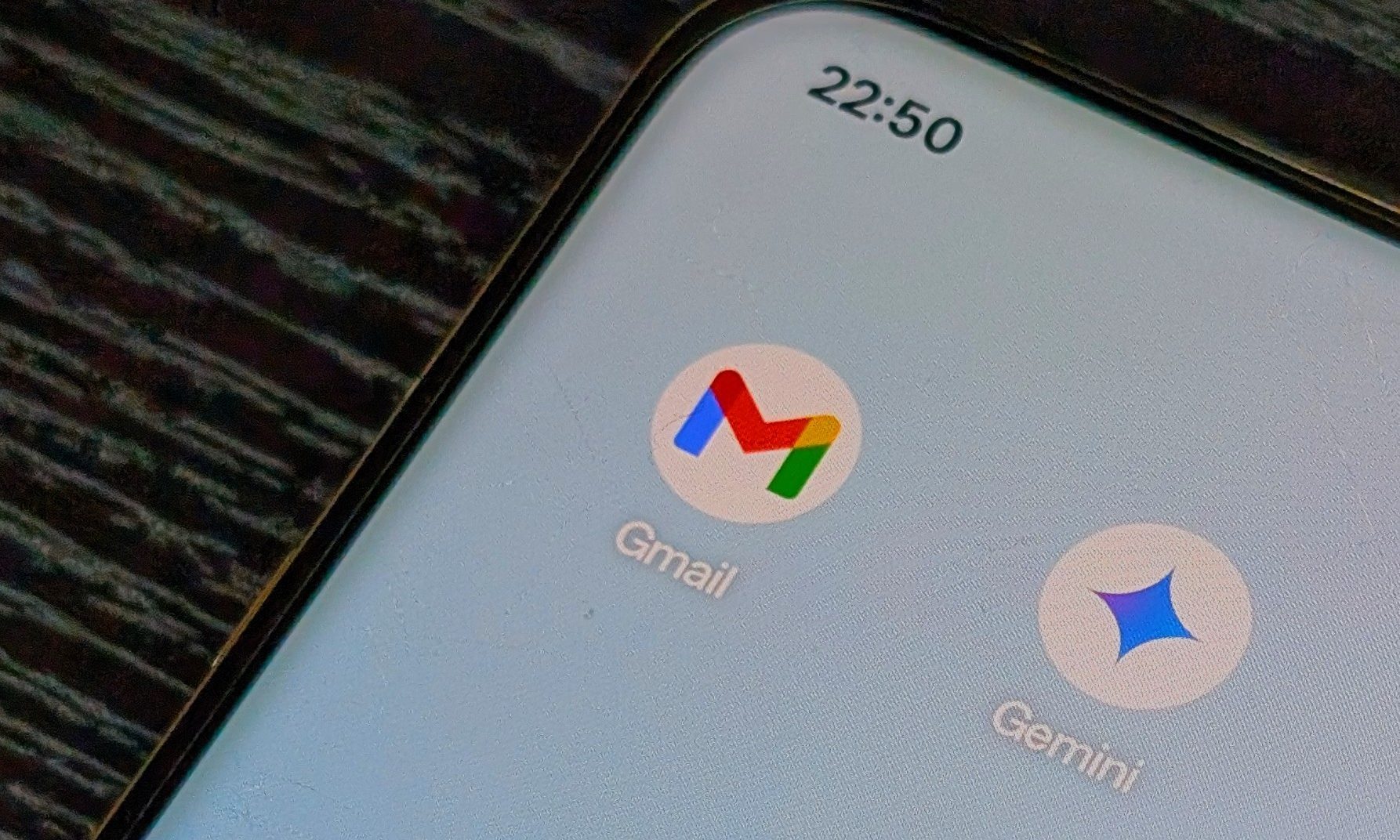
Google is taking its AI assistant deeper into the workplace. With a fresh update, users can now pull Gmail conversations directly into Ask Gemini in Drive. This means the AI can analyze emails, documents, and folders all in one place. The Gemini Gmail Drive integration is designed to save time and reduce the hassle of switching between apps.

Rolling out to eligible Google Workspace and Google AI subscribers, the feature lets you ask complex questions without leaving Drive. Instead of manually hunting through your inbox and files, you can feed entire email threads into Gemini alongside your documents. The result? Context-aware answers that pull from everything relevant.

How Gemini Turns Drive Into a Smarter Workspace

Until now, Ask Gemini in Drive mostly relied on files and folders for reference. The new update changes that by adding Gmail threads as a source. Gemini can now analyze conversations, attached documents, and related Drive files together. Google describes this as an “immersive workspace” built for deep focus and multi-turn conversations.

For example, you could ask Gemini to summarize a long email chain, cross-reference information between a document and an inbox thread, or quickly surface decisions buried across multiple conversations. This makes Drive far more useful as a productivity hub. Instead of treating Gmail and Drive as separate services, Gemini turns them into one searchable knowledge base. Professionals can manage projects faster, especially when critical details are scattered across documents and long email chains.

Building on this, the AI assistant can help with tasks like drafting replies based on past conversations or finding attachments mentioned in emails. It’s a significant step toward a unified workplace experience.

Privacy and Security: What You Should Know

While the convenience is clear, the feature also raises fresh concerns. Giving an AI assistant access to your inbox—even temporarily—can make some users uneasy. Google says the functionality only works when you intentionally add Gmail threads as sources. It’s not automatically combing through your emails without your permission.

However, the feature is enabled by default if Gemini for Workspace in Drive is already turned on by administrators. End users must also have Workspace smart features enabled to use Ask Gemini in Drive. This means that in some organizations, the AI might already have the green light to access inbox data. For sensitive workplace communication, this could be a sticking point.

Google emphasizes that the goal is to provide “a complete view of business context” for more accurate AI responses. But for users wary of AI’s reach, it’s worth checking your admin settings. You can read more about managing your Google Workspace privacy to stay in control.

Availability and Rollout Details

The rollout began on June 3, 2026, and is gradually expanding over a period of up to 15 days. The feature is available for Business Standard and Plus, Enterprise Standard and Plus, Google AI Pro and Ultra, AI Expanded Access, and select Education plans. If you’re on a personal Google account, you won’t have access yet.

This update comes as tech giants race to embed AI into workplace software. Microsoft has been pushing similar capabilities through Copilot across Outlook and Office. Google, meanwhile, is steadily embedding Gemini into every corner of Workspace. The competition is heating up, and users are reaping the benefits—but also facing new questions about data privacy.

For a deeper look at how AI is reshaping productivity tools, check out our guide on maximizing AI in the workplace. And if you’re curious about alternative approaches, see how Microsoft Copilot compares to Gemini.

Final Thoughts

The Gemini Gmail Drive integration is a powerful addition for Workspace users. It streamlines research, saves time, and makes Drive a true command center. But with great power comes great responsibility. Make sure your team’s settings align with your privacy standards. As AI becomes more embedded in our daily tools, staying informed is the best defense against unexpected data access.

Continue Reading
Click to comment

Leave a Reply

Your email address will not be published. Required fields are marked *

Artificial Intelligence

iOS 27 could force iPhone users to retrain muscle memory with a new notification gesture

Published

on

iOS 27 could force iPhone users to retrain muscle memory with a new notification gesture

Apple is reportedly preparing a major shift in how notifications work on the iPhone with the upcoming iOS 27 notification gesture redesign. According to a report from Bloomberg’s Mark Gurman, internal builds of iOS 27 and iPadOS 27 now show incoming notifications sliding in from the left side of the screen. While this might seem like a minor visual tweak at first glance, it actually signals a much deeper rethinking of navigation gestures — one that could force longtime iPhone users to unlearn years of ingrained muscle memory.

Why the familiar swipe may no longer work as expected

For years, iPhone users have relied on a simple, almost instinctive gesture: swipe down from the center of the screen to pull up notifications. That core interaction is reportedly changing in iOS 27. Under the new system, swiping down from the center would instead open Search or an AI-powered assistant panel. Notifications would move to a separate gesture, requiring users to swipe down from the left side of the display to access Notification Center. Anyone who has ever switched from another smartphone platform knows how deeply these gestures become embedded in daily use. This means that millions of people may need to consciously retrain their thumbs — and their brains — to adapt to the new flow.

How the new gesture compares to current behavior

Currently, a single swipe down from the top left or center reveals your notification shade. In iOS 27, that same motion from the center would launch Apple’s AI assistant or Search. The notification center would only appear when you swipe from the left edge. This is a fundamental shift in interaction design. It mirrors how some Android skins have handled notifications, but for iPhone loyalists, it could feel jarring at first. The visual cue of notifications sliding in from the left side is designed to reinforce the new behavior, but whether users embrace the change remains an open question.

Apple’s AI ambitions may be driving the gesture overhaul

The reported redesign suggests that Apple wants to give Search and AI features a much more prominent role in the iPhone experience. Rather than hiding AI tools behind buttons or menus, the company appears to be assigning them one of the most natural gestures on the phone: the center swipe. This is a strong signal about where Apple sees user interactions heading. By placing AI front and center, Apple is betting that users will eventually prefer a more proactive, intelligent assistant over a simple notification list. However, history shows that even small adjustments to familiar gestures can spark strong reactions. The iOS 27 notification gesture change is not just about where notifications appear — it’s about redefining how people instinctively interact with their devices every day.

What this means for iPad users

iPadOS 27 will likely follow the same logic. On the larger screen, swiping from the left side to access notifications could feel more natural, given the iPad’s wider display. But for iPad users who have grown accustomed to the center swipe, the transition may still require some adjustment. Apple’s decision to unify the gesture across both platforms suggests a long-term vision: one where AI and search are the primary entry points, and notifications are a secondary layer. This could also pave the way for deeper integration with Siri and future AI features.

Will users embrace the change or resist it?

Change is never easy, especially when it involves muscle memory. The iOS 27 notification gesture redesign is a classic example of Apple prioritizing future functionality over current comfort. On one hand, the shift could make the iPhone more intuitive for new users who haven’t yet developed strong habits. On the other hand, longtime iPhone users may find themselves accidentally opening Search instead of notifications for weeks after the update. Apple has a history of making bold interface changes — like removing the home button — that initially frustrate users but eventually become standard. Whether this gesture overhaul follows that pattern or sparks a backlash depends on how well Apple communicates the change and how quickly users adapt.

For more on how iOS updates impact user behavior, check out our guide on iOS gesture changes over the years. And if you’re curious about the broader trend toward AI-first interfaces, read our analysis of Apple’s AI strategy in 2025.

Continue Reading

Artificial Intelligence

ChatGPT’s memory gets a major upgrade: here’s how the new ‘dreaming’ system works

Published

on

ChatGPT’s memory gets a major upgrade: here’s how the new ‘dreaming’ system works

For months, users of ChatGPT have complained about inconsistent recall—details vanishing, outdated preferences lingering, and memories that simply wouldn’t stick. Now, OpenAI is rolling out a significant ChatGPT memory upgrade called “dreaming,” designed to make conversations feel more natural and context-aware. This overhaul addresses one of the platform’s most persistent weaknesses since memory features launched in 2024.

How the dreaming system changes memory management

The original memory system relied on explicit cues—users had to ask ChatGPT to remember something. That approach often let valuable context slip through the cracks. Temporary details, like an upcoming vacation or a dietary preference, had no way to update themselves over time.

OpenAI’s new dreaming system works differently. It synthesises information from your chat history automatically, running in the background without waiting for a manual trigger. This means that if you mentioned a trip to Singapore last month, the system no longer assumes you’re still there. It accounts for the passage of time, refreshing or discarding information as context evolves.

In addition, a new memory summary page gives users a clear overview of what ChatGPT knows about them. You can review stored facts, make corrections, and add details manually. This added transparency helps you steer the AI’s memory more precisely.

Better application of preferences in conversations

The update also improves how ChatGPT applies your preferences during chats. If you’ve noted in past conversations that you’re vegetarian or that you prefer quieter restaurants, the new system is better at pulling that context into new discussions. You no longer have to repeat yourself—a common frustration with earlier versions.

This means that the ChatGPT memory upgrade not only stores more accurate information but also uses it more intelligently during interactions. The result is fewer awkward or irrelevant responses, making the chatbot feel more like a helpful assistant that remembers your habits.

Who gets the update and when

OpenAI is rolling out the dreaming system to ChatGPT Plus and Pro users in the United States starting today. Over the coming weeks, it will expand to additional countries and to the Free and Go tiers. The inclusion of the free tier is particularly notable.

According to OpenAI, recent efficiency improvements reduced the compute required to serve the memory feature by roughly 5x. That made a free-tier rollout practical. The company also increased memory capacity by 2x for Plus and Pro users, allowing them to store more context without performance hits.

This wider availability means that more people can benefit from improved recall, regardless of their subscription level. For those who rely on ChatGPT for daily tasks, this is a welcome change.

Will the dreaming system solve user frustrations?

Memory has been one of the most-requested improvements from ChatGPT users. Complaints about inconsistent recall, stale information, and new memories not saving have surfaced regularly on Reddit and other forums. The dreaming system directly targets these pain points by making memory updates automatic and context-sensitive.

However, whether this ChatGPT memory upgrade resolves those frustrations in practice—rather than in benchmark tests—remains to be seen. Early adopters will likely provide feedback on how well the system handles nuanced changes, such as shifting preferences or evolving life circumstances.

For now, OpenAI is positioning dreaming as a significant leap forward. If it works as advertised, users can expect fewer “I don’t remember that” moments and more fluid, personalised conversations. As the rollout expands, the true test will be how seamlessly the system adapts to real-world usage patterns.

To learn more about optimising your ChatGPT experience, check out our guide on improving AI productivity. For updates on future features, visit the OpenAI blog.

Continue Reading

Artificial Intelligence

Google is quietly buying Android app code from developers to supercharge its AI coding models

Published

on

Google is quietly buying Android app code from developers to supercharge its AI coding models

Google has started reaching out to a select group of Android developers with an unusual proposal: cash for their code. As first reported by 404 Media, the tech giant is inviting certain Google Play developers to join what it calls a “confidential content offer pilot.” The email frames the deal as a straightforward revenue opportunity, stating that participants can “get paid for sharing the code powering your apps, as well as your archived projects.”

But is this really just about giving developers extra income? The fine print tells a different story.

What Google really wants: training data for AI coding models

On the surface, the offer seems generous. Google assures developers they retain full intellectual property rights, and the license is non-exclusive. However, a link buried in the email leads to a page titled “partnerships to improve our AI products.” There, Google openly states it is paying for “non-public content in a range of media formats” to enhance its artificial intelligence models.

Connecting the dots is straightforward. Google’s Gemini has made impressive strides in image and text generation, but its coding capabilities lag behind competitors. Meanwhile, Anthropic has ridden the success of Claude Code to a valuation higher than OpenAI. OpenAI itself launched its own Codex app, targeting developers directly. At the recently concluded Google I/O, the company showcased its Antigravity 2.0 IDE, which can create entire apps from scratch.

This means that Google is eager to train its AI with real-world code to close the gap. Buying actual app code from developers is a fast track to improving its coding tools without having to scrape the web or rely solely on synthetic data.

Is there anything wrong with this approach?

At first glance, the deal appears fair. Developers keep their intellectual property, the license is non-exclusive, and they get paid. That’s a far cry from the practices of many AI companies that have trained models on hundreds of thousands of books and online publications without permission or compensation.

However, the lack of transparency in Google’s email is worth scrutinising. Framing an AI data acquisition program as a simple “revenue opportunity” without explicitly mentioning artificial intelligence feels like the company is hoping developers won’t ask too many questions. This is a common tactic in the tech industry, where companies often downplay the ultimate use of data to avoid pushback.

Building on this, the long-term impact on developers could be significant. Once Google trains its models on real app code, those same AI tools might eventually replace the need for human developers in certain tasks. While the immediate payment is welcome, developers may be helping to build the very tools that could reduce their future earning potential.

How Google’s pilot compares to industry trends

Google is not alone in seeking high-quality code for AI training. Companies like OpenAI and Anthropic have long used public code repositories, but they also rely on proprietary data. Google’s approach is more direct: it is paying developers for access to private, non-public code that is likely cleaner and more structured than what is available on the open web.

This strategy could give Google an edge in the race to build the best AI coding assistant. The company’s Gemini model has been criticised for being behind in code generation compared to Claude Code and ChatGPT’s Codex. By acquiring real-world code, Google can fine-tune its models to handle a wider variety of programming languages, frameworks, and real-world use cases.

Nevertheless, the ethical implications are complex. While developers are compensated, the lack of clarity in the initial email could erode trust. Google would be wise to be more upfront about the purpose of the pilot, especially given the growing scrutiny around AI training data practices.

What developers should consider before signing up

If you are an Android developer who receives this email, there are several factors to weigh. First, the payment terms: how much is Google offering, and is it a one-time payment or ongoing? Second, the scope of the license: while non-exclusive, what exactly can Google do with your code? The email does not specify whether Google can use the code to train models that compete directly with your own apps.

Third, consider the competitive landscape. By sharing your code, you might be helping Google build a tool that could make your own skills less valuable in the long run. That said, for many independent developers, the immediate cash injection could be a lifeline.

For more insights on how AI is reshaping the developer landscape, check out our guide on AI coding tools in 2025 and learn about Android development trends.

Final thoughts: a calculated move in the AI arms race

Google’s confidential content offer pilot is a calculated move in the ongoing AI arms race. It is not inherently unethical — the company is offering payment, respecting intellectual property, and being transparent in its linked terms. However, the lack of upfront disclosure about AI training in the email itself raises eyebrows.

As AI coding tools become more sophisticated, the value of human-written code may shift. For now, developers have a choice: take the money and help train the next generation of coding assistants, or keep their code private and watch from the sidelines. Either way, the landscape is changing fast.

Continue Reading

Trending