Connect with us

Video

How I Replaced My 9-5 Salary With Claude AI + YouTube In 6 Months

Published

on

Imagine waking up one morning and realizing you no longer have to commute to a job that drains your energy. For many, that dream feels distant, but for one content creator, it became reality in just six months. The secret? A combination of Claude AI and a focused YouTube strategy that replaced his entire 9-5 salary. In this article, we break down the exact approach he used, the mindset shifts that mattered, and the tools that made it all possible.

The Unglamorous Beginning: Why Most People Fail

Building on the idea that success rarely looks like a highlight reel, the creator starts by revealing the messy, unglamorous setup that preceded his breakthrough. He admits that his early attempts were scattered and unfocused. However, instead of giving up, he analyzed why his previous efforts failed. The key pattern? He was trying to do everything himself—scripting, editing, thumbnails, and SEO—without leveraging any automation. This led to burnout and minimal results.

As a result, he shifted his focus to efficiency. He realized that the most successful creators don’t necessarily work harder; they work smarter. This is where Claude AI entered the picture. By using Claude to generate outlines, refine scripts, and even suggest video titles, he cut his production time in half. This freed up hours each day to focus on strategy and audience engagement.

Why Claude AI Became the Hidden Ingredient

In addition to time savings, Claude AI offered something even more valuable: consistency. The creator explains that one of the biggest hurdles in building a YouTube channel is maintaining a regular upload schedule. Life gets in the way, motivation wanes, and creative blocks strike. But with Claude AI as a brainstorming partner, he could always produce high-quality content, even on low-energy days.

Furthermore, Claude AI helped him identify topics that resonated with his audience. By analyzing comments and trending discussions, the AI suggested angles he hadn’t considered. This led to videos that performed significantly better than his earlier attempts. The creator emphasizes that Claude AI isn’t a replacement for human creativity—it’s a force multiplier. It handles the grunt work so you can focus on adding your unique value.

The YouTube Strategy That Changed Everything

Shifting gears to the platform itself, the creator reveals that YouTube was the ideal fit for his schedule. Unlike other platforms that demand constant, short-form content, YouTube rewards depth and searchability. A single well-optimized video can generate views and income for months or even years. This aligns perfectly with someone who has limited time but wants long-term results.

He also shares a specific video that changed his trajectory. After months of modest growth, one video—created with heavy assistance from Claude AI—went viral. It wasn’t flashy or controversial; it simply answered a question many people were searching for. The lesson? Focus on solving real problems for your audience. The creator notes that beginners today have an unfair advantage: AI tools that make research and scripting faster than ever. He wishes he had access to Claude AI when he started.

The Mindset Shift: From Employee to Creator

Beyond the tools and tactics, the creator credits a fundamental mindset shift for his success. He stopped seeing YouTube as a side hustle and started treating it like a business. This meant setting clear goals, tracking metrics, and reinvesting profits into better equipment and software. He also kept his journey private from friends and family until he had tangible results. This protected him from unsolicited advice and pressure.

Moreover, he learned to embrace imperfection. Many beginners overthink every detail—perfect thumbnails, flawless editing, or the ideal upload time. But the creator argues that the single most important move is simply hitting publish. You can refine later. The key is to start, iterate, and use tools like Claude AI to keep improving.

Ready to Start Your Own Journey?

If you’re tired of the 9-5 grind and ready to explore a new path, this story proves it’s possible. The combination of Claude AI and a smart YouTube strategy can help you replace your salary faster than you think. Watch the full video above to hear every detail, including the exact setup he used, the mistakes he avoided, and the one lesson that made all the difference. Your future self will thank you.

Continue Reading
Click to comment

Leave a Reply

Your email address will not be published. Required fields are marked *

Video

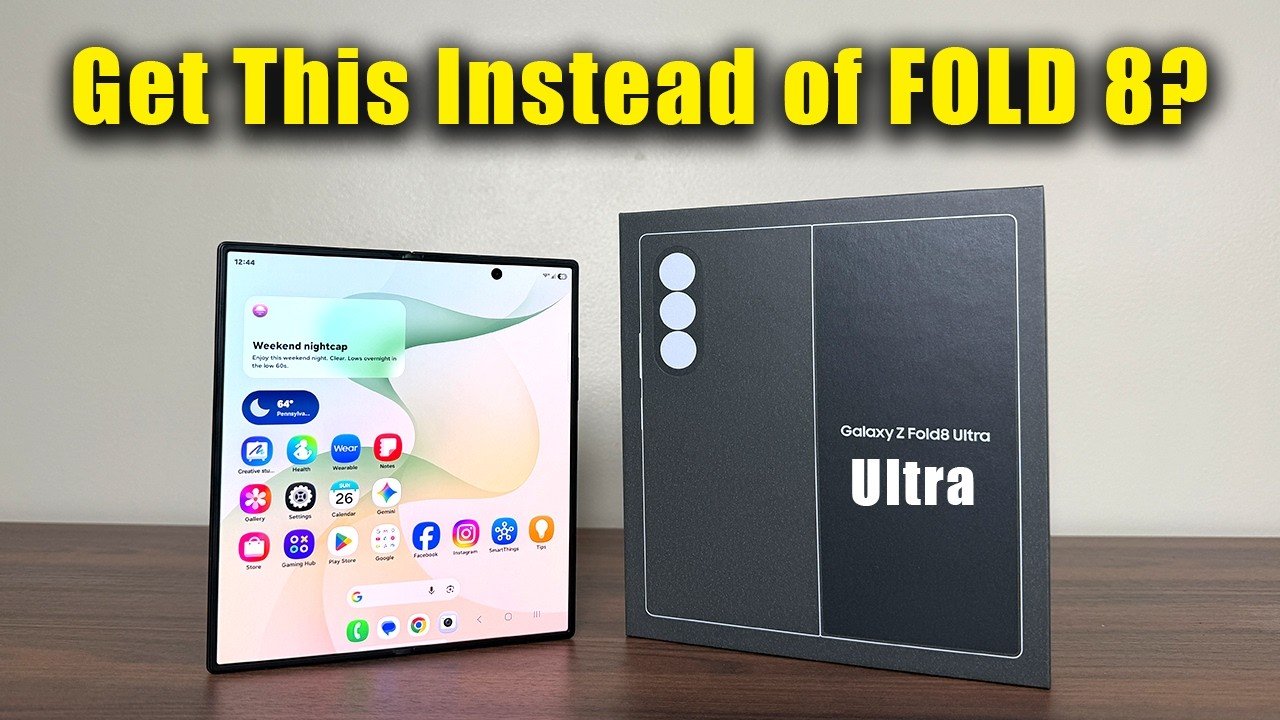
Samsung Galaxy Z Fold 8 Ultra Unboxing & Review: Is It Better Than the Fold 8?

Published

on

Samsung Galaxy Z Fold 8 Ultra unboxing

Samsung has once again pushed the boundaries of foldable technology with its latest flagship, the Galaxy Z Fold 8 Ultra. Priced at a premium $2,099, this device aims to justify its cost with a suite of impressive upgrades. Our Samsung Galaxy Z Fold 8 Ultra unboxing reveals a phone that not only refines the foldable formula but also introduces features that could make it the best large-screen smartphone on the market. From a groundbreaking 200-megapixel camera to a dramatically improved battery life, the Fold 8 Ultra is packed with innovations. But does it truly outperform its sibling, the standard Fold 8? Let’s dive in.

A First Look at the Samsung Galaxy Z Fold 8 Ultra Unboxing Experience

The unboxing process itself sets the tone for a premium device. Inside the box, you’ll find the Fold 8 Ultra in the stunning Violet Shadow color—one of four available hues, including Graphite, Cream, and Green. The packaging is minimalist, reflecting Samsung’s move toward sustainability. However, the real star is the device itself. The first peel reveals a phone that feels incredibly solid, thanks to Gorilla Glass Ceramic 3 protection on both the front and back, paired with an Armor Aluminum frame. This combination promises enhanced durability against drops and scratches, addressing a common concern among foldable phone users.

Building on this, the form factor has been refined. Compared to the Fold 8 Wide and the Fold 7, the Fold 8 Ultra offers a slightly wider cover display and a more squared-off inner screen. This change improves ergonomics, making it easier to type and hold. The hinge mechanism feels smoother, and the crease on the inner display is noticeably reduced—a welcome improvement for those who use the device for productivity or media consumption.

Camera and Performance: The 200MP Leap and Snapdragon Power

One of the most significant upgrades in this Samsung Galaxy Z Fold 8 Ultra unboxing is the camera system. The device features a triple-camera setup: a 200MP main sensor, a 50MP ultra-wide lens, and a 10MP telephoto lens with 3x optical zoom. This is a massive step up from the Fold 8’s 50MP main camera. The 200MP sensor captures incredible detail, especially in well-lit conditions, and offers improved low-light performance through pixel-binning technology. For photography enthusiasts, this alone could be the deciding factor.

In addition to the camera, the Fold 8 Ultra is powered by the Snapdragon 8 Elite processor, paired with either 12GB or 16GB of RAM. Benchmark tests show a significant performance boost over the previous generation, handling multitasking and gaming with ease. The device runs One UI 9.0 based on Android 17, and Samsung promises seven years of software updates, ensuring longevity. This combination of hardware and software makes the Fold 8 Ultra a powerhouse for both work and play.

Display and Battery: Anti-Reflective Screen and 45W Charging

The display technology on the Fold 8 Ultra is another highlight. The cover screen is a 6.5-inch Super AMOLED 2X panel with a peak brightness of 3,000 nits, making it highly readable even under direct sunlight. The inner display expands to 8 inches, featuring an anti-reflective coating that reduces glare significantly. This is a game-changer for outdoor use, as it minimizes reflections and enhances visibility.

As for battery life, Samsung has upgraded the capacity to 5,000mAh, a 500mAh increase over the Fold 8. More importantly, the charging speed has been bumped to 45W, which is a welcome improvement from the 25W charging on previous models. In our tests, the Fold 8 Ultra charges from 0 to 50% in about 30 minutes. Additionally, the device supports 15W wireless charging and reverse wireless charging for accessories like the Galaxy Buds.

Software and AI Features: One UI 9.0 and Galaxy AI Innovations

Software-wise, the Fold 8 Ultra introduces several new Galaxy AI features. Among them are My FanCam, which uses the camera to create personalized video effects, and Custom Now Brief, an AI-powered assistant that summarizes your day. These features leverage the large inner display for a more immersive experience. Multitasking has also been improved, with the square aspect ratio of the inner screen providing more real estate for split-screen apps. Samsung Notes now supports the S Pen more seamlessly, though it’s worth noting that the Fold 8 Ultra does not include a built-in S Pen silo—you’ll need a separate case.

Flex Mode has also been enhanced, allowing for more creative uses of the hinge, such as using the phone as a laptop-like device for video calls or media consumption. Security remains robust, with a side-mounted fingerprint sensor and face unlock that work quickly and reliably.

Final Verdict: Fold 8 Ultra vs Fold 8 – Which Should You Buy?

After spending time with the device, it’s clear that the Samsung Galaxy Z Fold 8 Ultra unboxing reveals a phone that is more than just a spec bump. The 200MP camera, faster charging, and anti-reflective display are meaningful upgrades that justify the higher price for power users. However, the standard Fold 8 remains a strong contender for those who want a foldable without the premium cost. If you prioritize camera quality and battery life, the Ultra is the clear choice. For everyone else, the Fold 8 offers excellent value.

We recommend watching the full video for a detailed comparison and hands-on look at all the features. The Fold 8 Ultra is available now with trade-in offers up to $1,200, making it slightly more accessible. Don’t forget to use the discount code “PAYPAL100” for an additional $100 off. Click the link below to see the unboxing in action and make an informed decision.

Watch the full Samsung Galaxy Z Fold 8 Ultra unboxing and review video now to see all the details firsthand.

Continue Reading

Video

Don’t Use Claude AI for Business Until You Watch This: The Critical Insights You Need

Published

on

Claude AI for business

Artificial intelligence is transforming how companies operate, but diving in without a clear strategy can lead to costly mistakes. A recent video from Shane Hummus, titled “DON’T Use Claude AI for Business Until You Watch This,” offers a wake-up call for entrepreneurs and business leaders eager to leverage AI tools like [Claude](https://www.anthropic.com). Rather than a simple tutorial, the video presents a framework for thinking about AI adoption, focusing on what separates successful implementations from failures.

The Hidden Failure Rate of AI Projects

Many businesses jump on the AI bandwagon without understanding the risks. The video highlights a startling statistic: the failure rate of AI projects is far higher than most people realize. This isn’t about the technology itself but about how it’s applied. Without a solid plan, even the most advanced AI tools can become expensive experiments. Therefore, before you start using Claude AI for business, it’s crucial to assess whether your project addresses a real, pressing need rather than just a shiny new capability.

The Law That Decides AI Survival

One of the most compelling points in the video is the “law” that determines whether an AI system thrives or dies. It’s not about code quality or data volume—it’s about solving a genuine pain point. The most successful AI applications focus on automating tasks that are repetitive, time-consuming, or error-prone for humans. Building on this, the video suggests that if your AI project doesn’t directly alleviate a significant bottleneck, it’s likely doomed from the start. This principle is essential for anyone considering Claude AI for business automation.

What Elon Musk Does Instead of Automating

Interestingly, the video references Elon Musk’s approach to innovation, which often involves rethinking the problem before automating it. Musk famously focuses on simplifying processes first, then applying technology. For instance, instead of automating a flawed assembly line, he redesigns the line. As a result, when you implement Claude AI for business, you should first map out your workflows and eliminate inefficiencies. Automation should amplify a good process, not mask a broken one.

The Interview Trick That Makes Claude Do the Heavy Lifting

A practical takeaway from the video is an interview-style technique to get the most out of Claude. Instead of giving vague prompts, you treat the AI like a potential employee. Ask it to explain its reasoning, challenge assumptions, and provide multiple solutions. This method forces Claude to deliver deeper, more actionable insights. In addition, this approach helps you identify the weakest links in your strategy—the “razor” that separates winning ideas from wasted ones.

Three Rules for Using AI the Right Way

To wrap up, the video outlines three golden rules for AI adoption:
1. **Start small** – Test your AI project on a single, high-impact task before scaling.
2. **Focus on pain points** – Automate the most frustrating or time-consuming tasks first.
3. **Build your personal brand** – Use AI to free up time for activities that showcase your expertise, like creating content or networking.

These rules are especially relevant for freelancers and small business owners who want to use Claude AI for business growth without overcomplicating their operations.

The Real Cheat Code: Persistence and Learning from Failure

The video ends with a powerful reminder that many of today’s giants, like [Amazon](https://www.amazon.com), [Netflix](https://www.netflix.com), and [Airbnb](https://www.airbnb.com), started with failures. The real cheat code isn’t a secret prompt or a fancy tool—it’s a willingness to iterate, learn, and try again. Therefore, if you’re ready to explore Claude AI for business, watch the full video to get the complete breakdown of these strategies. It might just save you from a costly mistake and set you on a path to sustainable success.

Continue Reading

Video

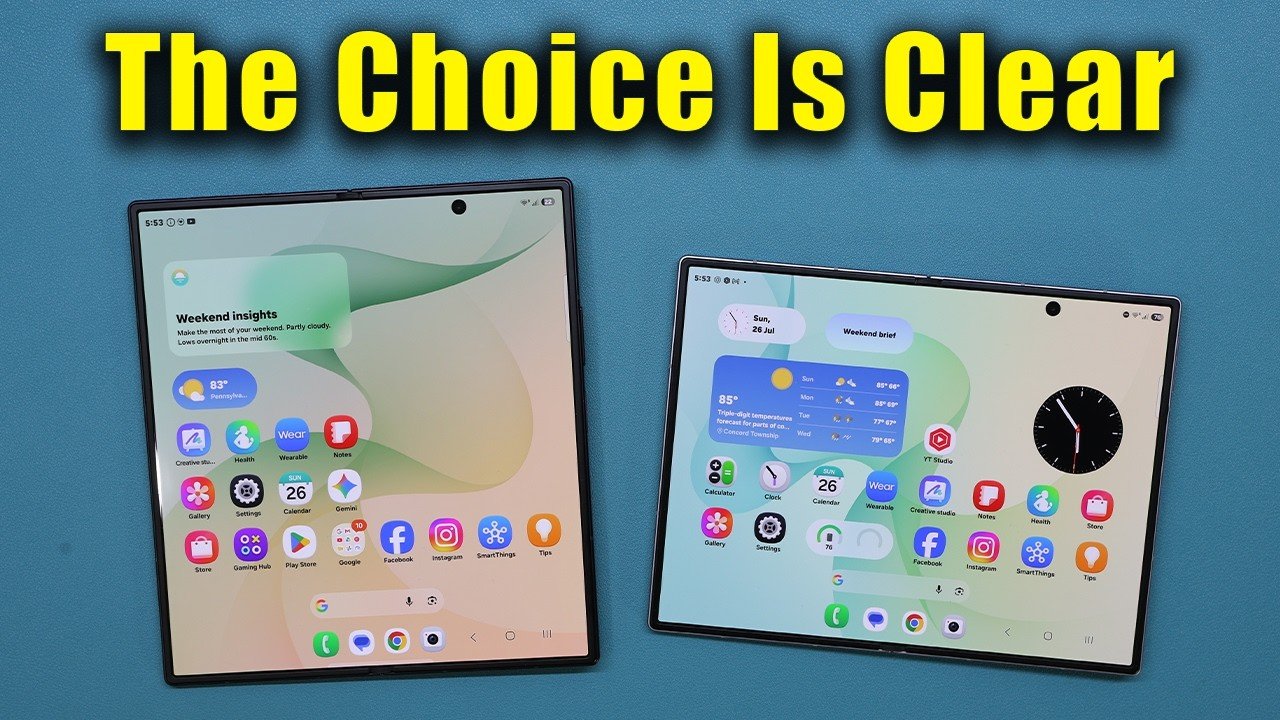
Samsung Galaxy Z Fold 8 vs Z Fold 8 Ultra: The Real Difference No One Explains

Published

on

Samsung Galaxy Z Fold 8 vs Ultra

Choosing between the Samsung Galaxy Z Fold 8 and the Z Fold 8 Ultra can feel like picking between two supercars—both are impressive, but they excel in completely different lanes. While most reviews gloss over the nuances, a new deep-dive video breaks down exactly why one is built for binge-watching and the other for getting work done. If you’re torn between entertainment and productivity, this guide will help you decide which foldable truly fits your lifestyle.

Why the Samsung Galaxy Z Fold 8 Is a Media-First Device

The standard Z Fold 8 is designed with one primary goal: delivering an immersive media experience. Its cover display features a taller, narrower aspect ratio that feels natural for scrolling through social feeds or replying to messages one-handed. However, the real magic happens when you unfold it. The inner screen’s aspect ratio is optimized for video content, meaning movies and shows fill nearly the entire display without awkward black bars. As a result, you get a cinematic experience that rivals dedicated tablets. The speaker placement is also thoughtfully positioned to avoid muffling when holding the device in landscape mode, which is a subtle but critical detail for long viewing sessions. In addition, the display specs—including peak brightness and crease management—are tuned to minimize distractions, making it a top choice for anyone who primarily uses their phone for streaming and gaming.

How the Z Fold 8 Ultra Redefines Productivity

On the flip side, the Z Fold 8 Ultra takes a radically different approach. Its inner screen adopts a squarer aspect ratio, which might seem less ideal for video but is a game-changer for multitasking. When you split the screen into two windows, each pane gets a more natural, almost square shape that allows apps to display more content without excessive scrolling. This makes it far easier to compare documents, manage spreadsheets, or run a video call alongside notes. Building on this, the Ultra supports three-way split-screen multitasking with minimal compromise on readability. The software enhancements—such as improved drag-and-drop between windows and persistent app pairs—turn the device into a portable workstation. For professionals who need to juggle emails, calendars, and cloud apps simultaneously, the Ultra’s design is a clear winner.

Beyond the Screen: Design, Audio, and Real-World Use

Beyond the aspect ratio debate, there are other critical differences that affect daily use. The Ultra model tends to be slightly heavier and thicker, which can be a trade-off for those who prioritize portability. Conversely, the standard Z Fold 8 is more pocket-friendly and easier to handle with one hand. Audio ergonomics also differ: the Ultra’s speaker grills are positioned to avoid obstruction when holding the device in portrait mode for calls, whereas the standard model favors landscape audio for media. Display brightness and crease visibility are comparable on paper, but in practice, the Ultra’s larger unfolded area makes the crease slightly more noticeable during dark-mode browsing. Nevertheless, both devices offer stunning AMOLED panels with high refresh rates, ensuring smooth scrolling and vibrant colors.

Final Verdict: Which Samsung Foldable Should You Buy?

Ultimately, the choice between the Samsung Galaxy Z Fold 8 and the Z Fold 8 Ultra boils down to your primary use case. If you watch a lot of videos, play games, or consume social media, the standard Z Fold 8 delivers a superior media experience with less bulk. However, if you need a productivity powerhouse that can replace a laptop for on-the-go tasks, the Ultra’s square screen and advanced multitasking capabilities are unmatched. The video also highlights exclusive deals, including trade-in offers up to $1,200 and a $100 discount coupon, making either option more accessible. Watch the full comparison to see the devices in action and decide which one aligns with your digital lifestyle.

For the most detailed breakdown of aspect ratios, split-screen workflows, and real-world performance, check out the embedded video above. It’s the clearest explanation yet of why these two foldables are more different than they appear.

Continue Reading

Trending