Connect with us

How To

How to Check Suspicious Links Before Clicking and Stay Safe Online

Published

on

How to Check Suspicious Links Before Clicking and Stay Safe Online

Every day, millions of people receive messages containing unknown links. Cybercriminals hide behind these URLs, waiting to steal passwords, bank details, or infect devices with malware. Learning to check suspicious links before clicking is one of the most important online safety habits you can adopt. This guide covers warning signs, security tools, and smart browsing practices to keep you protected.

Recognizing Common Warning Signs in Suspicious Links

Before you click any unknown URL, pause and look for red flags. Hackers rely on urgency, deception, and carelessness. By spotting these signs, you can avoid phishing attacks and malware infections.

URL Shorteners Can Hide Dangerous Destinations

Shortened links from services like Bitly or TinyURL are convenient for marketing, but they also mask the final website address. Cybercriminals frequently use them to trick users. If you receive a shortened link without context, treat it with suspicion. Use a tool like CheckShortURL to expand the link safely before clicking.

Misspelled Domains Signal Fake Websites

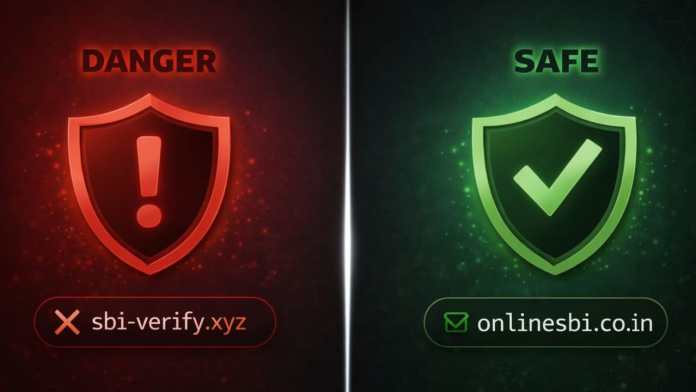
Hackers create lookalike domains by swapping letters or adding extra characters. For example, “amaz0n.com” instead of “amazon.com.” These tiny differences are easy to miss, especially on mobile screens. Always double-check the domain name before entering any personal information.

Unsecured Websites (HTTP vs. HTTPS)

Safe websites use HTTPS encryption, indicated by a padlock icon in the browser bar. If a site lacks this protection, avoid entering passwords or payment details. Cybercriminals often set up unsecured pages to harvest user data.

Strange URL Structures and Excessive Subdomains

Legitimate websites maintain clean, logical URLs. Suspicious links often contain random characters, long tracking codes, or multiple subdomains like “secure.bank.login.example.com.” Such complexity is a common tactic to confuse users and hide malicious intent.

How Scammers Manipulate Your Emotions

Phishing attacks work because they trigger fear, greed, or urgency. Recognizing these emotional hooks helps you stay rational and avoid dangerous clicks.

Urgent Messages Push You to Act Without Thinking

Emails threatening account suspension, unpaid invoices, or immediate KYC updates are classic phishing tactics. The goal is to make you panic and click without verifying. Legitimate organizations give you time to respond. If a message demands instant action, pause and verify through official channels.

Too-Good-to-Be-True Offers Hide Scams

Messages promising free prizes, huge discounts, or lottery wins are almost always scams. Hackers use these lures to collect personal information or request small “processing fees.” Delete such messages immediately.

Use Trusted Tools to Check Suspicious Links Safely

Several free online scanners let you check suspicious links without exposing your device to harm. These tools analyze URLs for malware, phishing, and other threats.

Bitdefender Link Checker

Bitdefender offers a free URL scanner. Paste the link, click “Check URL,” and receive a safety report within seconds. It’s ideal for quick verification before clicking unknown links.

NordVPN Link Checker

NordVPN provides a link checker that detects phishing pages and malware. It also scans messages and files, making it a comprehensive safety tool for browsing and email.

VirusTotal

VirusTotal analyzes URLs and files using multiple antivirus engines. Paste a suspicious link, and the platform displays detailed reports, including community ratings that flag dangerous sites.

F-Secure Link Checker

F-Secure offers a straightforward link checker. Enter a URL, and the tool instantly tells you if the site is safe or a known phishing threat. It’s updated regularly to counter new cyber attacks.

Google Safe Browsing

Google Safe Browsing protects billions of users by flagging unsafe websites. You can manually check if a site is dangerous by pasting its URL into the tool. Avoid opening any site marked as unsafe.

urlscan.io

urlscan.io lets you preview a website’s content without visiting it directly. It captures screenshots and shows redirects, helping you understand a site’s behavior before you risk your security.

EasyDMARC Phishing URL Checker

EasyDMARC offers a phishing URL checker designed for email security. It scans multiple links at once and classifies them as clean or suspicious. Businesses can integrate its API into existing security systems.

Developing Smart Online Safety Habits

Tools are helpful, but your daily habits make the biggest difference. Adopt these practices to reduce your risk of falling for malicious links.

Hover Before You Click

Hover your mouse over any link before clicking. Most browsers display the actual URL in the status bar or near the cursor. This simple habit reveals mismatches between the displayed text and the real destination.

Verify the Sender’s Identity

Hackers often spoof company names and email addresses. Check the sender’s full email address, not just the display name. If it doesn’t match the official domain, treat the message as suspicious.

Install Antivirus Software with Real-Time Protection

Modern antivirus programs automatically scan links and block dangerous pages before they load. Keep your software updated to defend against the latest threats. For more tips, read our guide on avoiding phishing emails.

Avoid Sharing Private Links in Public Scanners

Some online scanners store submitted URLs and scan results. Never paste confidential links—such as login pages or internal company resources—into public tools. Instead, contact your IT team or use a private verification method.

Think Before You Click

Cybercriminals depend on impulsive clicks. Take a few seconds to evaluate the message, the sender, and the link. This pause can prevent a serious security breach. For more cybersecurity advice, explore our beginner’s guide to online safety.

Final Thoughts

Staying safe online starts with a simple habit: always check suspicious links before clicking. By recognizing warning signs, using free security tools, and practicing mindful browsing, you can protect your personal data and devices from cyber threats. Don’t let urgency or greed cloud your judgment—verify first, click later. For additional resources, visit our online safety tools page.

Continue Reading
Click to comment

Leave a Reply

Your email address will not be published. Required fields are marked *

How To

Huawei’s Next Foldable Smartphone Set for Global Launch on December 12

Published

on

Huawei’s Next Foldable Smartphone Set for Global Launch on December 12

Huawei is gearing up to unveil its latest Huawei foldable smartphone on December 12 in Dubai. While the company has kept the exact name under wraps, industry insiders believe the device could be either the Huawei Mate X6 or the innovative Huawei Mate XT Ultimate. Both models have already made waves in China, thanks to their cutting-edge designs and impressive specifications.

This global launch marks a significant step for Huawei as it continues to expand its footprint in the premium smartphone market. The event is expected to draw attention from tech enthusiasts and industry analysts alike.

What to Expect from the Huawei December 12 Event

Huawei has confirmed that the upcoming device will be a flagship foldable, but details beyond the launch date remain scarce. Rumors strongly suggest two possibilities: the Mate X6, which debuted in China earlier this year, or the Mate XT Ultimate, a revolutionary tri-fold handset announced in 2024.

Either way, consumers can expect a device that pushes the boundaries of foldable technology. Huawei has a track record of delivering premium build quality and innovative features, and this launch is likely no exception.

Huawei Mate X6: A Foldable Powerhouse

If the Mate X6 is the star of the show, users are in for a treat. This device is packed with flagship-grade hardware designed to impress.

Display and Design

The Mate X6 features a 6.45-inch LTPO 2.0 outer screen that unfolds into a spacious 7.93-inch LTPO 2.0 inner display. Both screens offer a smooth 120Hz refresh rate, ensuring fluid scrolling and an immersive viewing experience.

Camera System

Photography enthusiasts will appreciate the triple rear camera setup: a 50MP primary sensor, a 40MP ultrawide lens, and a 48MP telephoto macro sensor. An infrared sensor adds extra functionality for low-light shots. Selfie cameras on both the outer and inner screens are 8MP each.

Battery and Charging

With a 5,200mAh battery and support for 66W fast charging, the Mate X6 is built to keep up with heavy usage. You can go from zero to full in under an hour.

Huawei Mate XT Ultimate: The Tri-Fold Innovation

On the other hand, the Mate XT Ultimate represents a leap forward in foldable design. Its tri-fold mechanism offers three distinct screen modes, making it one of the most versatile smartphones on the market.

Display Flexibility

The Mate XT Ultimate boasts a 6.4-inch outer screen, a 7.9-inch 2K dual display, and an astonishing 10.2-inch tablet mode screen. This adaptability allows users to switch between phone, tablet, and even a mini-laptop experience.

Camera Capabilities

The rear camera array includes a 50MP main sensor, a 12MP ultrawide lens, and a 12MP periscope telephoto lens for impressive zoom capabilities. An 8MP front camera handles selfies and video calls.

Battery Life

To power its larger display, the Mate XT Ultimate packs a 5,600mAh battery with 66W fast charging. This makes it ideal for users who demand all-day performance without compromise.

Why This Launch Matters for Huawei

This global release is crucial for Huawei as it aims to regain momentum in international markets. The company has faced challenges in recent years, but its foldable lineup continues to attract attention for its innovation and quality.

For more insights on foldable technology, check out our guide on the best foldable phones of 2025. You can also explore how Huawei compares to Samsung in the foldable space.

As December 12 approaches, all eyes will be on Dubai. Whether it’s the Mate X6 or Mate XT Ultimate, one thing is certain: Huawei is not backing down from the foldable race. Stay tuned for full coverage of the event and hands-on impressions.

Continue Reading

How To

Apple iPhone 17 Series: Release Date, Price, and All the Exciting Features Revealed

Published

on

Apple iPhone 17 Series: Release Date, Price, and All the Exciting Features Revealed

The buzz around the next generation of Apple smartphones is building fast. For anyone who follows iPhone 17 series rumors, the latest leaks paint a very clear picture of what to expect in 2025. From a radically slim design to a powerful new processor, the lineup promises to be a major leap forward. Here is everything we know so far about the upcoming devices.

Introducing the Ultra-Slim iPhone 17 Air

Perhaps the most talked-about addition to the iPhone 17 series is the new model reportedly called the iPhone 17 Air or iPhone 17 Slim. This variant is expected to be the thinnest iPhone Apple has ever produced. Leaks suggest a chassis made from a titanium-aluminum alloy, which would make it both lightweight and durable.

Building on this, the camera bump is rumored to be repositioned to the center of the back panel. The overall thickness is estimated to be between 5 mm and 6 mm. This design choice would create a sleek, minimalist look that stands out from previous generations.

Display and Durability Upgrades

The standard iPhone 17 is expected to feature a 6.3-inch display. Meanwhile, the Pro and Pro Max models will likely offer even larger, more advanced screens. However, a significant upgrade across the entire iPhone 17 series is the rumored 120Hz refresh rate. This would make scrolling, gaming, and general navigation feel incredibly smooth.

Furthermore, Apple may introduce a new scratch-resistant and anti-reflective coating. This would improve outdoor visibility and help keep the screen looking pristine over time. As a result, users can expect a more premium and durable experience right out of the box.

Performance Powered by the A19 Chipset

Under the hood, the iPhone 17 series is expected to be driven by the next-generation A19 chipset. This processor is designed to deliver unmatched performance and energy efficiency. Whether you are multitasking between heavy apps, playing graphics-intensive games, or streaming high-resolution video, the A19 chip should handle it all without stuttering.

In addition, the combination of the new chip and the 120Hz display will likely make the iPhone 17 a powerhouse for mobile gaming. Users can expect faster app launches, smoother animations, and better battery management compared to the current models.

iPhone 17 Series: Launch Date and Pricing

According to the latest leaks, Apple is planning to unveil the iPhone 17 series in late 2025. This follows the company’s typical launch schedule. The pricing structure is expected to cater to different segments of the market:

  • iPhone 17: Priced around Rs 80,000, this model is aimed at regular users who want a solid all-rounder.
  • iPhone 17 Pro: Expected to cost above Rs 1,20,000, targeting professionals and enthusiasts who demand premium features.
  • iPhone 17 Air: Likely to be the most expensive option due to its ultra-slim design and high-end specifications.

This means that the Air model could sit above even the Pro Max in terms of price. For those interested in the latest design trends, it will be the model to watch. You can also check out our detailed breakdown of the Google Pixel 9a for a comparison of upcoming flagship phones.

What This Means for Apple Fans

The iPhone 17 series is shaping up to be one of the most exciting releases in recent years. The introduction of the ultra-slim Air model gives consumers a fresh choice beyond the standard Pro and Pro Max. Combined with the performance boost from the A19 chipset and the smooth 120Hz display, these phones could set new benchmarks for the industry.

However, it is important to note that these details are based on leaks and rumors. Apple has not officially confirmed any specifications. As always, things could change before the official launch. For more insights, read our preview of the Xiaomi 17T Pro and other upcoming devices.

In conclusion, if you are planning an upgrade in late 2025, the iPhone 17 series should definitely be on your radar. Stay tuned for more updates as we get closer to the launch date.

Continue Reading

How To

How to Set Up and Use a Voice Lock Screen on Your Android Device

Published

on

How to Set Up and Use a Voice Lock Screen on Your Android Device

Have you ever wished your phone could unlock just by hearing your voice? A voice lock screen app makes this possible. Instead of typing a PIN or drawing a pattern, you simply speak a phrase. This guide walks you through everything you need to know — from downloading the app to setting it up securely. Whether you are new to Android or a seasoned user, this method adds a layer of convenience and security to your daily routine.

Why Choose a Voice Lock Screen for Your Android Phone?

Traditional lock screens rely on something you know (a password) or something you have (a fingerprint). A voice lock screen introduces something you are — your unique vocal print. This means that even if someone watches you type your password, they cannot mimic your voice pattern accurately. It is a hands-free solution that works well while driving, cooking, or when your hands are full. Moreover, it adds a futuristic feel to your device without requiring expensive hardware.

Voice Lock vs. Pattern Lock: Which Is Better?

Both options have their place. A pattern lock is visual and quick, but it can be guessed or observed. A voice lock, on the other hand, relies on audio biometrics. However, voice locks may struggle in noisy environments. The best approach is to use both: set a pattern as a backup and enable voice unlock for convenience. Many apps allow you to toggle between them easily.

How to Download the Voice Lock Screen App

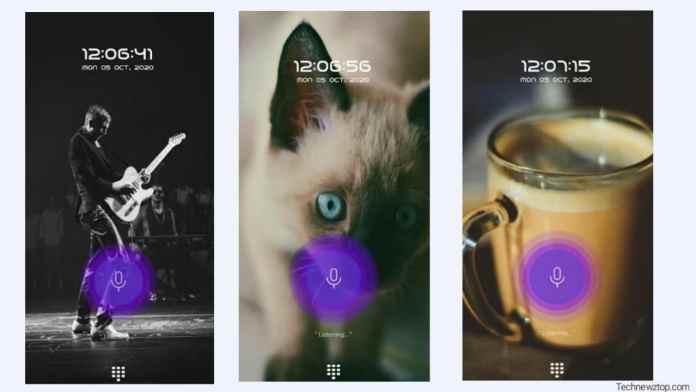
Getting started is straightforward. Open the Google Play Store on your Android device. Search for “voice lock screen” or use a specific app like Technewztop Voice Lock. Look for an app with high ratings and positive reviews. Tap “Install” and wait for the download to finish. Once installed, you will see the app icon on your home screen or app drawer.

Alternatively, you can visit the official website of the developer to get a direct download link. Always ensure you download from trusted sources to avoid malware. After installation, grant the necessary permissions — the app will need access to your microphone and device administrator rights to function correctly.

Step-by-Step Guide to Setting Up Your Voice Lock

Once the app is installed, follow these steps carefully. The process is simple and takes less than five minutes.

Step 1: Open the App and Choose Your Lock Type

Launch the app. You will see two main options: Pattern Lock and Voice Lock. Select Voice Lock to proceed. If you prefer a hybrid approach, set the pattern first and then enable voice as an additional unlock method.

Step 2: Record Your Voice Command

The app will ask you to record a phrase. Speak clearly and naturally. Use a phrase that is easy for you to remember but hard for others to guess. For example, “Open sesame” or “My private phone.” Repeat the phrase twice so the app can create a reliable voice model. Avoid background noise during recording for best results.

Step 3: Confirm and Test Your Voice Lock

After recording, the app will ask you to unlock using your voice. Say the same phrase. If the app recognizes it, the lock is active. If not, re-record until the app responds consistently. You can also adjust sensitivity settings in the app menu — higher sensitivity means stricter matching, while lower sensitivity allows more lenient recognition.

Step 4: Set a Backup Unlock Method

Always set a pattern or PIN as a fallback. Voice recognition can fail due to a sore throat, noisy surroundings, or app glitches. A backup ensures you are never locked out of your own phone. Most voice lock apps prompt you to create a backup during initial setup.

Tips for Maximizing Voice Lock Security

To get the most out of your voice lock screen, keep these pointers in mind. First, re-record your voice every few months. Your voice changes slightly over time, and updating the sample improves accuracy. Second, avoid using common phrases like “Hello” or “Okay” — they are easy for others to mimic. Instead, use a unique combination of words. Third, test the lock in different environments: at home, in a car, and outdoors. This helps you understand its limitations.

Additionally, enable notifications for failed unlock attempts. If someone tries to break in, you will know. Some apps also offer a “panic mode” where saying a specific word triggers an alarm or locks the phone completely. Explore these advanced features in the app settings.

Sharing the App with Friends and Family

Once you have set up your voice lock, consider sharing the app with others. It is a great conversation starter and a practical tool for elderly family members who struggle with remembering passwords. Send them the Play Store link or show them how it works on your phone. They will appreciate the added security and ease of use. Remember, phone security apps are only effective when used correctly, so offer to help with the setup if needed.

Final Thoughts on Using a Voice Lock Screen

Adopting a voice lock screen is a smart move for anyone who values both security and convenience. It eliminates the need to remember complex passwords and speeds up access to your phone. While no system is perfect, combining voice unlock with a pattern lock creates a robust defense against unauthorized access. Download the app today, follow the steps above, and enjoy a new level of phone protection. Do not forget to share this guide with friends who might benefit from it.

For more tips on securing your Android device, check out our comprehensive security guide or explore other useful Android apps that can enhance your daily experience.

Continue Reading

Trending