Connect with us

Video

How to Enable or Disable WAN Ping on Your Tenda Router: A Step-by-Step Security Guide

Published

on

Have you ever wondered if your Tenda router is silently broadcasting its presence to the entire internet? That little ping response might seem harmless, but it’s a beacon for cyber snoopers. In a new tutorial, we walk you through exactly how to control this feature—enabling or disabling WAN Ping on your Tenda router. This isn’t just a technical tweak; it’s a fundamental step in hardening your home network. Let’s dive into why this setting matters and how you can master it in minutes.

Why WAN Ping Tenda Settings Matter for Your Network Security

Before you click through menus, it’s crucial to understand what WAN Ping actually does. When someone on the internet sends a ping (an ICMP Echo Request) to your public IP address, your router can respond—or stay silent. If WAN Ping is enabled, your router replies, effectively saying, “I’m here.” That might sound helpful for troubleshooting, but it’s also an open invitation for malicious actors to probe your network.

Disabling WAN Ping Tenda security feature makes your router invisible to casual scans. Hackers often use ping sweeps to find live IP addresses; a silent router is simply skipped. As a result, you reduce your attack surface dramatically. However, there are legitimate reasons to enable it—like diagnosing connectivity issues from a remote location. The video breaks down this trade-off clearly, recommending that you disable WAN Ping for everyday use and only enable it temporarily when needed.

Step-by-Step: How to Disable WAN Ping on Your Tenda Router

The tutorial takes you through a straightforward process that works across most Tenda models, including the AC1200, AC23, and AC10. Here’s what you’ll need to do, based on the video’s guidance:

1. **Open your router’s admin panel**: Enter 192.168.0.1 or 192.168.1.1 in your browser’s address bar.
2. **Log in** with your administrator credentials—if you haven’t changed them, check the sticker on your router.
3. **Navigate to Advanced Settings or Security**, depending on your firmware version.
4. **Look for Firewall or WAN Settings**—the exact wording varies by model.
5. **Find the option labeled “Respond to Ping from WAN,” “WAN Ping,” or “ICMP Echo Request.”**
6. **Select Disable** to block external pings, or Enable to allow them.
7. **Click Save or Apply**, then restart the router if prompted.

In addition, the video emphasizes that the menu names might differ slightly, so don’t panic if you see “WAN Ping” instead of “ICMP Echo Request.” The core principle remains the same: you’re controlling whether your router answers to the outside world.

The Security Benefits of Turning Off WAN Ping on Tenda Routers

When you disable WAN Ping, you’re not just hiding your router—you’re also reducing the risk of certain types of attacks. Cybercriminals often use ping responses to confirm a target is alive before launching more sophisticated assaults, like DDoS or brute-force attempts. By staying silent, you make their job harder.

Moreover, disabling WAN Ping can prevent bandwidth theft. Some malware uses ping floods to consume your internet connection’s resources. By turning off this feature, you block that vector entirely. The video stresses that this is a recommended security practice for any home user, especially if you’re running IoT devices that might be vulnerable.

However, there’s a flip side. If you’re a network administrator or a tech enthusiast who needs to test connectivity from outside, you’ll need to enable WAN Ping temporarily. The tutorial advises doing this only when necessary and re-disabling it afterward. This balanced approach ensures you get the best of both worlds: security and functionality.

Troubleshooting Common Issues When Configuring WAN Ping Tenda

Sometimes, even after following the steps, you might face hiccups. The video addresses a few common scenarios:

– **Can’t access the admin panel?** Double-check your IP address and ensure you’re connected to the router’s network.
– **Option not visible?** Try updating your router’s firmware—older versions might lack the WAN Ping toggle.
– **Ping still works after disabling?** Clear your browser cache or try a different browser. Also, ensure you’ve applied and saved the settings correctly.

Building on this, the video reminds viewers that changing this setting doesn’t affect internal network pings—only external ones. So, you can still ping your router from your own devices. If you’re still having trouble, the comments section below the video is a goldmine of solutions from other users who’ve faced the same issues.

Final Thoughts on Securing Your Tenda Router

In today’s connected world, every layer of security counts. Disabling WAN Ping on your Tenda router is a small but powerful step toward protecting your home network. The tutorial makes it easy, even for beginners, with clear timestamps and visual guidance. As a result, you’ll walk away with a more secure setup and the knowledge to tweak it whenever needed.

Therefore, if you’re ready to take control of your router’s visibility, watch the full video below. It’s concise, practical, and gets straight to the point. And if it helps you, don’t forget to show some love with a like and subscribe for more tech tutorials. Your network will thank you!

Continue Reading
Click to comment

Leave a Reply

Your email address will not be published. Required fields are marked *

Video

5 Simple Claude AI Service Businesses You Can Launch This Week

Published

on

Claude AI service businesses

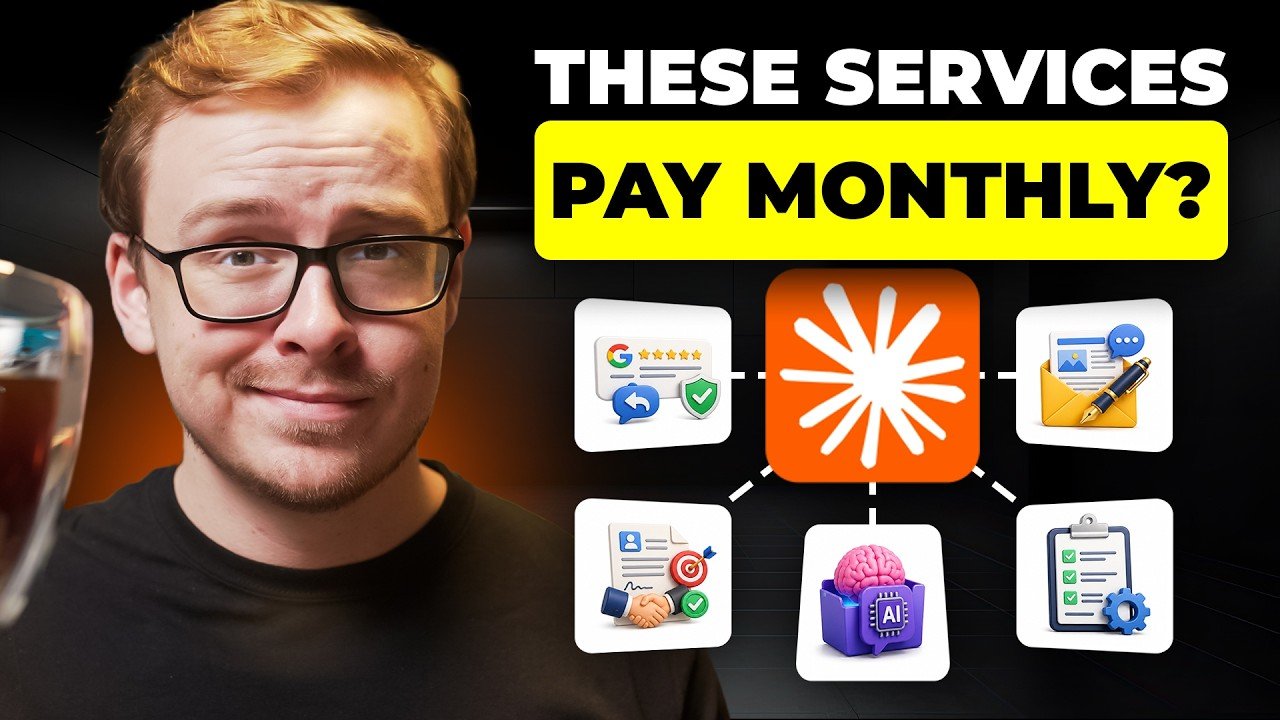
If you’ve been scrolling through YouTube looking for a fresh way to make money online, you’ve probably seen the same tired advice: start a dropshipping store, become an influencer, or sell printables. But what if the real opportunity is hiding in plain sight? Shane Hummus, a YouTuber known for his no-nonsense career and side-hustle breakdowns, just dropped a video that flips the script. He reveals five simple Claude AI service businesses that almost nobody talks about—and the best part? You can launch most of them in a single week.

In this article, we’ll unpack the key ideas from the video, explain why they work, and show you how to get started. Whether you’re a freelancer looking to add AI-powered services or a complete beginner wanting your first online income stream, these concepts are worth your attention.

Why Claude AI Is a Goldmine for Service Businesses

Most people think of AI as a tool for generating text or images. But Shane argues that the real money is in *services*—not just using AI for your own projects, but offering AI-powered solutions to businesses that desperately need them.

Claude, developed by Anthropic, is particularly powerful because of its ability to understand context, maintain tone, and handle complex instructions. That makes it perfect for creating services like content writing, email marketing, and even voice cloning. The video highlights that many business owners are still unaware of what Claude can do, which means there’s a huge gap between what’s possible and what’s actually being offered.

Shane points out that the “AI gurus” often focus on the same saturated niches—like building chatbots or selling courses. But the five businesses he shares are simpler, less competitive, and often more profitable because they solve specific, overlooked problems.

The 5 Simple Claude AI Service Businesses (and How to Launch Them)

Let’s dive into the core of the video. Shane walks through five service ideas that you can start with minimal upfront cost. Here’s a breakdown of each, along with practical tips for getting your first client.

1. AI-Powered Content Repurposing

One of the biggest pain points for creators and small businesses is creating enough content. Shane reveals a simple system that takes one piece of content—say, a YouTube video or a blog post—and multiplies it into dozens of social media posts, email newsletters, and even LinkedIn articles. Using Claude, you can offer this as a service to busy entrepreneurs who don’t have time to repurpose their own material.

**How to start:** Pick a niche (e.g., fitness coaches, real estate agents), create a portfolio by repurposing your own content, and pitch to businesses with a sample. You can charge a monthly retainer for ongoing repurposing.

2. “Ghost” Service for Business Owners

This one is intriguing because it’s so under-the-radar. Shane calls it the “ghost” service: you become the invisible writer behind a business owner’s blog, newsletter, or social media. Using Claude, you can mimic a person’s voice perfectly—so well that their clients think they wrote it themselves.

**Why it works:** Many business owners know they should be posting content, but they hate writing. By offering a done-for-you service that sounds exactly like them, you solve a real problem. The key is training Claude on their past writing samples, which Shane shows in the video.

**How to start:** Reach out to local businesses or freelancers on platforms like Upwork. Offer a free trial post to demonstrate how well you can match their tone.

3. AI-Powered Audio/Video Transcription and Summarization

Another overlooked gem is transcription and summarization. But Shane takes it a step further: he shows a “recording trick” that turns rambling voice notes into professional, structured documents. This is perfect for podcasters, journalists, and consultants who need clean notes from their meetings.

**How to start:** Use Claude to transcribe and summarize audio files. Offer a fast turnaround—same-day or 24-hour—and charge per minute of audio. This is a low-effort, high-demand service that most people don’t even think to offer.

4. AI-Powered Email Marketing Systems

Email marketing is still one of the highest ROI channels, but many small businesses struggle to write compelling emails. Shane mentions a “simple system that writes in someone else’s voice perfectly,” which directly applies here. You can build entire email sequences for clients—welcome series, promotional campaigns, and follow-ups—using Claude.

**How to start:** Create a few sample email sequences for a mock brand. Then, pitch to e-commerce stores or coaches who need to nurture their lists. You can charge per sequence or on a monthly basis.

5. The Ultimate Move: Becoming the Brand Yourself

Shane’s final point is more of a mindset shift. Instead of just selling services, you can build your own brand around Claude AI. That might mean creating a YouTube channel, a newsletter, or a course that teaches others how to use Claude for business. He even mentions a platform that insiders agree beats everything else—though you’ll have to watch the video to get the full details.

**How to start:** Choose a specific angle (e.g., “Claude for real estate agents”) and create content that showcases your expertise. Over time, you can monetize through coaching, affiliate products, or your own digital products.

Why These Businesses Are So Underrated

Shane makes a compelling case that these opportunities are ignored because they’re not flashy. They don’t promise get-rich-quick schemes or require you to be a tech wizard. Instead, they rely on a simple premise: businesses need content, and Claude can generate it faster and cheaper than a human—but a human still needs to deliver it.

That human is you. By combining Claude’s power with your own creativity and client management skills, you create a service that’s both scalable and personal. Plus, because these niches are less crowded, you can command higher prices and build lasting relationships with clients.

How to Get Started Today

If you’re ready to jump in, here’s a quick action plan:

1. **Pick one service** from the list that matches your skills and interests.
2. **Create a sample** using Claude—even if it’s for a fake client—to build your portfolio.
3. **Offer a free trial** to a potential client to get your first testimonial.
4. **Set your pricing** based on the value you provide, not the hours you work.

Shane’s video goes into much more detail, including a tool that almost no creator has heard of yet and a limited-time resource that could give you an edge. If you’re serious about starting an AI service business, I highly recommend watching the full video.

Final Thoughts

The beauty of these Claude AI service businesses is their simplicity. You don’t need a huge following or technical skills—just a willingness to learn and help others. As Shane says, the opportunity is hiding in plain sight. The question is: will you grab it?

So, what are you waiting for? Watch the video below to get the exact steps, timestamps, and resources you need to launch your own AI-powered service business this week. Your future clients are out there—they just haven’t found you yet.

Continue Reading

Video

Galaxy Z Fold 8 vs S26 Ultra: Is the $1,200 Trade-In Deal Worth It?

Published

on

S26 Ultra to Z Fold 8

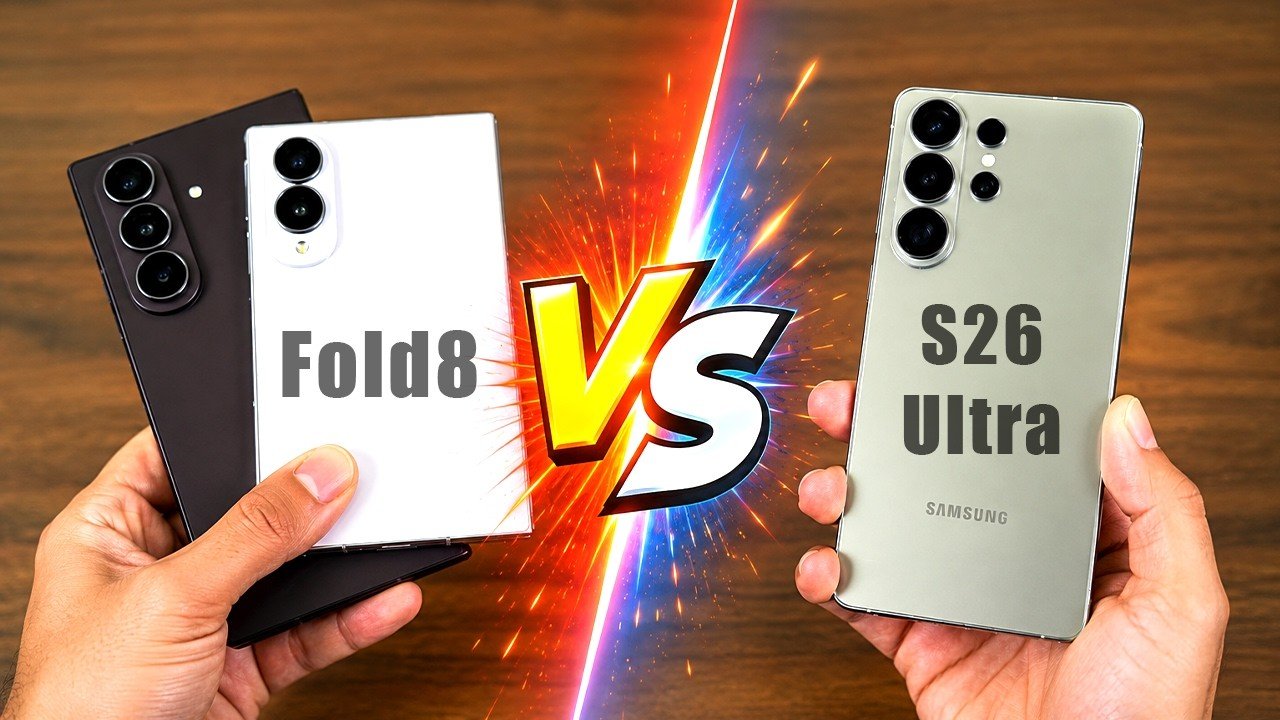
Samsung is dangling a tempting carrot in front of every Galaxy S26 Ultra owner: a $1,200 instant trade-in credit toward the new Galaxy Z Fold 8 or Z Fold 8 Ultra. That’s essentially the full price you paid for your slab-style flagship. But is this deal too good to be true? Or is it a strategic move to get you into a foldable before you even think twice?

In a recent deep-dive video, tech reviewer SakiTech breaks down exactly what you gain, lose, and keep when jumping from the S26 Ultra to Samsung’s latest foldables. If you’ve been eyeing the foldable future but worried about compromises, this analysis is your reality check. Let’s unpack the details before you hit that trade-in button.

The $1,200 Trade-In Deal: A Closer Look

The headline number is undeniably eye-catching. Samsung is offering up to $1,200 in instant trade-in value for the S26 Ultra, which effectively means you can swap your current phone for a brand-new Z Fold 8 at little to no extra cost—depending on the model you choose.

However, there’s a catch: this deal is tied to specific configurations and carriers. SakiTech notes that while the base Z Fold 8 might be nearly free after trade-in, the Z Fold 8 Ultra—with its larger cover screen and upgraded internals—will still cost you a few hundred dollars out of pocket. The video also highlights a promo code “Paypal100” for an extra $100 off, but only for certain buyers.

Building on this, the price breakdown is crucial. The Z Fold 8 starts at $1,899, while the Ultra variant goes for $2,199. After the $1,200 credit, you’re looking at $699 or $999 respectively. That’s a significant discount, but it’s not a free upgrade unless you opt for the base model with a carrier deal.

What You Gain: The Dual-Screen Experience

The most obvious benefit of moving from the S26 Ultra to the Z Fold 8 is the foldable form factor itself. You’re getting a phone that transforms into a mini-tablet, giving you a 7.6-inch inner display when unfolded. This is a game-changer for multitasking, reading, and watching media—no more squinting at a cramped screen.

SakiTech emphasizes that the Z Fold 8 offers a true “phone + tablet” dual experience. You can run three apps simultaneously on the inner screen, drag-and-drop files between windows, and even use the cover display for quick tasks without unfolding. For productivity enthusiasts, this is a massive leap forward.

In addition, the Z Fold 8 Ultra takes this a step further with a larger 8-inch inner display and a more refined hinge mechanism. The video suggests that the Ultra is aimed at media consumers who want a tablet-like experience in their pocket, while the standard Fold 8 is better for productivity-focused users who prefer a more compact folded profile.

What You Lose: Cameras, S-Pen, and Durability

Here’s where the trade-off gets real. The S26 Ultra is renowned for its 200MP main camera and 5x periscope zoom lens. The Z Fold 8, by contrast, features a 50MP main sensor and a 3x telephoto lens. That’s a noticeable step down in zoom quality and low-light performance. If photography is your priority, you’ll feel this loss.

Moreover, the S-Pen support is different. While the Z Fold 8 supports the S-Pen Fold Edition, it doesn’t have a built-in silo like the S26 Ultra. You’ll need to carry a separate case or holder, which can be inconvenient for everyday use.

Durability is another concern. The S26 Ultra has an IP68 rating, meaning it’s fully dustproof and water-resistant. The Z Fold 8, on the other hand, only offers IP48—it can handle water splashes but not dust ingress. SakiTech warns that this could be a dealbreaker for outdoor enthusiasts or those in dusty environments.

Charging, Battery, and Performance: What Stays the Same

When it comes to raw performance, both phones are powered by the same Snapdragon 8 Gen 4 chipset (or Exynos in some regions), so you won’t notice any difference in speed. The software experience is also identical—One UI 7 with the same AI features like Circle to Search and generative photo editing.

Battery life is a mixed bag. The Z Fold 8 has a 4,400mAh battery, slightly smaller than the S26 Ultra’s 5,000mAh cell. However, the foldable’s inner display is power-hungry, so real-world endurance may be shorter. Charging speeds are also slower: the Z Fold 8 tops out at 25W wired, while the S26 Ultra supports 45W. That means you’ll wait longer for a full charge.

Final Verdict: Should You Make the Jump?

So, is the S26 Ultra to Z Fold 8 upgrade worth it? It depends on your priorities. If you crave multitasking and a tablet-like experience, the trade-in deal makes it a no-brainer—you’re essentially paying a fraction of the cost for a premium foldable. However, if you’re a photography buff or live a rugged lifestyle, the compromises in camera and durability might give you pause.

SakiTech’s conclusion is balanced: the Z Fold 8 is a fantastic device, but it’s not a universal upgrade. He recommends that S26 Ultra users who value flexibility and screen real estate make the switch, while those who rely on zoom photography or dust resistance should hold off until Samsung addresses these gaps.

Ready to see the full breakdown with all the specs and side-by-side comparisons? Watch the video above for SakiTech’s detailed analysis, including timestamps for each section. You’ll get the complete picture before you decide where your $1,200 goes.

Continue Reading

Video

Samsung Galaxy Z Fold 8: One Week Later – The Pros, Cons, and Hidden Tricks

Published

on

Galaxy Z Fold 8 review

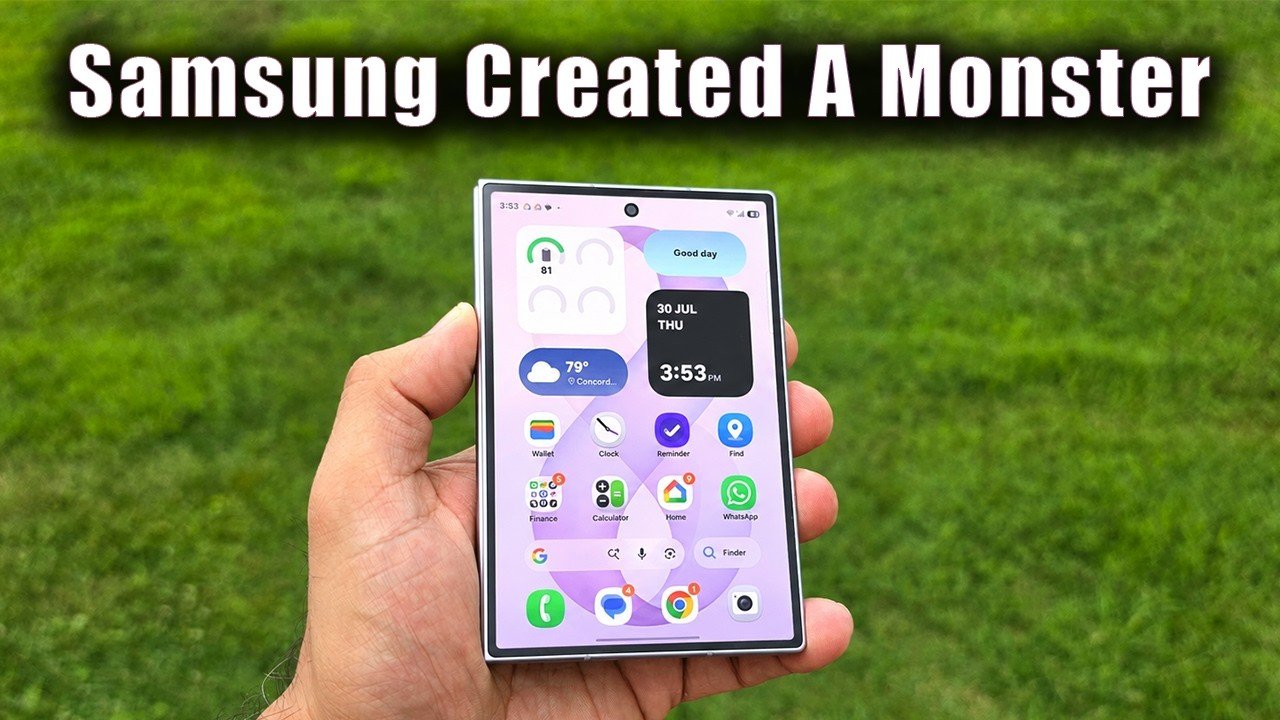
One week. That’s all it took for a dedicated Galaxy S26 Ultra user to switch sides. In a new video, tech reviewer SakiTech puts the Samsung Galaxy Z Fold 8 through its paces as a daily driver, and the results are surprising. He doesn’t just list specs; he shares real-world battery numbers, a hidden display trick, and a direct showdown with the rumored Z Fold 8 Ultra. If you’re on the fence about buying a foldable, this hands-on follow-up review is exactly what you need.

Real-World Battery Life and Screen-On Time

Battery anxiety is the biggest fear for any foldable owner. However, SakiTech’s week-long test reveals that the Galaxy Z Fold 8 holds up admirably. He tracks screen-on time during typical usage—streaming, navigation, and social media—and the numbers are surprisingly solid. In fact, he notes that the Z Fold 8 easily gets him through a full day, often with 20% or more left by bedtime. That’s a significant improvement over previous generations, and it directly addresses one of the biggest cons of foldable phones. Therefore, if you’re worried about the battery, this video provides concrete data to ease your mind.

The Hidden Display Trick: Reaching True 3,000 Nits

One of the most intriguing segments covers the display. Samsung advertises a peak brightness of 3,000 nits, but most users never actually see it. In this Galaxy Z Fold 8 review, SakiTech reveals a simple setting that unlocks the full brightness potential. It’s not a hack or a third-party app—just a hidden menu option that many owners overlook. As a result, outdoor visibility becomes a non-issue, even under direct sunlight. This is a game-changer for anyone who uses their phone for navigation or outdoor photography. Building on this, he also tests the adaptive brightness in various lighting conditions, proving that the panel is more than just a marketing spec.

Ergonomics, Drop Risk, and One-Handed Mode

The Z Fold 8 is a large device, and ergonomics matter. SakiTech candidly discusses the drop hazard, especially when using the phone one-handed. He admits that the outer screen is narrow, which can make typing a challenge. However, he demonstrates a clever one-handed mode trick that makes the device far more manageable. This involves a specific gesture and a quick settings toggle that shrinks the display for easier thumb reach. Moreover, he recommends a specific case that adds grip without adding too much bulk. Therefore, despite the learning curve, the Z Fold 8 can be used comfortably by most people, provided you follow his setup advice.

Z Fold 8 vs. Z Fold 8 Ultra: Multitasking and Media

The final section pits the Galaxy Z Fold 8 against the rumored Z Fold 8 Ultra. SakiTech compares multitasking performance, app continuity, and media consumption. He notes that the standard Z Fold 8 has a 4:3 aspect ratio on the inner display, while the Ultra is expected to have a 10:9 ratio. This difference impacts movie watching—some films will have larger black bars on the Fold 8. However, he demonstrates that for most apps and productivity tasks, the Z Fold 8 is just as capable. He also highlights a key difference in the unfolding mechanism: the Ultra has a slightly different hinge, which affects how the screen folds flat. Ultimately, his verdict is clear: for most users, the Z Fold 8 offers the best balance of price and performance, unless you absolutely need the Ultra’s larger display.

Final Verdict: Should You Buy It?

After a week of heavy use, SakiTech is unequivocal: he’s ditching his S26 Ultra for the Z Fold 8. He loves the versatility, the battery life, and the hidden display brightness trick. While there are still some cons—like the narrow cover screen and the drop risk—the pros far outweigh them. Therefore, if you’re considering a foldable phone, this Galaxy Z Fold 8 review provides all the information you need to make an informed decision. Watch the full video above to see the exact settings, real-time battery tests, and the side-by-side comparison with the Ultra. It might just convince you to make the switch too.

Continue Reading

Trending