Connect with us

Video

How to Launch a One-Person Business and Personal Brand With Claude AI From Scratch

Published

on

Imagine waking up, brewing your coffee, and opening your laptop to build an empire—not a sprawling corporation, but a lean, one-person business powered by artificial intelligence. That’s the promise Shane Hummus lays out in his latest video, a no-nonsense roadmap for anyone who feels the pull of entrepreneurship but doesn’t know where to begin. He doesn’t just talk theory; he walks you through a practical, step-by-step strategy that leverages Claude AI to create content, build an audience, and monetize your expertise. If you’ve ever thought, “I’m too late to the AI game,” this video might just change your mind.

Why Most People Overlook Their Own Expertise

The core of Hummus’s argument hinges on a simple but profound question: What do you know that others don’t? He challenges the assumption that you need to be a tech wizard or a marketing guru to succeed. Instead, he insists that everyone has a unique combination of skills, experiences, and perspectives that can be packaged into valuable content. This is the foundation of a one-person business with Claude AI—not because the AI does all the work, but because it amplifies what you already bring to the table.

Furthermore, he addresses a critical statistic that most aspiring creators miss: the market is still early. Despite the flood of AI-generated content, the window for establishing a personal brand remains wide open. He cites data suggesting that less than 1% of people are actively using AI tools like Claude to build a business, which means the early adopters have a massive advantage. This isn’t about being first; it’s about being present and consistent before the noise becomes overwhelming.

Three AI Paths That Quietly Fail (And What to Do Instead)

Hummus doesn’t shy away from tough love. He outlines three popular approaches that sound good in theory but fail in practice. First, there’s the “content farm” method—churning out generic articles and videos with no personal angle. Second, the “tool hoarder” trap, where you spend hours learning every AI feature but never ship anything. Third, the “get-rich-quick” mindset, which treats AI as a slot machine rather than a tool for building something sustainable.

Instead, he proposes a single-sentence strategy: Use Claude AI to create content that solves specific problems for a niche audience, then monetize that trust through products or services. This approach works because it focuses on value over volume. In addition, he emphasizes the importance of choosing a niche where you can be the “expert” even if you’re just one step ahead of your audience. That’s the secret sauce—you don’t need to be the world’s foremost authority; you just need to be relatable and helpful.

The Content Type Where Beginners Beat the Experts

One of the most counterintuitive insights in the video is the power of “rough” first videos. Hummus argues that polished, perfectly edited content often feels sterile and unauthentic. In contrast, a raw, unscripted video where you’re genuinely thinking through a problem can build more trust with your audience. This is especially true when you’re using Claude AI to assist with research and structuring, but the delivery remains human.

Building on this, he introduces a prompt that does the heavy lifting—a template you can feed into Claude to generate outlines, talking points, and even email sequences. This isn’t about copying and pasting; it’s about using AI as a brainstorming partner. As a result, you can produce content in a fraction of the time it would take manually, freeing up hours for engagement and strategy. He even shares a “four-floor ladder” model that maps your journey from content creator to product seller, ensuring you don’t skip the crucial trust-building steps that lead to long-term success.

Why the AI Slop Wave Is Your Biggest Moat

You’ve probably seen the flood of low-quality, AI-generated articles and videos—what Hummus calls “AI slop.” While most people view this as a problem, he reframes it as an opportunity. Because so much content is generic and soulless, anything with a distinct human voice stands out immediately. This is where a personal brand with AI becomes your competitive advantage. By combining Claude’s efficiency with your authentic perspective, you create content that resonates on a deeper level.

However, he also warns about the 12-to-18-month window. The market is shifting quickly, and those who don’t establish a presence now may find it harder to break through later. He encourages viewers to run an “excuse audit”—write down every reason you’ve given for not starting, and then systematically debunk each one. It’s a powerful exercise that strips away the mental barriers holding you back.

Your Blueprint for a One-Person Business With Claude AI

In the end, this video is more than just a tutorial; it’s a mindset shift. Hummus demystifies the process of starting a one-person business with Claude AI, showing that it’s not about being a tech prodigy or having a huge budget. It’s about leveraging the tools you have, embracing your unique perspective, and committing to consistent action. Whether you’re a teacher, a designer, or a hobbyist, there’s a path for you.

So, if you’re ready to stop dreaming and start building, this video is your launchpad. Watch it, take notes, and then ask yourself: What’s stopping me from starting today? The answer might just be nothing at all.

Continue Reading
Click to comment

Leave a Reply

Your email address will not be published. Required fields are marked *

Video

I Assembled a Framework Laptop, Then Installed Omarchy — Here’s Why It Matters

Published

on

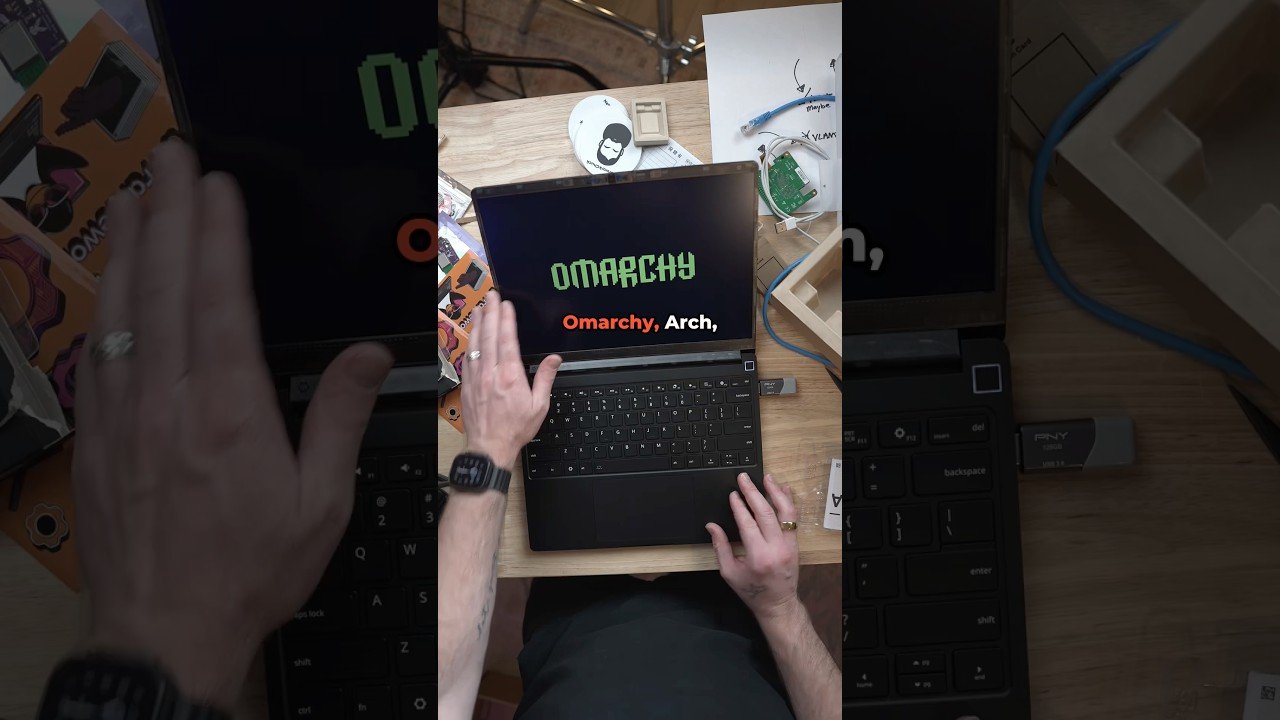
Framework laptop assembly

There’s something deeply satisfying about building your own PC. But a laptop? That’s a different beast entirely. Most ultrabooks arrive sealed, glossy, and impossible to open without a heat gun and a prayer. So when Framework Computer sent over one of their famously modular laptops, the challenge was clear: assemble it from the ground up, then push it further by installing Omarchy, a Linux-based operating system that most people have never heard of. The result is a short but compelling video that captures the spirit of modern DIY computing.

Why Framework Laptops Are a DIY Dream

Framework has built its reputation on one radical idea: a laptop you can actually repair, upgrade, and customize. Unlike traditional manufacturers that solder RAM and glue batteries, Framework uses standard screws, replaceable modules, and a design philosophy that invites tinkering. In the video, the creator walks through assembling the laptop — snapping in the memory, installing the SSD, and connecting the keyboard. It’s a process that feels more like building a desktop than unboxing a laptop.

Building on this, the modularity extends to the ports. Framework’s expansion cards let you choose USB-C, HDMI, DisplayPort, or even a microSD slot, all swappable in seconds. For anyone who has ever cursed a dongle, this is a revelation. The assembly isn’t just functional; it’s a statement that consumers deserve better than disposable tech.

Omarchy: A Fresh Take on Linux

Once the hardware was ready, the next step was software. Omarchy isn’t a household name like Ubuntu or Fedora, but it’s gaining traction among enthusiasts who want a clean, rolling-release experience. The video shows the installation process — quick, straightforward, and surprisingly polished. Omarchy builds on Arch’s foundation, offering a curated environment that’s both lightweight and customizable.

In addition, the creator highlights how Omarchy handles drivers out of the box on the Framework hardware. That’s not always a given with Linux laptops, but thanks to Framework’s open-source efforts and Omarchy’s modern kernel, everything from Wi-Fi to graphics worked without a hitch. For skeptics who think Linux requires endless terminal commands, this video is a refreshing counterpoint.

The Bigger Picture: Repair, Reuse, and Freedom

This video isn’t just about one laptop or one OS. It’s about a growing movement toward right-to-repair and sustainable tech. Framework’s business model directly challenges the planned obsolescence that plagues the industry. By making every component replaceable, they’re reducing e-waste and giving users control. Pair that with an open-source OS like Omarchy, and you have a device that’s truly yours — no bloatware, no locked bootloaders, no corporate surveillance.

Therefore, watching this assembly is more than entertainment; it’s a blueprint for a better computing future. The creator’s enthusiasm is contagious, and the hands-on approach demystifies what’s inside our most essential tools. Whether you’re a seasoned Linux veteran or a curious newcomer, this short video packs a surprising amount of insight into its brief runtime.

Why You Should Watch

If you’ve ever wondered whether you could build your own laptop, this video answers that question with a resounding yes. It’s a quick, honest look at the process — no sponsors, no strings attached. The creator even notes that Framework didn’t know about the video, so the praise feels genuine. Moreover, the Omarchy install is a great introduction to an OS that deserves more attention.

In conclusion, this is the kind of content that makes you rethink your next tech purchase. Instead of settling for a sealed brick, you could assemble a machine that’s upgradable, repairable, and running software you control. Watch the video, get inspired, and maybe start planning your own build. After all, the future of computing might just be in your hands — literally.

Continue Reading

Video

5 Jobs With Insane Overtime Pay: Why Employers Are Desperate

Published

on

jobs with insane overtime

Imagine a job where you can double your paycheck just by working extra hours. That’s not a fantasy—it’s the reality for workers in five specific fields right now. A new video from Shane Hummus, a career strategist with over a million subscribers, breaks down these roles and reveals why employers are practically begging for applicants. The video, titled “5 Jobs Offering Insane Overtime Because They Can’t Hire Fast Enough,” dives into the surprising reasons behind the labor shortage and the hidden opportunities it creates. If you’re looking for a career that rewards hard work with serious cash, this is the video you need to watch.

Why Overtime Opportunities Are Exploding

Shane starts by pointing out a common mistake job seekers make: they focus on base salary instead of total earning potential. In today’s market, some employers are so desperate to fill positions that they’re offering massive overtime pay just to keep operations running. This isn’t just about a few extra hours—it’s about roles where you can work 60, 70, or even 80 hours a week and see your income skyrocket.

The video highlights how the pandemic reshaped the labor market, creating shortages in industries that were already struggling to hire. As a result, companies are now offering incentives that were unheard of a few years ago. For example, some are quietly dropping degree requirements, making it easier for people without a college education to step into high-paying roles. This is a game-changer for anyone who thought they were locked out of certain careers.

The Five Jobs That Pay Big for Extra Hours

Shane walks through five specific jobs that are currently offering insane overtime. While he doesn’t name them all in the timestamps, the video reveals a mix of blue-collar and white-collar roles, from trades to tech. One standout is a trade that’s riding an “unstoppable boom”—likely in construction or energy, where demand is outpacing the available workforce. Another is a role that “will divide the comments,” suggesting it’s controversial but incredibly lucrative.

What’s fascinating is the “federal law loophole” written into one job’s schedule. This refers to the Fair Labor Standards Act (FLSA) rules that allow some employers to avoid paying overtime for certain categories of workers. However, Shane explains how some companies are using this to their advantage in ways that actually benefit employees, like offering premium pay for weekend shifts or holiday work.

The Hidden Signs of Desperate Hiring

One of the most valuable parts of the video is learning how to spot employers who are truly desperate. Shane shares a “recruiting tell” that gives everything away—often a job posting that’s been up for months or a listing that includes unusually high starting pay. He also mentions checking job boards for repeated ads, which is a clear sign that a company can’t fill a position.

This insight is crucial because it means you don’t have to settle for a lowball offer. If you know an employer is struggling to hire, you have leverage to negotiate a higher salary or better benefits. Shane’s advice is to use this information to your advantage, whether you’re applying for a new job or asking for a raise in your current one.

A Surprising Common Thread

At the end of the video, Shane reveals what all five jobs secretly have in common. While he keeps the details for the video, it’s likely that they all share a lack of glamour—roles that aren’t seen as “cool” but offer stability and high pay. This is a theme in many of his videos: the “boring” jobs are often the most rewarding financially.

He also shares a personal story about his brother asking him a question on vacation, which leads to a discussion about the “scarier-the-job rule.” This rule suggests that the more intimidating a job seems, the less competition you’ll face—and the more you can earn. It’s a counterintuitive approach, but one that has worked for many of his viewers.

Why You Should Watch the Full Video

This video isn’t just a list of jobs—it’s a masterclass in career strategy. Shane breaks down the exact steps you need to take to land one of these roles, including the “move almost nobody thinks to make” and the “boring advantage hiding in plain sight.” Whether you’re a recent graduate, a career changer, or someone looking for a side hustle, these insights could change your financial future.

So, if you’re ready to stop settling for a paycheck that barely covers your bills, watch the full video above. It might just be the push you need to find a job that pays you what you’re worth—and then some.

Continue Reading

Video

How to Fix Laptop Camera Not Working in Windows 11: Error Code 0xA00F4244 Explained

Published

on

laptop camera not working

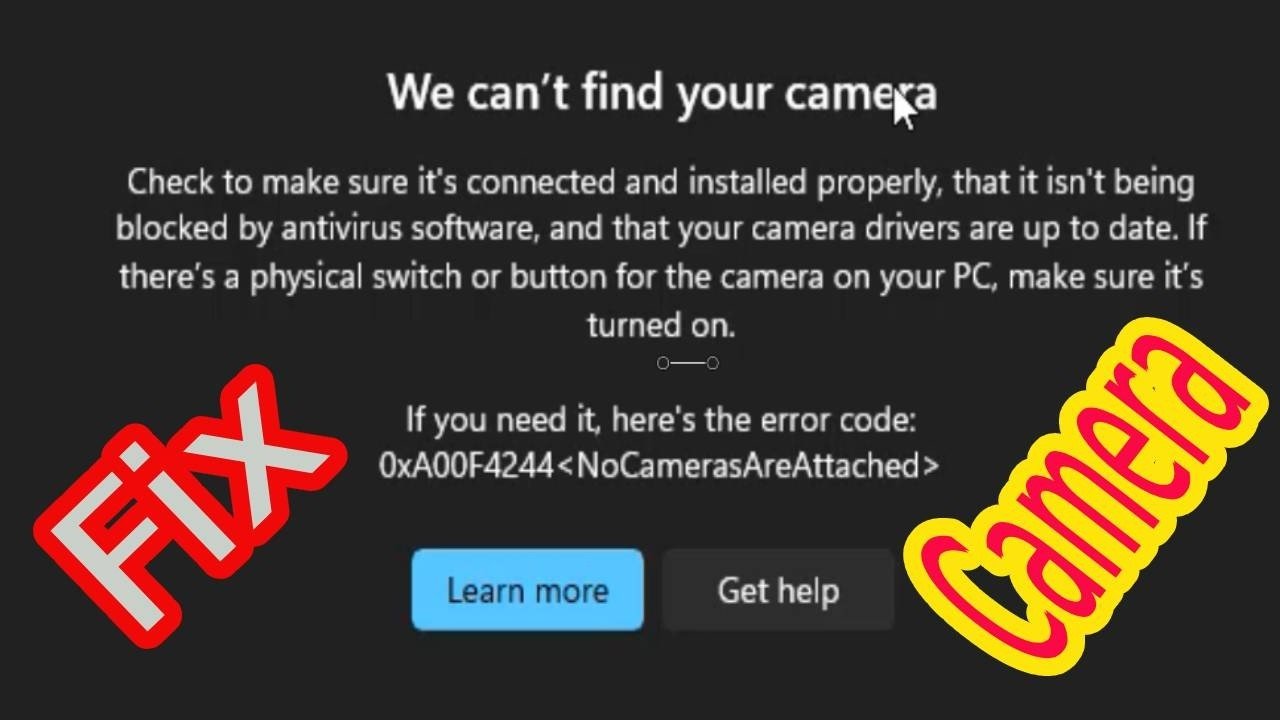
Imagine you’re about to join a critical video call, and Windows 11 tells you it can’t find your camera—error code 0xA00F4244 flashes on the screen. Panic sets in. But before you rush to buy a new webcam, know this: this error is almost always fixable with a few systematic steps. In a recent tutorial, a tech expert walks through exactly how to resolve this frustrating issue, and the solutions are simpler than you’d think.

Whether you’re a remote worker, a student attending online classes, or someone who just wants to video-chat with family, a dead camera can halt your day. The good news? Most fixes take less than ten minutes and don’t require technical expertise. Let’s break down what the video teaches and why these methods work.

Why Does Error 0xA00F4244 Happen on Windows 11?

Error 0xA00F4244, often accompanied by the message “We can’t find your camera,” typically stems from three root causes: hidden or disabled hardware, privacy settings blocking access, or outdated drivers. Windows 11 is particularly strict about privacy, so if you’ve recently updated the OS or installed new software, permissions might have been reset.

Additionally, physical switches—like a privacy shutter or a function key—can silently disable the camera. The video emphasizes checking these first because they’re the easiest to overlook. As a result, many users waste time reinstalling drivers when the real culprit is a tiny slider on the laptop’s edge.

Step 1: Scan for Hidden Hardware in Device Manager

The first recommended fix involves forcing Windows to detect the camera. Open Device Manager by pressing Windows Key + X and selecting it. Then, click “View” and choose “Show hidden devices.” This reveals hardware that Windows has hidden, often because the driver crashed or the device was disabled.

Next, click on your computer’s name at the top of the list, go to the “Action” menu, and select “Scan for hardware changes.” If the camera still doesn’t appear, the video suggests using “Add legacy hardware” from the same menu. This manual scan prompts Windows to search for any connected but unrecognized hardware, which can reinstall the camera without extra downloads.

Building on this, the hidden device scan is especially useful after a Windows update. When updates install, they can occasionally break device recognition, leaving the camera in a ghost state. This step forces the system to re-evaluate all connected components, often restoring the camera instantly.

Step 2: Check Physical Switches and Privacy Permissions

Many modern laptops feature a physical privacy shutter or a function key (like F4 or F6) with a camera icon. If activated, these block the camera at a hardware level, and no software fix will work. The video advises inspecting your laptop’s edges and keyboard for these toggles before diving into settings.

Once you’ve confirmed the hardware is on, navigate to Settings > Privacy & security > Camera. Here, you must ensure both “Camera access” and “Let apps access your camera” are enabled. Windows 11 sometimes turns these off after an update, which immediately triggers error 0xA00F4244 for all apps. In addition, scroll through the list of apps below to verify the specific app you’re using (like Zoom or Teams) has permission.

Therefore, this step is crucial because it addresses the OS-level gatekeeping. Even if your drivers are perfect, a single toggle off can block everything. The video’s emphasis on this simple check saves users from unnecessary driver downloads.

Step 3: Install Missing Drivers via Windows Update

Outdated or corrupted drivers are another common trigger. The video recommends heading to Settings > Windows Update > Advanced options > Optional updates. Here, you’ll find a list of driver updates that Windows didn’t install automatically. Look for any camera-related or system drivers, download them, and restart your computer.

Interestingly, many users skip optional updates, assuming they’re unnecessary. However, these often contain critical device fixes. The video points out that after installing the correct driver, the camera usually springs back to life. If the driver is already up to date, you can also try uninstalling the device from Device Manager and restarting—Windows will reinstall it automatically.

As a result, this dual approach—checking optional updates and reinstalling—covers both missing and corrupted drivers. It’s a robust solution that addresses the most persistent cases of laptop camera not working in Windows 11.

Final Thoughts: Get Your Camera Back Quickly

Dealing with a non-functional camera is never fun, but the steps in this tutorial are straightforward and effective. By scanning for hidden hardware, verifying physical switches, adjusting privacy settings, and updating drivers, you can eliminate error 0xA00F4244 in most cases. No need for expensive repairs or third-party software.

Therefore, if you’re still stuck after trying these, the video’s creator encourages you to comment below—there’s a good chance the community can help. For more tech troubleshooting, subscribe to the channel and hit the notification bell. Your next video call awaits, so watch the full tutorial and get that camera working again.

Continue Reading

Trending