Connect with us

Infosecurity

How to Manage the Growing Influx of VDI and Desktop-as-a-Service in Modern Enterprises

Published

on

How to Manage the Growing Influx of VDI and Desktop-as-a-Service in Modern Enterprises

Over the past two decades, the corporate world has undergone a dramatic transformation. Gone are the days of sprawling server rooms and bulky desktop computers tethered to landlines. The rise of cloud computing, remote workforces, and the Internet of Things (IoT) has reshaped how businesses operate. At the heart of this shift lies the increasing adoption of VDI and Desktop-as-a-Service—two technologies that are redefining how employees access their workspaces. But as these solutions proliferate, many organizations struggle to manage the influx effectively. This article explores practical strategies for handling this transition while maintaining security, controlling costs, and ensuring productivity.

Understanding the Shift: From Local Desktops to Virtual Workspaces

Traditionally, employees relied on locally installed operating systems and applications on their desktop or laptop computers. Data was stored on the device itself, making management straightforward but risky. If one machine became compromised, the entire enterprise network could be at risk. The emergence of cloud technology and remote work changed everything. Employees began taking devices home, complicating policy enforcement and security updates. This is where thin clients entered the picture. These lightweight devices with minimal local resources connect to centralized servers, reducing costs and improving control. However, the real game-changer came with virtual desktop infrastructure (VDI) and desktop-as-a-service (DaaS), which allow users to access a full desktop environment from anywhere, on any device.

Building on this, businesses now face a critical choice: adopt VDI or DaaS? Each model offers distinct advantages, but managing their influx requires a clear understanding of their differences and implications.

VDI vs. DaaS: Choosing the Right Model for Your Organization

VDI involves a company’s own servers delivering desktops to employee devices. The business retains full control over infrastructure, maintenance, and security updates. This is ideal for organizations with dedicated IT teams and strict compliance requirements. In contrast, DaaS is fully outsourced—employees simply connect to the internet and a cloud service, while the hosting provider handles all backend management. Think of VDI as half-board accommodation and DaaS as an all-inclusive resort. Both are excellent options, but they demand different approaches to management.

As a result, many businesses wonder: which is more secure? The answer depends on your context. DaaS providers often have robust security protocols, but trusting an external organization with sensitive data can be daunting. That said, DaaS is generally better suited for BYOD (bring your own device) policies, as all devices are managed behind the virtual desktop service, reducing the attack surface. On the other hand, VDI offers greater control for industries like healthcare or finance, where data sovereignty is paramount.

Key Strategies for Managing the Influx of Virtual Desktops

1. Prioritize Security from Day One

Security concerns often top the list when adopting VDI and Desktop-as-a-Service. To manage the influx effectively, start by assessing your organization’s risk profile. For DaaS, ensure your provider complies with industry standards like GDPR or HIPAA. For VDI, implement multi-factor authentication and regular patch management. Remember, the goal is to minimize the number of systems storing sensitive data—virtual desktops can help achieve that by centralizing resources.

2. Control Costs with Transparent Licensing

Cost is a major driver for adopting DaaS, especially for SMBs and healthcare organizations. However, hidden expenses can arise if you don’t understand your licensing agreement. For instance, if your company acquires another firm, DaaS costs may increase per user. Always clarify pricing breaks and scalability options upfront. With VDI, factor in hardware and maintenance costs. A clear cost analysis will help you manage the influx without budget surprises.

3. Streamline Deployment with Automation

Managing a large number of virtual desktops manually is inefficient. Use automation tools to provision, update, and decommission desktops quickly. This reduces IT workload and ensures consistent configurations across the organization. For example, integrating with cloud management platforms can simplify scaling during peak demand.

4. Train Employees for a Seamless Transition

User adoption is often overlooked. Provide training on how to access and use virtual desktops, especially for remote workers. Clear communication about security practices, like using strong passwords and avoiding public Wi-Fi, can prevent issues. When employees feel comfortable, the influx becomes an opportunity rather than a burden.

Real-World Applications: SMBs and Healthcare Lead the Way

Small and medium-sized businesses (SMBs) are among the biggest beneficiaries of VDI and Desktop-as-a-Service. They enjoy lower operational costs and reduced IT overhead, allowing them to focus on growth. Healthcare organizations, meanwhile, leverage the security benefits to protect patient data. For instance, a hospital using DaaS can ensure that sensitive information never leaves the virtual environment, even when doctors use personal devices. These sectors demonstrate how strategic management of virtual desktop influx can drive efficiency and compliance.

Conclusion: Embrace Change with a Clear Plan

The enterprise landscape will continue to evolve as resources become more virtualized. VDI and DaaS are not fleeting trends; they represent fundamental shifts in how work gets done. By prioritizing security, controlling costs, automating deployment, and training users, organizations can manage the influx smoothly. Whether you choose VDI’s control or DaaS’s convenience, the key is to align your strategy with business goals. For more insights, explore our guide on virtual desktop security best practices or learn about cloud migration strategies. Start planning today to turn this technological wave into a competitive advantage.

For further reading, check out Infosecurity Magazine for expert analysis on cybersecurity trends.

Continue Reading
Click to comment

Leave a Reply

Your email address will not be published. Required fields are marked *

Infosecurity

Washington sanctions VPN service that helped ransomware gangs hide in plain sight

Published

on

VPN service sanctions

A crackdown with a new target

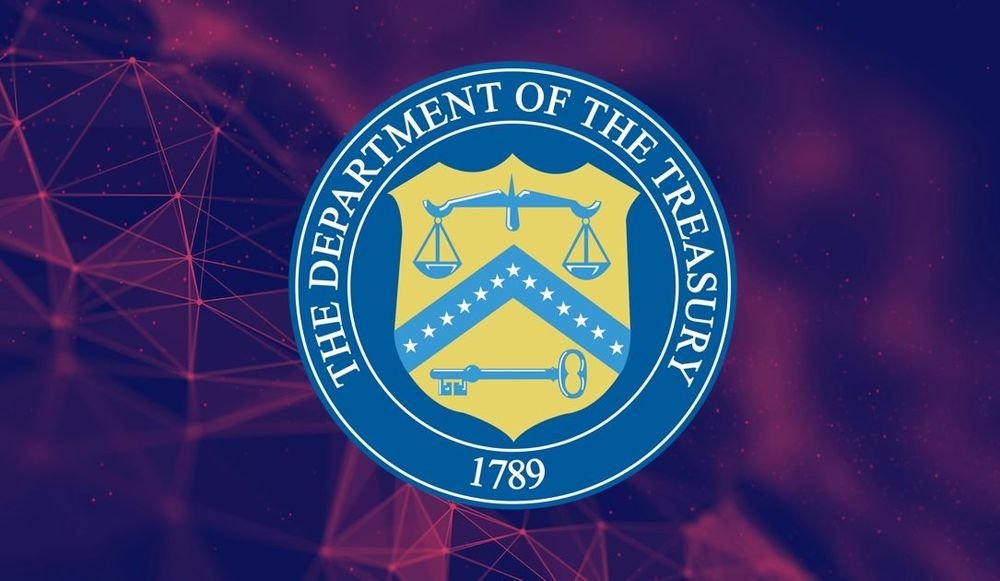
On Monday, the U.S. Treasury Department slapped sanctions on a VPN provider and its Ukrainian administrator, accusing them of giving ransomware gangs the digital cover they needed to hit American cities, hospitals, schools and businesses. The move marks a notable shift: instead of going after the attackers themselves, Washington is now squeezing the people who sell them the tools to stay invisible.

The sanctioned service, First VPN Service (1VPNS), has been a favorite on Russian-speaking cybercrime forums for years. According to the Treasury, it provided ransomware operators with ways to “hide their identities, disguise malicious software, and evade detection — enabling attacks that have caused billions of dollars in losses to U.S. critical infrastructure providers.”

That’s a hefty charge. And it’s part of a broader strategy that targets not just the gangs, but the entire ecosystem that supports them.

Who got hit and why

The sanctions name two individuals. The first is Dmytro Rashevskyi, a Ukrainian national who ran 1VPNS. The Treasury says Rashevskyi used fake identities to buy infrastructure from companies that might otherwise have refused to work with him — largely because internet service providers had complained about illegal activity coming from 1VPNS servers.

The second is Yegeniy Vladimirovich Silayev, a Belarusian national. Silayev isn’t affiliated with 1VPNS, but he’s accused of selling “cryptors” — software that cloaks malware as harmless files, making it far harder for antivirus tools to detect. Think of it as a digital disguise kit for malicious code.

What the sanctions actually do

For anyone in the U.S., doing business with these designees is now off the table. That’s the immediate legal effect. But sanctions carry another weight, too: a reputational hit that often scares off customers and partners. In the cybercrime world, where trust is already thin, being blacklisted by Washington can be a serious blow to revenue.

The Treasury didn’t name specific ransomware groups that used 1VPNS. It did say that many gangs bought internet infrastructure from the service, and that the VPN was marketed on dark web forums for its ability to support botnets and scammers of all stripes — all while promising total anonymity.

Not a new operation

This isn’t the first time 1VPNS has been in the crosshairs. In May, European law enforcement agencies and the FBI took the service down, saying it had long been a haven for fraudsters and ransomware operators. The service has operated since 2014, and its selling point was simple: no logs, no cooperation with law enforcement.

Rashevskyi marketed 1VPNS as low-risk precisely because “it does not keep logs of users’ identities or activities, and that it refuses to cooperate with law enforcement investigations into illegal activity originating from the servers it rents to customers,” according to the Treasury.

VPNs themselves aren’t evil, of course. Millions of people use them for privacy and security. But like any powerful tool, they can be twisted for malicious ends. The question is how far governments will go to police that gray zone.

Why this approach matters

Targeting infrastructure providers is a smart play. Instead of chasing individual hackers — who often operate from countries with little extradition appetite — the U.S. and its allies are cutting off the services that make large-scale attacks possible. Disrupt one VPN provider, and you disrupt operations for dozens of gangs at once.

That’s the theory, anyway. In practice, the effects can be harder to measure. Cybercriminals are adaptable; they’ll likely move to other services or build their own. But each sanction, each takedown, raises the cost of doing business in the underground economy.

For U.S. critical infrastructure providers — the hospitals, water systems and power grids that have been hit repeatedly — the hope is that these measures will eventually make ransomware less profitable. That’s a long game, and Monday’s action is just one move on the board.

If you’re watching the broader fight against ransomware, this is a trend worth following. The U.S. has increasingly used sanctions as a tool against cybercrime, and the list of designated entities keeps growing. For more on how these operations unfold, check out our coverage of ransomware attack response and cybercrime sanctions enforcement.

Continue Reading

Infosecurity

ToxicPanda 2.0: The Android Trojan That Just Got a Whole Lot Scarier

Published

on

ToxicPanda 2.0 Android malware

The Numbers Behind ToxicPanda 2.0

It’s not every day a piece of malware goes from targeting 16 apps to 140. But that’s exactly what Zimperium‘s zLabs team found when they dissected ToxicPanda 2.0, the latest iteration of a nasty Android banking trojan. The research dropped on August 19, and it’s already turning heads in the mobile security world.

The expanded target list includes 140 banking and cryptocurrency apps specifically targeted for PIN theft. That’s not the whole story either. The malware also uses overlay-based credential theft against 349 financial institutions spread across 16 countries, with the heaviest concentration in Pakistan, South Africa, Mexico, Nigeria, and India.

Think about that for a second. The first ToxicPanda variant was a relatively small operation. This one is a full-blown industrial-scale phishing machine.

How the Attack Works

When a victim opens one of the targeted apps, ToxicPanda 2.0 reaches out to its command-and-control server and pulls down a malicious HTML overlay. The overlay looks like a legitimate login page, but it’s designed to capture credentials and PINs. The user thinks they’re typing their password into their bank’s app. They’re actually handing it to an attacker.

But that’s just the entry point. The real innovation in this variant is how it abuses the Android Accessibility Service.

Accessibility Service Abuse: A New Attack Vector

The Accessibility Service is a legitimate feature designed to help users with disabilities interact with their devices. ToxicPanda 2.0 turns it into a backdoor. According to the Zimperium report, the malware uses this service to enable wireless debugging, which then becomes a route to shell access.

“Once the malware gains shell user permissions, it starts executing high-privilege commands directly through the ADB [Android Debug Bridge] daemon,” the report explains. “The malware bypasses standard Android runtime consent prompts to grant itself broad permissions, neutralize OS background restrictions, silently enable critical components, and enforce persistence.”

In plain English: the malware gives itself superpowers without asking for permission. It can disable battery optimizations, keep itself running in the background, and make sure it survives reboots.

PIN Theft via Screen Overlay

Another new trick up its sleeve is stealing device lock credentials. Using a screen overlay attack, ToxicPanda 2.0 captures the victim’s PIN, pattern, or password when they unlock their phone. This gives the attacker persistent access to the device, even after the initial infection is cleaned up.

Combine that with the banking app overlays, and you’ve got a two-pronged attack: one for the device, one for the apps on it.

Why This Matters for Enterprises

Bradley Smith, deputy CISO at BeyondTrust, pointed out something crucial about this variant. “What stands out to me in this research is that ToxicPanda 2.0 does not break Android, it operates Android,” he said. “We’ve been seeing this pattern across mobile threats all year: abuse of legitimate platform features, accessibility services above all, rather than exploitation of vulnerabilities. There is no patch for a feature working as designed, so the control plane must move from patching to governing who and what gets those grants.”

That’s a sobering thought. You can’t patch your way out of this one. The features the malware abuses are working exactly as Google intended. The only defense is controlling who gets access to them in the first place.

Three Controls to Mitigate ToxicPanda

Smith offered three practical steps for enterprises looking to reduce their exposure:

  • Block sideloading on any device enrolled in corporate identity. This cuts off the primary infection vector.
  • Treat accessibility service grants as privileged access events, subject to logging and review. If an app suddenly asks for accessibility permissions, someone should be reviewing that request.
  • Alert when developer options or wireless debugging switch on across the managed fleet. This is possible via mobile device management (MDM).

These aren’t exotic controls. They’re basic hygiene, but they’re the kind of thing that gets overlooked until something like ToxicPanda 2.0 shows up.

The Bigger Picture: Mobile Threats Are Evolving

ToxicPanda 2.0 is part of a broader trend that security researchers have been tracking all year. Attackers are moving away from exploiting vulnerabilities and toward abusing legitimate features. Accessibility services, wireless debugging, ADB — these are all standard Android tools. They’re not bugs. They’re features, and that’s exactly why they’re so dangerous.

For users, the takeaway is simple: be careful what you install, especially if you’re sideloading APKs from outside the Google Play Store. For enterprises, the message is even clearer. The old patching mindset won’t cut it anymore. You need to govern access to these powerful features, log their use, and alert when something looks off.

ToxicPanda 2.0 might not be the most sophisticated malware we’ve seen this year, but it’s a wake-up call. The attack surface is bigger than ever, and it’s not going to shrink on its own.

Continue Reading

Infosecurity

AI-Powered Attacks on Siemens PLCs: What ICS Operators Need to Know Now

Published

on

Siemens PLC attacks

The Warning: AI Is Now Writing Exploit Scripts for Siemens S7 PLCs

Industrial control system (ICS) operators are facing a new kind of threat. Adversaries are using artificial intelligence to craft exploitation scripts specifically targeting Siemens S7 Series programmable logic controllers (PLCs). This isn’t a theoretical risk. It’s happening now, and it’s forcing a hard look at how critical infrastructure defends itself.

A joint advisory from CISA, the FBI, and other agencies—published on August 19—spells out the danger. Sectors like manufacturing, energy, water and wastewater, and food and agriculture rely heavily on these PLCs. The potential fallout is severe: disrupted industrial processes, safety incidents, unplanned downtime, equipment damage, and compromised sensitive data. In the worst cases, that translates to real-world harm—water service interruptions, energy grid instability.

How the Attacks Unfold: From Scanning to Lateral Movement

The attack chain is methodical. Threat actors first use legitimate scanning services like Censys and ZoomEye to find internet-exposed or poorly segmented Siemens S7 Series PLCs. Once they’ve identified a target, they deploy AI-generated scripts to probe for vulnerabilities. The advisory is blunt: PLCs connected to the internet are at high risk.

But the AI involvement doesn’t stop at initial access. It’s also being used to move laterally within networks and evade defenses. Attackers are combining open-source industrial automation libraries with AI-assisted scripting to create custom tools that mimic legitimate OT monitoring solutions. These tools can read and write to Siemens S7 PLC memory, configuration data, and ladder logic programs via the S7comm protocol.

The goal, according to the authoring agencies, appears to be persistent reconnaissance. They’re mapping out critical environments, understanding how they work, and positioning themselves for future disruptive operations. As the advisory states: “For capability development, actors are testing and refining their exploitation techniques against specific PLC models… For operational effects, actors are leveraging read access to understand target environments, enabling preparation and positioning for future write operations.”

Why This Marks a Turning Point in ICS Attacks

The use of AI to generate exploit scripts is a genuine evolution in threat actor capabilities. It lowers the barrier to entry. Scripts that once required deep PLC expertise can now be produced—or modified—with far less effort. This is a shift from manual, labor-intensive hacking to something faster and more scalable.

This advisory follows earlier warnings about Iranian state-backed hackers targeting internet-exposed industrial systems from brands like Rockwell Automation, Allen-Bradley, Schneider Electric, and Siemens. Those warnings were linked to attacks on water systems across multiple US states in early August.

Mitigation Steps: What ICS Operators Must Do Now

The advisory lays out a series of urgent measures. These aren’t optional checklist items; they’re essential to reducing risk. Key actions include:

  • Proactively hunt for indicators of compromise—watch for connections from non-engineering workstations, repeated connection attempts with varying parameters, or traffic from unexpected countries or IP ranges.
  • Conduct an immediate inventory of all Siemens S7 Series PLCs in your environment and apply critical patches.
  • Ensure PLCs are not accessible from the internet. Separate OT and IT networks entirely.
  • Strengthen access controls: restrict PLC access to authorized engineering workstations and enable multi-factor authentication for all remote access to OT networks.
  • Disable web servers and unused communication protocols on Siemens S7 devices.
  • Contact Siemens for model-specific hardening recommendations.

Special attention is needed for operators who work with third-party service providers or system integrators. These vendors may have remote access to PLCs, and asset owners may not even realize their systems are exposed. That’s a dangerous blind spot.

Expert Perspective: The Real Lesson Isn’t About AI

Benny Czarny, CEO and founder of OPSWAT, offers a grounded take. He argues that AI just makes it easier for attackers to create and modify scripts targeting PLCs. The barrier to attacking industrial systems is falling. But his conclusion isn’t to chase better AI detection.

“The real lesson for me is still the same: stop giving attackers a path to the critical system in the first place,” he said. “And do not rely on antivirus and sandboxes to protect your data flow.”

That’s a sobering reminder. The fundamentals of ICS security—network segmentation, access control, patching—still matter most. AI may change the speed and sophistication of attacks, but it doesn’t change the basics of defense. For those managing critical infrastructure protection, the message is clear: assume your systems are targets, and act accordingly.

For more on how to secure operational technology environments, check out our guides on OT threat intelligence and PLC vulnerabilities.

Continue Reading

Trending