Connect with us

How To

Master Instagram Collaborations: Your Ultimate Guide to Partner Posts That Boost Reach

Published

on

Master Instagram Collaborations: Your Ultimate Guide to Partner Posts That Boost Reach

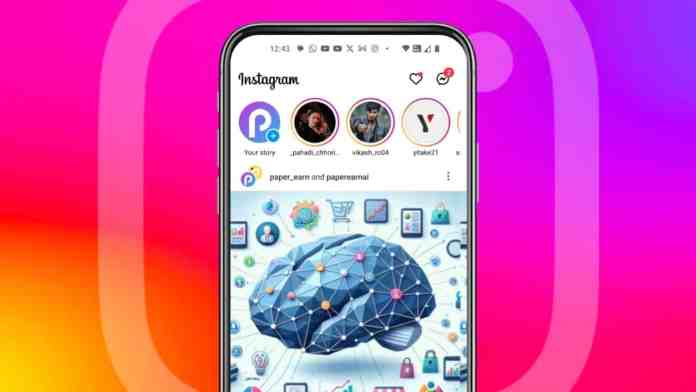
Instagram collaboration represents one of the most effective methods for expanding your digital footprint without spending money on advertisements. This powerful feature enables two users to co-author content that appears simultaneously on both profiles, creating shared ownership of posts and Reels.

Through strategic partnerships, content creators and brands can tap into new audiences, amplify their message, and achieve remarkable engagement growth. The beauty lies in its simplicity—one post, two profiles, doubled exposure.

Understanding Instagram Collaboration Features

The Instagram collaboration feature fundamentally transforms how users share content on the platform. When you create a collaborative post, you’re essentially merging audiences and combining engagement metrics.

Here’s what makes this feature revolutionary: the post displays on both collaborators’ profiles with unified likes, comments, and shares. This means your content reaches not only your followers but also your partner’s entire audience base.

Furthermore, the engagement metrics combine, potentially triggering Instagram‘s algorithm to prioritize your content in feeds. This organic boost can extend your reach far beyond your immediate network.

Key Advantages of Partnership Posts

The benefits extend beyond simple audience expansion. Collaborative content often performs better than solo posts because it appears more authentic and socially validated. When followers see two accounts endorsing the same content, trust increases significantly.

Step-by-Step Instagram Collaboration Process

Creating collaborative content requires a systematic approach. The process varies slightly depending on your device, but the core steps remain consistent across platforms.

Mobile Collaboration Setup

On your smartphone, begin by tapping the plus icon at the bottom of your Instagram screen. Select your desired photo or video content and proceed to the editing phase.

After making your visual adjustments, navigate to the tagging section. Instead of regular user tags, select “Invite Collaborator” and search for your intended partner’s username. You can invite up to five collaborators per post.

Once you’ve selected your collaborators, confirm your choices and publish the post. The invited users will receive notifications about the collaboration request.

Desktop Collaboration Method

Desktop users can access collaboration features through the web interface. Click “Create” from the left sidebar, then select “Post” to begin the upload process.

After uploading and editing your content, look for the “Add Collaborators” option. Type in your desired collaborator’s Instagram handle and select up to five partners for your post.

Managing Instagram Collaboration Requests

When someone invites you to collaborate, the request appears in your direct messages or notification center. This system ensures you maintain control over your profile’s content.

To review a collaboration request, navigate to your notifications and look for messages stating “[Username] invited you to collaborate on a post.” Tap “Review” to examine the content before making your decision.

If you accept, the post immediately appears on your profile. However, you retain the flexibility to remove yourself from collaborations at any time by accessing the post’s options menu.

Best Practices for Request Management

Consider each collaboration request carefully. Evaluate whether the content aligns with your brand values and appeals to your audience. Remember that collaborative posts reflect on both partners equally.

Additionally, think about engagement strategies that could enhance the collaboration’s success once you accept the invitation.

Maximizing Instagram Collaboration Benefits

Successful collaborations require strategic planning beyond the technical setup. Consider your partner selection carefully—their audience should complement yours rather than completely overlap.

Research potential collaborators thoroughly. Examine their recent posts, engagement rates, and follower demographics. This information helps predict how well your collaboration might perform.

Moreover, plan your content timing strategically. Post when both audiences are most active to maximize initial engagement, which influences algorithm prioritization.

Content Strategy for Collaborative Posts

Create content that appeals to both audiences while maintaining authenticity. Avoid overly promotional messaging that might alienate followers from either account.

Instead, focus on shared interests, values, or experiences that resonate across both follower bases. This approach generates more genuine engagement and builds stronger connections.

Common Instagram Collaboration Challenges

Despite its benefits, Instagram collaboration can present obstacles. Misaligned expectations often create friction between partners, especially regarding posting schedules or content approval processes.

To avoid conflicts, establish clear communication from the beginning. Discuss posting times, caption styles, hashtag strategies, and any promotional elements before creating content.

Another challenge involves tracking individual performance metrics. Since engagement combines across both profiles, measuring your specific contribution becomes more complex.

However, you can still monitor overall engagement trends and analyze audience growth patterns following collaborative posts to gauge effectiveness.

Building Long-term Partnership Success

Transform one-time collaborations into ongoing partnerships by maintaining regular communication with successful collaborators. Share performance insights and brainstorm future content ideas together.

This approach creates more authentic partnerships that audiences recognize and appreciate, leading to improved engagement over time.

Instagram collaboration offers tremendous potential for audience growth and engagement improvement. By understanding the technical process, managing requests effectively, and implementing strategic approaches, you can leverage this feature to achieve significant social media success.

Start exploring collaboration opportunities with accounts that share your values and complement your audience. The results may surprise you with their reach and impact.

Continue Reading

How To

Your Motherboard Has 3 USB Upgrades Hiding in Plain Sight

Published

on

USB upgrades motherboard

Don’t Buy a New PC—Check Your Motherboard First

You’ve been staring at your PC case, frustrated by the lack of USB ports. Maybe your front panel has two slots, and both are occupied by a mouse and a headset dongle. You’re about to drop hundreds on a USB hub or, worse, a whole new motherboard.

Stop. Your current board likely has three USB upgrades hiding in plain sight. I’ve built and tested dozens of PCs over the past 20 years, and these are the tricks I use every time.

1. The Internal USB Header You Forgot About

Most motherboards have more than one internal USB header. That second header—often labeled USB 2.0 or USB 3.2 Gen 1—is sitting there, unused, under your graphics card. It’s not a secret; it’s just hidden behind cables and heat sinks.

Pop open your case and look. If you see a 9-pin or 19-pin connector with no cable attached, you’ve found your upgrade. You can buy a USB header splitter for under $10 and turn that single header into two or four ports. No soldering, no special tools—just plug and play.

This is the cheapest way to add ports. A splitter costs less than a pizza, and you’ll get two extra USB 2.0 ports on your rear I/O or front panel. Some splitters even come with a bracket that mounts to an empty expansion slot, giving you ports without opening the case again.

What About USB 3.2 Headers?

If your board has a 19-pin USB 3.2 Gen 1 header that’s free, you’re in luck. That one can push 5 Gbps—ten times faster than USB 2.0. A single 19-pin header can be split into two USB 3.2 ports, and some splitters add a USB-C port too. Just check your motherboard manual to confirm the header type before buying.

2. The USB-C Front Panel Header—If You Have It

Newer motherboards, especially those from 2020 onward, often include a USB-C front panel header. It’s a small, rectangular connector, usually near the 24-pin power connector. Most PC builders ignore it because their case doesn’t have a USB-C port on the front.

Here’s the trick: you can buy a USB-C front panel adapter that converts that header into a rear I/O port. Or, if your case has a 3.5-inch drive bay, get a bay-mounted USB-C hub. That gives you a fast USB-C port with 10 Gbps or even 20 Gbps speeds, depending on your board.

This upgrade is perfect for external SSDs, VR headsets, and fast-charging your phone. A USB-C port on the front of your case is something you’ll use every single day, and you probably didn’t know you could have it for free.

Check Your Manual First

Not every board has this header. If your motherboard was made before 2019, you might be out of luck. But if you have a mid-range or high-end board from the last few years, there’s a good chance it’s there. Look for a header labeled “USB-C,” “Type-C,” or “USB 3.2 Gen 2.”

3. The BIOS Setting That Boosts USB Power

Here’s the upgrade that costs absolutely nothing. Many motherboards have a BIOS setting that increases USB power delivery. It’s called “USB Power Delivery” or “USB Charger Boost,” and it’s often disabled by default.

Restart your PC, press Delete or F2 to enter BIOS, and look under the “Peripherals” or “USB Configuration” section. Enable the setting that says something like “USB Power Delivery” or “Always On USB.” This does two things: it increases the voltage to your USB ports, and it allows charging even when your PC is off.

The result? Your phone charges faster, and power-hungry devices like external drives won’t randomly disconnect. It’s a one-minute change that improves every USB device you own.

Don’t Forget the Software Side

Some motherboard manufacturers, like ASUS and MSI, have software that controls USB power too. Check your manufacturer’s utility app—there’s often a “USB Boost” or “Charging” tab that does the same thing without entering BIOS. It’s worth a look.

Putting It All Together

These three upgrades—using your spare internal headers, adding a USB-C port, and tweaking BIOS power settings—can transform your PC’s connectivity. You’ll add ports, boost speed, and improve charging, all without spending more than $30 or opening your case more than once.

I’ve done this on every PC I’ve built since 2015. It’s the kind of thing that makes you wonder why you ever considered buying a new motherboard. Your current board has more to give than you think.

So before you order that USB hub or start shopping for a new PC, open your case and take a look. The upgrade you need might already be hiding in plain sight.

Continue Reading

Social Media

Cut AI Costs, Build a Voice-Activated Content System, and More Marketing News

Published

on

reduce token usage

Why Token Usage Matters More Than You Think

If you’ve been using AI tools like ChatGPT or Claude for content creation, you’ve probably noticed something: the costs add up. Fast. That’s because every query you make—every prompt, every follow-up, every rewrite—consumes tokens. And tokens are the currency of the AI economy.

For marketers juggling multiple campaigns, token usage can quietly balloon. A single blog post might require dozens of interactions. Multiply that by a team of five, and you’re looking at a serious line item on your monthly software bill.

So how do you cut back without sacrificing quality? Start by batching your prompts. Instead of asking the AI to generate one section at a time, give it the full outline and ask for a complete draft. Fewer round-trips mean fewer tokens.

Another trick: use system prompts to set the tone and style upfront. That way, you’re not re-explaining your brand voice in every single message. It’s a small change, but it can cut your token usage by a significant margin.

Building a Voice-Activated Content System

Voice search isn’t new, but voice-activated content creation? That’s a different beast. Imagine dictating a rough idea to your phone, having the AI expand it into a full draft, and then publishing it with a few voice commands. It’s not science fiction—it’s becoming a practical workflow for busy marketers.

The key is to design your content system around voice-first interactions. That means optimizing your prompts for spoken language, which tends to be more conversational and less formal. You’ll also want to invest in a good transcription tool that can capture your thoughts accurately, even when you’re thinking out loud.

One marketer I spoke with uses voice memos to capture blog post ideas while commuting. Later, she feeds those transcripts into her AI tool and asks for a structured outline. The result? She saves hours of staring at a blank screen.

If you’re ready to try it, start small. Record a two-minute voice note about your next article topic. Then, paste the transcript into your AI assistant and ask for a first draft. You might be surprised at how natural the output sounds.

Tools to Get You Started

You don’t need a fancy setup. A smartphone, a decent microphone, and a subscription to a voice-to-text service are enough. Some AI platforms even have built-in voice input features now.

Marketers, Don’t Miss This Deal

Before we dive into the news, a quick heads-up: the 50% discount on Social Media Marketing World and AI Business World tickets expires tomorrow. If you’ve been on the fence, now’s the time to commit. The savings are substantial, and the sessions are packed with actionable insights.

I’ve attended in past years, and honestly, the networking alone is worth the price. You’ll meet people who are solving the same problems you are—and they’re usually happy to share what’s working.

This Week’s AI News for Marketers

Several updates this week caught my eye. First, a major social platform rolled out new AI-powered ad targeting features that promise to improve ROI. Early tests show a 15% increase in click-through rates, though the platform cautions that results vary by industry.

Second, there’s a new open-source language model that’s smaller but faster than its predecessors. For marketers on a budget, that could mean running AI tools locally without paying per-token fees. That’s a potential game-changer for small teams.

Finally, a leading analytics company released a report on consumer sentiment toward AI-generated content. The findings? Transparency matters. Audiences are more accepting of AI content when they know it’s AI-assisted—so don’t hide it.

Practical Tips to Keep Your AI Workflow Lean

Here’s a quick checklist to reduce token usage in your daily workflow:

  • Consolidate your prompts: Combine multiple requests into one message.
  • Use saved templates: Don’t rewrite the same instructions every time.
  • Limit the output length: Ask for a specific word count to avoid extra tokens.
  • Review and edit manually: Let the AI do the heavy lifting, then polish by hand.
  • Take advantage of free tiers: Use them for simple tasks that don’t require complex reasoning.

These small habits add up. Over a month, you could cut your token consumption by 30% or more—and that’s real money back in your pocket.

What’s Next for AI in Marketing?

The pace of change is relentless. Every week brings new tools, new features, and new best practices. The marketers who thrive are the ones who stay curious and adapt quickly.

If you’re looking for more in-depth guidance, check out our resources on AI marketing trends and social media strategy tips. And if you haven’t already, grab those discounted tickets before the deadline—you’ll thank yourself later.

That’s all for this week. Go enjoy your weekend, and maybe test out that voice-activated content system. Your future self will appreciate the efficiency.

Continue Reading

How To

6 Movies You Didn’t Know Were Inspired by Greek Mythology

Published

on

movies inspired by Greek mythology

The Ancient World Is Still Rolling the Credits

Greek mythology has been Hollywood’s silent co-writer for over a century. Sometimes it’s obvious — a sandal, a lightning bolt, a hero named Perseus. Other times, the gods slip in through the back door, wearing modern suits and speaking in corporate jargon. You’ve probably watched half a dozen of these films without catching the reference. That’s the point.

Here are six movies inspired by Greek mythology that are cleverer about their sources than you might think.

1. O Brother, Where Art Thou? (2000) — The Odyssey in Overalls

The Coen brothers’ Depression-era comedy is the most open about its lineage. The title itself is a nod to Preston Sturges, but the plot is pure Homer’s Odyssey — three escaped convicts wander through Mississippi, meeting a Cyclops (a one-eyed Bible salesman), a Siren (a trio of seductive singers), and a suitor problem straight out of Ithaca.

George Clooney’s Ulysses Everett McGill even shares his name with the Greek hero. The film doesn’t just copy the structure; it translates it into Americana. Blind prophets, river crossings, and a flood at the end — it’s all there, reimagined with bluegrass on the soundtrack.

2. Ex Machina (2014) — The Pygmalion Myth, Rebuilt in Glass and Code

Before Alex Garland made Civil War, he wrote a chamber piece about a programmer who visits a reclusive CEO and meets Ava, an AI with a face. The setup mirrors the myth of Pygmalion, the sculptor who fell in love with his ivory statue, Galatea, after the gods brought her to life.

But Garland flips the story. In the myth, the artist’s devotion is rewarded. In Ex Machina, the creator’s obsession becomes his undoing. Ava isn’t a passive muse; she’s a survivor. It’s a cold, clinical take on an ancient fantasy, and it cuts deeper because of it.

3. The Hunger Games (2012) — Theseus and the Minotaur, Televised

Suzanne Collins has admitted that Katniss Everdeen’s journey owes a debt to the myth of Theseus. Every year, Athens sent seven boys and seven girls to Crete to be devoured by the Minotaur in a labyrinth. Panem sends its tributes to an arena designed for maximum spectacle.

The parallels are structural more than literal. Katniss is a tribute who refuses to be a victim, much like Theseus used the thread of Ariadne to find his way out. The Capitol plays the role of King Minos, demanding sacrifice to maintain control. The movie, directed by Gary Ross, keeps that political edge sharp.

4. The Truman Show (1998) — A Modern Prometheus, Trapped in a Dome

Prometheus stole fire from the gods and gave it to humanity, then spent eternity chained to a rock with an eagle eating his liver. Jim Carrey’s Truman Burbank is a subtler version of that rebel. His “rock” is a giant television studio disguised as a town, and his eagle is the relentless gaze of millions of viewers.

When Truman finally sails his boat into the wall of his artificial sky, it’s a Promethean act of defiance. He doesn’t steal fire — he takes back his own life. The film, directed by Peter Weir, asks what it means to be a creator who controls every detail of another being’s existence. That’s a question the Greek gods themselves might have pondered.

5. The Matrix (1999) — Orpheus in a Trench Coat

Neo’s descent into the underworld to rescue a captive love isn’t exactly Orpheus’s journey — but the echoes are unmistakable. Morpheus, the character who guides him, is named after the Greek god of dreams. The film’s hero, played by Keanu Reeves, must believe in the impossible to escape the cave of shadows.

Plato’s Allegory of the Cave is the more direct philosophical ancestor, but the Orphic thread runs through the whole trilogy. Neo’s death and rebirth, his journey through the machine city, and his final sacrifice all carry the weight of ancient mystery cults. The Wachowskis were never shy about their influences — they just hid them behind bullet time and leather.

6. The Godfather (1972) — A Greek Tragedy in a Three-Piece Suit

Francis Ford Coppola’s mafia epic is often called a Shakespearean tragedy, but it owes just as much to the house of Atreus. Michael Corleone’s rise and fall mirrors Agamemnon’s — a man who sacrifices his family for power, then loses everything he tried to protect.

There’s even a direct nod to the myth of Medea. When Michael’s sister Connie goes mad with grief after her husband’s murder, her rage echoes the sorceress who destroyed her own children. The film’s structure — a cycle of revenge that consumes the avenger — is pure Greek tragedy. You don’t need a chorus to feel the doom closing in.

Why Hollywood Keeps Returning to These Myths

Greek mythology endures because it’s built on universal conflicts. Pride, revenge, love, sacrifice — these aren’t ancient concerns; they’re the same ones that drive every modern screenplay. Filmmakers don’t need to announce their sources. They just need to tap into the same emotional currents that made those stories last for millennia.

Next time you watch a movie about a reluctant hero or a doomed ruler, ask yourself: is there a myth hiding underneath? More often than not, the answer is yes.

More Cinematic Deep Dives

If you enjoyed this list, check out our breakdown of movies based on classic literature and films with hidden biblical references. You might be surprised by what’s lurking in your streaming queue.

Continue Reading

Trending