Connect with us

How To

Master Your Mobile Typing: The Complete Guide to Google’s Gboard Keyboard

Published

on

Master Your Mobile Typing: The Complete Guide to Google’s Gboard Keyboard

In today’s mobile-first world, how we communicate on our devices matters more than ever. While many settle for default keyboards, savvy users turn to smarter solutions. Enter Gboard, Google’s intelligent keyboard application that redefines what typing on a smartphone can be. This comprehensive guide explores why this tool has become essential for millions and how you can harness its full potential.

What Exactly is the Gboard Keyboard?

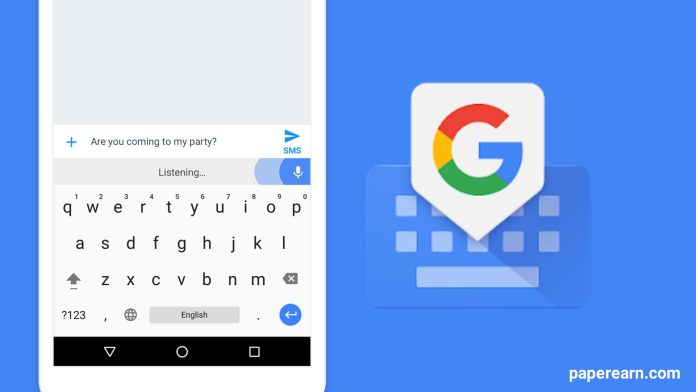
Gboard represents Google’s vision for the future of mobile input. It’s not merely a keyboard; it’s an integrated communication hub built directly into your typing experience. Available for free on both Android and iOS, this application combines predictive text, search capabilities, and multimedia sharing into one seamless interface. The result? Faster, more expressive, and more efficient communication across all your apps.

This means that instead of switching between applications to search for information or find the perfect emoji, everything you need is accessible with a simple tap. Building on this integrated approach, let’s examine the features that set Gboard apart.

Core Features That Transform Typing

Glide Typing for Speed

One of Gboard’s most celebrated features is glide typing. Instead of tapping individual keys, you slide your finger across the keyboard to form words. The software’s intelligent algorithm predicts your intended word with remarkable accuracy. Consequently, this method can dramatically increase typing speed, especially for longer messages.

Voice Typing Perfected

Google’s expertise in voice recognition shines through in Gboard’s voice typing capability. With support for numerous languages and dialects, you can speak naturally and watch as your words appear on screen. This feature proves invaluable for hands-free messaging, lengthy emails, or when accessibility is a priority.

Search and Share Without Leaving Your App

Perhaps the most innovative aspect is the integrated Google Search. Need to share a restaurant address, weather update, or sports score? Simply search directly from the keyboard and insert results into your conversation. This eliminates the frustrating back-and-forth between apps that plagues traditional typing experiences.

Expressive Communication Tools

Modern communication extends beyond plain text. Recognizing this, Gboard incorporates several tools for richer expression.

First, the emoji search function lets you find the perfect reaction instantly. Feeling happy, skeptical, or celebratory? Type your emotion to see relevant emoji suggestions. Similarly, the integrated GIF search connects to extensive libraries, allowing you to respond with moving images that often convey more than words could.

Additionally, sticker collections and handwriting modes offer further personalization. You can draw characters directly on the keyboard or choose from thousands of stickers to match any conversation mood. For more on enhancing your mobile experience, explore our guide on using Google Lens.

Breaking Language Barriers with Gboard

In our connected world, multilingual communication is increasingly common. Here, Gboard’s translation feature becomes indispensable. The built-in Google Translate tool can translate typed text in real-time between over 100 languages. Writing to someone who speaks Spanish, Hindi, or Mandarin? Compose your message in English and have it translated instantly before sending.

Moreover, this functionality works alongside the keyboard’s multilingual typing support. You can enable multiple language dictionaries simultaneously, and Gboard will intelligently recognize which language you’re using without manual switching.

How to Download and Set Up Gboard

Getting started with this powerful tool is straightforward. Visit the Google Play Store on Android or App Store on iOS and search for “Gboard.” After installation, the setup process guides you through enabling the keyboard in your system settings and selecting it as your default input method.

Once activated, spend time exploring the settings menu. Here you can adjust theme preferences (including custom backgrounds), enable or disable specific features, and fine-tune autocorrect behavior to match your typing style. Personalizing these settings ensures the keyboard works for you, not against you.

Pro Tips for Power Users

To truly master the Gboard keyboard, consider these advanced techniques. Create custom text shortcuts for phrases you type frequently—your email address, home address, or common responses. Use the one-handed mode for easier typing on larger phones. Explore the number row option for quicker numerical input without switching layouts.

Furthermore, regularly update the application through your app store. Google consistently refines Gboard with new features, language support, and performance improvements. Staying current ensures you benefit from the latest advancements. For other productivity boosts, check out our article on backing up Google Messages.

Why Gboard Dominates the Keyboard Space

The success of Gboard stems from its seamless integration of Google’s ecosystem strengths. It leverages the company’s search dominance, translation technology, and AI capabilities to create a context-aware typing assistant. Unlike standalone keyboard apps that focus on aesthetics or gimmicks, Gboard prioritizes genuine utility.

This focus on practical innovation means the keyboard learns from your habits. Its predictions become more accurate over time, its autocorrect understands your unique vocabulary, and its search suggestions grow more relevant. Essentially, it evolves alongside your communication needs.

Ultimately, whether you’re a student, professional, or casual texter, Gboard offers tools to enhance your digital conversations. From speeding up mundane typing to enabling creative expression across languages, it addresses the full spectrum of modern communication demands. The question isn’t whether you need a smarter keyboard, but whether you can afford to type without one.

Continue Reading
Click to comment

Leave a Reply

Your email address will not be published. Required fields are marked *

How To

How to Protect Your Facebook Account From Being Hacked: A Practical Security Guide

Published

on

How to Protect Your Facebook Account From Being Hacked: A Practical Security Guide

With billions of users worldwide, Facebook remains a prime target for cybercriminals. The thought of someone gaining unauthorized access to your personal messages, photos, and private information is unsettling. This guide provides actionable, step-by-step measures to significantly strengthen your account’s defenses and effectively prevent Facebook hacking.

1. Activate Login Alerts for Immediate Notification

Facebook’s login alert system is your first line of defense. When you enable this feature, you receive an immediate notification via email or the Facebook app whenever your account is accessed from a new device or browser. This means that if a hacker attempts to log in from an unfamiliar location, you’ll know about it instantly. Consequently, you can take swift action, such as changing your password, before any real damage is done. To set this up, navigate to your Security and Login settings and turn on ‘Get alerts about unrecognized logins.’

2. Implement Two-Factor Authentication (2FA)

Relying solely on a password is no longer sufficient. Two-factor authentication adds a critical second layer of security. After enabling 2FA, logging into your account requires not just your password but also a unique, time-sensitive code. This code is sent to your mobile phone via text message, generated by an authentication app, or provided via a physical security key. Therefore, even if a malicious actor steals your password, they cannot access your account without this second factor. This is arguably the single most effective step to prevent Facebook hacking.

Choosing Your 2FA Method

While SMS-based codes are common, using an authenticator app like Google Authenticator or Authy is more secure. These apps generate codes offline, making them immune to SIM-swapping attacks. For the highest security, consider using a physical security key.

3. Scrutinize and Limit Publicly Visible Information

Hackers often use publicly available information to answer security questions or perform targeted attacks. You should regularly audit what information is visible on your profile. Specifically, consider hiding or removing your phone number and primary email address from public view. Navigate to your profile, click ‘Edit Details,’ and review the privacy settings for each piece of contact information. By limiting this data, you reduce the avenues an attacker can use to target you or attempt account recovery fraudulently.

4. Cultivate Extreme Caution With Links and Logins

Phishing remains a dominant hacking technique. You must develop a habit of extreme skepticism. Never click on suspicious links sent via Messenger or posted on your timeline, even if they appear to come from a friend. More importantly, never enter your Facebook login credentials on any website except the official Facebook domain (facebook.com) or its verified mobile apps. If you receive a message urging immediate action to ‘secure your account,’ always go directly to Facebook.com by typing the URL yourself instead of clicking the provided link. For more general tips on digital safety, you can read our guide on social media security basics.

5. Set Up Trusted Contacts for Account Recovery

Proactive security also involves planning for recovery. Facebook’s ‘Trusted Contacts’ feature allows you to select 3 to 5 reliable friends. If you ever get locked out of your account—whether due to hacking or simply forgetting your password—these contacts can provide special codes to help you regain access. To configure this, go to ‘Security and Login Settings,’ find ‘Choose 3 to 5 friends to contact if you get locked out,’ and select people you trust absolutely. This creates a safety net that doesn’t rely solely on your email or phone number, which a hacker may have compromised.

Building a Comprehensive Security Mindset

Ultimately, preventing Facebook hacking is not about a single trick but about adopting a layered security approach. Combine these technical settings with behavioral vigilance. Use a strong, unique password for Facebook that you don’t reuse elsewhere. Log out of your account on shared or public computers. Furthermore, periodically review the list of devices and active sessions in your security settings and log out of any you don’t recognize. For advanced users looking to understand the broader landscape, our article on understanding modern phishing attacks offers deeper insights.

By systematically implementing these five steps—activating alerts, enforcing two-factor authentication, hiding personal data, avoiding phishing traps, and setting up trusted contacts—you transform your Facebook account from a soft target into a fortified digital space. Remember, in cybersecurity, consistency is key; make these checks part of your regular digital hygiene routine.

Continue Reading

How To

The Essential Guide to Full Battery Alarm Apps for Android

Published

on

The Essential Guide to Full Battery Alarm Apps for Android

Modern smartphones are central to our daily lives, yet many users unknowingly damage their device’s most critical component: the battery. This is where a dedicated full battery alarm app becomes indispensable. Rather than leaving your phone plugged in overnight, these tools provide intelligent notifications to stop overcharging, directly contributing to long-term battery health and device longevity.

Why You Need a Battery Notification Solution

Consider your typical nightly routine. You plug in your phone and forget about it until morning. During those hours, the battery hits 100% and the device enters a trickle-charge state, which generates heat and causes gradual chemical degradation. Over time, this habit significantly reduces your battery’s maximum capacity. Therefore, implementing a smart alert system isn’t just convenient—it’s a proactive maintenance step. A reliable full battery alarm app interrupts this cycle by alerting you the moment charging is complete.

Top Features of a Quality Charging Alarm

Not all notification apps are created equal. A superior tool offers more than a simple beep. For starters, look for a clear charge history log. This allows you to track your charging patterns over days or weeks. Next, a remaining time estimator is incredibly useful. It calculates how long until the battery reaches full capacity, helping you plan your time.

Customization is Key

Building on this, the best apps provide extensive customization. You should be able to choose from multiple alarm sounds or even use a custom tone. Volume control and a vibration option ensure you won’t miss the alert, even in a noisy environment. Some advanced applications even offer a notification bar option, providing a persistent visual reminder without being intrusive.

How to Choose and Use the Right App

The Google Play Store hosts several options, but focus on apps with high ratings, recent updates, and transparent privacy policies. After downloading, the setup is usually straightforward. Typically, you grant the app necessary permissions, select your preferred alarm sound, and adjust the volume. The app then runs quietly in the background, monitoring your battery’s status. For more general tips on extending your device’s lifespan, explore our guide on Android battery health best practices.

This means that once configured, the app requires no further interaction. It automatically triggers an alarm—a sound, vibration, or notification—the instant your battery level hits 100%. This simple intervention can add months, or even years, to your battery’s effective life.

Beyond the Basic Alarm: Additional Benefits

In addition to the core alert function, some apps offer supplementary features that enhance utility. A detailed charge time log can reveal if your charger or cable is underperforming. Seeing an unusually long charge time might indicate it’s time for a replacement. Furthermore, an easy-to-use interface is non-negotiable. You shouldn’t need a manual to operate a battery tool. The goal is simplicity that empowers the user.

On the other hand, it’s crucial to use these tools responsibly. They are designed for educational and device-care purposes. Misuse, such as trying to bypass system safeguards, can lead to problems. Always download apps from official sources like the Google Play Store to ensure security.

Integrating Alarms into Your Tech Routine

Adopting a full battery alarm app is one part of a smarter device management strategy. Pair it with other good habits, like avoiding extreme heat and not draining the battery to 0%. For those interested in broader device optimization, our article on essential Android utility apps covers other tools that can streamline your phone experience. Think of the battery alarm not as an isolated tool, but as a key component in a suite designed to protect your investment.

Ultimately, taking control of your charging habits is a small step with a substantial payoff. You preserve your phone’s resale value, avoid the frustration of a dying battery midday, and reduce electronic waste. In a world of constant connectivity, ensuring your device remains reliably powered is no longer a luxury—it’s a necessity.

Continue Reading

How To

Samsung Galaxy S23 5G Hits 55% Discount in Flipkart’s Final Sale Hours

Published

on

Samsung Galaxy S23 5G Hits 55% Discount in Flipkart’s Final Sale Hours

For anyone who has been holding out for a genuine flagship smartphone bargain, the wait appears to be over. The Flipkart End-of-Season Sale is currently in its concluding phase, presenting a final window to secure one of the most dramatic price cuts on a premium device this year. The Samsung Galaxy S23 5G, a model that redefined performance benchmarks, is now available at a fraction of its launch price. This article breaks down the specifics of this limited-time opportunity and explores why this phone remains a compelling purchase.

Unprecedented Price Drop on a Flagship Device

Let’s address the most critical detail first: the price. Originally retailing at ₹89,999 for the 8GB RAM and 128GB storage variant, the Samsung Galaxy S23 5G is now listed at an astonishing ₹39,999. This translates to a direct discount of 55%, a figure rarely seen for a device of this calibre so soon after its release. However, the savings potential doesn’t stop at the sticker price.

Building on this, Flipkart has layered additional financial incentives to make the deal even sweeter. Customers using a Flipkart Axis Bank credit card can claim an extra 5% cashback on their purchase. For those looking to offset the cost further, an exchange program offers discounts of up to ₹37,250 for an old handset, subject to the device’s condition and model. Furthermore, the option of no-cost EMI, starting at approximately ₹6,667 per month, removes the barrier of a large upfront payment, making flagship technology accessible to a broader audience.

What Makes the Galaxy S23 5G a Standout Choice?

Beyond the attractive price tag, what are you actually getting? The Samsung Galaxy S23 5G is far more than just a discounted phone; it’s a comprehensively equipped flagship. At its core lies the formidable Qualcomm Snapdragon 8 Gen 2 processor, a chipset engineered for blistering speed, efficient power management, and seamless multitasking. This ensures that everything from intensive gaming to video editing feels fluid and responsive.

A Display and Camera System Built for Excellence

Complementing the powerful internals is a stunning 6.1-inch Dynamic AMOLED 2X display. With a sharp Full HD+ resolution and a smooth 120Hz adaptive refresh rate, this screen delivers vibrant colours, deep blacks, and buttery-smooth scrolling. It’s a visual treat for consuming media, browsing, or gaming.

Transitioning to photography, the Galaxy S23 5G’s camera system is a significant highlight. The triple-lens rear setup is anchored by a high-resolution 50MP main sensor, capable of capturing exceptional detail in both daylight and challenging low-light conditions. This is supported by a 12MP ultra-wide lens and a 10MP telephoto lens with 3x optical zoom, offering versatile framing options. For selfies and video calls, the 12MP front-facing camera delivers crisp and clear results.

Battery, Software, and Overall User Experience

A common concern with powerful phones is battery life. The Galaxy S23 5G addresses this with a 3,900mAh battery supported by 25W wired fast charging. This combination is designed to get you through a full day of use and recharge quickly when needed. On the software front, the device ships with Android 13 and is guaranteed to receive multiple major OS upgrades, ensuring it stays secure and feature-rich for years to come. The overall user experience is polished, intuitive, and free of performance bottlenecks.

Therefore, this deal represents more than just savings; it’s a chance to acquire a device that won’t feel outdated anytime soon. For a deeper look at how this model compares to its predecessors, you can read our analysis on the evolution of Samsung’s flagship line.

Act Before the Sale Concludes

It’s crucial to remember that such aggressive discounts are typically time-bound. The Flipkart End-of-Season Sale is in its final hours, meaning this specific offer on the Samsung Galaxy S23 5G could vanish at any moment. For consumers who have been contemplating an upgrade to a premium-tier smartphone, this presents a near-perfect alignment of desire and opportunity.

In conclusion, a 55% reduction on a recently launched flagship like the Samsung Galaxy S23 5G is an exceptional market event. When combined with additional bank offers and exchange bonuses, the value proposition becomes incredibly strong. This is a rare moment where cutting-edge technology meets unprecedented affordability. To explore other smartphone deals currently available, check out our comprehensive guide to the Flipkart sale.

Continue Reading

Trending