Connect with us

Artificial Intelligence

Perplexity Comet Browser Finally Learns How to Multitask on iPad

Published

on

Perplexity Comet Browser Finally Learns How to Multitask on iPad

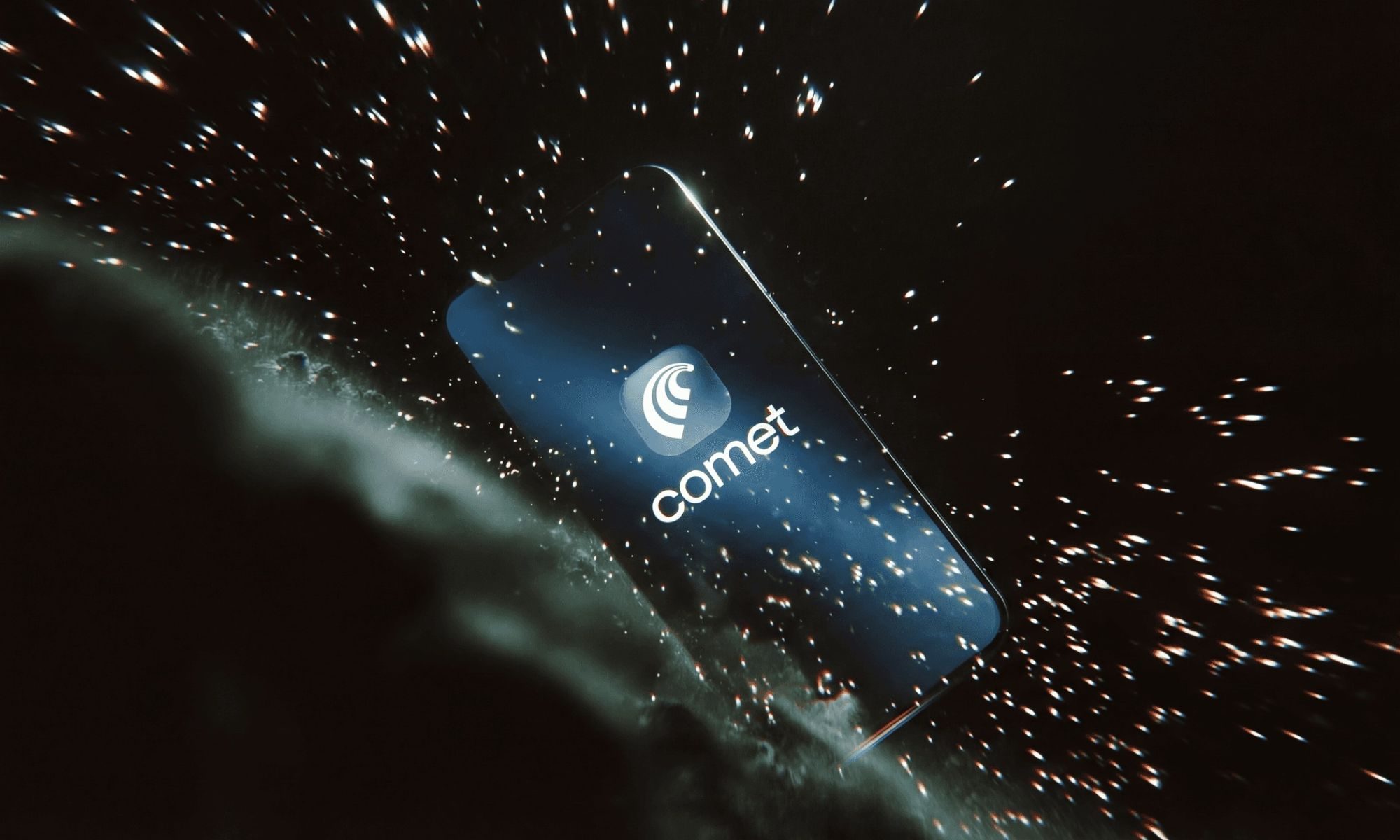
Perplexity’s Comet browser is starting to make a lot more sense on the iPad. After bringing Comet to iOS users last month, the company is now adding proper iPadOS support, including multiple windows and Split View. The update is available now on the App Store, and it fixes one of the biggest gaps from the browser’s tablet launch.

This means that the Perplexity Comet multitasking experience is finally here. Users can now keep the browser open alongside other apps, making it far more practical for everyday use.

What Does the Perplexity Comet Multitasking Update Include?

Comet’s main draw is its built-in AI assistant, which lets users search, ask questions, summarize pages, and manage some web tasks inside the browser. The feature was useful for quick lookups on mobile, but the iPad version needed proper multitasking tools to make better use of the larger screen.

Today we’re rolling out a new native Comet experience for iPad. Comet now works naturally with iPadOS features like multiple windows and Split View, so you can work with Comet alongside the apps you already use. Available now on the App Store.

Split View and Multiple Windows

Split View now lets users keep Comet open beside another app, such as Notes, Mail, Pages, Slack, or a PDF reader. Multiple windows also make the browser more practical for research-heavy tasks, where a user may want one window for browsing and another for follow-up questions, summaries, or comparing information.

As a result, the Comet browser iPad becomes a genuine productivity tool. Students, writers, researchers, and anyone who uses the iPad as a laptop replacement will find this update especially valuable.

Why Is This Update Important for iPad Users?

The update should make Comet easier to use for students, writers, researchers, and anyone who uses the iPad as a laptop replacement. It also gives users a stronger reason to try Comet as their main browser instead of opening it only for AI-assisted searches.

Perplexity made Comet free to use late last year, which likely helped more people try the browser as an alternative to Chrome or Safari. Since then, the company has continued improving the browser and bringing it to more platforms. We previously tested Comet as a Chrome replacement and found that its natural-language browsing approach changes how users move through the web.

Can This Help More Users Switch to Comet?

For iPad users, this is a practical upgrade. Comet now works better with the apps people already use, which could make switching to Perplexity’s AI browser a lot easier. Building on this momentum, the company is clearly positioning Comet as a serious contender in the browser market.

However, one question remains: will users fully embrace an AI-first browser for daily tasks? Only time will tell, but the addition of Split View Comet and multiple windows removes a major barrier to adoption.

What Makes Comet Different From Other Browsers?

Comet’s AI assistant is not just a chatbot overlay—it’s deeply integrated into the browsing experience. Users can ask questions about any page, get summaries, and even perform actions like filling forms or managing tabs through natural language commands. This changes the way people interact with the web, moving from manual navigation to conversational browsing.

On the other hand, traditional browsers like Safari and Chrome lack this native AI layer. While extensions can add similar functionality, they often feel clunky or require extra setup. Comet offers a seamless alternative.

How to Get Started With Comet on iPad

To take advantage of the new multitasking features, simply update Comet from the App Store. Once installed, you can drag the browser window to the side of the screen to activate Split View, or open multiple windows by tapping the window icon in the toolbar.

For more tips on maximizing your iPad workflow, check out our guide on iPad productivity tips. You might also find our article on best AI browsers for 2026 useful for comparing options.

In conclusion, the Perplexity Comet multitasking update marks a significant step forward for the browser. By embracing native iPadOS features, Perplexity is making its AI-powered browsing experience more practical and accessible for a wider audience.

Continue Reading
Click to comment

Leave a Reply

Your email address will not be published. Required fields are marked *

Artificial Intelligence

Your GM Car Just Got a Lot Smarter: Google Gemini Upgrade Arrives for Millions of Vehicles

Published

on

Your GM Car Just Got a Lot Smarter: Google Gemini Upgrade Arrives for Millions of Vehicles

If you own a recent GM vehicle, your car is about to become far more intelligent. The automaker is rolling out a major software update that brings Google Gemini to millions of cars, trucks, and SUVs across the United States. This isn’t just a minor tweak—it’s a transformative upgrade that changes how drivers interact with their vehicles.

The GM Google Gemini upgrade is being deployed to model year 2022 and newer Cadillac, Chevrolet, Buick, and GMC vehicles equipped with Google built-in. This covers roughly 4 million vehicles nationwide, making it one of the largest automotive AI deployments in history. If your car qualifies, you’ll receive a notification on the infotainment screen when the update is ready to install.

What Google Gemini Brings to Your Driving Experience

Google Gemini is a generative AI assistant that goes far beyond the old Google Assistant. Instead of requiring rigid commands, Gemini understands natural, conversational language. You can speak to it as you would to a friend, and it will follow along with context and nuance.

For example, you can ask Gemini to build a road trip playlist that matches your mood, summarize incoming text messages, or translate them on the fly. It can also reply to messages using your voice, all without taking your hands off the wheel. Need to find restaurants along your route? Just ask. The assistant handles it seamlessly.

Hands-Free Help for Every Driver

This Google Gemini car assistant is particularly useful for commercial drivers. Landscapers, technicians, and long-haul truckers can ask Gemini to plan the most fuel-efficient route across multiple stops. It can also locate trailer-friendly parking nearby, saving time and reducing stress.

Entertainment is another area where Gemini shines. The assistant taps into popular apps like Spotify, Apple Music, YouTube, and HBO Max. You can create custom playlists, summarize your favorite podcasts, or play shows while waiting in the parking lot. The possibilities are vast, and they’re all hands-free.

Is This Just the Beginning for GM and AI?

GM is already looking ahead. The company has teased a more deeply integrated AI assistant later this year, one that will be fine-tuned with proprietary vehicle data through its OnStar platform. This means future updates could offer even more personalized and predictive capabilities, such as anticipating maintenance needs or suggesting routes based on your driving habits.

For now, the GM infotainment update requires a few conditions: your vehicle must be connected to OnStar, signed into the Google Play Store, and set to US English as the assistant language. Once you opt in, simply say “Hey Google” to unlock the full potential of your car’s new brain.

This AI in vehicles GM initiative marks a significant shift in how automakers approach in-car technology. Instead of static infotainment systems, cars are becoming intelligent companions that learn and adapt. The GM Google Gemini upgrade is a clear signal that the future of driving is conversational, connected, and constantly improving.

For more on how AI is reshaping the automotive world, check out our guide on top AI car assistants in 2025 or read about GM’s latest electric vehicle updates.

Continue Reading

Artificial Intelligence

Google Gemini now turns your chat into a finished PDF, Word document, or spreadsheet in one tap

Published

on

Google Gemini now turns your chat into a finished PDF, Word document, or spreadsheet in one tap

Have you ever spent precious minutes copying AI-generated text into a Word document, only to wrestle with formatting and spacing? That frustration is now a thing of the past. Google has rolled out a powerful new feature for its Gemini AI assistant: direct file generation within the chat interface. This means you can ask Gemini to create a polished PDF, a structured Excel spreadsheet, or a formatted Word document without ever leaving the conversation. The Gemini file generation update is a genuine productivity booster, and it’s available to everyone, free of charge.

What file formats can Gemini generate?

The range of supported formats is impressively broad, covering nearly every professional need. You can instruct Gemini to produce Google Docs, Sheets, and Slides, as well as standard formats like PDF, Microsoft Word (.docx), Excel (.xlsx), plain text, rich text format (RTF), and Markdown. This flexibility means you can use Gemini for everything from drafting a business report to crunching budget numbers.

To get started, simply describe what you need and specify the desired format. Gemini will then generate a ready-to-download, shareable file. Gone are the days of copying, pasting, and manually fixing headers or spacing. Every step that used to happen outside the AI now takes place inside the chat, saving you time and effort.

For example, you could ask Gemini to consolidate a week’s worth of meeting notes into a single-page PDF with keywords highlighted. Or you might request a budget breakdown exported directly to an Excel spreadsheet. The AI handles the heavy lifting, delivering a polished final product instantly.

Who can use Gemini file generation?

One of the best aspects of this update is its accessibility. Unlike some premium AI features that require a subscription, Gemini file generation is available globally to all app users, including those on the free tier. There is no catch or paywall. The feature works seamlessly on both the web version and mobile apps, making it easy to create documents on the go.

This move gives Gemini a meaningful edge over ChatGPT, which still relies on manual copy-paste for document creation. While ChatGPT users are stuck transferring text to a Google Doc and reformatting it, Gemini users can send a finished file in seconds. It’s a quality-of-life improvement that boosts productivity for daily users.

How to use Gemini for document creation

Using the feature is straightforward. In the Gemini app, type a clear request, such as “Create a PDF of my weekly meeting notes with key action items highlighted” or “Generate an Excel spreadsheet showing last month’s expenses by category.” Specify the format, and Gemini will produce the file. You can then download it directly from the chat and share it with colleagues or clients.

This approach eliminates the friction of switching between apps. Instead of jumping from Gemini to Google Docs or Microsoft Word, you stay in one place. The AI handles the formatting, ensuring headers are aligned, spacing is correct, and the final document looks professional.

Why this feature matters for productivity

In a world where speed and efficiency are paramount, automating document creation is a game-changer—though we avoid that cliché. The real value lies in reducing manual work. By integrating file generation directly into the chat, Google has streamlined a common workflow. You no longer need to be a formatting expert to produce polished outputs.

For professionals, students, and creatives alike, this means less time on administrative tasks and more time on actual thinking. Whether you are preparing a report for your boss, compiling research notes, or creating a presentation outline, Gemini can handle the formatting. As a result, you can focus on the content itself.

Moreover, the feature supports collaboration. Generated files can be shared instantly via email, cloud storage, or messaging apps. This makes it easier to work in teams, especially when deadlines are tight. For instance, you could ask Gemini to create a Markdown file for a developer’s documentation or a rich text format file for a formal proposal.

Comparing Gemini with ChatGPT

ChatGPT remains a popular AI tool, but it lacks native file generation. Users must copy text, paste it into a separate application, and then format it manually. This extra step can be tedious, especially for complex documents with tables, images, or specific layouts. Gemini, on the other hand, handles all of that internally.

This difference is especially noticeable when working with spreadsheets. Creating a budget or a data table in ChatGPT requires manual export or conversion. With Gemini, you simply ask for an Excel file, and it appears. This makes Gemini a strong choice for anyone who frequently creates documents from AI-generated content.

Building on this, Gemini’s file generation feature also supports Google Workspace integration. You can create Google Docs, Sheets, and Slides directly, which are then stored in your Google Drive. This seamless integration with Google’s ecosystem is a major advantage for users who rely on Gmail, Drive, and other Google services.

How to get started with Gemini file generation

If you haven’t tried it yet, open the Gemini app on your phone or visit the web version. Type a prompt like “Create a one-page PDF summary of my project milestones” or “Generate a Word document with a cover letter and resume.” Gemini will respond with a downloadable link to the file. It’s that simple.

For best results, be specific about the format and content. For example, instead of saying “Make a document,” say “Make a PDF with three columns: task, owner, and deadline.” The more detail you provide, the better the output. Gemini can handle complex requests, so don’t hesitate to experiment.

In addition, this feature works with existing conversations. If you have been discussing a project with Gemini, you can ask it to turn the entire chat into a PDF or Word document. This is perfect for saving a record of brainstorming sessions or client discussions.

Final thoughts on Gemini’s new capability

Google’s update to Gemini represents a significant step forward in AI-assisted productivity. By removing the need for manual copying and formatting, the tool saves time and reduces errors. The fact that it is free for all users makes it even more appealing. Whether you are a student, a freelancer, or a corporate employee, Gemini file generation can streamline your workflow.

As AI continues to evolve, features like this will become the norm. For now, Gemini stands out as a practical, user-friendly option for creating professional documents. If you haven’t explored it yet, now is the perfect time. Try asking Gemini to generate a file today and see how much time you save.

For more tips on using AI tools effectively, check out our guide on maximizing productivity with AI assistants. You might also find our comparison of ChatGPT vs. Gemini for document creation useful. And if you are new to Google Workspace, learn how to integrate AI with your daily tools.

Continue Reading

Artificial Intelligence

Apple Finally Builds the AI Photo Editor That Google and Samsung Have Had for Years

Published

on

Apple Finally Builds the AI Photo Editor That Google and Samsung Have Had for Years

For years, Google and Samsung have offered AI-powered photo editing tools that Apple users could only envy. Now, according to a report from Bloomberg‘s Mark Gurman, Apple is preparing its own Apple AI photo editor for the next major software update. The features, dubbed Extend, Enhance, and Reframe, will arrive as part of a dedicated “Apple Intelligence Tools” section inside the Photos app on iOS 27, iPadOS 27, and macOS 27.

This move signals a major shift for Apple, which has lagged behind competitors in integrating generative AI into its photo editing suite. While Google’s Google Photos introduced Magic Editor in 2023 and Samsung’s Galaxy AI followed with similar capabilities, Apple’s only offering so far has been the underwhelming Clean Up tool. But the Cupertino giant is now ready to step up its game.

What Will the New Apple Intelligence Photo Editing Tools Do?

The three new features in the Apple AI photo editor are designed to tackle common editing pain points—expanding images, enhancing quality, and adjusting perspective—all while running entirely on-device. Apple promises that edits will complete in seconds, a hallmark of its privacy-first approach.

Extend: Expanding Your Photos Seamlessly

The Extend feature uses AI to generate new imagery around the edges of a photo, effectively expanding the frame. For example, you can add surrounding context to a close-up shot or create negative space on either side of the subject. This is similar to Google’s Magic Editor, which lets you reframe images by generating missing content. However, Apple’s implementation relies on on-device machine learning, meaning your photos never leave your device.

Enhance: One-Tap Quality Boost

Enhance is a one-tap button that instantly adjusts color, lighting, and overall image quality. Instead of fiddling with multiple sliders, users can simply tap to improve a photo’s appearance. This feature is reminiscent of Samsung’s Galaxy AI’s “Photo Assist” tool, which offers similar automatic enhancements. For casual users, this could be a game-changer, making professional-looking edits accessible to everyone.

Reframe: For Spatial Photos on Vision Pro

Reframe is designed specifically for spatial photos captured on the Apple Vision Pro. It allows users to shift the perspective of a 3D image after it’s been taken, moving from a front-facing to a side-facing view. This is a niche but powerful feature for those using Apple’s mixed-reality headset, giving them more control over their immersive content.

Is Apple Actually Ready to Release All Three Features?

Not quite yet. According to Gurman, both Extend and Reframe are producing inconsistent results during internal testing. The underlying AI models may need more refinement before they can deliver reliable outputs. If the results don’t improve significantly by Apple’s September launch event, the company might delay these features or scale them back.

This is a familiar pattern for Apple, which often prioritizes polish over speed. However, the pressure is mounting. Google’s Magic Editor has been praised for its accuracy, and Samsung’s Galaxy AI features are now widely available on devices like the Galaxy S24. Apple’s Clean Up tool, which was introduced in iOS 18, has been criticized for being less effective than its rivals. As a result, the success of the Apple AI photo editor hinges on these new features working flawlessly.

In my opinion, Apple genuinely needs Extend, Enhance, and Reframe to work—and work in time for a showcase at WWDC 2026 and a public release in September. The company’s reputation for seamless user experience is at stake. If these features deliver on their promise, they could finally close the gap with Google and Samsung. If not, Apple risks falling further behind in the AI photo editing race.

For now, all eyes are on Apple’s next moves. The company has a history of entering markets late but executing with precision. Whether it can do the same with AI photo editing remains to be seen. But one thing is clear: the battle for the best smartphone photo editor is heating up, and Apple is finally ready to play.

Continue Reading

Trending