Connect with us

How To

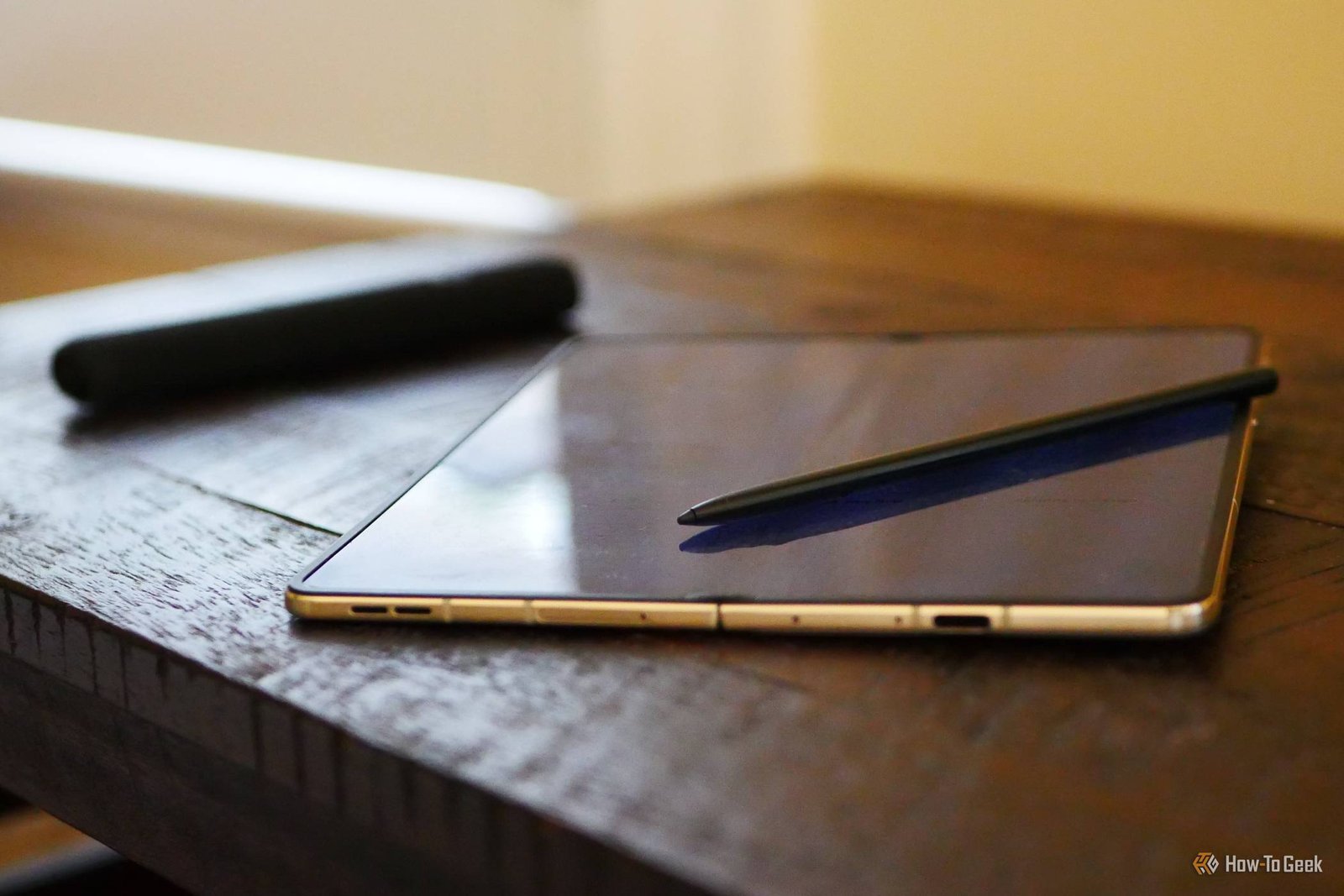
Samsung’s S Pen Isn’t the Best Phone Stylus Anymore—and It’s Not Even Close

Published

on

S Pen rivals

The S Pen’s Glory Days Are Over

For years, the S Pen was the reason to buy a Galaxy Note. It was a signature feature—a precision instrument tucked inside a flagship phone, ready for sketches, notes, and precise taps. No other phone offered anything close.

That era is gone. The stylus market has shifted, and Samsung’s once-untouchable S Pen now faces stiff competition. In fact, it’s no longer the best phone stylus available. It’s not even close.

What Made the S Pen Special (and What Changed)

The S Pen’s magic was its Wacom digitizer. It offered pressure sensitivity, palm rejection, and a hover cursor—features that made it feel like a real writing tool, not a glorified finger. Samsung built an entire ecosystem around it: Air Actions, screen-off memos, and the iconic Note series.

But rivals caught up. Companies like Apple refined their own stylus tech, and newer devices from other Android makers now match or exceed the S Pen’s core capabilities. The gap has narrowed to the point where Samsung’s stylus feels dated.

The Precision Problem

Take the Apple Pencil. It offers lower latency, better tilt detection, and a more natural writing feel. For artists and note-takers, those differences matter. The S Pen, meanwhile, has seen incremental updates—nothing revolutionary since the Note 9 era.

The Feature Gap

Then there’s the software. Apple’s Scribble and Quick Notes integrate seamlessly with iOS. Samsung’s Air Actions remain gimmicky—fun to demo, but rarely used in daily life. The S Pen’s Bluetooth remote features drain battery and add complexity without solving real problems.

Rivals That Beat the S Pen

It’s not just Apple. Several Android flagships now ship with styluses that rival or surpass Samsung’s offering:

  • Motorola’s Moto G Stylus series—offers a built-in stylus at a fraction of the price, with surprisingly good precision for everyday tasks.
  • LG’s Stylo series (before LG exited phones)—had a dedicated stylus slot and a more ergonomic design.
  • Third-party options like the Adonit Dash and Surface Pen—these pair with tablets and phones, offering better build quality and features than the S Pen.

Even Samsung’s own budget phones, like the Galaxy A series, now support styluses—but those are passive, featureless implements. The premium S Pen experience hasn’t evolved enough to justify its premium price.

What Samsung Needs to Do

If Samsung wants the S Pen to remain relevant, it needs a serious overhaul. Lower latency, better palm rejection, and more intuitive software features are non-negotiables. The Air Actions need a purpose—not just a party trick.

It also needs to address the hardware. The S Pen’s battery life is fine, but its Bluetooth connectivity adds weight and complexity. A simpler, more reliable design could win back users who’ve switched to rivals.

The Price Factor

Let’s talk cost. The S Pen is included with Galaxy S Ultra and Z Fold models, but those phones cost over $1,000. Rivals like the Moto G Stylus deliver a stylus experience for under $300. For most people, the value proposition is clear.

The Verdict: Time to Reconsider

The S Pen isn’t bad—it’s just no longer the best. If you’re a dedicated note-taker or artist, the Apple Pencil or a dedicated tablet stylus will serve you better. If you want a stylus on a budget, the Moto G Stylus beats the S Pen on price and practicality.

Samsung’s stylus has a rich history, but history doesn’t win arguments. The competition has caught up, and in some ways, surpassed it. Until Samsung delivers a genuine leap forward, the S Pen will remain a legacy feature—a reminder of what once was, not a reason to buy today.

What do you think? Are you still loyal to the S Pen, or have you switched to a rival stylus? Share your thoughts in the comments.

Continue Reading
Click to comment

Leave a Reply

Your email address will not be published. Required fields are marked *

Social Media

X Shakes Up Creator Payouts: Revenue Sharing Is Out, Original Content Rewards Are In

Published

on

Original Content Rewards

X Is Overhauling Its Creator Monetization

If you’ve been earning money on X through its Revenue Sharing program, big changes are coming. The platform, owned by Elon Musk’s SpaceX, announced it’s winding down that program and replacing it with something called Original Content Rewards.

The shift isn’t happening overnight. Existing Revenue Sharing participants will keep earning until September 7. After that, the program closes for good. New applications for the replacement program open September 8.

But here’s the catch: not everyone will get in. The new program has stricter rules, and the emphasis is squarely on originality.

What Are the New Eligibility Requirements?

To qualify for Original Content Rewards, you’ll still need an active subscription to one of X’s Premium tiers. That hasn’t changed. But the bar for entry has been raised.

You’ll need:

  • At least 500 verified followers
  • 500,000 Home Timeline impressions from verified users within 90 days

Those thresholds are similar to the old program, but the real difference lies in what X now considers worthy of payment.

What Counts as Original Content on X?

X has laid out clear guidelines. Original content includes:

  • Original reporting and analysis
  • Photos and videos you’ve created yourself
  • Memes and graphics you’ve designed
  • Commentary that adds meaningful value

But the company is drawing a hard line. Posts that are simply copied from another account, downloaded and re-uploaded, or reposted without meaningful transformation won’t qualify. If your content regularly relies on material created by others, you’ll need to contribute substantial original value to pass muster.

This is a direct response to a growing problem. Aggregator accounts and clickbait pages have been gaming the system, reposting viral content and pocketing the ad revenue. X tried to curb this in April by reducing payments to such accounts, but the backlash was swift — even Musk reversed some of those changes after creators complained.

Why X Says the Old Program Was Broken

In a post announcing the changes, X’s Allegra Jacchia didn’t mince words. The existing program, she said, “had reached a point where its incentives were misaligned.”

“Creators should be focused on bringing net new content to the platform instead of maximizing payouts,” she wrote. “We could have kept adding more rules and exceptions, but ultimately the better decision was to start fresh and build a program designed from day one to reward originality.”

Jacchia also promised ongoing refinements, saying X will “continue refining the program, improving our models, and raising the bar over time.”

What This Means for Creators

If you’re a current Revenue Sharing participant, you have until September 7 to keep earning under the old rules. After that, you’ll need to apply for the new program and meet the stricter criteria.

The writing is on the wall: X wants creators who bring fresh content to the platform, not those who repackage what’s already there. For original creators, this could be a win. For aggregators, it’s a dead end.

One thing’s for sure — the days of easy money on X are over. If you’re serious about earning, you’ll need to create content that’s genuinely yours.

For more on how to grow your presence and make the most of platform changes, check out our guides on X Premium features and social media monetization strategies.

Continue Reading

How To

This Lexus Proves You Don’t Have to Choose Between Luxury and Fuel Efficiency

Published

on

Lexus luxury fuel efficiency

Luxury and Efficiency: No Longer a Trade-Off

For years, the automotive world forced buyers into a frustrating corner. You could have a plush, whisper-quiet interior with real leather and a premium badge — or you could have a car that sips fuel like a miser. Rarely both.

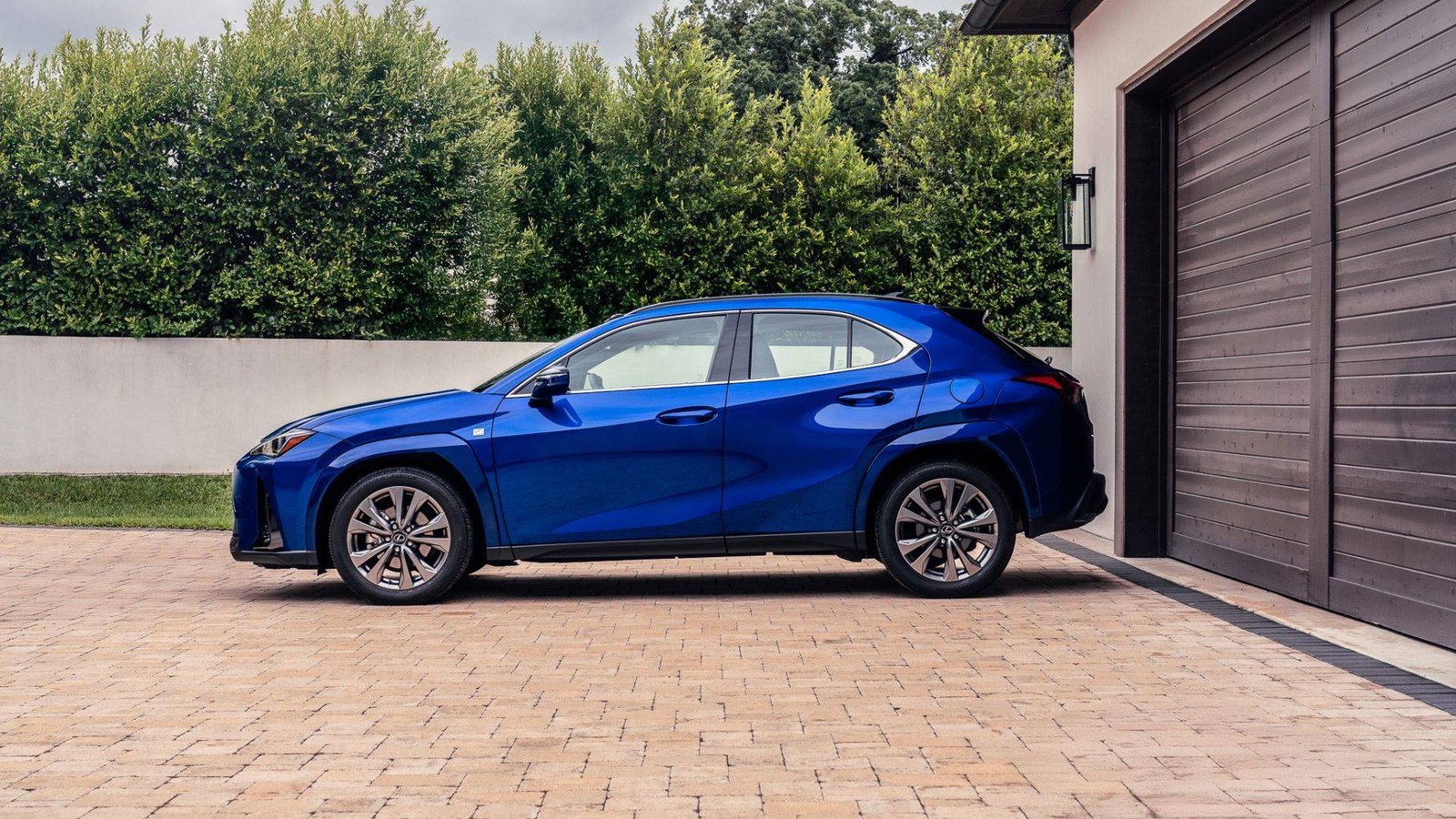
The Lexus ES 300h dismantles that old compromise. It’s a full-size luxury sedan that returns hybrid-level fuel numbers without making you feel like you’re driving an appliance. That’s a harder trick than it sounds.

Most automakers approach hybrids as eco-statement pieces. Lexus treats the ES 300h as a luxury car first, hybrid second. The difference shows in every touchpoint, from the ride quality to the cabin materials.

What Makes the ES 300h Different

The ES 300h pairs a 2.5-liter four-cylinder engine with an electric motor, producing a combined 215 horsepower. Those numbers won’t set your hair on fire, but that’s not the point. The point is how the powertrain delivers that output — smoothly, quietly, and with remarkable restraint.

Lexus engineers tuned the hybrid system to prioritize refinement over performance. The continuously variable transmission mimics a traditional automatic’s shift points, eliminating the droning sensation that plagues many hybrids. It’s a small detail that makes a big difference in daily driving.

Real-World Fuel Economy

Official EPA estimates put the ES 300h at 44 mpg combined. In real-world testing, owners regularly report figures in the high 30s to low 40s, even in mixed driving conditions. That’s genuinely impressive for a car with this much interior space and comfort.

Compare that to a traditional luxury sedan like the BMW 5 Series or Mercedes E-Class, which typically return mid-20s mpg. Over the course of a year, the ES 300h saves its owner roughly 200 gallons of fuel. At current prices, that’s real money.

Interior Comfort and Craftsmanship

Step inside the ES 300h and you’ll find a cabin that rivals cars costing significantly more. The semi-aniline leather seats are heated and ventilated, with 10-way power adjustment for the driver. The wood trim is genuine, not the plasticky fake stuff found in lesser vehicles.

Rear-seat passengers get generous legroom — 39.2 inches, to be precise. That’s more than enough for tall adults to stretch out on long journeys. The cabin stays remarkably quiet at highway speeds, thanks to laminated acoustic glass and active noise cancellation.

One of the most underrated features is the Mark Levinson audio system. It’s a 17-speaker setup that makes even mediocre podcasts sound like studio recordings. For audiophiles, it’s a compelling reason to choose the ES 300h over its rivals.

Technology and Safety Features

Lexus equips the ES 300h with a 12.3-inch touchscreen display, wireless Apple CarPlay and Android Auto, and a digital instrument cluster. The interface is intuitive, though it still lags behind the best systems from BMW and Audi in terms of responsiveness.

Standard safety features include pre-collision warning with pedestrian detection, adaptive cruise control, lane-keeping assist, and blind-spot monitoring. The Lexus Safety System+ 2.5 suite is comprehensive, and it works without being intrusive — a common complaint with rival systems.

Lexus Safety System+ 2.5

  • Pre-collision warning with automatic emergency braking
  • Adaptive cruise control with stop-and-go capability
  • Lane departure alert with steering assist
  • Blind-spot monitoring with rear cross-traffic alert
  • Road sign assist

The adaptive cruise control deserves special mention. It maintains a smooth, natural following distance without the jerky braking that plagues some competitors. It’s the kind of refinement that makes a difference on long commutes.

How It Compares to Rivals

The ES 300h’s main competitor is the Lincoln Nautilus hybrid, which offers similar fuel economy but a less polished driving experience. The BMW 530e plug-in hybrid offers more performance but requires regular charging to achieve good fuel numbers.

If you’re not ready for a full electric vehicle, the ES 300h represents a sweet spot. It delivers most of the benefits of electrification — low fuel costs, smooth acceleration, quiet operation — without the range anxiety or charging infrastructure concerns.

For buyers considering a hybrid luxury sedan or exploring luxury car fuel economy, the ES 300h deserves serious consideration. It’s a reminder that you don’t have to sacrifice comfort to be environmentally conscious.

Is the ES 300h Right for You?

The ES 300h starts around $44,000, which undercuts many European rivals by several thousand dollars. Standard equipment is generous, including LED headlights, a power sunroof, and dual-zone climate control.

If you value quiet comfort, low running costs, and impeccable build quality, the ES 300h is an easy recommendation. If you demand razor-sharp handling or blistering acceleration, look elsewhere — this car prioritizes serenity over sportiness.

Lexus also offers the ES 300h with its Premium Package, which adds a head-up display, panoramic sunroof, and upgraded leather. It’s worth the extra cost for buyers who plan to spend long hours behind the wheel.

The bottom line: the ES 300h proves that luxury and fuel efficiency aren’t mutually exclusive. It’s a refined, comfortable, and remarkably economical sedan that makes a compelling case for hybrid ownership without requiring any sacrifices in the areas that matter most.

Continue Reading

How To

I Went Through My Samsung Settings and Found 5 Features I Should Have Turned On Day One

Published

on

Samsung settings

The settings you skim past are the ones that matter

Samsung buries plenty inside One UI, and much of it stays untouched. You finish the initial setup, handle the basics, and assume everything else is fine as it is. Then you stumble into a menu you’ve scrolled past dozens of times and realize your phone already had a fix for something that’s been quietly annoying you.

That’s exactly what happened to me. I spent a slow afternoon poking through my Galaxy’s settings, and five things jumped out. Each one took under a minute to switch on. I wish I’d found them on day one.

1. Turn on Adaptive Battery to stop background drain

Your Galaxy learns how you use apps. It knows which ones you open every morning and which ones you haven’t touched in weeks. But it only acts on that knowledge if you tell it to.

Head to Settings > Battery and device care > Battery > More battery settings and toggle on Adaptive battery. This Samsung setting limits power for apps you rarely use, so your phone stops wasting juice in the background. The result? A noticeably longer day, especially if you’re the type who ends the night at 15%.

It’s not magic, but it’s close. And it’s one of the simplest Galaxy battery settings to flip.

2. Enable RAM Plus for smoother multitasking

If your phone stutters when you switch between heavy apps, the problem might not be the processor. It might be that you’re ignoring a built-in memory boost.

Open Settings > Battery and device care > Memory and find RAM Plus. Samsung lets you extend your physical RAM using a slice of internal storage. Bump it up to the maximum supported on your model, and you’ll notice fewer app reloads and smoother transitions.

Not every Galaxy supports this, but most recent ones do. Check the menu and see what your device offers.

3. Use Secure Wi-Fi to protect public connections

Free coffee shop Wi-Fi is convenient. It’s also a security risk. Samsung’s Secure Wi-Fi feature encrypts your traffic before it leaves the phone, so you don’t have to cross your fingers every time you connect somewhere public.

Find it under Settings > Connections > More connection settings > Secure Wi-Fi. Turn it on, and Samsung will handle the encryption automatically. It’s not a full VPN, but for everyday browsing on public networks, it adds a layer of protection you’re currently missing.

This is one of those Samsung hidden features that never gets mentioned in the setup wizard. A shame, really.

4. Set App Pairs to launch two apps at once

Multitasking on a Galaxy is more powerful than most people realize. You can split the screen between two apps, but setting that up manually every time takes too long. That’s why Samsung built App Pairs.

Open the recent apps screen, tap the app icon above any app, and choose Open in split screen view. Then select a second app. Your phone will save the pair as a single icon on the home screen or in the edge panel. One tap, and both apps launch together.

Perfect for people who live in YouTube and WhatsApp, or who constantly reference notes while writing emails. Once you try it, you’ll wonder how you lived without it.

5. Switch on Edge Panel for quick access to tools

The Edge Panel is one of Samsung’s most recognizable features, yet a surprising number of owners never enable it. It’s a thin handle on the side of your screen that slides open to reveal shortcuts, apps, and tools.

Go to Settings > Display > Edge screen and toggle on Edge panels. You can customize which panels appear — app shortcuts, weather, clipboard history, even a compass. It turns your phone into a more efficient tool, and it looks cool doing it.

If you’re tired of digging through app drawers, this is the fix.

Why these One UI settings fly under the radar

Samsung’s One UI is packed with options. That’s both a strength and a curse. The company stuffs so much into the software that the genuinely useful stuff gets buried under layers of menus.

None of these features are hidden in the sense of being secret. They’re just not promoted. You have to go looking, and most people don’t have time for that.

But now you do. Spend five minutes with these One UI tips, and your Galaxy will feel like a different phone. Not because it changed — but because you finally told it to work the way you always wanted.

Continue Reading

Trending