Connect with us

How To

Stop paying Brave to strip features—here’s the open-source browser I switched to

Published

on

open-source browser

Why I finally walked away from Brave

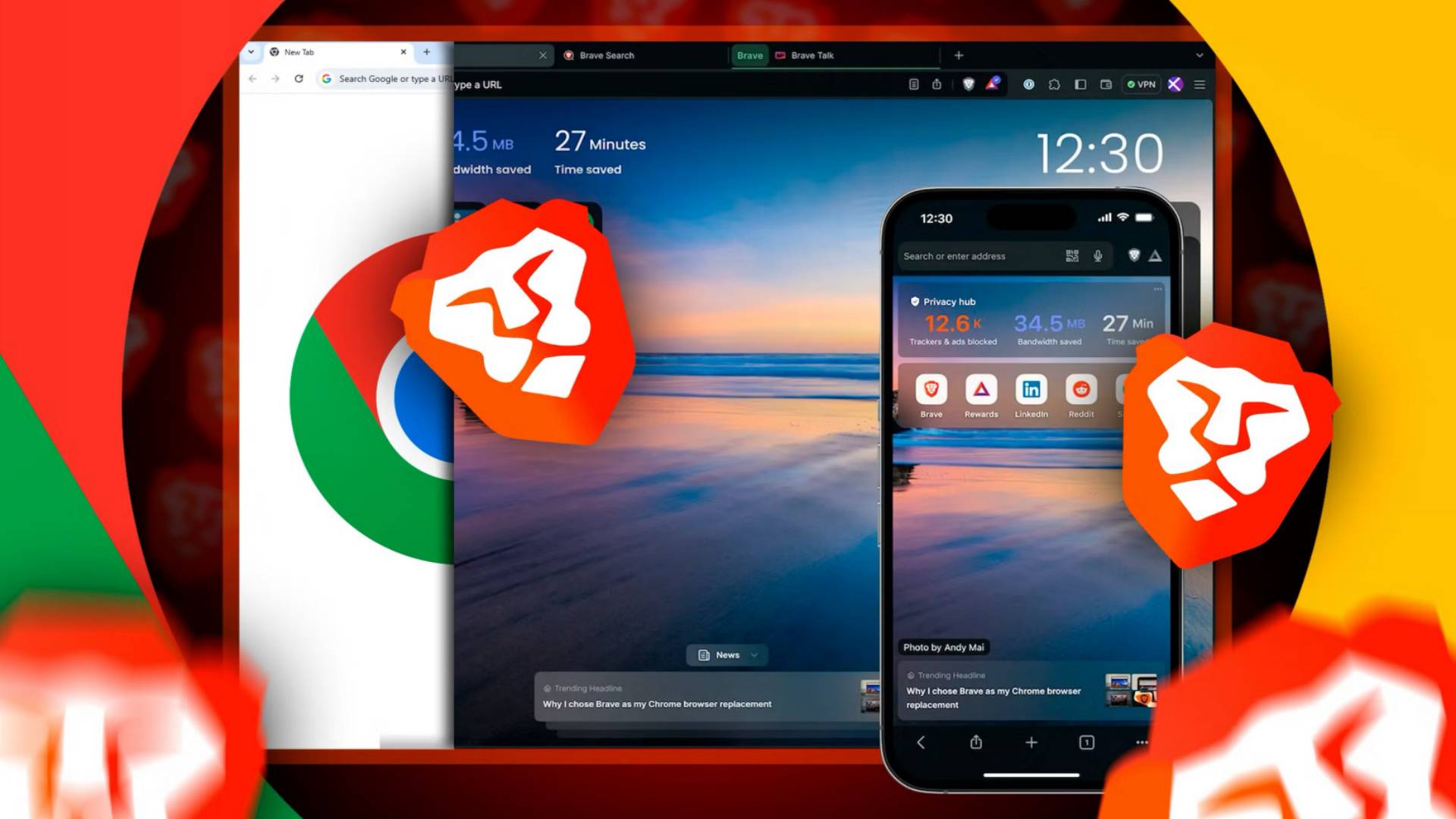
For a long time, Brave was my daily driver. It blocked ads, respected privacy, and felt fast. But over the past year, something shifted. Brave started moving useful features behind a subscription paywall. Want VPN? That’s extra. Firewall + VPN? Pay up. Even some privacy tools that were once free now require a Brave Premium subscription.

I get it — companies need revenue. But when a browser starts charging for basic functionality, it’s time to look elsewhere. So I did. And I found an open-source browser that not only matches Brave’s speed and privacy but gives me everything Brave now charges for — for free.

What Brave took away — and what you’re now paying for

Brave’s business model has evolved. The browser itself is still free, but the company has steadily walled off features that used to be included. Here’s a quick rundown of what you now have to subscribe to Brave Premium to get:

  • Brave VPN — a paid add-on that routes your traffic through a private network.
  • Brave Firewall + VPN — a combined security and privacy package, again behind a subscription.
  • Brave Talk Premium — video calling with end-to-end encryption, but only for paying users.
  • Brave Search (ad-free) — the default search engine is free, but removing ads costs you.
  • Brave Wallet — a crypto wallet, though this one is still free (for now).

None of these are essential, but they were either free or cheaper elsewhere. The bigger issue? Brave’s core pitch — privacy without compromise — starts to ring hollow when you have to pay to get the full package.

The open-source browser I switched to (and why it’s better)

After testing several alternatives, I settled on Firefox. Yes, Firefox. It’s not new or flashy, but it’s been quietly improving. And because it’s built on an open-source engine (Gecko), it’s fully transparent. No hidden paywalls, no surprise subscriptions.

Here’s what Firefox offers that Brave now charges for:

  • Built-in tracking protection — blocks ads and trackers by default. No subscription needed.
  • Mozilla VPN — available as a separate paid service, but you can also use any third-party VPN. No lock-in.
  • Firefox Relay — generates email aliases to hide your real inbox. Free tier is generous.
  • Total Cookie Protection — isolates cookies per website, preventing cross-site tracking. Free and on by default.
  • Open-source extensions — thousands of add-ons, many of which replicate Brave’s paid features for free.

Firefox also has a private browsing mode that doesn’t save history or cookies. It’s not quite the same as Brave’s Tor-based private windows, but for 99% of daily browsing, it’s more than enough.

Why Firefox beats Brave on privacy

Brave’s privacy features are real — I’m not denying that. But they come with a trade-off: Brave is built on Chromium, Google’s browser engine. That means it inherits some of Google’s code and, potentially, some of Google’s data-collection infrastructure. Firefox, by contrast, uses its own engine (Gecko), which is not beholden to Google’s ecosystem.

Mozilla is a non-profit foundation. Its revenue comes from search partnerships and donations, not from selling your data or charging for browser features. That’s a fundamentally different incentive structure.

What I miss from Brave — and what I don’t

I’ll be honest: leaving Brave wasn’t all roses. There are a few things I genuinely miss:

  • Brave Rewards — earning BAT tokens for viewing privacy-respecting ads was a neat gimmick. But it never added up to much money, and the whole crypto angle felt increasingly irrelevant.
  • Brave Shields — the per-site control panel for blocking ads, scripts, and fingerprinting is slick. Firefox has similar controls, but they’re buried in settings.
  • Brave Sync — encrypted syncing across devices works well. Firefox Sync is equally good, but setting it up is slightly less intuitive.

On the flip side, I don’t miss:

  • Brave’s crypto wallet — I never used it. It just cluttered the UI.
  • Brave’s bloat — the browser comes with a lot of built-in features I never asked for. Firefox is leaner by default.
  • The paywall anxiety — knowing that every update might move another feature behind a subscription is exhausting. Firefox is a one-time download, and that’s it.

How to make the switch yourself

If you’re ready to leave Brave behind, here’s a simple migration plan:

  1. Export your bookmarks and passwords from Brave (Settings → Bookmarks → Export, and Settings → Passwords → Export).
  2. Download Firefox from the official site. Install it.
  3. Import your data — Firefox will offer to import bookmarks, passwords, and history from Brave during setup. Accept the offer.
  4. Install essential extensions — uBlock Origin (ad blocking), Privacy Badger (tracker blocking), and HTTPS Everywhere (secure connections) replicate most of Brave Shields’ functionality.
  5. Adjust privacy settings — go to Firefox Settings → Privacy & Security and set tracking protection to Strict. Enable DNS over HTTPS for encrypted lookups.

That’s it. You’re now running a fully open-source browser with no subscriptions, no hidden costs, and no crypto gimmicks. Your data stays yours.

Final verdict: is the switch worth it?

Brave is still a solid browser. If you’re happy paying for the premium features, by all means, stick with it. But if you’re tired of watching features disappear behind a paywall, the answer is clear: there are excellent open-source alternatives that give you everything you need without the monthly bill.

Firefox isn’t perfect — no browser is. But it’s transparent, it’s free, and it’s built by an organization that doesn’t treat your privacy as a product to be sold or a feature to be monetized. That alone makes it worth the switch.

Continue Reading
Click to comment

Leave a Reply

Your email address will not be published. Required fields are marked *

Social Media

Bluesky’s Toni Schneider makes it official: He’s no longer just the interim CEO

Published

on

Bluesky CEO Toni Schneider

From interim to permanent: Schneider takes the reins

Four months into the job, Toni Schneider is finally shedding the “interim” tag. The Bluesky CEO announced Friday that he’s now the platform’s permanent chief executive, putting an end to any speculation about a leadership search.

Schneider took over in March after Jay Graber stepped down as CEO to become Bluesky’s chief innovation officer. Graber had led the company since its early days as a Twitter spinoff. Schneider, who previously founded Automattic — the company behind WordPress and Tumblr — came in as an experienced hand from the investor side. He’s also a partner at True Ventures, a venture capital firm that, along with Automattic, has money in Bluesky.

“I’m four months into my interim CEO role at Bluesky, and it’s time for an update,” Schneider wrote on his personal blog. “Most importantly, as of today, the interim part of the title is gone. I’m loving the mission and the job, and I’m all in as Bluesky’s official CEO.”

What Schneider wants to build next

Schneider didn’t just make an announcement — he laid out a roadmap. One of his first priorities, he said, is to “create smaller spaces and more private communities” on the platform. That’s a notable shift for a social network that, until now, has focused heavily on the public, broadcast-style feed that made Twitter famous.

“That would unlock the next wave of growth and innovation,” Schneider wrote, without offering a detailed timeline or specific features. It’s a clear signal that Bluesky wants to compete not just with X (formerly Twitter) but also with private messaging apps and community-focused platforms like Discord or even Facebook Groups.

The Graber era: 43 million users and a new protocol

Under Graber’s leadership, Bluesky hit 43 million users. That’s small compared to X’s hundreds of millions, but impressive for a platform that started as a niche experiment. Graber also oversaw the expansion of the AT Protocol, the decentralized system that lets Bluesky and other apps share the same social graph.

The AT Protocol is Bluesky’s long-term bet. If it works, developers could build their own apps on top of Bluesky’s network — think Mastodon, but with better usability. It’s a vision that echoes what the web was supposed to be: open, interoperable, and not owned by any single company.

But the momentum has slowed

Lately, though, Bluesky has hit a rough patch. User growth has stalled. Engagement is down. Some observers have started asking whether the platform is dying. The numbers tell a mixed story: Bluesky saw a huge spike in sign-ups after Donald Trump’s re-election, when Elon Musk was most active in politics on X. But that surge didn’t last. The platform has since seen a drop-off.

Schneider acknowledged the challenge indirectly. “We’re at the very beginning of this story,” he wrote Friday. It’s a line that sounds optimistic, but it’s also an admission that Bluesky hasn’t yet proven it can sustain growth beyond a political news cycle.

Can Bluesky survive without the X exodus?

The big question hanging over Bluesky is whether it’s a real social network or just a refuge for people fleeing Elon Musk’s X. The spike after the 2024 U.S. election suggests the latter. But a healthy platform needs its own reason to exist — not just a reason to leave somewhere else.

Schneider’s answer is to build features that keep people around: private communities, smaller groups, better tools for conversation. It’s a strategy that worked for WhatsApp and WeChat, both of which started as simple messaging apps and grew into ecosystems. But Bluesky is starting from a much smaller base.

He also has the backing of deep-pocketed investors — Automattic and True Ventures are both insiders. That gives him time to experiment. But time isn’t infinite. Social media is a winner-take-most market, and Bluesky is competing against X, Threads, Mastodon, and a dozen other platforms.

What’s next for Bluesky under permanent leadership

Schneider’s first task is to stabilize the user base. That means proving Bluesky can grow even when there’s no political crisis driving people off X. His second task is to deliver on the AT Protocol promise — making it easy for developers to build on top of Bluesky without needing a PhD in decentralized systems.

Neither is easy. But Schneider has been through this before. He led Automattic through WordPress’s transition from a blogging tool to a web platform. He knows how to build infrastructure that attracts developers. And he knows how to manage a company that’s trying to grow without losing its soul.

“We’re at the very beginning of this story,” he said. For Bluesky, that story is still being written. Whether it becomes a footnote or a new chapter in social media depends on what Schneider does next.

Continue Reading

How To

Amazon Has a Hidden Button That Tells You If You’re Overpaying — and It Just Got Way Better

Published

on

Amazon hidden button

What Is Amazon’s Hidden Price Button?

Most shoppers on Amazon have no idea it exists. Tucked away in the mobile app, there’s a small button that does one simple thing: it tells you whether you’re overpaying for an item. And as of July 2026, that tool just got a major upgrade.

It’s not a flashy feature. Amazon doesn’t advertise it. But for anyone who buys stuff online regularly — which is most of us — this hidden button can save real money. The new version is faster, more accurate, and easier to access. Here’s everything you need to know.

How the Button Works

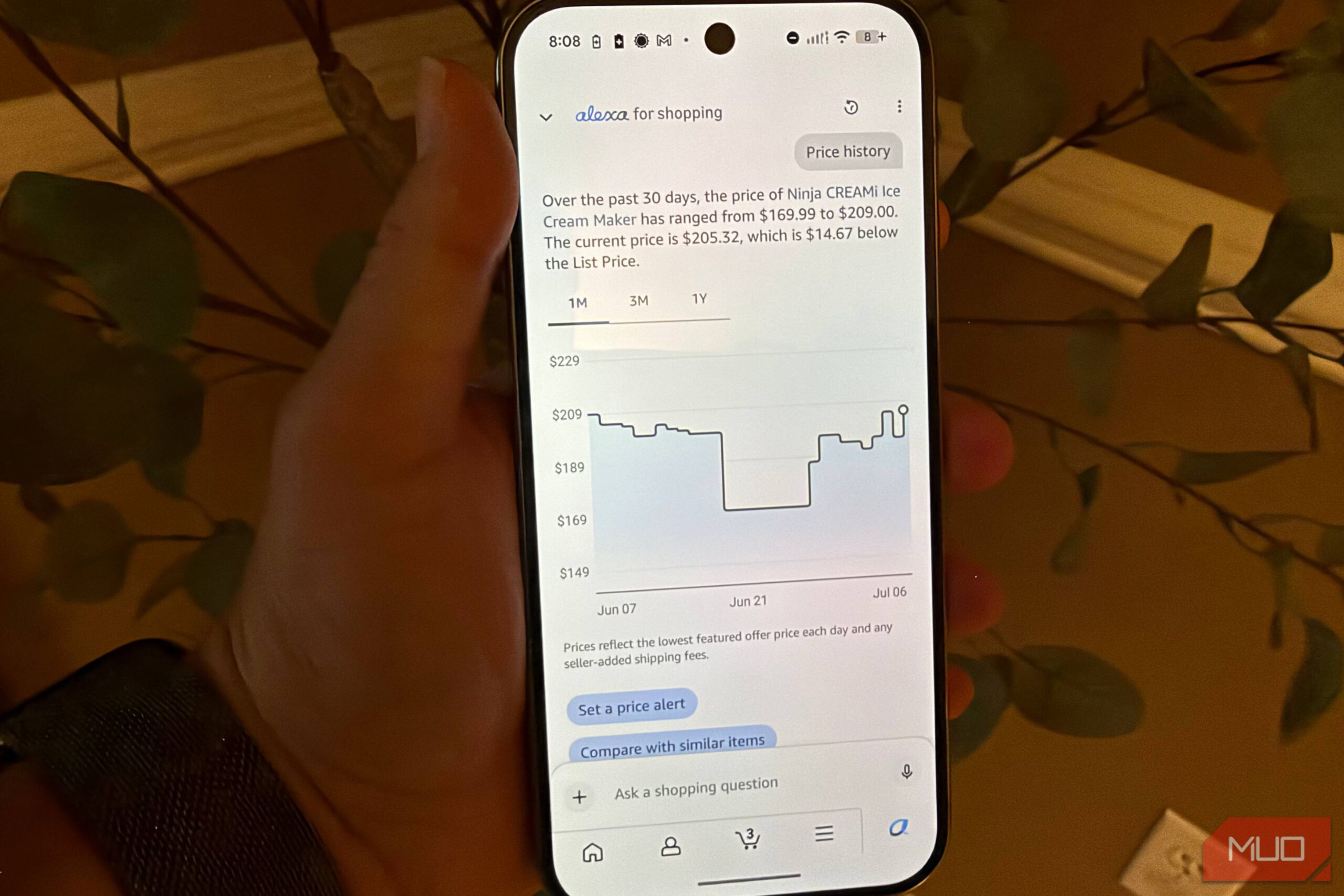
The button is part of Amazon’s price comparison system. When you’re viewing a product page in the Amazon mobile app, you can tap a small icon — often shaped like a price tag or a bar graph — to see if the current price is a good deal. The tool pulls up historical price data, shows you the lowest price the item has ever been, and flags whether you’re paying more than the average.

It’s not just about the past. The updated version now predicts near-term price drops. If an item is likely to go on sale within the next week, the button will tell you. That’s new. That’s powerful.

Where to Find It

Open the Amazon app on your phone. Navigate to any product. Look just below the price — there’s a small link or icon labeled something like “Price history” or “See price trends.” Tap it. That’s the hidden button. It’s not buried in settings or hidden behind three dots. It’s right there, but most people scroll past it.

If you don’t see it, make sure your app is updated to the latest version. Amazon rolled out the improved interface in early July 2026. Older versions may still have the old, less useful tool.

What the Update Changes

The original button was useful but clunky. It showed a line graph of price changes over the last 30 or 90 days. You could see spikes and dips, but you had to interpret the data yourself. The new version does the heavy lifting.

Now, when you tap the button, you get a clear verdict: “This price is 12% above the 90-day average” or “This is the lowest price in 30 days.” It uses simple language, not just numbers. There’s also a color-coded indicator — green for a good deal, yellow for average, red for overpriced. It’s designed for quick decisions.

Another big addition: the tool now includes prices from other major retailers. If the same item is cheaper at Walmart or Target, the button will show that too. That’s a first for Amazon’s in-app price checking. It’s a subtle admission that Amazon doesn’t always have the best price — and they’re okay with you knowing, as long as you’re using their app to find out.

Why Amazon Built This

You might wonder: why would Amazon help you pay less? It seems counterintuitive. But the logic is straightforward. Amazon wants you to trust that their platform is the best place to shop. If you have to open a separate app or website to compare prices, you might leave and not come back. By keeping the comparison inside their own ecosystem, Amazon keeps you engaged.

There’s also a competitive angle. CamelCamelCamel, a third-party price tracker, has been doing this for years. So has Keepa. Amazon saw users flocking to those tools and decided to build their own. The result? A feature that’s good for shoppers and good for Amazon’s data collection. Everyone wins, sort of.

How to Use It Like a Pro

Don’t just tap the button once and move on. Here are a few practical tips to get the most out of it:

  • Check before you buy anything over $20. Smaller purchases aren’t worth the mental energy. But for anything mid-range or above, the button can save you 10–30%.
  • Use the prediction feature. If the tool says a price drop is likely in 3–7 days, add the item to your wishlist and wait. Set a calendar reminder if you’re forgetful.
  • Compare across sellers. The new update shows prices from third-party sellers on Amazon too. Sometimes a different seller has the same item for less, with the same Prime shipping.
  • Don’t ignore the color code. Red doesn’t mean “never buy.” It means “buy only if you need it right now.” Green doesn’t mean “buy immediately.” It means “this is a solid deal, but prices can still go lower.” Use it as a guide, not a rule.

The Bottom Line

Amazon’s hidden price-check button is no longer a secret for the savvy few. The July 2026 update makes it accessible, intuitive, and genuinely useful for everyday shoppers. If you’re not using it, you’re leaving money on the table.

Next time you’re about to hit “Buy Now,” pause. Tap that little button. See if you’re overpaying. You might be surprised at what you find — and how much you save.

Continue Reading

Social Media

Instagram Plus, Algorithm Control, and Episodic Reels: What Marketers Need to Know

Published

on

Instagram Plus features

Instagram Plus: A Paid Subscription Layer for Creators and Brands

In a move that signals a new era for the platform, Instagram has launched Instagram Plus, a $3.99/month optional subscription tier. This isn’t just a cosmetic upgrade — it unlocks exclusive Stories features and enhanced analytics that could change how marketers approach organic reach.

For businesses, the key draw is the ability to offer subscriber-only Stories. Think behind-the-scenes content, early access to product drops, or exclusive Q&As. This creates a direct revenue stream and builds deeper loyalty. But there’s a catch: you’ll need to consistently produce content that feels worth the price tag. A one-off exclusive won’t cut it.

The subscription also includes a verified badge (pending review) and priority support. For marketers, the real value lies in the data — detailed insights on subscriber engagement that can inform broader content strategies.

User-Controlled Algorithms: Putting the Power Back in Your Hands

One of the most talked-about updates is the ability for users to control how their feed is sorted. No longer are you stuck with a mysterious algorithm deciding what you see. Now, you can toggle between “Favorites” (showing only posts from accounts you choose) and “Following” (chronological order from everyone you follow).

For marketers, this is a double-edged sword. On one hand, it means your most engaged followers can choose to see your content first. On the other hand, casual followers may never see your posts if they stick with the default algorithmic feed. The takeaway? Invest in building a core audience that will manually add you to their Favorites list. That means stronger calls-to-action, exclusive perks, and consistent value.

This shift also forces a rethink of hashtag strategy. With users filtering their feeds, hashtag discovery becomes even more critical for reaching new eyes. Instagram hashtag research should now be a weekly priority.

Episodic Reels: A New Format for Serialized Content

Instagram is testing episodic Reels, allowing creators to post multi-part video series. Think of it as a mini-TV show within the app. Each episode can be up to 90 seconds, and viewers can subscribe to the series to get notified when a new part drops.

This is a massive opportunity for brands. Instead of one-off viral hits, you can now build narrative arcs that keep viewers coming back. A fashion brand could run a “7 Days of Outfit Ideas” series. A cooking channel could release “5-Minute Meals” weekly. The serialized format encourages repeat visits and higher retention.

But there’s a strategic nuance: each episode must stand alone while also hooking viewers into the larger story. If a new user discovers part 3, they should still get value. Marketers need to plan storyboards with clear entry points for new viewers.

How to Optimize Episodic Reels for Discovery

  • Use a consistent thumbnail style — make your series instantly recognizable in the feed.
  • Include episode numbers in the video or caption to avoid confusion.
  • Cross-promote previous episodes in the comments or via Stories.
  • Leverage the subscribe button — encourage viewers to follow the series, not just your account.

Stories Features That Go Beyond the 24-Hour Window

Instagram is also expanding Stories capabilities. The most notable addition is “Stories Highlights” that can now include interactive elements like polls, quizzes, and countdowns — features previously limited to live Stories. This means your evergreen Highlights can now be dynamic, not static.

For marketers, this is a goldmine. A product launch countdown can live in your profile permanently. A “This or That” poll in a Highlight can gather ongoing feedback. The key is to update Highlights regularly to keep them fresh and engaging.

Another under-the-radar feature is “Stories Insights” for business accounts. You can now see which specific Stories drove the most profile visits or website clicks. This data lets you refine your content mix — doubling down on what works and cutting what doesn’t. Pair this with Instagram Stories analytics for a complete picture.

What This Means for Your 2024 Marketing Strategy

These updates collectively point to a platform that’s becoming more fragmented — and more intentional. The days of a one-size-fits-all algorithmic feed are fading. Marketers now have to earn attention through subscriptions, series, and interactive Stories.

Here are three action steps to take today:

  1. Audit your current content — identify which pieces could be repackaged as a series or exclusive subscriber content.
  2. Test the Favorites feature — ask your top followers to add you to their list. Offer a small incentive like a discount code.
  3. Plan a 3-part Reel series — start small. A simple “how-to” in three parts can test the episodic format without overwhelming your team.

The bottom line? Instagram is betting that users want more control and deeper connections. Marketers who adapt — by creating subscription-worthy content and serialized stories — will win in this new landscape.

Continue Reading

Trending