Connect with us

How To

The Raspberry Pi is no longer the obvious DIY choice

Published

on

Raspberry Pi DIY

Raspberry Pi once ruled the maker world. That era is ending

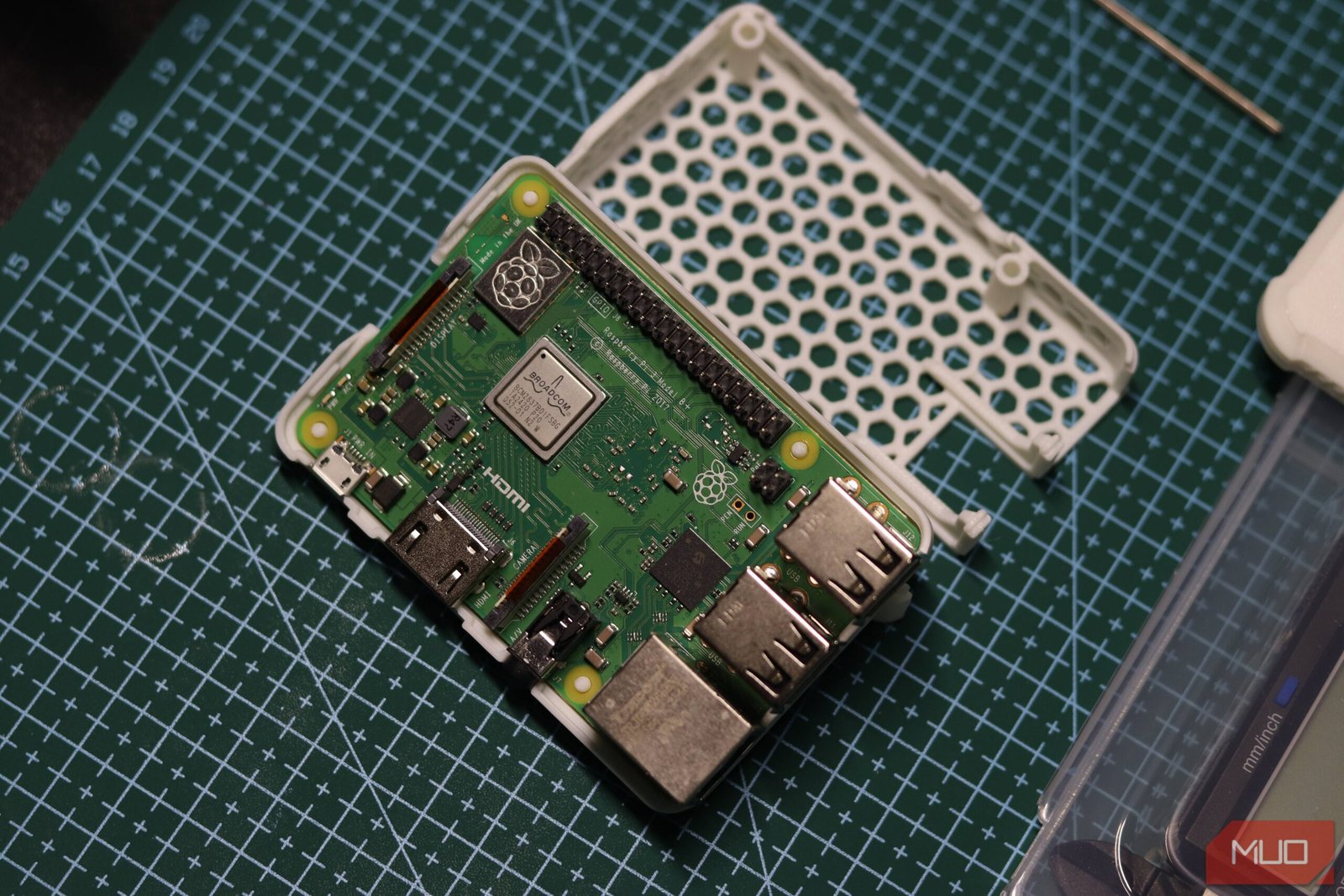
For over a decade, the Raspberry Pi was the undisputed king of single-board computers. Hobbyists built retro arcades, smart mirrors, home servers, and robot brains on its compact green PCB. If you wanted to tinker, you bought a Pi. Simple.

Not anymore. The landscape has shifted dramatically. Today, a wave of powerful, well-priced alternatives has flooded the market. The Raspberry Pi isn’t irrelevant — far from it — but it’s no longer the automatic, obvious choice for every DIY project.

Let’s break down why the crown is slipping and which boards are stepping up.

Performance: The Pi 5 is good. The competition is better

When the Raspberry Pi 5 launched in late 2023, it was a genuine leap forward. Its quad-core Cortex-A76 processor, at 2.4GHz, brought desktop-like responsiveness to the Pi lineup. You could run a lightweight Linux desktop, browse the web with multiple tabs, and even play some older games.

But rivals didn’t stand still. The Orange Pi 5, powered by the Rockchip RK3588S, offers an octa-core CPU with four Cortex-A76 cores and four Cortex-A55 cores. It also packs an Arm Mali-G610 GPU and up to 32GB of LPDDR5 RAM. The Pi 5 tops out at 8GB of LPDDR4X. That’s not a small gap — it’s a canyon.

Similarly, the Banana Pi M7 uses the same RK3588 chipset and delivers comparable muscle. For AI workloads, media transcoding, or running multiple virtual machines, these boards simply outgun the Pi 5.

Real-world benchmarks tell the story

In Geekbench 6 multi-core tests, the Orange Pi 5 scores roughly 2.5x higher than the Raspberry Pi 5. In GPU compute tasks, the Mali-G610 leaves the Pi’s VideoCore VII in the dust. If your project demands number-crunching — say, a local LLM or a home NAS with real-time transcoding — the Pi is no longer the best tool for the job.

RISC-V enters the ring: Milk-V and the open-source architecture

Perhaps the most fascinating challenger isn’t an Arm board at all. The Milk-V Mars runs on RISC-V, an open-standard instruction set architecture that’s gaining serious traction. It’s not as fast as the Pi 5 or the Orange Pi 5, but that’s not the point.

RISC-V offers something Arm and x86 cannot: complete freedom from licensing fees and proprietary cores. For developers who care about open hardware, or who want to future-proof their code for a post-Arm world, the Milk-V Mars is a compelling option. It’s also dirt cheap — the Mars CM starts at around $15.

The Raspberry Pi Foundation has shown no public interest in RISC-V. That leaves the door wide open for Milk-V and others to capture the ideologically driven segment of the maker community.

Software and ecosystem: The Pi’s last real moat

Raspberry Pi’s greatest strength has always been its ecosystem. Raspberry Pi OS is polished, well-documented, and runs on millions of devices. The community forums are vast. Tutorials exist for practically every project imaginable. If you get stuck, someone has already solved your problem.

That’s a genuine advantage. Orange Pi and Banana Pi ship with third-party images of Armbian, Ubuntu, or Android. They work, but they lack the same level of polish and first-party support. You’ll spend more time tinkering with drivers and configuration files.

Still, the gap is narrowing. Armbian has matured into a stable, well-maintained distribution that supports dozens of SBCs. WhatsApp HD photo sending might not be relevant here, but the broader point is: software ecosystems evolve. The Pi’s lead is shrinking, not growing.

Price and availability: The Pi’s old Achilles’ heel

During the pandemic, Raspberry Pi boards were nearly impossible to find at retail price. Scalpers sold Pi 4s for double or triple MSRP. The Foundation blamed supply chain issues, but the damage was done. Many makers switched to alternatives out of necessity — and discovered they liked them.

Today, the Raspberry Pi 5 4GB model costs $60. The Orange Pi 5 8GB model is around $80. For $20 more, you get double the RAM and significantly more CPU and GPU performance. The Banana Pi M7 16GB version sells for about $100 — still reasonable for a board that can replace a low-end desktop.

If you’re on a tight budget, the Libre Computer Le Potato (based on the Amlogic S905X) costs just $35 and runs Armbian well. It’s slower than a Pi, but for headless servers or simple automation, it’s more than enough.

Which board should you buy in 2026?

There’s no single answer anymore. Your choice depends entirely on your project:

  • For a retro gaming console: The Raspberry Pi 5 is still excellent. Emulation Station runs beautifully, and the community has pre-built images like RetroPie and Batocera.
  • For a home media server or NAS: The Orange Pi 5 or Banana Pi M7, with their superior CPU and RAM, are better suited for Plex transcoding and Docker containers.
  • For learning Linux or teaching kids to code: Stick with the Raspberry Pi. The documentation and community support are unmatched.
  • For experimenting with RISC-V or open hardware: The Milk-V Mars is your entry point. Just be prepared for a rougher software experience.
  • For AI and machine learning on the edge: Look at the Orange Pi 5 or the NVIDIA Jetson Nano. The Pi 5 lacks a neural processing unit.

The Raspberry Pi is still a great board. It’s reliable, well-supported, and easy to use. But it’s no longer the only option — or even the best option — for many projects. That’s not a failure. It’s a sign that the SBC market has matured. And for makers, more choice is always a good thing.

Continue Reading
Click to comment

Leave a Reply

Your email address will not be published. Required fields are marked *

Social Media

How Open-Weight AI Models Could Save Your Business Thousands

Published

on

open-weight AI models

Why your AI subscription bill is about to spike

If you’ve been leaning on ChatGPT or Claude for daily tasks, you’ve probably noticed the creeping costs. What started as a $20 monthly experiment can balloon into hundreds — even thousands — of dollars as your team scales usage. The pricing models from major AI providers are designed to grow with your dependence.

But there’s another path. Open-weight AI models let you run powerful language models on your own hardware, cutting out the middleman entirely. No monthly fees. No per-token charges. Just a one-time investment in hardware and a bit of technical setup.

What exactly are open-weight AI models?

Unlike closed models like GPT-4 or Gemini, open-weight models have their trained parameters — the “weights” — publicly released. Developers can download them, run them locally, and even fine-tune them on proprietary data. Think of it as owning the engine instead of renting a ride.

Popular examples include Meta’s Llama 3, Mistral’s Mixtral, and the Falcon series from the Technology Innovation Institute. These models range from 7 billion parameters (laptop-friendly) to 70 billion (requires serious GPU power).

The key advantage? Once you’ve downloaded the model, inference costs exactly zero dollars per query. No surprise bills at month-end.

What hardware do you actually need?

Here’s the honest truth: running a 70-billion-parameter model locally isn’t cheap on the hardware side. You’ll need a high-end GPU with at least 24 GB of VRAM — think NVIDIA RTX 4090 or A6000. That’s a $1,500 to $5,000 investment.

But here’s where the math gets interesting. If your business processes 500,000 API calls per month through a provider like OpenAI at roughly $0.01 per call, that’s $5,000 monthly. A $3,000 GPU pays for itself in under a month.

For smaller operations, 7-billion-parameter models run comfortably on a MacBook M2 with 16 GB RAM. No extra hardware needed.

  • 7B models — MacBook M2/M3, any GPU with 8 GB VRAM
  • 13B models — RTX 3090/4090, Apple M2 Ultra
  • 70B models — Dual RTX 6000 Ada, or cloud GPU rental

You can also use cloud GPU providers like Lambda Labs or RunPod for occasional heavy lifting — paying by the hour instead of per token.

Software setup: simpler than you think

Five years ago, running a local LLM meant compiling obscure Python libraries. Today, tools like Ollama, LM Studio, and LocalAI offer one-click installs. Download the app, pick a model from their library, and start chatting.

For businesses with technical staff, vLLM and Text Generation Inference provide production-grade serving with OpenAI-compatible APIs. That means your existing code that calls OpenAI’s API can point to your local server with a single URL change.

Privacy is another massive win. Sensitive customer data, internal documents, or proprietary code never leaves your network. No data used for training other companies’ models.

What about fine-tuning?

Open-weight models can be fine-tuned on your specific business data using tools like LlamaFactory or Axolotl. A customer support bot trained on your actual support tickets will outperform a generic model every time — and you own the result.

How to pick the right model for your needs

Not every business needs a 70B behemoth. Start with a simple framework:

  1. Task complexity — Simple Q&A? A 7B model works. Complex code generation or multi-step reasoning? Go 13B or higher.
  2. Latency requirements — Real-time chat demands smaller models. Batch processing can handle larger ones.
  3. Privacy needs — If you handle HIPAA, GDPR, or PCI data, local deployment isn’t optional.

The Hugging Face leaderboard is a solid starting point. Filter by parameter count, benchmark scores, and license terms. Many open-weight models use permissive licenses (Apache 2.0, MIT), but some — like Llama — have specific commercial terms you should read.

The hidden costs most people miss

Local deployment isn’t free. Electricity for a 450W GPU running 24/7 adds roughly $40–$60 monthly depending on your rates. Hardware maintenance, cooling, and IT staff time need factoring in.

But compare that to an API bill that scales linearly with usage. If your AI usage grows 10x next year, your local costs stay flat. Your API bill grows 10x.

For businesses with predictable or growing AI workloads, open-weight models offer a ceiling on costs. The more you use AI, the more you save.

First steps to get started today

Download Ollama on a laptop. Pull a 7B model like Llama 3.1 or Mistral. Test it against your most common AI tasks — summarization, drafting emails, answering product questions. Compare the output quality to your paid service.

Most teams find that 80% of their daily tasks are handled perfectly by a local 7B or 13B model. The remaining 20% — complex reasoning, creative writing — can still use the cloud API. That hybrid approach alone cuts costs by 60–80%.

Open-weight models aren’t a futuristic concept. They’re ready now, they’re getting better every month, and they could save your business thousands starting next billing cycle.

Continue Reading

How To

7 iconic movie props to 3D print this weekend (July 17-19)

Published

on

3D print movie props

Why this weekend is perfect for 3D printing movie props

Friday evening rolls around and you’re staring at your printer, filament loaded, wondering what to build. You’ve done the benchy. You’ve printed the calibration cubes. Now it’s time for something that actually sparks conversation.

Movie props are the sweet spot for 3D printing. They’re recognizable, they’re often free to download, and they don’t require weeks of post-processing. You can slice, print, and start painting over a single weekend. Here are seven iconic movie props to 3D print this weekend, July 17-19.

The One Ring from The Lord of the Rings

J.R.R. Tolkien’s inscription-bearing ring is arguably the most iconic prop in fantasy cinema. New Line Cinema‘s trilogy put this tiny band of gold at the center of a cultural phenomenon, and it translates beautifully to FDM printing.

The best part? It’s a quick print. Most designs take under two hours, so you can experiment with different sizes, metals, or even print one in translucent filament to simulate the “fading” effect. A coat of gold spray paint and some black wash for the Elvish script, and you’ve got a conversation starter for your desk.

Where to find it

Thingiverse and Printables both host multiple high-quality STL files. Look for versions with raised lettering — they paint up better than engraved ones.

Portal Gun from Rick and Morty

This one requires a bit more commitment. The Portal Gun, as used by Rick Sanchez across dimensions, is a multi-part build. Expect to spend the better part of Saturday printing the handle, barrel, and trigger mechanism separately.

Assembly is straightforward: most designs snap together or use simple screws. The iconic green-and-blue color scheme means you can either print in matching filaments or prime everything gray and paint later. Either way, the result is a prop that fans will recognize instantly.

Pro tip: print the trigger mechanism last, as it often needs the tightest tolerances for smooth action.

Lightsaber hilt from Star Wars

No list of 3D printable movie props is complete without a lightsaber. The challenge here isn’t complexity — it’s choice. Do you build Luke’s Return of the Jedi hilt? Kylo Ren’s crossguard design? Or a custom saber that blends elements from several characters?

Most lightsaber hilt designs print in four to six pieces: the emitter, the main body, the grip section, and the pommel. Threaded inserts or magnets let you swap parts later. A weekend gives you enough time to print, sand, and apply a metallic finish. Lucasfilm may own the galaxy far, far away, but your desktop can host a replica.

DeLorean Time Machine from Back to the Future

This is the project for the patient printer. The DeLorean DMC-12, kitted out with flux capacitor and Mr. Fusion, is a detailed model that rewards careful assembly.

Expect to print the chassis, wheels, doors, and the signature rear-mounted time circuits separately. Total print time runs around 12-14 hours, so start Friday night and let the machine run overnight. By Sunday morning you’ll have all the parts ready for assembly and a light coat of silver paint.

The gull-wing doors are the trickiest bit — print them with supports, and take your time removing them. Break a door strut and you’re looking at another two hours of printing.

Mjolnir from Thor

Thor’s hammer is deceptively simple. It’s a rectangle block with a handle. But that simplicity makes it an ideal weekend project. The block prints flat on the bed, no supports needed. The handle wraps around later.

The real fun begins with finishing. Sand the cube faces smooth, fill any layer lines with primer, then go heavy on the silver. A dark gray wash in the recesses adds depth. For the leather wrap on the handle, skip the paint and use real leather cord — it takes the prop from “okay” to “museum replica.”

Worth noting: a solid-infilled Mjolnir weighs a surprising amount. It’s dense enough to feel real in the hand. Just don’t test it on your coffee table.

R2-D2 from Star Wars

R2-D2 is a rite of passage for 3D printing enthusiasts. The little astromech droid has been printed in every scale from keychain to life-size. For a weekend project, aim for a 1:6 scale version — big enough to show detail, small enough to finish before Monday.

The body prints as a cylinder with separate panels for the domed head. Legs are optional for a static display, but they add maybe an hour to the print time. The iconic blue and white color scheme works perfectly with PLA filament swaps, so you don’t even need paint if you time your filament changes right.

Multiple designers have released R2 files. Look for one that includes the third leg detail — it’s a small touch that makes a big difference.

The Holy Hand Grenade from Monty Python and the Holy Grail

Sometimes the best prop is the one that makes people laugh. The Holy Hand Grenade of Antioch, complete with “Book of Armaments” instructions, is a quick print and an instant crowd-pleaser.

The grenade itself is a simple oval shape with a pin and spoon. The real magic is the box it comes in, which can print with a hinged lid. Paint it gold, add a printed label with the instructions from the film, and you’ve got a prop that’s both a reference and a functional storage box.

Total print time: around four hours. That leaves Sunday free for painting and watching the movie again. Perfect.

Tips for a successful weekend print session

Before you hit “slice,” a few practical notes. Check your filament supply early Friday. Nothing kills momentum like running out of silver PLA at 11 PM. Also, verify your bed leveling — a failed first layer on a six-hour print is a weekend wasted.

For painting, acrylic craft paints work fine on PLA. A $10 set from any craft store, plus a can of gray primer, covers most of these projects. You don’t need airbrushes or expensive modeling paints to get a great result. Thin coats, patience, and a matte varnish at the end will make your prop look like it came from a prop shop.

Finally, share your builds. The 3D printing community thrives on seeing what others create. Post photos, tag the original designer, and inspire the next person’s weekend project.

Continue Reading

Social Media

These Are the Countries Moving to Ban Social Media for Children

Published

on

social media ban children

A Global Push to Protect Kids Online

Over the past year, a wave of legislation has swept across the globe targeting one specific issue: how young is too young for social media? Australia was the first to draw a hard line in December 2025, banning children under 16 from platforms like Facebook, Instagram, TikTok, and even YouTube. Now, a dozen other nations are following suit — or at least trying to.

France is the latest to join the movement, passing a law in July 2026 that blocks access to social media for anyone under 15. The law, which could take effect as soon as September 1, also bans cell phones in high schools, extending an existing restriction in primary and middle schools.

But not everyone is cheering. Critics, including Amnesty Tech, argue that blanket bans are ineffective and ignore how deeply embedded these platforms are in young people’s lives. Privacy concerns over age verification methods also linger. Still, governments are pressing ahead.

Australia: The Trailblazer

Australia became the world’s first country to implement a social media ban for children under 16 in December 2025. The law blocks minors from using Facebook, Instagram, Snapchat, Threads, TikTok, X, YouTube, Reddit, Twitch, and Kick. Notably, WhatsApp and YouTube Kids are exempt.

The Australian government has made it clear: platforms must take active steps to keep under-16s off their services. Companies that fail to comply face penalties up to $49.5 million AUD ($34.4 million USD). The law also requires platforms to use multiple age-verification methods — not just self-reported birth dates.

Europe Leads the Charge

France isn’t alone in tightening the screws. Across Europe, several countries are drafting or passing similar restrictions.

France

As mentioned, France’s law targets users under 15. It’s part of a broader digital safety push that includes banning phones in high schools. The law is expected to come into force on September 1, 2026.

Germany

In early February 2026, German Chancellor Friedrich Merz’s conservatives proposed barring children under 16 from social media. But Reuters reported that his center-left coalition partners are hesitant to support an outright ban, so the outcome remains uncertain.

Greece

Prime Minister Kyriakos Mitsotakis announced in April 2026 that Greece will ban social media for children under 15 starting January 2027. The move aims to tackle rising anxiety, sleep problems, and the addictive design of these platforms.

Spain

Spain’s prime minister announced in February 2026 a plan to ban social media for children under 16, though it still needs parliamentary approval. The government is also seeking to make social media executives personally liable for hate speech on their platforms.

Poland

Poland’s ruling party is drafting legislation that would ban children under 15 from using social media, as reported by Bloomberg in February 2026.

Slovenia

Slovenia’s deputy prime minister announced in early February 2026 that the country is drafting a law to prohibit children under 15 from accessing platforms like TikTok, Snapchat, and Instagram.

Denmark

Denmark is set to ban social media for children under 15. The government announced in November 2025 that it had secured parliamentary support from three coalition parties and two opposition parties. The law could pass as soon as mid-2026, according to the Associated Press. Denmark is also launching a “digital evidence” app with age-verification tools.

Austria

Austria said in late March 2026 that it will ban social media for children up to age 14. Draft legislation is expected by June.

Asia and the Middle East Join In

The trend isn’t limited to Europe and Oceania.

Indonesia

Indonesia announced in March 2026 that it’s banning children under 16 from social media and other online platforms, including YouTube, TikTok, Facebook, Instagram, Threads, X, Bigo Live, and Roblox.

Malaysia

Malaysia said in November 2025 it plans to ban social media for children under 16, with implementation expected in 2026.

Turkey

Turkey’s parliament passed a bill in April 2026 to restrict social media access for children under 15. President Recep Tayyip Erdogan must now sign it into law.

North America: Canada and the UK

Both Canada and the United Kingdom are moving forward with their own restrictions.

Canada

Canada introduced a digital safety bill in early June 2026 that would ban social media for children under 16. Social media companies could avoid the ban if they demonstrate they have policies to protect young users. Officials say it could take a year for the bill to pass.

United Kingdom

UK Prime Minister Keir Starmer announced on June 15, 2026, that his government will impose a ban on social media for children under 16. The ban covers platforms like Snapchat, TikTok, YouTube, Instagram, Facebook, and X. Messaging services like WhatsApp and Signal are exempt. The ban also restricts AI “romantic companion” chatbots to users over 18. Starmer acknowledged enforcement challenges but said he believes a ban could be in place by spring 2027.

Experts Question the Effectiveness

Not everyone is convinced that a blanket ban is the right approach. Privacy advocates worry about invasive age-verification systems. Critics, including Amnesty Tech, argue that bans ignore the realities of younger generations and fail to address the root causes of online harm. Some experts suggest that digital literacy education and platform accountability might be more effective than outright prohibition.

Still, the momentum is undeniable. As more countries move to restrict social media for children, the debate over how — and whether — to police young people’s online lives is only getting louder.

Continue Reading

Trending