Connect with us

How To

Use Call Show Customize Screen Flash App to Transform Your Smartphone!

Published

on

Use Call Show Customize Screen Flash App to Transform Your Smartphone!

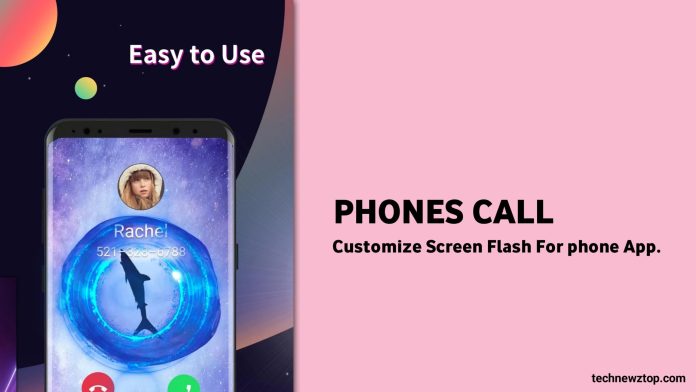
Are you tired of the same old boring caller screen on your Android device? If so, the Call Show Customize Screen Flash app might be exactly what you need. This innovative tool lets you completely revamp how your phone looks and behaves when someone calls. Instead of a plain interface, you can enjoy vibrant themes, personalized photos, and even video clips. With over 500,000 users worldwide, this app has become a popular choice for those looking to add a touch of personality to their device.

In this article, we will explore the key features, benefits, and installation process of this app. Whether you want to set a family photo as your caller tune or enable a flashing LED alert, this guide covers everything. Let’s dive into how you can use the Call Show Customize Screen Flash app to transform your smartphone into a more exciting and functional device.

What Makes Call Show Customize Screen Flash Unique?

This app stands out because it combines caller screen customization with practical notification tools. Many users find the default Android call screen dull and unappealing. However, this app offers a wide range of themes designed by professional artists. You can choose from colorful backgrounds, animated effects, and even set videos to play when someone calls.

Additionally, the app includes an LED flash alert feature. When a call comes in, the flashlight on your phone will automatically light up. This is particularly useful in noisy environments or when your phone is on silent mode. You will never miss an important call again. The app also acts as a call assistant, reminding you of missed calls and allowing you to respond with just one tap.

Key Features of the Call Show Customize Screen Flash App

Customizable Caller Themes

One of the most appealing aspects of this app is its vast library of themes. You can browse through hundreds of options, from minimalist designs to vibrant, artistic layouts. Each theme is crafted to make your incoming call screen look stunning. Moreover, you can upload your own images or videos to create a truly personal experience. For example, you can set a picture of your family or a favorite vacation video as your caller tune.

LED Flash and Sound Alerts

Beyond visual customization, the app offers practical tools like LED flash alerts. When a call arrives, the flashlight on your phone will blink, ensuring you notice it even in dark or loud settings. This feature is especially helpful for people who work in busy environments or have hearing difficulties. You can also customize the ringtone and notification sounds to match your preferences.

Call Assistant for Better Management

The built-in call assistant is another valuable feature. It logs all incoming and missed calls, providing you with details like call duration and time. If you miss a call, the assistant offers quick options to call back or send a message. This makes managing your communication simpler and more efficient.

How to Download and Install the App

Getting started with the Call Show Customize Screen Flash app is straightforward. Follow these steps to download and install it on your Android device:

  1. Open the Google Play Store on your phone.
  2. Search for “Call Show Customize Screen Flash.”
  3. Tap the install button and wait for the download to complete.
  4. Once installed, open the app and grant the necessary permissions (such as access to calls and notifications).
  5. Browse the theme library, select your favorite design, and apply it.

The app is free to download, though some premium themes may require a small fee. After installation, you can start customizing your caller screen immediately. For more tips on Android customization, check out our guide on best Android launchers.

Why Choose Call Show Over Other Caller Screen Apps?

There are many caller screen apps available on the Play Store, but few offer the combination of features found in this one. The integration of LED flash alerts with customizable themes sets it apart. Additionally, the app is lightweight and does not drain your battery significantly. Users report that it runs smoothly even on older Android devices.

Another advantage is the regular updates. The developers frequently add new themes and improve performance based on user feedback. This ensures that the app remains fresh and compatible with the latest Android versions.

Tips for Getting the Most Out of the App

To maximize your experience, consider these tips:

  • Experiment with different themes: Don’t settle for the first one you see. Try various styles to find what suits your personality.
  • Use personal media: Upload your own photos or short videos for a unique caller screen.
  • Enable LED flash: Make sure the flash alert is turned on in settings to avoid missing calls.
  • Check for updates: Regularly update the app to access new features and bug fixes.

For more smartphone customization ideas, read our article on customizing Android notifications.

Conclusion

In summary, the Call Show Customize Screen Flash app offers an excellent way to refresh your smartphone’s caller screen. With its rich theme library, LED flash alerts, and call assistant features, it provides both aesthetic and practical benefits. Whether you are bored with the default interface or simply want to add a personal touch, this app delivers.

We hope this guide has been helpful. If you have any questions or encounter issues while using the app, feel free to leave a comment below. Share this article with friends who might also enjoy transforming their smartphones. For more app reviews and tech tips, visit our Android apps section.

Continue Reading
Click to comment

Leave a Reply

Your email address will not be published. Required fields are marked *

Social Media

How to Use Instagram Stories in 2026: A Complete Guide to Posting, Editing, and Saving

Published

on

How to Use Instagram Stories in 2026: A Complete Guide to Posting, Editing, and Saving

Instagram Stories have become a cornerstone of daily social media interaction. With over 500 million daily active users, this feature allows you to share moments that disappear after 24 hours—unless you save them as Instagram Highlights. This Instagram Stories guide for 2026 covers everything from basic posting to advanced AI tools, helping you create engaging content that stands out.

Getting Started with Instagram Stories

First, open the Instagram app and tap your profile picture at the top left of the feed. Alternatively, swipe right from anywhere in the main feed to access the camera. You can also tap the plus icon and select “Story.”

Once the camera is open, you have several options: take a photo by tapping the shutter button, record a video by holding it, or upload existing media from your gallery by swiping up. In 2026, Instagram introduced improved low-light mode and enhanced stabilization for videos, making even spontaneous clips look polished.

Essential Features for Your Instagram Stories

Add Music, Text, and Stickers

After capturing or uploading content, tap the sticker icon (square smiley face) at the top. Here you can add music tracks from Instagram’s library, which now includes trending songs and sound effects. You can also overlay text in various fonts, resize it, and change colors using the color palette.

Stickers have evolved significantly. The “Add Yours” sticker encourages followers to share their own stories, while the poll, question, and quiz stickers boost engagement. For businesses, the product sticker links directly to your shop, making shopping seamless.

Use AI Tools for Creative Effects

Instagram’s AI tools in 2026 are a game-changer for storytelling. The “AI Background” feature lets you generate custom backgrounds based on text prompts—for example, type “sunset beach” and the app creates a realistic scene. The “AI Avatar” option transforms your selfie into a cartoon or artistic style.

Additionally, the “Auto-Caption” tool automatically generates captions for your videos, improving accessibility. To access these, tap the magic wand icon after capturing your content. These features save time and spark creativity, especially for users who aren’t professional designers.

How to Save Instagram Stories to Highlights

Stories disappear after 24 hours, but you can preserve them permanently in Highlights. After posting a story, tap the “Highlight” button at the bottom right. Choose an existing highlight or create a new one by naming it (e.g., “Travel,” “Food,” “Behind the Scenes”).

To manage highlights, go to your profile and tap the highlight circle under your bio. You can add or remove stories, rearrange the order, or change the cover image. This is ideal for curating evergreen content that new followers can explore.

Pro Tips for Engaging Instagram Stories

Post Consistently and Interact

Posting daily stories keeps your audience engaged. Use the countdown sticker for events, the quiz sticker to test knowledge, and the question sticker to gather feedback. Respond to replies in your inbox—this builds community and boosts your post visibility.

Analyze Your Performance

Instagram provides story insights for business and creator accounts. Check metrics like reach, impressions, exits, and replies. Identify which stickers or content types get the most engagement. For example, if polls drive high interaction, incorporate them more often.

Leverage Trending Audio and Effects

Music trends change rapidly. Browse the “Trending” section in the music library to find popular tracks. Using trending sounds can increase your story’s discoverability through Instagram’s algorithm. Similarly, try new AR effects from the effect gallery—they often get featured on the Explore page.

Common Mistakes to Avoid

One frequent error is overloading stories with too many stickers or text, which clutters the visual. Keep it clean: one or two interactive elements per story is sufficient. Another mistake is neglecting to save important stories to Highlights, causing them to vanish forever.

Also, avoid posting low-resolution images or shaky videos. Instagram compresses media, so start with high-quality files. Finally, don’t ignore analytics—use them to refine your strategy.

Conclusion

Mastering Instagram Stories in 2026 is about combining creativity with smart use of features. From AI backgrounds to interactive stickers, the platform offers endless ways to connect with your audience. Start by posting one story daily, experiment with different tools, and save your best content to Highlights. For more tips, check out our guide on Instagram Reels Tips and Social Media Strategy. Happy storytelling!

Continue Reading

How To

WhatsApp Rolls Out 4 New Chat Features: Camera Effects, Selfie Stickers, and More

Published

on

WhatsApp has once again raised the bar for instant messaging. In its latest update, the platform introduces four exciting new chat features designed to make conversations more creative, efficient, and enjoyable. Whether you are a casual user or a messaging enthusiast, these tools promise to transform how you interact with friends and family.

These WhatsApp new chat features focus on personalization and speed. From adding flair to video calls to reacting with a simple double-tap, the update addresses common user desires. Let’s break down each feature and see how they can elevate your daily chats.

1. Camera Effects: Bring Video Calls to Life

Video calling just got a major upgrade. WhatsApp now lets you apply camera effects directly within chats. With over 30 unique filters, backgrounds, and effects, you can instantly transform your video feed. Think of it as bringing a touch of Instagram or Snapchat flair to your WhatsApp calls.

These effects are not limited to live calls. You can also use them while recording videos or taking photos to share later. Whether you want to blur your background during a work call or add playful elements for a birthday celebration, the options are intuitive and easy to access. Simply open the camera from within a chat and explore the available effects.

This feature adds a layer of creativity that was previously missing from WhatsApp’s video functionality. It makes every interaction feel more dynamic and personalized.

2. Turn Selfies Into Stickers Instantly

Personalization takes a fun new turn with the selfie sticker feature. Now, you can convert your own selfies into custom stickers with a single tap. This is perfect for expressing emotions in a uniquely personal way.

To use it, tap the “Create Sticker” icon within the app. You will see a camera option that lets you snap a selfie and instantly turn it into a sticker. The result is a fun, creative, and truly one-of-a-kind sticker that only you have.

Currently, this feature is available for Android users, with iOS support expected soon. It is a simple yet powerful way to make your conversations more engaging and personal.

3. Share Entire Sticker Packs With Ease

Sharing stickers one by one used to be tedious. WhatsApp’s new update solves this by letting you share entire sticker packs at once. Now, you can send up to 30 stickers from a pack in a single tap.

This makes it much faster and more convenient to share your favorite sticker collections with friends and family. To share a pack, open your stickers, select the pack you want to share, and send it directly into the chat. Recipients can then access and use the entire pack immediately.

This feature streamlines the sharing process and encourages more playful communication. It is a small change that makes a big difference in daily use.

4. React Faster With Quick Reactions

Reacting to messages is now quicker than ever. Instead of pressing and holding a message, you can simply double-tap it to add a reaction instantly. This mirrors the double-tap gesture popularized by Instagram, but WhatsApp adds its own twist.

Users can also scroll through their most-used reactions, making it easy to pick the perfect emoji without extra steps. This saves time and keeps conversations flowing smoothly. The feature is designed for convenience, allowing you to acknowledge messages without typing a word.

These WhatsApp new chat features collectively enhance the messaging experience. Camera effects add fun to video calls, selfie stickers bring personalization, sticker pack sharing saves time, and quick reactions streamline responses. To enjoy these updates, simply update your app from the Google Play Store or Apple App Store.

For more tips on using WhatsApp effectively, check out our guide on How to Use Meta AI on WhatsApp or explore other WhatsApp tips and tricks.

Continue Reading

How To

UPI Lite Limit Increased by RBI: What It Means for Digital Payments in India

Published

on

UPI Lite Limit Increased by RBI: What It Means for Digital Payments in India

The Reserve Bank of India (RBI) has officially announced that the UPI Lite limit increased from Rs 200 to Rs 500 per transaction. This change, revealed by Governor Shaktikanta Das, is designed to make small-value digital payments smoother and more convenient for millions of users across the country.

As digital transactions become part of everyday life in India, this upgrade addresses a key pain point: the friction of entering a UPI PIN for tiny purchases. With the new limit, users can now pay for items like tea, snacks, or bus fares without repeatedly authenticating each transaction.

Understanding the UPI Lite Limit Increase

The UPI Lite limit increased to Rs 500 represents a significant jump from the previous cap of Rs 200. This means that for transactions up to half a thousand rupees, users no longer need to enter their UPI PIN or rely on a bank statement for verification.

According to the RBI, this move is part of a broader strategy to encourage digital payments for small-value purchases. The UPI Lite wallet can still hold up to Rs 2,000, but each transaction can now be up to Rs 500. This makes it ideal for quick payments at local shops, street vendors, or during commutes.

How UPI Lite Works

For those unfamiliar, UPI Lite functions as an on-device wallet that doesn’t require a UPI PIN for transactions. It was introduced by the National Payments Corporation of India (NPCI) to streamline small payments. Major apps like Paytm and Google Pay have integrated this feature, making it widely accessible.

Building on this, the increased limit means users can now make larger small-value purchases without the hassle of entering a PIN. This is particularly useful in areas with poor network connectivity, as UPI Lite can still process transactions even when regular UPI services are down.

NFC Integration: Offline Payments Made Easy

In addition to the UPI Lite limit increased, the RBI also announced plans to integrate near-field communications (NFC) with UPI. This will allow users to make offline payments by simply tapping their phones at NFC-enabled terminals.

This feature is expected to be a major convenience, especially in places where internet connectivity is unreliable. By using the UPI Lite on-device wallet, users can complete transactions without needing an active data connection. This aligns with India’s push for a more inclusive digital payments ecosystem.

Conversational Payments: AI Meets UPI

Another exciting development is the introduction of Conversational Payments, powered by artificial intelligence. This feature aims to simplify the UPI experience by allowing users to make payments through voice commands or text-based interactions.

For example, instead of navigating through multiple screens, you could simply say “Pay Rs 100 to the vegetable vendor” and the AI would handle the rest. This is part of a global trend where AI-driven technologies like chatbots are making financial transactions more intuitive.

What This Means for Users

For everyday users, the UPI Lite limit increased translates to faster and more convenient transactions. You no longer need to worry about entering a PIN for small purchases, which saves time and reduces friction. Additionally, the NFC and AI features promise to make payments even more seamless in the future.

Businesses, especially small merchants, will also benefit. With lower transaction costs and faster processing, they can serve more customers efficiently. This could encourage more shopkeepers to adopt digital payments, furthering India’s goal of a cashless economy.

Timeline and Rollout

While the RBI has announced these changes, the exact timeline for the rollout remains unclear. However, the NPCI and banks are expected to implement the new limit soon. Users should keep an eye on their UPI apps for updates.

For more insights on digital payments, check out our guide on How to Use UPI Lite for Small Transactions and Digital Payments Trends in 2025.

Final Thoughts

The decision to increase the UPI Lite limit reflects the RBI’s commitment to making digital payments more accessible. Combined with NFC and AI features, these updates are set to transform how Indians conduct small-value transactions.

As the digital payments landscape evolves, users can expect even more innovations that prioritize convenience and security. Stay tuned for further announcements from the RBI and NPCI.

Continue Reading

Trending