Connect with us

Artificial Intelligence

What are Copilot+ PCs? A complete guide to Microsoft’s AI-powered Windows laptops

Published

on

Copilot+ PCs

Microsoft’s Copilot+ badge: more than just a chatbot upgrade

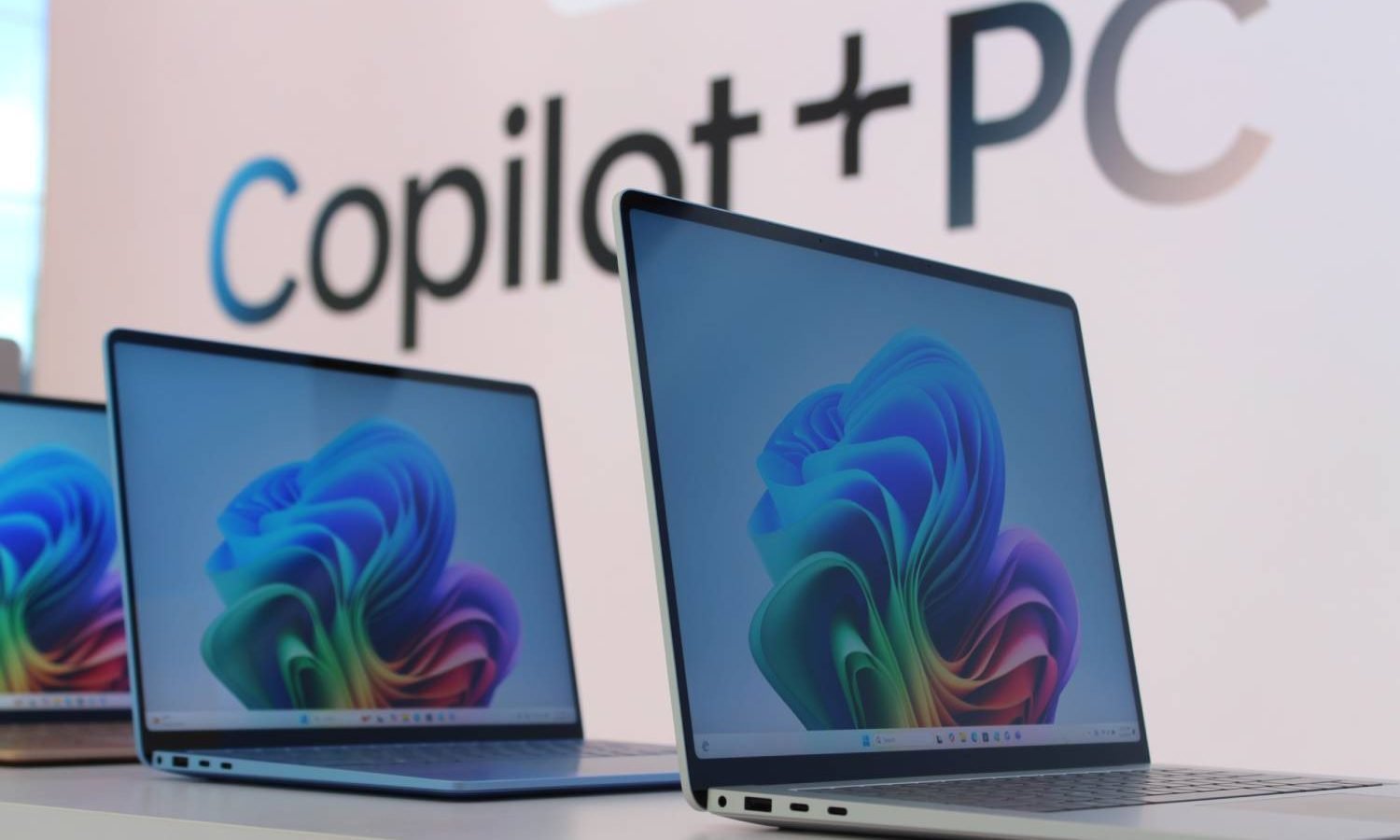
Stroll through a computer store in 2026, and you’ll spot the Copilot+ PC logo on most Windows laptops. It’s everywhere — from Microsoft’s own Surface lineup to machines from Samsung, HP, and Dell. The name suggests a better version of the Copilot chatbot. But that’s only a sliver of the story.

A Copilot+ PC is a Windows 11 computer that meets Microsoft’s strict hardware standard for advanced on-device AI. The key ingredient? A processor with a dedicated Neural Processing Unit (NPU) that hits at least 40 TOPS. You also need 16GB of RAM and a 256GB SSD. Meet those specs, and you unlock Windows features like Recall, Click to Do, improved search, and live translation — all powered locally by the NPU rather than cloud servers.

The badge has spread fast. When the first Copilot+ laptops landed in June 2024, only Qualcomm’s Snapdragon X chips qualified. Today, you can also pick models with AMD Ryzen AI 300/400 or Intel Core Ultra 200/300 processors. That means buyers now have a real choice between Arm-based and traditional x86 Windows systems.

Copilot+ PC hardware requirements: what you actually need

Microsoft sets a clear, non-negotiable baseline. Every Copilot+ PC must include:

  • A compatible processor or system-on-chip with an NPU delivering 40+ TOPS
  • 16GB of DDR5 or LPDDR5 memory
  • A 256GB SSD or UFS storage drive
  • Windows 11 with the latest supported updates

As of now, Microsoft lists three processor families as compatible: the AMD Ryzen AI 300 and 400 series, Intel Core Ultra 200 and 300 series, and the Qualcomm Snapdragon X series. But a word of caution: just because a chip belongs to one of those families doesn’t mean every configuration supports every Copilot+ feature. Always look for the official badge on the laptop and double-check the manufacturer’s fine print.

TOPS and the NPU: why they matter

Copilot+ PCs are all about AI. But earlier “AI PCs” had a problem: they included NPUs with little software to use them. The NPU is a dedicated piece of silicon built to run AI workloads efficiently. CPUs and GPUs can also handle AI, but the NPU is designed for sustained tasks — background effects, image analysis, speech processing, semantic search — without bogging down the main processor or graphics card.

Microsoft measures NPU power in TOPS, or trillions of operations per second. A Copilot+ PC needs at least 40 TOPS. That number only describes the NPU, though. It tells you nothing about CPU speed or gaming performance. Two laptops with the same Copilot+ badge can feel very different in everyday use.

AI PC vs. Copilot+ PC: not the same thing

“AI PC” is a loose industry label. Manufacturers slap it on any computer with an NPU or AI-accelerating hardware. Copilot+ PC is Microsoft’s tighter definition. Every Copilot+ PC is an AI PC, but many AI PCs fall short of Microsoft’s 40-TOPS requirement or lack access to the full Copilot+ feature set. An older Intel Core Ultra laptop, for instance, might advertise an NPU and AI tricks but miss the Copilot+ badge because its NPU doesn’t meet the threshold.

Are all Copilot+ PCs Arm-based? No. The first wave used Qualcomm’s Arm-based Snapdragon X chips, making the category look tied to Windows on Arm. Intel and AMD have since added qualifying x86 processors. Snapdragon models often offer snappy responsiveness and great battery efficiency, but they rely on Microsoft’s Prism emulator to run many x86 and x64 apps that lack native Arm versions. Compatibility isn’t always seamless.

What AI features do Copilot+ PCs include?

Microsoft has expanded the Copilot+ feature list considerably since launch. Availability varies by processor, region, language, account type, and Windows update. Here are the highlights.

Recall

Recall creates an optional, searchable timeline of your on-screen activity. Describe a document, webpage, or image you remember seeing, and Recall digs through the saved snapshots to find it. Microsoft still labels it a preview. The feature drew heavy criticism at first, leading to a delayed rollout and a redesigned security model. The current version is opt-in and requires Windows Hello Enhanced Sign-in Security with biometric authentication. Snapshots are encrypted, stored locally, and tied to your Windows profile. Microsoft says it can’t access them, and other apps can’t retrieve the database. Sensitive-information filtering is on by default to avoid saving passwords or payment details. You can pause snapshots, delete them, limit storage, and exclude specific apps or websites. Recall can even be removed as an optional Windows component. One catch: it needs at least 50GB of free space. A 256GB system allocates 25GB to snapshots by default, which Microsoft estimates holds about three months of activity.

Click to Do

Click to Do analyzes selected text and images on your screen, then offers relevant actions. Depending on the content, it might let you copy text, summarize or rewrite it, search the web, remove an image background, blur a background, or open the selection in another app. Some actions require a subscription.

Improved Windows Search and Agent in Settings

Improved Windows Search uses semantic indexing so you can find files and images with natural descriptions. Searching for “team at the conference” works without knowing the exact filename. It appears in File Explorer, the Windows search box, and supported Settings searches. Agent in Settings lets you describe a Windows problem in plain language. It surfaces the relevant option and, for supported changes, helps apply it. Microsoft expanded language support in 2026.

Live Captions and creative tools

Copilot+ systems add local translation from more than 40 languages into English, and from supported languages into Simplified Chinese. The PCs also support AI tools across Paint, Photos, Snipping Tool, Voice Access, Narrator, and Windows Studio Effects — including Cocreator, Restyle Image, Image Creator, Super Resolution, Perfect Screenshot, flexible voice commands, richer image descriptions, background blur, eye contact, automatic framing, and voice focus. Some tools still have processor restrictions. Automatic Super Resolution, Paint Generative Fill, and Photos Relight currently list Snapdragon X requirements on Microsoft’s feature page.

Are Copilot+ PCs faster and more efficient?

Microsoft markets Copilot+ systems as its fastest and longest-lasting Windows PCs. Commissioned testing claims up to 22 hours of local video playback and 15 hours of web browsing on select devices. Real-world results vary wildly with the processor, display, battery size, workload, and manufacturer. The badge itself is not a performance ranking. Qualcomm systems often prioritize efficiency, AMD offers strong integrated graphics and multi-core performance, while new Intel Core Ultra processors can lean toward battery life or raw horsepower. Traditional specs still matter.

Should you buy a Copilot+ PC?

The Copilot+ badge alone isn’t a reason to buy. But if you’re shopping for a high-end or upper mid-range laptop, you’ll probably end up with one anyway. Only entry-level models use older processors without the new NPUs. Another limitation is RAM: after a period of 16GB becoming standard, 8GB machines are creeping back, so budget buyers may find Copilot+ PCs a bit pricey. Honestly, you’re not missing much — at least for now. Tools like Recall or Click to Do can be handy, but they won’t radically change how you use your PC. I own a Copilot+ laptop myself, and I rarely touch those features.

Continue Reading

Artificial Intelligence

XDOF, three months out of stealth, is already closing in on a $1.2B Series B

Published

on

XDOF Series B

From stealth to unicorn talk in record time

Three months. That’s how long XDOF has been out in the open. And already, the robotics data startup is in late-stage conversations to raise a Series B at a valuation hovering around $1.2 billion, according to multiple sources familiar with the negotiations. The round would be led by 8VC.

Not bad for a company that didn’t even exist publicly until June.

XDOF was co-founded in 2024 by UC Berkeley researchers Philipp Wu (CEO) and Fred Shentu (CTO). Their origin story traces back to a research project called GELLO — a low-cost teleoperation system that lets a human operator control a robotic arm from a distance. The goal? Generate training data for robots. That work produced an influential paper in robotics and, eventually, a company.

The startup’s Series A, a $70 million round announced in June, drew participation from Thrive Capital, Andreessen Horowitz, Lux, and Spark Capital. At the time, XDOF wasn’t planning to raise again so soon. But the market had other ideas.

Why investors are knocking on XDOF’s door

The reason for the sudden interest? Growth. Real, measurable growth.

XDOF’s annualized revenue is approaching $50 million, sources say. That kind of traction, so soon after a Series A, tends to make venture capitalists sit up and take notice. It also tends to make them pick up the phone.

“They weren’t out raising,” one person familiar with the situation told TechCrunch. “The VCs came to them.”

Terms aren’t final, and the total capital being raised remains unclear. TechCrunch couldn’t confirm whether the $1.2 billion valuation includes the new funding or sits on top of it. Both XDOF and 8VC declined to comment.

The Scale AI for physical robots

XDOF’s pitch is straightforward: it builds the data pipelines, collection tools, and annotation systems that frontier AI labs and robotics companies would rather not build themselves. Think of it as an outsourced data-supply chain for the robotics industry.

Investors describe XDOF as the Scale AI or Mercor of physical robotics — a nod to the data-labeling giants that powered the AI boom. The comparison makes sense. Large language models trained on the entire internet. Physical robots? They don’t have that luxury. There’s no massive, ready-made dataset of real-world robot interactions sitting online. That scarcity makes data collection the critical bottleneck on the road to general-purpose machines.

Wu felt that bottleneck firsthand as a PhD student. His research on how robots learn from large datasets kept hitting the same wall: “large-scale data to work with” simply didn’t exist, he told TechCrunch in June.

Building the ABC dataset

XDOF is tackling that problem head-on. The startup is partnering with UC Berkeley’s AI Research lab to release what it believes is the largest collection of high-quality robot training data ever assembled. The dataset is called ABC.

Collecting that data requires a hybrid approach. XDOF combines remote robot teleoperation with human collectors who wear sensors to record everyday tasks. Think folding clothes. Flattening boxes. The mundane, physical chores that robots still struggle to master.

The company plans to hire and train teams of data collectors around the world. Two main roles are emerging:

  • Teleoperators who steer robots remotely to demonstrate tasks
  • Egocentric operators who wear body sensors to capture natural movement data

Early traction and the competitive landscape

XDOF has already signed up 20 customers, including several frontier AI labs, according to previous statements to TechCrunch. That customer base, combined with the revenue trajectory, helps explain the valuation chatter.

But XDOF isn’t alone in this niche. Other startups chasing real-world data for robot training include Mecka AI. And the human-data platforms that started with LLMs — like Scale AI and Micro1 — are expanding beyond text and images into physical domains.

The race to build the data infrastructure for physical AI is heating up. Whoever wins it will effectively control the fuel supply for the next generation of robots. That’s a position worth paying up for.

Whether the $1.2 billion valuation holds remains to be seen. Deals at this stage can shift. But the fact that XDOF is even in this conversation — three months after emerging from stealth — says something about the demand for what it’s building.

For more on how data is shaping the future of AI, check out AI data labeling trends and robotics funding rounds in 2024.

Continue Reading

Artificial Intelligence

New York City Pulls AI From Younger Classrooms—Here’s Why It Matters

Published

on

NYC AI ban

New York City Just Hit Pause on AI in Classrooms

New York City Public Schools is drawing a hard line: no generative AI for students from 2-K through eighth grade during the 2026-2027 school year. That’s over half a million kids walking into classrooms next week without access to AI-powered tools.

The district says it will remove software with student-facing AI features and block AI companion chatbots. High schoolers? They’re exempt. This isn’t a blanket ban—it’s a targeted move to decide when kids should actually start using the technology.

Mayor Zohran Mamdani put it bluntly: “The tech industry wants us to believe that AI-powered early education is not only inevitable, but necessary. We do not see it that way.”

Why NYC Is Worried About AI for Younger Students

The fear isn’t just that a kid will ask ChatGPT to write an essay. City officials want younger students to build core skills—critical thinking, creativity, communication—without leaning on AI as a crutch. They’re also pushing for stronger human connections in classrooms, not another screen.

Schools Chancellor Kamar Samuels said the city refuses to assume that innovation automatically equals more technology in front of students. It’s a deliberate slowdown, and it follows last year’s bell-to-bell cellphone ban that already limits device use during school hours.

What Happens When Kids Reach High School?

AI doesn’t vanish once students hit ninth grade. Instead, the district plans to roll out AI literacy classes twice a year. The goal? Teach teenagers how to think critically about the technology before they become dependent on it.

That’s a different approach from just saying no. It’s about timing—letting younger minds develop without AI, then giving older students the tools to question it.

The National Battle Over AI in Education

NYC’s decision sits at the center of a much bigger fight. The White House has pushed educators to embrace AI responsibly. Some teachers already use it to craft lesson plans, give feedback, or break down tough subjects. But not everyone’s on board.

The Department of Health and Human Services recently gathered childhood experts to talk about excessive screen time. Officials have also called for tougher safeguards around social media and AI. The message? Kids are spending too much time in front of screens, and AI might make it worse.

A Bold Experiment With Zero AI

Here’s what makes NYC’s move so interesting: instead of asking how much AI younger students should use, the largest school district in the country is starting with none. For one academic year, they’re testing whether classrooms are better off with AI kept outside the door.

That’s a radical stance, and it’s not without critics. Some educators argue AI can personalize learning or help struggling students catch up. But NYC is betting that a year without AI will reveal what kids actually need—not what tech companies think they need.

What This Means for Parents and Teachers

If you’re a parent in NYC, expect changes. AI-based apps may disappear from your child’s school day. Teachers will need to plan lessons without generative AI tools. And students in grades 2-K through 8 will rely more on traditional methods—paper, pencils, and human interaction.

For teachers elsewhere, this could be a signal. NYC is the biggest district to take this stance, and its findings could shape policies nationwide. The next year will be watched closely by educators, policymakers, and tech giants alike.

What Happens Next?

The district will spend the year studying how generative AI affects students before deciding what comes next. That research could lead to a permanent ban, a partial rollout, or something entirely different.

For now, NYC is making a statement: childhood shouldn’t be an AI beta test. Whether that’s the right call or a step backward, we’ll know more in 2027. Until then, the debate over AI in schools just got a lot more interesting.

If you’re curious about how AI is shaping other areas, check out our take on AI in education trends or classroom technology policies.

Continue Reading

Artificial Intelligence

Meta’s Muse Spark 1.3 takes on GPT-5.6 and Claude — but can it really win?

Published

on

Muse Spark 1.3

Meta just fired a serious shot in the AI arms race

The company quietly unleashed Muse Spark 1.3, its most advanced AI model to date, and it’s aiming straight at the top dogs. Developers can already access and pay for the update, which Meta says represents a massive leap forward in performance.

It won’t stay confined to the developer sandbox for long. Over the coming weeks, the model will roll out across Instagram, Facebook, and the Meta AI assistant — putting it in front of billions of everyday users.

What makes Muse Spark 1.3 actually different?

Meta’s Chief AI Officer, Alexandr Wang, didn’t mince words. He called this “the biggest jump so far on model performance,” pointing to serious gains in two areas: coding and agentic tasks — the kind where the AI acts on your behalf rather than just answering questions.

But here’s the catch. Wang told Bloomberg that Muse Spark 1.3 is competitive with Anthropic’s Claude Fable 5.1 and even beats OpenAI’s GPT-5.6 Sol at coding. That’s a bold claim, especially with OpenAI’s upcoming Astra model lurking in the wings.

Take those comparisons with a grain of salt, though. Benchmarks can be gamed, and a model that crushes one test might stumble on a totally different task. Real-world performance is what actually matters.

Efficiency gains under the hood

Wang broke down a few upgrades that set Muse Spark 1.3 apart:

  • 25% fewer tokens needed to complete the same job — meaning lower costs and faster responses
  • Multi-workflow handling — it can juggle several tasks at once instead of forcing separate sessions
  • Better context retention across long, complicated instructions
  • Self-awareness of limits — the model now pauses to ask for clarification before taking any irreversible action

That last point is quietly important. AI that knows when it doesn’t know is a big step toward trustworthiness, especially for agentic use cases.

Pricing stays flat, adoption explodes

Here’s something developers will appreciate: Meta isn’t raising prices. Muse Spark 1.3 costs the same as its predecessor, Muse Spark 1.2. That’s a smart move when rivals are hiking rates.

Wang told Bloomberg that adoption on Meta’s developer platform has been strong — some users are burning through trillions of tokens every week. Those numbers suggest real usage, not just hype.

What about open-source fans? Meta hasn’t decided whether it will release the model’s weights — the blueprint that lets outside developers build on top of it. The older Muse Spark 1.2 weights are still headed for release, but the new model’s future remains unclear.

The bigger picture: Meta’s spending spree continues

Meta is still pouring billions into AI infrastructure, and Muse Spark 1.3 is the clearest signal yet that the company believes it’s closing the gap with OpenAI and Anthropic. Whether that’s true or just corporate bravado will play out in the benchmarks and real-world deployments over the coming months.

For now, the model is available to developers, and the app rollout is imminent. If you’re building on Meta AI tools, this update is worth a serious look. And if you’re just a curious user, you’ll likely meet Muse Spark 1.3 in your Instagram feed sooner than you think.

One thing’s certain: the AI race just got a lot more interesting.

Continue Reading

Trending