Connect with us

Video

Will AI Replace Entry-Level IT Jobs? What Aspiring Tech Professionals Need to Know

Published

on

The question hangs over every help desk, every coding bootcamp, and every career fair: Is AI going to replace all of the entry-level IT jobs? It’s a worry that keeps many aspiring professionals up at night. But the answer, as this video reveals, is far more nuanced than a simple yes or no. Instead of predicting doom, the video offers a clear-eyed look at how artificial intelligence is reshaping the bottom rung of the tech ladder—and what that means for anyone trying to climb it.

Understanding the Real Impact of AI on Entry-Level Tech Roles

The video starts by dismantling the most common fear: that AI will simply erase every junior position. In reality, artificial intelligence is automating specific tasks, not entire jobs. Many entry-level IT roles are built around repetitive, ticket-based work—password resets, basic troubleshooting, and system monitoring. These are exactly the kinds of tasks that machine learning models handle efficiently. However, the video points out that this automation frees up human workers to focus on higher-value activities like customer interaction and complex problem-solving. Therefore, the role of an entry-level IT professional is evolving, not vanishing.

The Skills That Keep You Relevant in an AI-Driven Job Market

Building on this, the video emphasizes that the key to survival is adaptability. It highlights that soft skills—communication, empathy, and critical thinking—are becoming more valuable as AI takes over routine tasks. Additionally, it encourages viewers to learn how to work alongside AI tools rather than against them. For instance, understanding how to use AI-powered diagnostic software or automate your own workflow can make you an indispensable asset to any team. In addition, the video suggests that continuous learning is non-negotiable; certifications in cloud computing, cybersecurity, and AI fundamentals can set you apart in a crowded field.

What the Future Holds for IT Career Paths and Advancement

As the video unfolds, it paints a picture of a career ladder that has not disappeared but has changed shape. Entry-level positions may become fewer, but they are also becoming more technical from day one. This means that the traditional path of starting at a help desk and working your way up might be replaced by apprenticeships, internships, or direct entry into specialized fields like data analytics or network security. Consequently, job seekers must be proactive in seeking out these opportunities and be willing to invest in their own development. The video also stresses that AI cannot replicate human judgment, especially in ethical dilemmas or nuanced customer situations, so those who hone these abilities will always have a place.

Practical Steps to Future-Proof Your IT Career Today

Finally, the video offers actionable advice for anyone worried about AI entry-level IT jobs. It recommends building a portfolio of projects that showcase both technical and problem-solving skills, networking with professionals in the field, and staying updated on industry trends. Moreover, it suggests practicing with AI tools in your spare time, so you can confidently discuss them in interviews. The takeaway is clear: embrace change, stay curious, and never stop learning. By doing so, you can turn the AI revolution from a threat into your greatest advantage.

Watch the full video above to get a deeper dive into the data and expert opinions behind these insights. Whether you’re just starting out or considering a career shift, this is one conversation you cannot afford to miss.

Continue Reading
Click to comment

Leave a Reply

Your email address will not be published. Required fields are marked *

Video

Samsung Galaxy Z Fold 8: 10 Hidden Features That Will Blow Your Mind

Published

on

Galaxy Z Fold 8 hidden features

The Samsung Galaxy Z Fold 8 isn’t just a phone—it’s a pocket-sized powerhouse that most owners barely scratch the surface of. You might be flipping it open for emails, videos, and the occasional photo, but beneath that sleek hinge lies a treasure trove of capabilities waiting to be unleashed. In a new deep-dive video from SakiTech, we get a guided tour of 10 Galaxy Z Fold 8 hidden features that can genuinely transform how you use this foldable. From AI-driven daily briefs to a hidden 50MP camera toggle, these are the kind of tricks that make you wonder how you ever lived without them.

Whether you’re a long-time foldable fan or just unboxed your first Z Fold 8, this video is packed with practical, immediately useful tips. And the best part? Many of these features also work on the Z Fold 8 Ultra, so there’s something for everyone. Let’s break down the highlights and why they matter for your daily workflow.

1. Custom AI Daily Brief Cards: Your Morning, Reimagined

One of the first features showcased is the ability to create custom AI daily brief cards. Instead of swiping through multiple apps to check your schedule, weather, and news, the Z Fold 8’s AI curates a single, glanceable summary tailored to your habits. This isn’t just a static widget—it learns from your routines and presents the most relevant info right on the cover screen or main display.

As a result, your mornings become more efficient. You can set up these cards to show everything from calendar events to stock updates, all in a beautifully organized layout. For anyone juggling work and personal life, this is a game-changer. The video walks you through the setup step by step, so you can start customizing your own brief in minutes.

2. Unlock the Full Power of the Camera: 50MP, 24MP, and 12MP Toggles

Samsung’s flagship foldable packs a versatile camera system, but many users never venture beyond the default 12MP mode. Hidden within the camera settings is a resolution toggle that unlocks 24MP and even 50MP captures. This is one of those Galaxy Z Fold 8 hidden features that directly impacts photo quality, especially in well-lit conditions where extra detail matters.

Building on this, the video also explains how to check the resolution of photos you’ve already taken in the Gallery app. That way, you can verify whether you’re actually shooting at the highest quality. The difference is noticeable—50MP shots offer incredible clarity for cropping and editing, while 24MP provides a balanced middle ground for everyday use.

3. UHQ Audio Upscaler: Turn Up the Listening Experience

Another standout is the UHQ (Ultra High Quality) audio upscaler. This feature uses software processing to enhance the sound from your speakers or connected earbuds, making music, podcasts, and videos sound richer and more detailed. It’s like having a built-in equalizer that works automatically.

Therefore, if you’re a fan of streaming high-resolution audio or just want better sound from your favorite apps, this is a must-enable setting. The video demonstrates how to activate it and pairs it with Samsung’s Buds 4 Pro for an even more immersive experience. For audiophiles on the go, this alone is worth the price of admission.

4. Expandable 3-Way Multitasking and Other Pro Tips

The Z Fold 8’s large inner display is a multitasking monster, but most people only use two apps at once. The video reveals an expandable 3-way multitasking trick that lets you run three apps simultaneously in a split-view layout. This is perfect for comparing documents, chatting while watching a video, or managing social media alongside work tools.

In addition, the video covers the Super Fast Charger 2.0 setup, which pushes 45W speeds to get you from zero to full in record time. There’s also a segment on Wireless Power Sharing, so you can top up your earbuds or even a friend’s phone in a pinch. These are the kind of practical features that make the Z Fold 8 feel like a true productivity hub.

5. Camera Assistant Setup and Video Brightness Boost

Finally, the video dives into the Camera Assistant app, which unlocks advanced controls for exposure, focus, and more. This is a hidden gem for photography enthusiasts who want finer control over their shots. Additionally, there’s a Video Brightness Boost feature that fixes overly dark footage by automatically adjusting the HDR settings during recording.

Consequently, your videos will look brighter and more vibrant, even in challenging lighting conditions. The video wraps up with a quick recap and a reminder to subscribe to SakiTech for more Samsung tips.

Watch the Full Guide and Transform Your Z Fold 8

These 10 Galaxy Z Fold 8 hidden features are just the tip of the iceberg. The full video from SakiTech provides step-by-step instructions and visual demonstrations that make it easy to follow along. Whether you’re a tech newbie or a seasoned pro, you’ll find something new to enhance your foldable experience.

So, grab your Z Fold 8, hit play on the video above, and start unlocking the potential you’ve been missing. And if you’re in the market for a new foldable, check the description for the best deals—there’s even a discount code for extra savings. Your phone is smarter than you think; it’s time to let it shine.

Continue Reading

Video

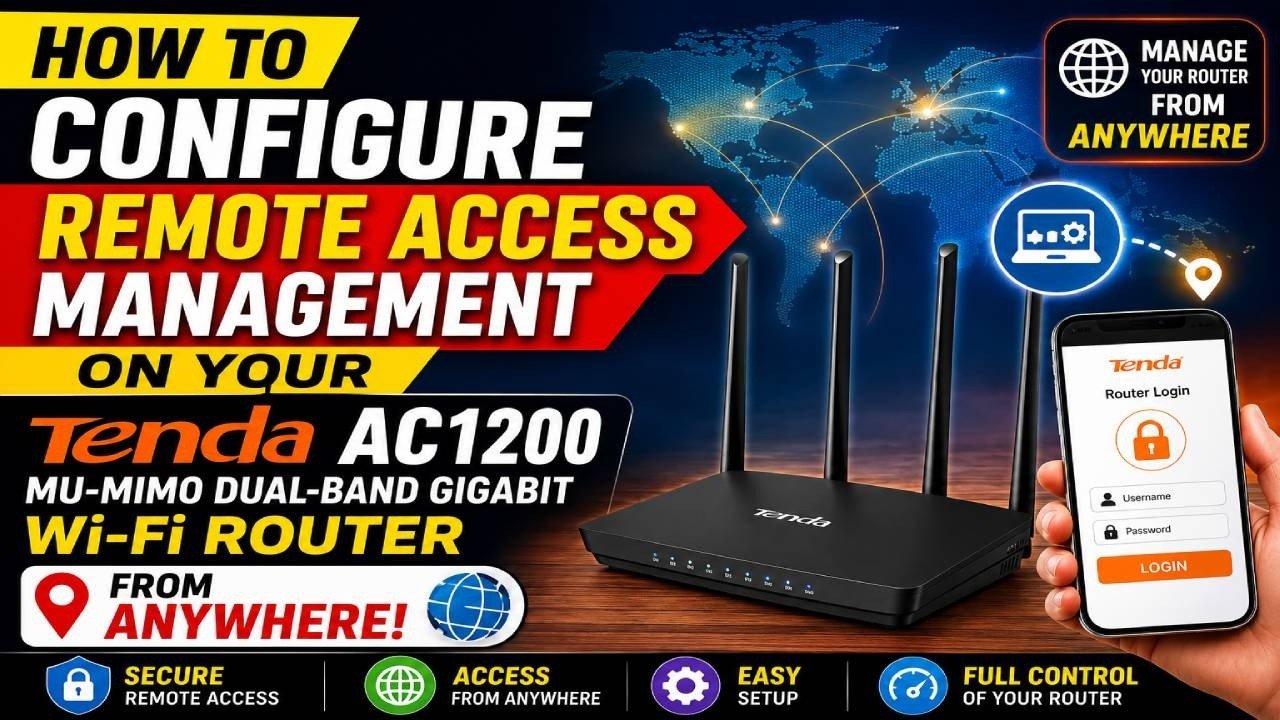
How to Configure Remote Access Management on Your Router from Anywhere

Published

on

remote access management

Imagine you’re on vacation, miles away from home, and you suddenly need to tweak your Wi-Fi settings or check who’s connected to your network. Without the right setup, you’re stuck. But with remote access management, you can log into your router from anywhere in the world—just as if you were sitting right next to it. In this guide, we’ll walk through the process using a Tenda AC1200 router, but the principles apply to most modern routers.

This tutorial is perfect for home users and small business owners who want the convenience of managing their network without being physically present. However, remote access comes with risks. That’s why we’ll also cover essential security measures to keep your network safe. By the end, you’ll know exactly how to enable remote web management and lock it down properly.

What is Remote Access Management and Why You Need It

Remote access management, also known as remote web management, is a feature built into many routers that allows you to access the router’s admin interface over the internet. Instead of being limited to your local network, you can reach the settings page using your router’s public IP address or a dynamic DNS (DDNS) hostname.

Why would you want this? Consider these scenarios:

– **Travel Troubleshooting**: You’re away and a family member says the Wi-Fi is down. You can log in remotely to reboot the router or adjust settings.
– **Network Monitoring**: Keep an eye on connected devices, bandwidth usage, or parental controls even when you’re not home.
– **Firmware Updates**: Install the latest security patches without waiting until you return.

In other words, remote access management turns your router into a device you can control from anywhere, making network administration far more flexible. But with great power comes great responsibility—more on that later.

How to Enable Remote Web Management on Your Tenda Router

The video tutorial demonstrates the process on a Tenda AC1200 MU-MIMO Dual-Band Gigabit Wi-Fi Router. Here’s a step-by-step breakdown of what you’ll learn:

Step 1: Log In to Your Router’s Admin Panel

First, open a web browser and enter your router’s local IP address (usually 192.168.0.1 or 192.168.1.1). Log in with your administrator credentials. If you haven’t changed the default password, do it now—it’s a critical security step.

Step 2: Locate Remote Web Management Settings

Navigate to the ‘Advanced Settings’ or ‘System Tools’ section, depending on your router’s firmware. Look for ‘Remote Web Management’ or ‘Remote Access’. This is where you’ll enable the feature.

Step 3: Configure the Remote Management Port

You’ll need to choose a port for remote access. The default is often port 8080, but you can pick any unused port. For security, avoid using 80 or 443, as these are commonly scanned by attackers. A random high port (e.g., 34567) is harder to guess.

Step 4: Restrict Access to a Specific Public IP (Highly Recommended)

Instead of allowing access from any IP address, you can enter a specific public IP that you’ll be using. For example, if you know your office’s static IP, you can restrict access to that address only. This dramatically reduces the risk of unauthorized access.

Step 5: Access Your Router Remotely

Once enabled, you can access your router by typing your WAN IP address followed by the port number in a browser (e.g., http://203.0.113.5:34567). If you have a DDNS service, you can use a hostname like myrouter.ddns.net instead, which is easier to remember.

The video walks through each of these steps visually, making it easy to follow along. Even if you’re not tech-savvy, the clear instructions will help you get it done in minutes.

Security Tips to Protect Your Remote Access Management

Enabling remote access management opens a door to your network. Therefore, you must take security seriously. Here are some non-negotiable practices:

– **Use a Strong Administrator Password**: Avoid default passwords like ‘admin’ or ‘password’. Create a complex one with a mix of letters, numbers, and symbols.
– **Change the Default Port**: As mentioned, using a non-standard port reduces automated attacks.
– **Restrict by IP Address**: Whenever possible, limit access to your IP address. This is the single most effective way to block unwanted visitors.
– **Disable When Not Needed**: If you only need remote access occasionally, turn it off after use. This minimizes the attack surface.
– **Enable HTTPS if Available**: Some routers offer encrypted web access. Use it to protect your credentials in transit.

By following these steps, you’ll enjoy the convenience of remote management without compromising your network’s safety.

Why This Tutorial Matters for Your Home Network

In today’s connected world, your router is the gateway to all your devices. Being able to manage it remotely isn’t just a luxury—it’s a practical necessity for many. Whether you’re a digital nomad, a parent managing screen time, or a small business owner, remote access management gives you control.

The video tutorial is particularly helpful because it focuses on Tenda routers, which are popular for their affordability and features. However, the concepts translate easily to other brands like TP-Link, Netgear, or Asus. Once you understand the logic, you can apply it to any router.

Moreover, the tutorial emphasizes security from the start. That’s crucial because many people enable remote access without thinking about the risks. By watching the video, you’ll learn not only how to set it up but also how to do it safely.

Ready to Take Control From Anywhere?

Now that you’ve learned the ins and outs of remote access management, it’s time to put it into practice. Watch the full video tutorial above for a hands-on demonstration. You’ll see exactly where to click and what to enter, making the process even easier.

Don’t forget to like the video and subscribe to the channel for more tech tutorials. If you have questions or run into issues, leave a comment—the community is there to help. With remote access management enabled, you’ll never be locked out of your network again.

So go ahead, grab your router, and start configuring. Your future self, sitting in a coffee shop thousands of miles away, will thank you.

Continue Reading

Video

5 Jobs So Desperate They’ll Hire You With No Experience

Published

on

no-experience jobs

If you’ve been scrolling through job boards feeling like every listing demands three years of experience for an entry-level role, you’re not alone. The frustration is real, and the search can feel hopeless. But here’s the twist: there are entire industries so desperate for workers that they’ll hire you with no experience at all. In a recent video, career strategist Shane Hummus breaks down five such roles—some of which you’ve probably never considered. These aren’t dead-end gigs either; they’re doors to stable, well-paying careers. Let’s dive into the hidden opportunities that could change your job hunt forever.

Why These No-Experience Jobs Are Your Best Bet Right Now

The traditional path—get a degree, land an internship, climb the ladder—isn’t the only way in. In fact, many employers are so short-staffed that they’ve dropped the experience requirement entirely. They’re looking for attitude, reliability, and a willingness to learn. This shift is a golden opportunity for career changers, recent grads, or anyone who’s been out of the workforce.

Shane’s video highlights that these roles aren’t just about getting your foot in the door; they’re about building a foundation. The key is to choose a job where you can gain transferable skills and move up quickly. So, which industries are practically begging for new hires? Let’s explore.

The Healthcare Side Door Almost Nobody Uses

When you think of healthcare, you probably picture doctors and nurses with years of schooling. But there’s a lesser-known route: becoming a patient care technician (PCT) or a certified nursing assistant (CNA). These roles require minimal training—often just a few weeks of certification—and hospitals are hiring like crazy. Shane points out that these positions offer more than a paycheck; they give you direct patient contact and a glimpse into the medical field. If you’re even slightly interested in healthcare, this is a low-risk way to test the waters.

Moreover, many employers will pay for your training or offer tuition reimbursement if you want to advance to an LPN or RN later. That’s a huge win for anyone looking to build a career without upfront costs.

The Hidden Ladder Inside Every Clinic

Another overlooked option is working as a medical receptionist or front-desk coordinator. These roles are often dismissed as “just answering phones,” but Shane reveals they’re actually a hidden ladder. You learn the ins and outs of clinic operations, insurance billing, and patient scheduling. From there, you can transition into administrative management or even medical coding—a field that pays well and can be done remotely.

The beauty of this job is that it requires no experience, just basic computer skills and a friendly demeanor. Clinics are desperate for people who can keep things running smoothly, and they’re willing to train the right candidate.

The Cheat Code: Trades That Pay You to Learn

If you’re not into healthcare, consider the skilled trades. Electricians, plumbers, and HVAC technicians are in such high demand that many companies offer paid apprenticeships. You literally earn while you learn, and after a few years, you can become a journeyman with a six-figure salary. Shane emphasizes that this is a cheat code because you skip the student debt and start building real skills immediately.

What’s more, trades are less likely to be outsourced or automated. As the video points out, the “skill strategy” is to pick a trade that’s essential and ever-evolving. For example, solar panel installers are booming as renewable energy grows. The entry barrier is low, but the earning potential is high.

The Easiest Door: Retail and Hospitality Management Trainees

You might roll your eyes at retail, but hear me out. Many large chains have management trainee programs that accept people with zero experience. You start on the floor, learn the business, and within a year or two, you could be running a store. The pay is decent, and the skills—inventory, scheduling, customer relations—are transferable to almost any industry.

Shane notes that this is the easiest door to walk through because these companies are always hiring. The turnover is high, but that works in your favor: they’re constantly looking for people who want to grow. If you’re willing to put in the effort, you can fast-track your way into a salaried position.

The Back Office Secret That Outranks the Sales Floor

Finally, there’s the insurance industry. Claims adjusters and customer service reps are needed urgently, and many companies offer paid training. What’s great about this job is that it doesn’t reset every morning—you build a case file, work it to resolution, and move on. It’s satisfying work that requires no experience, just attention to detail and good communication.

The video highlights that this back-office role often outranks the sales floor in terms of stability and benefits. You’re not chasing commissions; you’re providing a service. And with the insurance industry facing a talent shortage, doors are wide open.

The Pattern: Smart People Use Dead Hours Wisely

Across all these jobs, Shane spots a pattern: the people who succeed use their downtime to learn. Whether it’s studying for a certification, watching training videos, or asking questions, they’re always growing. That’s the method that separates year one from year three. In year one, you’re just learning the ropes; by year three, you’re the expert everyone relies on.

He also mentions a 70-year-old blueprint from Montana—a mindset that values hard work, humility, and long-term thinking. It’s about showing up, doing your best, and being patient. In a world of instant gratification, that patience pays off.

Ready to Make the Leap?

If you’re tired of hearing “you need experience to get experience,” this video is for you. Shane breaks down each job with salary expectations, growth potential, and the exact steps to get hired. He also shares tips on how to stand out during the application process. Whether you’re 18 or 50, these no-experience jobs offer a real path forward.

So, what are you waiting for? Watch the full video above to get the detailed breakdown and start your journey toward a rewarding career today.

Continue Reading

Trending