Connect with us

Artificial Intelligence

Windows Recall’s Persistent Privacy Problem: New Tool Shows Data Still Vulnerable After Login

Published

on

Windows Recall’s Persistent Privacy Problem: New Tool Shows Data Still Vulnerable After Login

Microsoft’s Windows Recall feature continues to face intense scrutiny over its security model. Designed to create a searchable visual history of a user’s PC activity, the tool’s fundamental promise of safety is being challenged once more. This time, a researcher’s proof-of-concept demonstrates that sensitive data captured by Recall can potentially be intercepted after a user has authenticated, even following Microsoft’s post-backlash security overhaul.

Building on this, the core issue isn’t necessarily the encrypted database itself. Instead, the vulnerability window appears to open the moment the system begins processing and moving the captured information. This raises critical questions about the integrity of the entire data pipeline for a feature that records a vast array of personal digital footprints.

The Mechanics of the Latest Windows Recall Security Concern

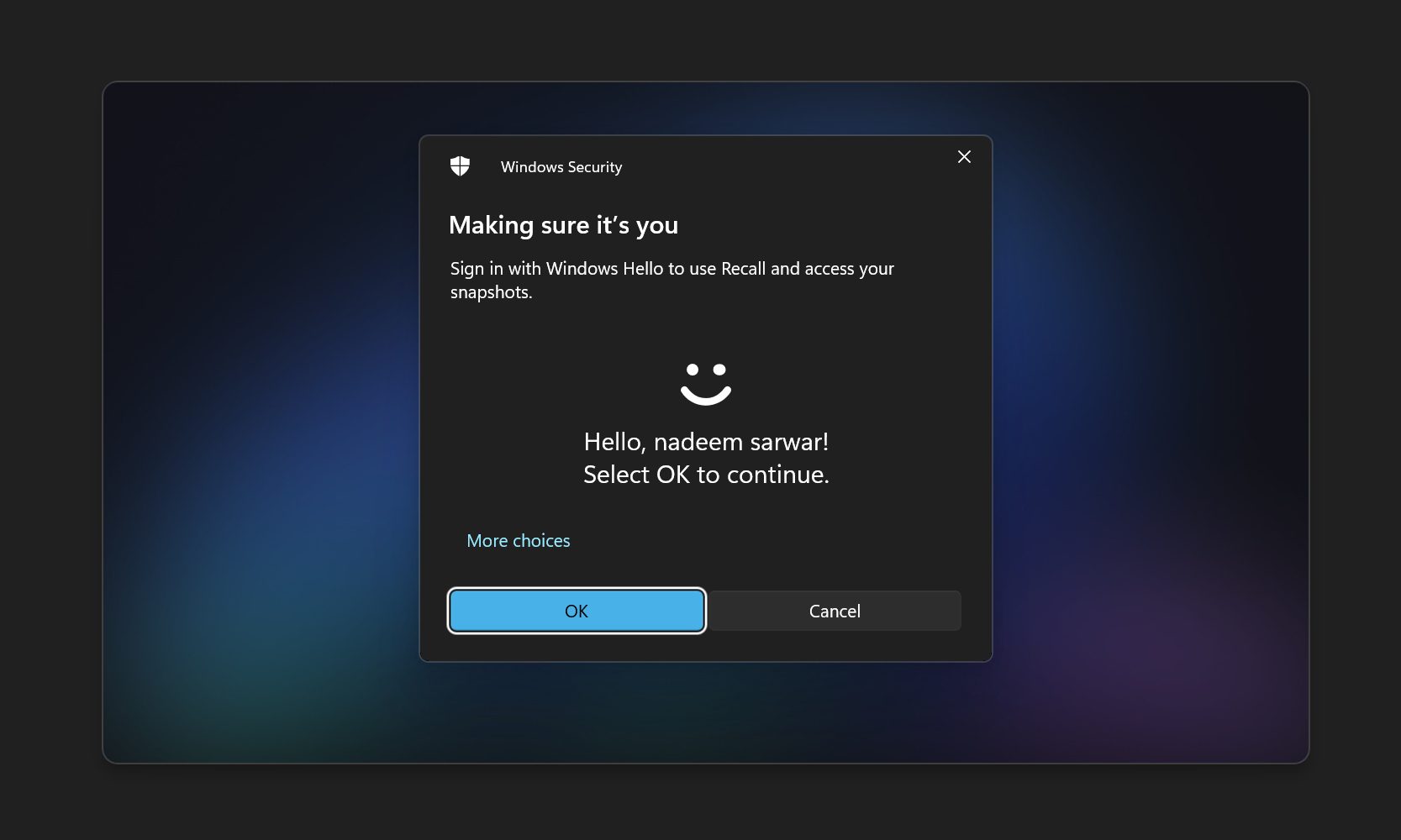
The new tool, dubbed “TotalRecall Reloaded,” reportedly exploits a specific point in Recall’s operation. After a user signs in with Microsoft Windows Hello, the system activates and starts sending screenshots, extracted text, and metadata to a separate system process named AIXHost.exe. This is where the proof-of-concept intervenes.

According to the findings, TotalRecall Reloaded can inject code into the AIXHost.exe process without requiring administrator privileges. It then lies in wait. Once the Recall session is active and data begins flowing, the tool can allegedly perform several actions. These include capturing the latest screenshot, collecting specific metadata, and even deleting the entire archive. Alarmingly, some of these actions are claimed to be possible without needing Windows Hello authentication again.

Why the Data Pipeline is a Weak Link

This highlights a potential architectural flaw. Microsoft fortified the Recall database with encryption and made the feature opt-in, which addressed initial criticisms. However, if the data is exposed while being processed in memory or transmitted between processes, those storage-level protections become less relevant. The security chain is only as strong as its weakest link, and this research suggests that link may exist in the operational phase, not the storage phase.

Microsoft’s Stance on the Windows Recall Security Findings

Unsurprisingly, Microsoft has a different interpretation of these events. The company communicated to Ars Technica that the behavior demonstrated by the researcher aligns with its intended security design and existing controls. From Microsoft’s perspective, this does not constitute a bypass of a security boundary or unauthorized access.

The researcher formally submitted the findings to the Microsoft Security Response Center on March 6. After review, the company classified the report “not a vulnerability” on April 3. This official response is meant to close the issue from a technical support standpoint. Nevertheless, it is unlikely to alleviate the concerns of privacy advocates and security-conscious users.

Therefore, a significant trust gap remains. The practical implication is clear: anyone with physical or remote access to a PC who can obtain the user’s Windows Hello fallback PIN could potentially reach a detailed, intimate archive. This archive isn’t just filenames; it can include emails, private messages, browsing history, and other deeply personal on-screen content.

The Broader Ecosystem Lacks Confidence

This latest report provides more fuel for an already skeptical audience. Recall’s capability to record a broad swath of PC activity—from apps and websites to messages—makes it a high-value target. The concern extends far beyond academic researchers. Major software developers are voting with their code.

Signal, the encrypted messaging app, has implemented measures to prevent its content from being captured by Recall by default. Similarly, the Brave browser and AdGuard have taken steps to opt their content out. This trend signals a profound lack of trust from industry peers who specialize in privacy and security. They are effectively building moats around their applications to keep Recall’s gaze out.

Practical Guidance for Windows 11 Users

For the average user, the takeaway is pragmatic and straightforward. If you do not have a specific need for the Windows Recall feature, the safest course of action is to leave it disabled. This eliminates the risk entirely, whether from theoretical exploits or more mundane data privacy considerations.

Conversely, if you find the search functionality compelling and choose to enable it, do so with clear-eyed awareness. Treat Recall as a convenience feature with significant privacy trade-offs attached. Be mindful of the applications you use while it’s active and keep an eye on whether more software developers begin implementing opt-out flags. For more on managing Windows 11 features, see our guide on essential privacy settings.

Ultimately, this situation underscores a recurring theme in modern computing: the tension between powerful AI-driven convenience and robust, verifiable security. As features like Recall become more ambitious, their attack surface and the scrutiny they attract will only grow. Users must decide where their own balance lies. For further reading on related topics, explore our article about the future of AI in Windows.

Continue Reading

Artificial Intelligence

The AI Paradox: Knowing More About AI Makes You Fear It More

Published

on

AI job loss fears

The More You Know, the More You Worry

Here’s a twist that upends the usual tech narrative. A new study from TU Darmstadt finds that people who understand artificial intelligence best are the most scared of it. Not the least. The old assumption that fear stems from ignorance? It’s wrong.

The AI Monitor 2026, based on a representative survey of over 2,000 Germans, shows that 43% of those with very strong AI knowledge expect the technology to take over their jobs soon. Among those with less understanding, that number drops sharply. Professor Peter Buxmann, who led the study, called the finding both remarkable and worrying. Most public debates assume that if we just educate people, their fears will fade. His data says the opposite.

Why Understanding AI Fuels Anxiety

People who grasp AI’s capabilities see its disruptive potential clearly. They know what it can do today, not just in some distant future. That’s a sobering perspective.

But the study digs deeper. It’s not your industry that matters most. It’s whether your work can be digitized. If your job involves producing text, analysis, reports, code, or presentations, you’re far more exposed than someone whose work depends on physical presence. A nurse or a construction worker has less to fear than a financial analyst or a copywriter.

Yet, despite this awareness, daily AI use at most workplaces remains limited. The gap between potential and reality is wide.

A Dangerous Skills Gap

Here’s the uncomfortable part. Even though AI feels disruptive, most people haven’t been trained to handle it. Only 15% of respondents have participated in any form of AI training. That’s a skills gap in AI usage that leaves workers vulnerable.

What People Actually Worry About

The concerns are grounded, not paranoid. Top of the list: AI hallucinations and data privacy. Only four in ten respondents think a future superintelligence is even likely. Younger workers reported more job anxiety than older ones. And overall concern about job security climbed across every occupational group compared to last year.

This isn’t hysteria. It’s a rational assessment of a changing landscape—pardon the cliché, but it fits here.

Reassurance Isn’t the Answer

Buxmann pushed back hard against the idea that we can calm people down with happy talk. Losing a job isn’t just losing income. It’s losing social connection and a sense of purpose. Telling people “don’t worry” ignores that reality.

Instead, he argues for better training and honest conversations about how work is changing. Generative AI will create new kinds of jobs, sure. But it’s unlikely to replace disappearing roles on a one-to-one basis. The math doesn’t work that way.

What This Means for Workers and Employers

So what’s the takeaway? For policymakers, it’s that AI job displacement preparation matters more than reassurance. For employers, it’s that AI training programs for employees aren’t optional anymore—they’re essential.

For workers, the message is clear: understanding AI is necessary, but it’s not enough. You need to adapt. The study suggests that the people who see the threat most clearly are also the ones best positioned to do something about it. That’s the silver lining.

The fear is real. The question is what we do with it. Ignoring it won’t make it go away. Neither will empty promises. The only way forward is preparation, education, and a honest look at how work is evolving.

Because if this study proves anything, it’s that knowledge doesn’t bring comfort. It brings clarity. And sometimes, clarity is scary.

Continue Reading

Artificial Intelligence

Google’s Gemini Notebook Now Lets You Cite Books You Own — Here’s How It Works

Published

on

Gemini Notebook Expert Intelligence

Google’s Notebook AI Just Got Smarter — With Your Bookshelf

If you’ve ever wished your AI assistant could quote directly from a cookbook you own, or pull a specific argument from a biography sitting on your digital shelf, here’s the news you’ve been waiting for.

Google is rolling out a new capability for Gemini Notebook (the tool formerly known as NotebookLM) called Expert Intelligence. The name sounds fancy, but the idea is simple: instead of only drawing from documents you upload or pages you link, the AI can now tap into digital books you’ve actually purchased from the Google Play Books library.

That’s right — your personal library becomes a source. No more copy-pasting excerpts or hoping the AI finds a relevant PDF. If you own the book, you can cite it directly.

How Expert Intelligence Works in Practice

Let’s say you’re planning a week of dinners built entirely around chicken and spinach. Instead of scouring the web, you can ask Gemini to pull recipes from a Martha Stewart cookbook you own. The AI will search the text, pull relevant passages, and cite them as sources.

But it doesn’t stop at recipes. You can turn any owned book into a variety of formats:

  • Infographics — visual summaries of key concepts from the book.
  • Audio Overviews — listen to a conversational recap of the material.
  • Quizzes — test your understanding based on the book’s content.

It’s a natural extension of what NotebookLM already does with uploaded sources, just with a much more curated pool of knowledge.

Not a Free-for-All: Sharing Has Limits

Here’s a catch that’s worth knowing before you get too excited. If you create a shared notebook and add a book as a source, your collaborators can’t just freeload off your purchase. They’ll need to own or buy their own copy of the book to fully use Expert Intelligence. Google’s being careful about copyright, and that’s probably wise.

Which Publishers Are On Board?

The feature launches with a solid lineup of major publishers. We’re talking Bloomsbury, De Gruyter Brill, Johns Hopkins University Press, Macmillan Publishers, O’Reilly Media, and Penguin Random House. All told, that’s over 100,000 titles available from day one.

That’s a big deal for students, researchers, and lifelong learners who already rely on NotebookLM for organizing their research.

Free Book Offer — But Act Fast

To kick things off, Google is giving away one free book to users in the US. The catch? It’s “while supplies last,” so you’ll want to check the app sooner rather than later if you’re interested.

It’s a smart marketing move, honestly. Get people hooked on the feature with a freebie, and they’ll likely buy more books to keep using it.

What About the Main Gemini App and Search?

Right now, Expert Intelligence is available only in the Gemini Notebook app and its web dashboard. But Google has confirmed it’s planning to bring the feature to the core Gemini app and AI mode in Search down the road.

That expansion could be huge. Imagine asking Gemini in Search to explain a concept “according to this book” and getting a cited answer pulled straight from the text. It’s a glimpse of where AI-assisted research is heading.

Featured Notebooks: Extra Insights from Authors

Beyond the book-citing feature, Google has partnered with a handful of authors to create Featured Notebooks. These offer additional insights that go beyond what’s in the book itself — think of them as bonus material, but integrated right into your research workflow.

It’s a nice touch that adds value for readers who want more context or behind-the-scenes thinking from the authors they admire.

Why This Matters for Your Research Workflow

If you’re already using NotebookLM for projects, this is a meaningful upgrade. You no longer have to juggle between your book library and your notes app. The books you own become part of your AI-powered research stack.

That said, it’s not a replacement for critical thinking. The AI is still pulling from what it finds, and you should always verify the context. But as a starting point for essays, reports, or even just personal learning, it’s a powerful tool.

For more on how to get the most out of Google’s AI tools, check out our guide on using NotebookLM for research and our rundown of Google AI features for productivity.

So, is Expert Intelligence worth trying? If you own books on Google Play Books and you’re already in the Notebook ecosystem, absolutely. Just remember to check the free book offer before it runs out.

Continue Reading

Artificial Intelligence

Google Dreambeans AI app: Your personalized daily feed is now free — here’s how it works

Published

on

Dreambeans AI app

Google just made Dreambeans free — what changed?

Google has quietly dropped the paywall on Dreambeans, the Dreambeans AI app that curates a personalized daily feed of stories just for you. Starting now, any Google Account holder in the US can try it without spending a dime. The news first surfaced via 9to5Google, and it’s a significant shift from the app’s earlier rollout.

Dreambeans first appeared in June, but only for Google AI Ultra subscribers. Later, it expanded to AI Pro users. Now? It’s open to everyone. That’s a big deal for anyone curious about AI-driven content discovery but not ready to pay for a subscription.

Setup isn’t instant, though. Google says it takes about a day for the app to generate your first set of stories. The app itself is available on both Android and iOS, so you can start the process on your phone and check back tomorrow morning.

How the Dreambeans AI app builds your daily feed

Think of Dreambeans as a hyper-personal version of Google Discover, but smarter. With your permission, it taps into several Google services to understand what you care about. Here’s the breakdown:

  • Gmail and Workspace — Provides real-world context like receipts, bookings, or an upcoming flight.
  • Google Photos — Picks up on the people and places you frequently capture.
  • Calendar — Notes events and appointments that might spark story ideas.
  • YouTube — Tracks your active hobbies and viewing habits.
  • Search history — Flags interests you’re just beginning to explore.

Every morning, the app stitches these data points into a fresh batch of story suggestions. That could be a hike worth trying, a new restaurant in your neighborhood, or an event happening nearby. It’s not just generic content — it’s tailored to your life.

Custom artwork, not stock photos

One of the coolest touches? Each story comes with custom artwork generated by the Nano Banana image generator. Instead of boring stock photos, you get illustrated scenes that often depict you and people you know. It adds a personal, almost whimsical feel to the feed.

More Google Labs experiments worth trying

Dreambeans isn’t the only experiment coming out of Google Labs lately. If you run a small business, Pomelli can now build your entire brand identity from scratch — from your color palette to a full working website. That’s a serious time-saver for entrepreneurs who don’t have design skills.

For music lovers, ProducerAI lets you describe a song idea and walk away with actual beats, album art, and even a music video to match. It’s a wild tool for hobbyists and creators alike.

If you’re a student, there’s another perk worth noting. Google is offering a free year of Gemini AI Pro through a new student hub. That’s a smart move if you want to test premium AI features before committing to a subscription elsewhere.

Is Dreambeans the next big thing in AI feeds?

Honestly, it’s too early to say. But the move to make it free suggests Google is serious about gathering user feedback and refining the product. The AI feed space is getting crowded, with competitors like Microsoft and various startups pushing their own personalized content engines.

What sets Dreambeans apart is the depth of integration. It’s not just scraping public data — it’s reading your inbox and your photo library. That’s powerful, but it also raises privacy questions. You’ll need to weigh the convenience against the data access.

For now, if you’re in the US and curious, it’s worth giving it a shot. The setup takes a day, but the payoff is a feed that actually feels like it knows you.

Continue Reading

Trending