Connect with us

How To

7 tricks to make learning the Linux command line easier

Published

on

Linux command line

Why the Linux command line still matters in 2026

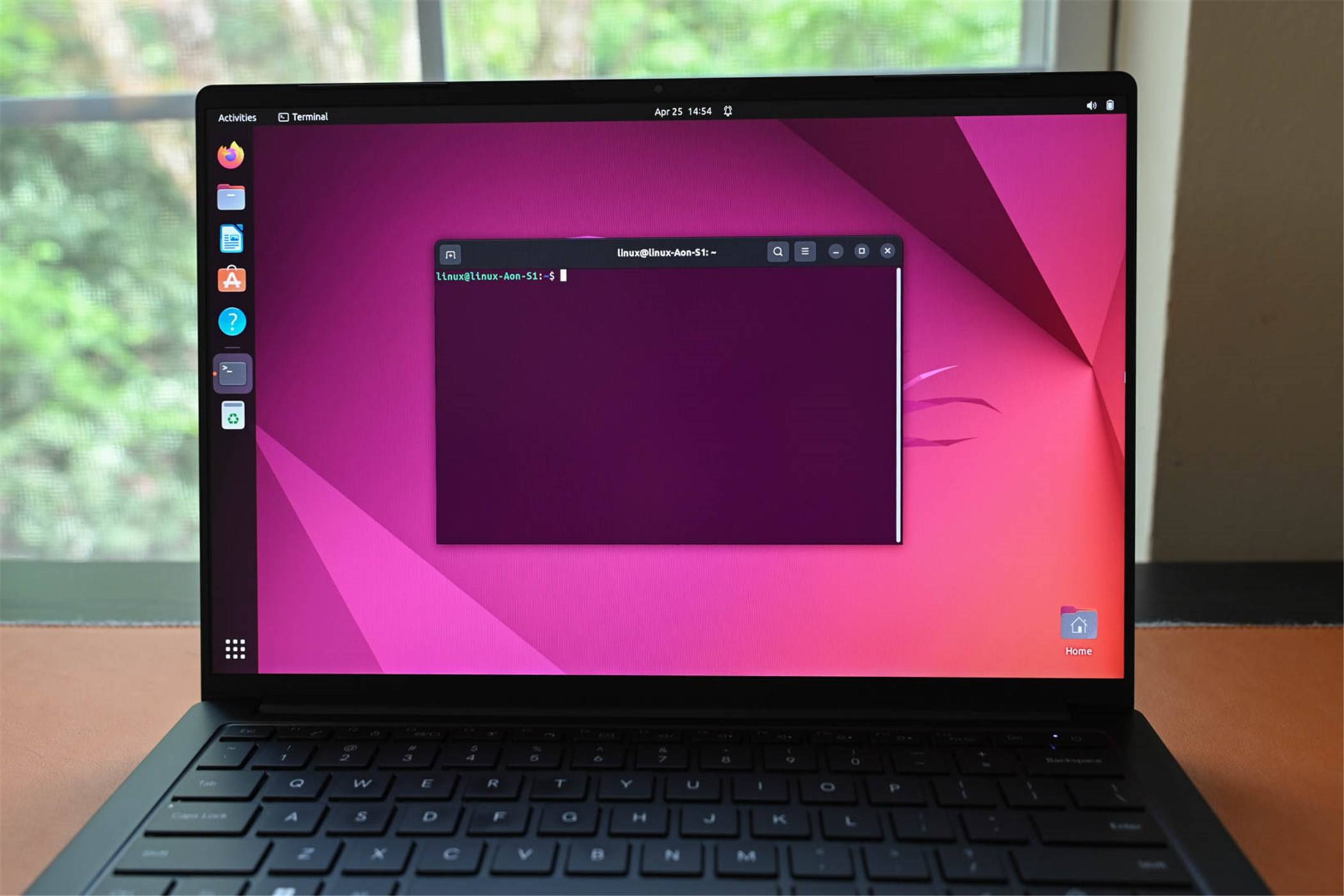
Let’s be honest: the terminal can feel like a time machine to the 1970s. No icons, no mouse, just a blinking cursor and a blank screen. For many newcomers, that’s intimidating.

But here’s the thing — mastering the Linux command line isn’t about memorizing every flag and option. It’s about learning a few smart tricks that compound over time. Once you internalize them, you’ll wonder how you ever worked any other way.

Below are seven concrete techniques that will make learning the Linux command line not just bearable, but genuinely productive.

1. Use tab completion to stop guessing

Typing long file names or paths by hand is a waste of mental energy. The shell’s built-in tab completion does the heavy lifting for you.

Start typing a command, file name, or directory path, then press Tab. The shell fills in the rest — or shows you options if there’s ambiguity. For example, type cd Docu then Tab, and it becomes cd Documents/.

This single habit eliminates typos, speeds up navigation, and reduces frustration. It’s the first trick every beginner should adopt.

2. Leverage the history command

Repeatedly typing the same long command is tedious. Your shell remembers everything you’ve typed. Use the history command to see your recent commands, then rerun one with !number (where number is the line from history).

Even faster: press Ctrl+R to search backward through your history. Start typing part of a previous command, and the shell finds it instantly. Hit Enter to run it again.

This turns your terminal into a personal memory bank — no more retyping complex grep or find commands.

3. Chain commands with && and |

Instead of running one command, waiting, then typing the next, chain them together. Use && to run the next command only if the previous one succeeded:

mkdir new_project && cd new_project && touch README.md

Use the pipe | to send the output of one command directly into another:

ls -la | grep '.txt'

This is where the real power of the Linux command line shines — combining small tools to build complex workflows without writing a script.

4. Create aliases for repetitive tasks

If you type the same command more than once a day, make an alias. Add lines like these to your ~/.bashrc or ~/.zshrc file:

alias ll='ls -lah'
alias gs='git status'
alias update='sudo apt update && sudo apt upgrade -y'

After editing, run source ~/.bashrc to load your new aliases immediately. Now typing ll gives you a detailed file listing, and update handles system upgrades in one keystroke.

This trick saves minutes every day — and those minutes add up fast.

5. Master the manual with apropos

The man command is essential, but it’s also dense. When you know what you want to do but don’t remember the exact command name, use apropos.

For example, if you need to change file permissions but forgot whether it’s chmod or something else, type:

apropos permission

It returns a list of relevant commands with brief descriptions. This turns the manual from a wall of text into a searchable reference. Combine it with man -k for even more flexibility.

6. Use Ctrl+ shortcuts to edit faster

Nobody enjoys retyping a long command because of a typo at the beginning. Learn these keyboard shortcuts and your editing speed will double:

  • Ctrl+A — jump to the start of the line
  • Ctrl+E — jump to the end
  • Ctrl+U — delete everything before the cursor
  • Ctrl+K — delete everything after the cursor
  • Ctrl+W — delete the word before the cursor

These work in bash and zsh by default. They’re small habits, but they make the terminal feel less like a typewriter and more like a modern editor.

7. Practice with the built-in help system

Most commands include a --help flag that shows a condensed reference. For example:

tar --help

This prints a summary of options without opening the full manual. It’s faster than man tar when you just need a quick reminder.

Combine this with whatis (which gives a one-line description) and you’ve got a lightweight reference system that never requires leaving the terminal.

Start small, build momentum

The Linux command line isn’t something you conquer in a weekend. But by adopting these seven tricks — tab completion, history search, command chaining, aliases, apropos, keyboard shortcuts, and built-in help — you’ll stop fighting the terminal and start using it as the powerful tool it is.

Pick one trick today. Practice it until it becomes automatic. Then add another. That’s how real fluency develops — not through memorization, but through repeated, practical use.

Continue Reading
Click to comment

Leave a Reply

Your email address will not be published. Required fields are marked *

Social Media

X rolls out video editor to fight stolen content and lure creators

Published

on

X video editor

X finally gives creators a reason to post original work

For years, X has been a place where reposted memes and scraped TikToks thrive. That might finally change. The social network just launched a proper video editor and recorder inside its iOS app, and the message is clear: make something new, don’t just steal it.

The update, announced by X’s head of product Nikita Bier, brings two flagship features: multi-language caption overlays and a green-screen tool that pulls from your camera roll or other X posts. It’s not TikTok-level — not yet — but it’s a start.

Bier put it bluntly. “One of our biggest priorities is to give creators the tools to create original content [and] reward those creators,” he wrote. He added that more updates are coming “in the coming weeks.”

Why X needs a video editor — and why it matters

The problem is simple: top accounts on X often repost content that went viral years ago on other platforms. Sometimes it’s five-year-old material, still getting millions of impressions. Bier said he wants X to host videos that are “finally original content that doesn’t exist on other platforms.”

But a video editor alone won’t fix the culture of recycling. Creators need real incentives to stay exclusive. Right now, TikTok, Meta, and YouTube offer reliable payouts and mature ecosystems. X has a long way to go on that front.

There’s also the bot problem. Bier previously said X identifies and suspends roughly 208 bots per minute. That’s not a typo. Half of the product team, he noted, is focused on fighting spam. Bots inflate views and steal content. They make the platform less trustworthy for creators who want real engagement.

What the new video editor actually does

The editor, rolling out first on iOS, includes:

  • Overlay captions in multiple languages, with full customization of font, color, and placement
  • Green screen that lets you add backgrounds from your camera roll or from existing X posts

These are basic tools by 2025 standards, but they’re new for X. The company’s app has long felt barebones for video creation, leaning on third-party tools or simple uploads. This is a direct attempt to change that.

Bier confirmed the Android version is still being rebuilt, so Android users will have to wait.

Stolen content is the easy path — but it hurts everyone

Recycled content isn’t just lazy; it’s damaging. Bier said it has a “negative impact on the user experience and the business.” When creators see their work reposted without credit or compensation, they have little reason to post on X in the first place.

Meta and YouTube already offer tools for creators to find and remove unauthorized re-uploads. Meta even lets original creators block stolen content or add attribution links to monetize it. X has no such system. That’s a gap that a video editor alone can’t fill.

Bier recently called out MrBeast, one of YouTube’s biggest stars, for the nature of his content. “For the love of God, make a single piece of content without financial bait,” Bier posted. It was a pointed remark, but it also signals that X is thinking about content quality, not just quantity.

Can X compete with TikTok and YouTube?

It’s a tall order. TikTok and YouTube have spent years building creator tools, payment systems, and community guidelines. X is starting from behind. But Bier noted that posts containing videos already account for nearly half of all impressions on the platform. That’s a huge base to build on.

The platform isn’t alone in its spam struggles. Reddit recently said it’s deploying AI tools to fight bot content enabled by large language models. Digg, a would-be Reddit competitor, shut down its app earlier this year, admitting it couldn’t handle the spam as a startup.

X’s video editor won’t solve everything. But it’s a signal. The company is finally investing in the tools that creators actually need. Whether that’s enough to convince top talent to post original work — and stick around — is another question entirely.

Continue Reading

How To

It’s officially the end of an era for Adobe

Published

on

Adobe era ends

The monopoly that defined a generation

For nearly two decades, Adobe had a stranglehold on the creative world. If you wanted to edit a photo, you opened Photoshop. Vector work? Illustrator. Page layout? InDesign. Serious PDFs? Acrobat.

You might have hated the subscription fees. You might have pirated it. You might only open it because a client sent a .psd you couldn’t open anywhere else. It didn’t matter. Adobe was the default.

That default is now gone.

How Adobe lost its grip

The shift didn’t happen overnight. But it accelerated fast after the botched Figma acquisition attempt in 2023. Regulators blocked the $20 billion deal, and the damage was already done. Adobe showed its hand: it saw Figma as a threat worth buying rather than competing with on merit.

Meanwhile, a new generation of tools grew up. Canva made design accessible to non-designers. Affinity offered a one-time purchase model that undercut Adobe’s Creative Cloud subscription. Sketch and Figma redefined UI design entirely. Each of these tools didn’t just copy Adobe’s features — they built better workflows for specific tasks.

And users started leaving.

The subscription breaking point

Adobe’s shift to a subscription-only model in 2013 was a cash cow. But it also created resentment. Paying $55 a month for the full Creative Cloud suite — or $21 for a single app — adds up fast. Over five years, that’s over $3,300 for Photoshop alone. Compare that to Affinity Photo’s $70 one-time purchase, and the math becomes brutal.

Freelancers and small studios felt the pinch hardest. They weren’t using every app in the suite. They just wanted to edit photos or draw vectors. Adobe forced them to pay for the whole ecosystem or nothing.

That opened the door for competitors.

The tools that replaced Adobe

Let’s be specific about what’s happening. Designers aren’t just grumbling — they’re migrating in measurable numbers.

  • Photo editing: Affinity Photo, Pixelmator Pro, and even free open-source tools like GIMP are gaining serious traction. Affinity’s iPad app is particularly popular with digital artists who don’t want to rent their software.
  • Vector graphics: Affinity Designer and Inkscape are the main alternatives. Figma also handles vector work natively, which pulls UI designers away from Illustrator entirely.
  • Layout and publishing: Affinity Publisher is the closest competitor to InDesign. It handles multi-page documents, master pages, and print-ready exports — without the subscription.
  • UI/UX design: This is where Adobe lost the most ground. Figma is now the industry standard for interface design. Sketch still holds a loyal user base. Adobe XD, once positioned as the answer, has been effectively abandoned.

Even in video editing, DaVinci Resolve has eaten into Premiere Pro‘s market share. DaVinci offers a fully featured free version and a $295 one-time purchase for the studio edition. Adobe’s Premiere Pro costs $21 a month, forever.

What Adobe still does better

Let’s not pretend Adobe is dead. It isn’t. The company still dominates in specific areas.

Color management remains a nightmare outside Adobe. CMYK support, spot colors, and professional print workflows are still smoother in InDesign and Illustrator than in most alternatives. If you work in prepress or packaging design, you’re probably stuck with Adobe for now.

Adobe’s ecosystem integration is also powerful. You can move a file from Photoshop to Illustrator to After Effects to Premiere Pro without breaking a sweat. That workflow is hard to replicate when you’re using four different tools from four different companies.

And Adobe Fonts, Adobe Stock, and the Creative Cloud library system create a sticky ecosystem. Once you’re in, leaving feels like untangling a spiderweb.

But those advantages are narrowing. Affinity is adding proper color management. Figma and Canva are building their own asset libraries. The gap is shrinking every quarter.

The real end of an era

What’s really over is the assumption that Adobe is the only serious option. That’s a bigger deal than it sounds.

For years, new designers learned on Adobe tools because that’s what jobs required. Schools taught Photoshop and Illustrator because that’s what the industry used. It was a self-reinforcing cycle. Adobe didn’t have to innovate — it just had to keep the monopoly.

That cycle is broken. New designers are learning Figma first. Small agencies are switching to Affinity. Enterprise teams are adopting Canva for non-specialist work. Adobe is no longer the default starting point.

The company still has over 30 million paid subscribers. It’s not going bankrupt. But the era where Adobe could dictate terms, raise prices, and ignore user complaints is over.

Competition is real. Choice is back. And for anyone who ever resented being forced into a subscription, that’s a good thing.

Continue Reading

Social Media

Meta AI unleashes fresh effects for Instagram Stories — here’s what’s new

Published

on

Meta AI effects

Meta AI’s latest trick: fresh effects for Stories

If you’ve scrolled through Instagram lately and noticed your friends’ Stories looking a little… different — more surreal, more polished, or just plain weird — there’s a reason. Instagram has quietly rolled out a batch of new AI-powered effects for Stories, powered by the latest version of Meta’s generative AI engine.

The update isn’t just a filter refresh. It’s a signal that Meta is betting bigger on AI as a creative tool, not just a moderation or recommendation engine. And for the average user, it means more ways to turn a mundane selfie into something that looks like it crawled out of a sci-fi concept art board.

What are the new Meta AI effects?

Meta hasn’t published a full changelog, but early adopters and beta testers have spotted several new categories of effects. They include:

  • Style transfer on steroids — turn your video into a watercolor painting, a charcoal sketch, or a neon-drenched cyberpunk scene. The AI analyzes each frame and applies a consistent artistic style.
  • Background replacement with depth — unlike the old green-screen trick, this one uses AI to understand the scene’s depth and lighting, so the new background blends naturally. Swap your messy bedroom for a beach at sunset without looking like a cardboard cutout.
  • Animated object insertion — drop a 3D-looking object (a floating donut, a glowing orb, a cartoon dinosaur) into your Story. The AI tracks your movement so the object stays anchored in the scene.
  • Face morphing and expression manipulation — the AI can change your expression after you record. Smile, frown, raise an eyebrow — all without reshooting.

These aren’t just static filters. They’re real-time, interactive, and they adapt to what’s happening in the frame.

How to access the new AI effects

Open Instagram, swipe right to create a Story, and tap the effects icon (the smiley face). Scroll through the carousel. If you see effects labeled with a small sparkle icon or “AI” badge, those are the new ones. Not seeing them yet? That’s normal. Meta is rolling the feature out gradually — both by region and by device. Users with older phones or outdated app versions may not get the update immediately.

You can also search for specific effects by name in the effects gallery. Early names include “Dreamscape,” “Ink Wash,” and “Neon Noir.” Expect more to appear as Meta expands the library.

Why Meta is pushing AI into Stories now

The timing is no accident. Instagram’s battle with TikTok for short-form video dominance has forced both platforms to innovate faster. TikTok has its own AI effects (like “AI Green Screen” and “Style Transfer”), and Snapchat has been using generative AI in lenses for years. Meta needs to keep its creative tools fresh — and AI is the cheapest way to generate hundreds of unique effects without hiring a team of designers for each one.

There’s also a data angle. Every time you use an AI effect, you’re training Meta’s model. The company gets to see how people interact with generative features in real-world conditions — which styles are popular, which fail, and how the AI handles diverse skin tones, lighting, and motion. That feedback loop is invaluable for improving the underlying technology.

What about privacy and misuse?

As with any AI feature that touches faces and videos, questions about consent and abuse follow. Meta says the new effects do not upload your video to its servers for processing — everything runs locally on your device. That means the AI never sees your face; it only sees a pixel map on your phone. That’s a meaningful privacy safeguard, though it also limits how complex the effects can be (local chips aren’t as powerful as cloud servers).

Still, the expression-manipulation feature raises eyebrows. Being able to change someone’s facial expression after recording could be used to misrepresent what they actually did. Meta hasn’t detailed any watermarking or detection system for AI-altered Stories, which leaves a gap. For now, the feature is limited to your own face — you can’t apply it to someone else in the frame — but that boundary could shift in future updates.

How this fits into Meta’s broader AI strategy

Meta has been investing heavily in generative AI across its family of apps. The company’s AI research division, FAIR, has released open-source models like Llama 2 and Segment Anything. On the product side, we’ve seen AI-generated stickers in Messenger, AI characters in WhatsApp, and now these Story effects in Instagram.

CEO Mark Zuckerberg has said he wants Meta to be “the leading AI company in the world” by 2025. That’s a bold claim given the competition from Google, Microsoft, and OpenAI. But Meta has a unique advantage: billions of users and a massive library of visual content to train on. The new Story effects are a small but visible step toward that goal — a way to put AI directly into people’s hands, not just into backend systems.

For creators and casual users alike, the message is clear: your Stories are about to get a lot more interesting. Whether that’s a good thing depends on how much you trust Meta with your face — and your attention.

Continue Reading

Trending