Connect with us

How To

I finally found an easy way to make Windows remember exactly where every app window belongs

Published

on

Windows remember app positions

Every morning, the ritual repeats. Open the same half-dozen apps, then spend five minutes dragging, resizing, and nudging each window into its designated spot across two monitors. By lunch, something shifts—a notification steals focus, a window snaps to the wrong screen—and the carefully built layout crumbles. It’s maddening.

I’d tried every trick I knew. Windows built-in snap layouts help, but they only work one window at a time. Third-party tools exist, but most feel like overkill or cost money. Then I stumbled on a free utility hiding inside PowerToys: Workspaces. It’s the closest thing to a magic button I’ve found for Windows remember app positions—and it’s genuinely easy.

What is PowerToys Workspaces?

Workspaces is a relatively new addition to Microsoft’s PowerToys suite, which has been around for years as a grab-bag of productivity utilities. It lets you capture a snapshot of your current desktop layout—which apps are open, where they sit, their size, and even which monitor they’re on—and save it as a named workspace.

Later, with one click, you can relaunch all those apps and have them snap back into their exact positions. No dragging. No resizing. No remembering which browser profile goes on the left screen. It’s like a bookmark for your entire desktop.

Why I stopped using manual snap layouts

Windows Snap Layouts (the hover-over-the-maximize-button feature) is fine for a quick two-window split. But it fails when you need a precise arrangement across multiple monitors or want to restore a full set of apps after a reboot. Workspaces solves that because it handles the whole layout as one unit, not window by window.

How to set up Workspaces in PowerToys

Here’s the part that sold me: setup takes less than a minute. You don’t need to configure anything complicated—just capture what’s already on your screen.

  1. Install PowerToys from the Microsoft Store or GitHub if you haven’t already.
  2. Open PowerToys and select Workspaces from the left sidebar.
  3. Arrange your apps the way you want them on your monitor(s).
  4. Click Capture Workspace—PowerToys takes a snapshot of every open window’s position and size.
  5. Give your workspace a name, like “Work” or “Coding Setup.”
  6. That’s it. You can now launch that workspace anytime from the Workspaces editor or a shortcut.

One note: Workspaces works best with apps that support command-line launching or have standard window handles. Most everyday programs—browsers, editors, terminals, chat apps—work flawlessly. Occasionally, a stubborn app might not restore perfectly, but in my testing, that’s rare.

Restoring a layout with one click

Once you’ve saved a few workspaces, using them is even simpler. Open the Workspaces editor, hover over a saved layout, and hit the launch button. PowerToys opens all the apps and arranges them exactly as captured. You can also assign a keyboard shortcut to each workspace, which turns the whole process into a single keystroke.

I now have three saved workspaces: one for writing (browser, editor, notes app), one for development (terminal, IDE, preview window), and one for communication (email, Slack, calendar). Morning startup went from a five-minute chore to a ten-second flick of a key.

What makes this different from other layout tools

I’ve tested utilities like FancyZones (also part of PowerToys) and paid tools like DisplayFusion. FancyZones is excellent for creating custom snap regions, but it doesn’t launch apps or restore a full set. DisplayFusion does window management across monitors, but it costs money and has a steeper learning curve.

Workspaces hits a sweet spot. It’s free, it’s built into a tool you might already use, and it requires zero configuration for basic use. If you’re juggling multiple monitors or just tired of rearranging after every reboot, this is the easy way to make Windows remember app positions without buying anything or wrestling with scripts.

Tips for getting the most out of Workspaces

  • Capture after a clean setup: Close apps you don’t want in the layout before capturing, so you don’t freeze in a stray window.
  • Use separate workspaces for different tasks: Don’t try to cram everything into one layout. Save distinct setups for distinct modes of work.
  • Combine with FancyZones: If you want more granular control over snap regions, set up FancyZones first, then capture a workspace that uses those zones.
  • Test with your key apps: Some apps (like elevated admin tools) may not restore automatically. Test your core set to see if anything needs a manual nudge.

If you’re like me and you’ve spent months fighting your own desktop, give Workspaces a shot. It’s the rare productivity fix that actually sticks. And for more Windows productivity tips, check out our guide on customizing your taskbar for faster workflows or setting up a multi-monitor display like a pro.

Continue Reading

Social Media

Judge Hands X a Split Verdict in Trademark Fight With Twitter Rival Tweet.app

Published

on

Tweet.app trademark ruling

A Startup Built on Trademark Scraps

Most social media startups begin with a big idea. Operation Bluebird began with a legal loophole. The Virginia-based company, founded by two lawyers, launched with the explicit goal of picking up the trademarks Elon Musk discarded when he renamed Twitter to X. Its homepage doesn’t hide this. It says the company wants to go back and grab what Musk dropped when he “threw the bird away on his way out.”

That’s not your typical mission statement. But it might be a clever one.

On Wednesday, a federal court in Delaware delivered a split ruling in the trademark fight between X Corp. and Operation Bluebird. Judge Colm F. Connolly granted X’s request for a preliminary injunction on eight Twitter-related marks. That means the startup can’t call itself Twitter.now. The core “Twitter” name stays with X, at least for now.

But here’s the twist. The judge denied X’s motion regarding two other marks: the word “tweet” and the Twitter bird logo. He wrote that Operation Bluebird was “likely to succeed in proving both that X Corp. discontinued the bona fide use of the Tweet mark and Bird logo and that it intends not to resume the use of the marks.”

In plain English: X gave up on those words and images. The public kept using them, and now a rival can too.

The Lawyers Behind the ‘Tweet’ Revival

Operation Bluebird isn’t run by Silicon Valley dreamers. It’s led by Michael Peroff, an Illinois-based attorney, and Stephen Coates, who once worked as a trademark lawyer at Twitter. Their legal pedigree makes their claim of wanting to build a fresh social network feel a bit thin. The real prize here is likely the trademarks themselves, which carry value independent of any actual product.

Still, the startup is going through the motions. It has rebranded its website as Tweet.app and opened its doors to early testers. The company told TechCrunch that more than 172,000 people requested a handle before launch. That number probably reflects lingering public affection for the Twitter brand — a name the startup can no longer use.

There’s a catch, though. To reserve a handle and join, users must pay $20. That fee likely helps cover the mounting legal bills.

What the Judge Actually Decided

This ruling isn’t final. It’s a preliminary injunction, which means the court is weighing the likelihood of success on the merits. Judge Connolly sided with X on the eight marks tied directly to the Twitter name. He sided with Operation Bluebird on the Tweet mark and the bird logo.

The case will now proceed to a full trial to determine whether X retains any rights to the Twitter marks, given that the company now operates under the X banner in most places.

For now, the practical outcome is this:

  • X keeps exclusive rights to the “Twitter” name.
  • Operation Bluebird can use the word “tweet” and the bird logo.
  • The startup must rebrand away from Twitter.now.

A Question of Abandonment

The core legal question is whether X abandoned these marks through non-use. In trademark law, abandoning a mark means discontinuing its use with no intent to resume. Musk’s aggressive rebrand to X in 2023 left the word “tweet” and the bird logo in limbo. The company kept the Twitter handle on its own platform but stopped using the bird in most official capacities.

Coates, now president of Operation Bluebird, framed the ruling as a victory for the public. “They kept the word. They let go of the bird, and they let go of the tweet,” he wrote in an announcement shared via email with TechCrunch. “A tweet was never a corporation. It’s one person saying something. That word survived three years of a company trying to replace it, because the public declined to stop using it. We think that tells you who it belongs to.”

That’s a poetic argument. Whether it holds up in court remains to be seen.

What This Means for X and Its Rivals

For X, this ruling is a mixed bag. It protects the core Twitter trademark, which the company still uses in some contexts. But it opens the door for competitors to use the word “tweet” and the bird imagery — elements that remain culturally significant even if X has moved on.

For anyone tracking Elon Musk’s X rebrand and its legal fallout, this case is worth watching. It could set a precedent for how courts treat abandoned trademarks in the fast-moving world of social media. If X loses the full case, it might have to accept that the bird and the tweet belong to the public now.

The startup’s approach is unusual, but it’s not without precedent. Companies have long scooped up abandoned trademarks and repurposed them. The difference here is scale: Twitter’s marks are among the most recognized in internet history.

For now, Tweet.app lives. Twitter.now is dead. And the bird, it seems, has found a new perch.

Continue Reading

How To

I Almost Skipped Hulu’s Best Hitman Drama Because It’s Only 30 Minutes. That Was a Mistake.

Published

on

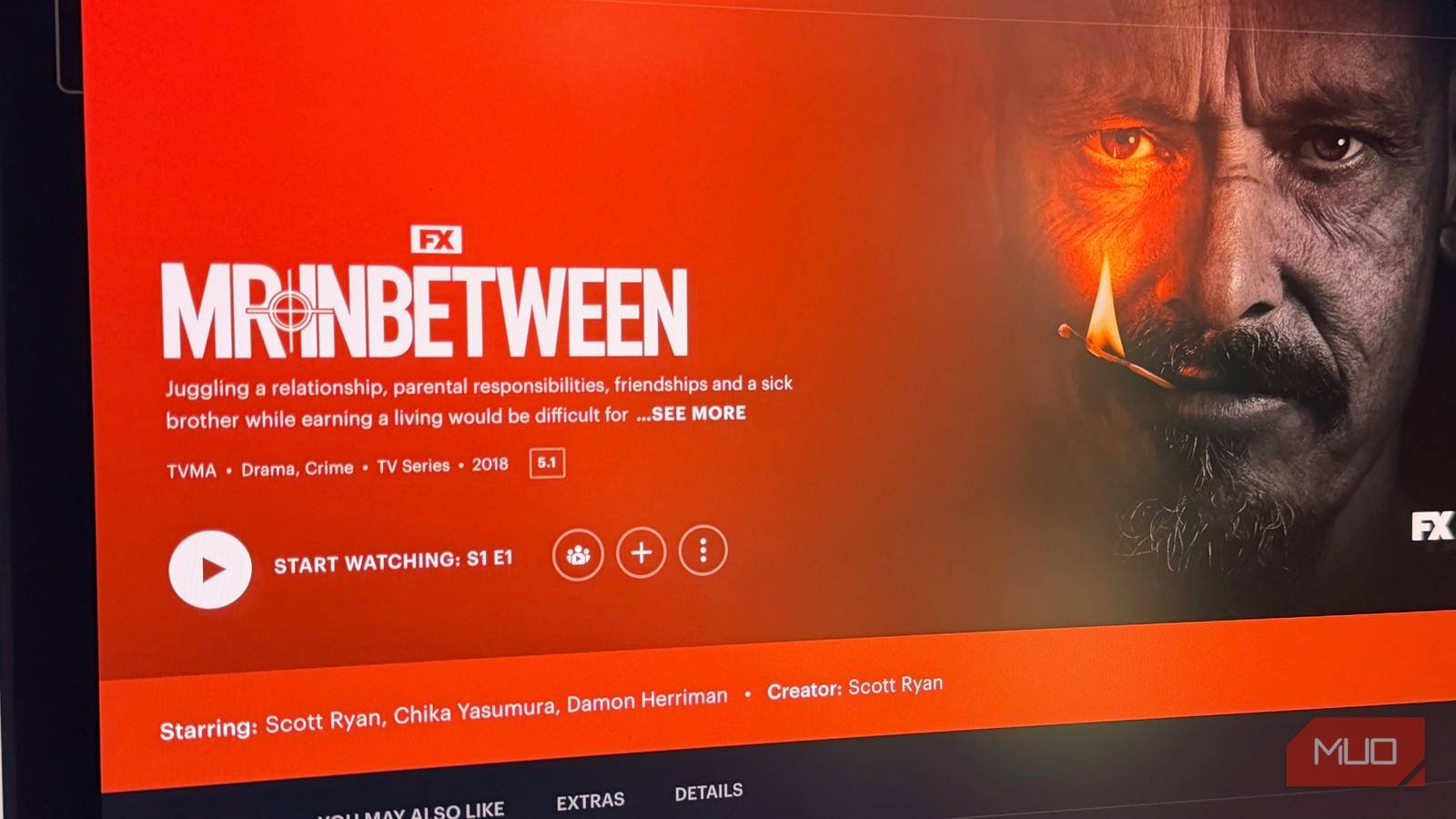
Mr Inbetween Hulu

The Runtime That Almost Fooled Me

I nearly skipped Hulu’s Mr Inbetween because the episode length looked like a typo. Twenty-five minutes? That’s barely enough time to boil pasta, let alone build a crime saga. Every prestige drama I actually finish runs 50 minutes or more — AMC’s Breaking Bad, HBO’s The Sopranos. Those shows need the extra minutes to let tension simmer before the violence boils over.

But Mr Inbetween isn’t those shows. It’s leaner, meaner, and somehow more human. The show’s 98% audience score on Rotten Tomatoes isn’t a fluke — it’s a signal that short-form crime can hit harder than anything with a bloated episode count.

What Is Mr Inbetween, Exactly?

Created by and starring Scott Ryan, Mr Inbetween follows Ray Shoesmith — a Melbourne-based hitman who’s also a devoted father, a loyal friend, and a man with a surprisingly fragile moral code. He’s not a slick assassin in a tailored suit. He’s a bloke who wears flannel shirts, drives a beat-up car, and still shows up to his daughter’s school play even after a bloody job.

The show ran for three seasons on FX, but it found a second life on Hulu, where new viewers are binge-discovering it. Each episode clocks in around 25–30 minutes — a deliberate choice that forces the writing to cut every ounce of fat.

Why the Short Episodes Work

Most crime dramas pad their runtimes with moody shots of city skylines or extended dialogue scenes that go nowhere. Mr Inbetween doesn’t have that luxury. Every scene has to earn its place. A conversation about parenting might end with a sudden, brutal beating. A quiet moment at a funeral can pivot into a darkly comic exchange.

That compression creates a rhythm you don’t see elsewhere. The show trusts you to keep up. It doesn’t explain Ray’s moral contradictions — it just shows them, one 25-minute chunk at a time.

The 98% Audience Score Isn’t the Whole Story

Critics loved Mr Inbetween too — it holds a 95% critic score on Rotten Tomatoes — but the audience number is the one that matters. A 98% audience score means real viewers, not just paid critics, are finishing the series and recommending it to friends. That’s rare for a show this violent and this quiet at the same time.

Part of the appeal is Scott Ryan’s performance. He wrote the character based on a real hitman he met in his twenties, and it shows. Ray isn’t a cartoon villain or a tortured antihero in the mold of Walter White. He’s just a bloke doing a terrible job, and the show never lets you forget the cost.

How Does It Compare to Other Hitman Dramas?

If you’ve watched Barry on HBO, you’ll notice some DNA in common — a hitman trying to balance violence with a normal life. But Mr Inbetween is grittier and more grounded. There’s no acting class subplot. Ray’s attempts at normalcy are smaller: a date, a school meeting, a favor for his brother.

Compared to John Wick’s action spectacle, this is the anti-glamour take. The fights are clumsy, desperate, and over in seconds. The show isn’t interested in cool choreography. It’s interested in what violence does to a person who tries to compartmentalize it.

Should You Watch Mr Inbetween on Hulu?

If you’re burned out on 10-episode seasons that feel like 20, Mr Inbetween is the cure. You can finish the entire series in a weekend — it’s just 26 episodes total. That’s less commitment than a single season of most streaming dramas.

Here’s who should hit play:

  • Fans of Barry or Fargo who want something darker and more realistic.
  • Viewers who prefer character studies over plot-twist machines.
  • Anyone who thinks crime dramas have gotten too long and self-important.

Don’t let the 30-minute runtime fool you. Mr Inbetween is a complete, satisfying story that respects your time — and then uses every second of it to make you feel something.

Continue Reading

Social Media

Is AI Making It So Anyone Can Run Effective TikTok Ads?

Published

on

AI TikTok ads

The Learning Curve That Used to Stop Everyone

Let’s be honest: TikTok Ads Manager has never been friendly to newcomers. Between campaign structures, ad groups, bidding strategies, and pixel setup, the platform’s backend feels like a control panel for a spaceship you never learned to fly. For small business owners and solo marketers, that steep learning curve has been a silent killer of ad budgets — and of ambition.

But something shifted recently. TikTok has been quietly rolling out AI-powered tools that promise to flatten that curve. The question is no longer whether AI can help you run ads. It’s whether the help is good enough to trust with real money.

What Exactly Is TikTok’s AI Ad Stack?

TikTok’s push into artificial intelligence isn’t one tool — it’s a suite. Three pieces stand out for marketers: Agentic Hub, Symphony Creative Studio, and the increasingly automated optimization features inside Ads Manager itself.

Agentic Hub: Your New Campaign Manager

Agentic Hub is TikTok’s attempt at an AI campaign manager. Instead of manually configuring every setting, you describe your goal — say, “drive app installs for a fitness tracker under $2 per install” — and the system assembles the campaign structure for you. It picks targeting, sets budgets, and even suggests creative angles.

For a beginner, that’s a massive time-saver. For an experienced marketer, it’s a starting point that still needs human judgment. The AI doesn’t know your brand voice or your seasonal promotions. It knows patterns.

Symphony Creative Studio: AI That Makes the Video

Then there’s Symphony Creative Studio. This tool generates video ads from text prompts, product URLs, or even existing assets. You can feed it a product page, and it spits out multiple ad variations — different hooks, different music, different pacing.

The output isn’t always perfect. Sometimes the AI misses cultural nuance or produces something oddly generic. But for testing purposes, it’s a goldmine. You can throw five AI-generated creatives against one professionally produced video and let the data decide.

Does AI Actually Make Ads More Effective?

Here’s where things get interesting. Running an ad is one thing. Running an effective ad is another. The source material points to a crucial distinction: AI tools lower the barrier to entry, but they don’t guarantee results.

TikTok’s algorithm has always rewarded engagement signals — watch time, shares, comments. AI can optimize for those signals, but it can’t manufacture a product people don’t want. In other words, AI handles the mechanics. You still handle the meaning.

What AI does do well is remove the friction that stops beginners from even trying. Instead of spending three days learning how to set up a conversion pixel, you can launch a campaign in an afternoon. That speed lets you iterate faster, and iteration is where real learning happens.

Practical Tips for Using AI in Your TikTok Ads

If you’re ready to test these tools, here’s a practical approach that balances automation with human oversight:

  • Start with a small budget. Give the AI room to experiment without risking your whole monthly ad spend. $50–$100 per day is enough to gather meaningful data.
  • Use Symphony for creative testing. Generate 5–10 variations of your core message. Let the platform’s algorithm find the winner.
  • Review Agentic Hub’s targeting choices. The AI might default to broad audiences. That’s fine for awareness, but if you’re selling something niche, tighten it manually.
  • Check your pixel and events. AI optimization depends on accurate conversion data. If your tracking is broken, the AI is flying blind.
  • Keep a human in the loop. Set aside time weekly to review performance. AI can tell you what’s working, but it won’t tell you why your Friday promo outperformed your Tuesday one.

What This Means for Small Businesses and Freelancers

For years, running effective TikTok ads was a job skill. Agencies charged thousands for campaign management because the knowledge barrier was real. AI is eroding that moat.

Now, a local bakery owner can describe their goal in plain English and have a campaign live within the hour. A freelance social media manager can serve five clients with ad accounts they’d previously have outsourced. That’s not hype — that’s the direction the platform is heading.

Still, effectiveness isn’t guaranteed. The source material wisely notes that AI tools are “not a magic wand.” They work best when paired with clear objectives, decent creative input, and someone who checks the numbers.

The Bottom Line on AI TikTok Ads

So, can anyone run effective TikTok ads now? Almost. The tools are there. The learning curve has been substantially lowered. But the word “effective” still depends on a few things AI can’t do for you: knowing your audience, crafting a message that resonates, and having a product worth buying.

If you’re a beginner, start small. Use TikTok AI ad tools to get your first campaign off the ground, but don’t expect to set it and forget it. The marketers who win with AI will be the ones who treat it as an accelerator, not a replacement for thinking.

And if you’re already running ads, the smartest move might be to let AI handle the busywork while you focus on the creative strategy that no algorithm can replicate.

Continue Reading

Trending