Connect with us

Artificial Intelligence

Google AI Edge Eloquent: The Free Dictation App That Could End Your Paid Voice Transcription Subscription

Published

on

Google AI Edge Eloquent: The Free Dictation App That Could End Your Paid Voice Transcription Subscription

If you are still paying for a voice transcription subscription, it might be time to reconsider. Google has just released a free dictation app for macOS that could make those recurring fees a thing of the past.

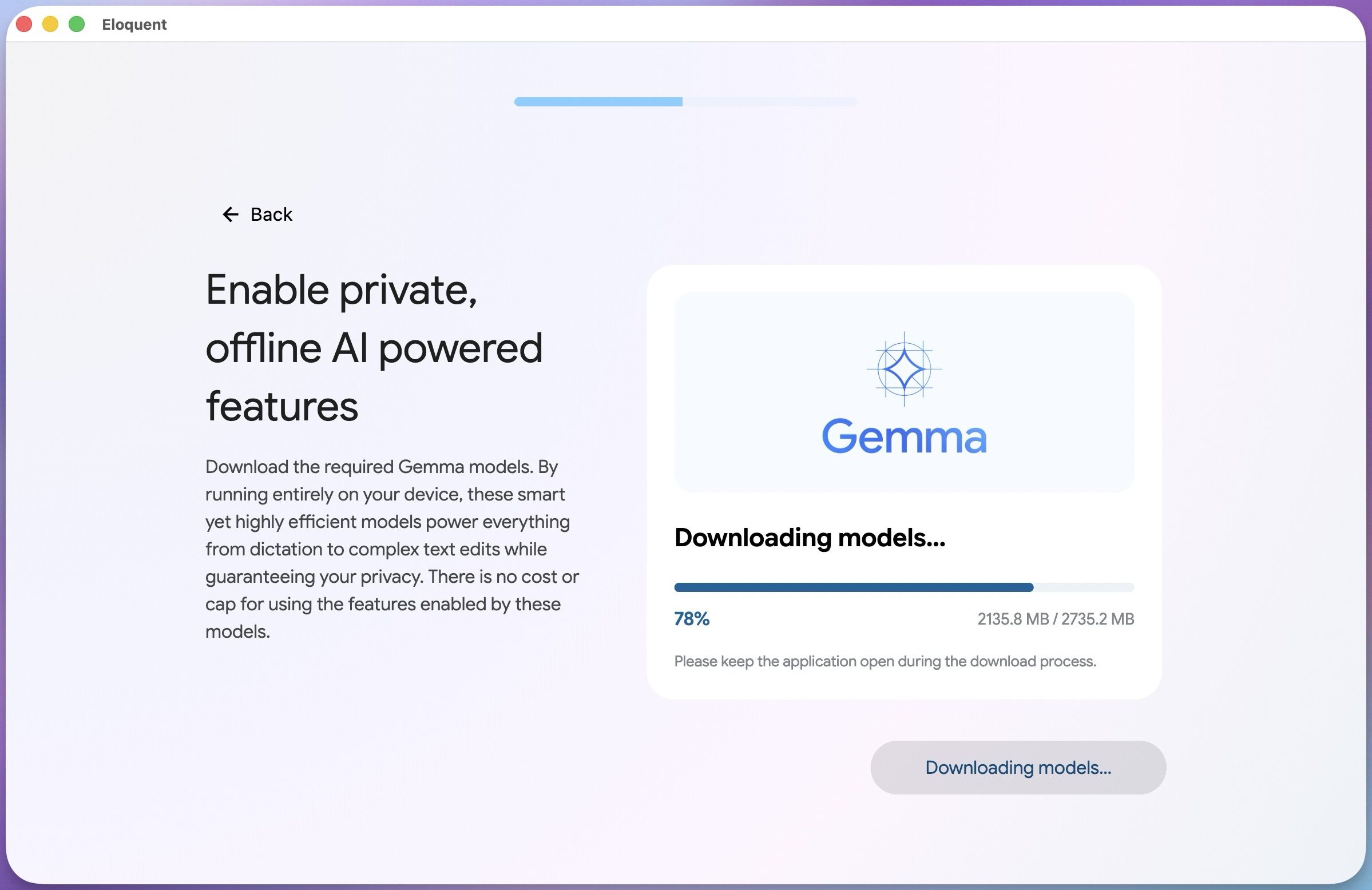
Called Google AI Edge Eloquent, this tool captures your speech, transcribes it, and polishes the text in real time. It removes filler words and cleans up the output for clarity. The app first launched on iOS a few months ago, and now it has finally arrived on Mac. Unfortunately, there is still no Android version, continuing Google’s pattern of treating its own mobile platform as a secondary priority.

What Makes Google AI Edge Eloquent Different from Other Transcription Tools?

The most striking difference is where the processing happens. Most transcription apps rely on cloud servers to handle your audio. That often means your data travels over the internet, raising privacy concerns. Eloquent does everything on-device, using Google’s Gemma AI models that you download directly to your Mac.

This means your audio never leaves your computer. For anyone worried about privacy, this is a significant advantage. You get all the power of AI transcription without sacrificing control over your data.

Custom Writing Styles and a Smart Dictionary

Beyond privacy, the app offers flexibility. You can choose from different writing styles to match the tone you need. Whether you are drafting a formal email or jotting down casual notes, Eloquent adjusts accordingly.

Another standout feature is the custom dictionary. You can add client names, industry jargon, or any term that traditional dictation apps tend to mangle. Anyone who has watched a transcription tool repeatedly butcher a person’s name will find this incredibly useful.

Is This a Real Threat to Your Voice Transcription Subscription?

It certainly looks like it. Many popular transcription and dictation apps charge monthly or annual fees for features that Eloquent offers for free. On-device processing, polished transcriptions, and style customization are not basic features; they are exactly what users pay for in premium subscriptions.

For casual users, students, and writers who want a reliable and private way to dictate their thoughts, Google AI Edge Eloquent might be all they need. The app eliminates the need for a separate voice transcription subscription from services like Otter.ai or Rev.

Building on this, the on-device approach also means no internet connection is required for transcription. That makes it ideal for working in cafes, on planes, or anywhere with spotty connectivity.

What Does This Mean for Paid Transcription Services?

Google’s entry into the free dictation space could pressure existing services to lower prices or add more value. However, professional users who need advanced features like speaker identification, multi-language support, or integration with CRM tools may still prefer paid options.

For the average user, though, the equation has changed. Why pay for a voice transcription subscription when a free, privacy-focused alternative exists? As more people discover Eloquent, the market for basic transcription apps could shrink dramatically.

In the end, Google has delivered a tool that combines convenience, privacy, and zero cost. If you are still paying for dictation software, now is the perfect time to test this alternative. You might find that your wallet thanks you.

For more tips on optimizing your productivity tools, check out our guide on best productivity apps for 2024 or learn about how to use AI for writing efficiently.

Continue Reading
Click to comment

Leave a Reply

Your email address will not be published. Required fields are marked *

Artificial Intelligence

You Can Literally Save the Planet by Being Less Polite to AI Bots Like ChatGPT and Gemini

Published

on

You Can Literally Save the Planet by Being Less Polite to AI Bots Like ChatGPT and Gemini

Think twice before typing a long, overly polite prompt to ChatGPT or Gemini. Every word you type consumes energy—far more than you might imagine. A recent report from the United Nations University Institute for Water, Environment and Health reveals a startling truth: our courteous interactions with AI are taking a toll on the environment. By cutting the pleasantries and getting straight to the point, you can literally save the planet from unnecessary energy waste.

According to the report, ChatGPT alone processes around 2.5 billion prompts daily. At a conservative 0.42 watt-hours per prompt, that adds up to roughly 383 gigawatt-hours of electricity annually—enough to power nearly 3 million people in Sub-Saharan Africa for a year. This staggering figure highlights just how much energy our AI habits consume.

The Hidden Cost of Politeness in AI Interactions

When you ask an AI chatbot a question, every token—word or punctuation mark—requires computational power. The longer your prompt, the more energy needed for inference. This means that a simple “Hello, could you please tell me the weather?” uses more electricity than a direct “Weather today?” The same applies to Gemini and other large language models.

How Prompt Length Impacts Energy Use

The UN report emphasizes that prompt length directly affects energy consumption. It introduces the concept of “concise mode,” where shorter prompts reduce energy usage because AI inference scales with token count. If users trimmed prompts by just 30% in everyday interactions, per-query energy would drop by roughly 25%. This could save between 87 and 98 GWh of electricity per year—equivalent to the annual residential electricity use of up to 756,000 people.

Building on this, the type of task matters too. A typical ChatGPT text query uses about 200 times more energy than basic spam filtering. Generating a single AI image requires 2.9 Wh—60 times more than a short text answer. Video generation is even worse, with complex clips drawing over 415 Wh each. So, skipping those silly AI-generated memes or “brainrot” videos isn’t just about taste—it’s about energy conservation.

Practical Steps to Reduce AI Energy Consumption

You don’t need to stop using AI entirely, especially if it helps with daily tasks or work. However, you can adopt habits that lower your environmental impact. Start by being direct: skip the “please” and “thank you” for simple queries. Choose lighter models when the task doesn’t require heavy computation. For instance, use a smaller model for quick facts rather than a powerhouse like GPT-4.

Furthermore, avoid generating unnecessary content—like AI slop videos that clutter streaming platforms. These not only degrade user experience but also consume massive amounts of electricity. By being mindful, you contribute to a larger collective effort. Small habits at scale add up to a surprisingly big difference.

For more insights, check out our guide on how to reduce your AI energy footprint and explore eco-friendly tech tips for sustainable living.

The Bigger Picture: AI’s Environmental Footprint

This isn’t just about individual actions. The AI industry’s energy demand is growing rapidly. Data centers powering models like ChatGPT and Gemini already account for significant global electricity use. As AI adoption increases, so does its carbon footprint. Therefore, every efficiency gain matters—from developers optimizing algorithms to users trimming their prompts.

On the other hand, companies are also exploring renewable energy sources and more efficient hardware. But until these solutions become mainstream, user behavior plays a crucial role. By being less polite to AI bots, you’re not being rude—you’re being responsible. So next time you open ChatGPT or Gemini, remember: a shorter prompt is a greener prompt.

Continue Reading

Artificial Intelligence

China Is Moving Beyond Super-Apps to AI Agents That Handle Everything for You

Published

on

China Is Moving Beyond Super-Apps to AI Agents That Handle Everything for You

For years, China’s digital ecosystem revolved around super-apps like WeChat—massive platforms where users could chat, pay, shop, order food, book travel, and access countless mini-programs without ever leaving the interface. Now, a new shift is underway: the rise of AI agents China that aim to eliminate even that friction. Instead of tapping through menus, users simply tell an assistant what they need, and the agent does the rest.

Alibaba is leading this charge with its Qwen assistant, which is opening up to third-party brand agents. Early testers include KFC, Luckin Coffee, Mixue, and China Eastern Airlines. Meanwhile, Tencent is reportedly preparing its own agent inside WeChat. This transition could redefine how people interact with their smartphones, moving from manual navigation to conversational commands.

Why Super-Apps Are Giving Way to AI Agents

The super-app model trained millions of users to keep their digital lives inside one hub. WeChat, for instance, integrates messaging, payments, shopping, food delivery, ride-hailing, travel bookings, and more. However, even within these platforms, users still need to navigate multiple menus and sub-apps to complete tasks.

AI agents promise to collapse those steps. Consider ordering fried chicken: a traditional approach involves opening the app, finding the nearest KFC, selecting items, applying coupons, choosing pickup or delivery, and confirming payment. With Qwen, a single request like “Order my usual from KFC near work” triggers the agent to handle location detection, menu selection, coupon application, timing estimation, and order placement—all behind the scenes.

This shift is not just about convenience. As conversational AI China matures, brands see an opportunity to engage users proactively. Luckin Coffee could nudge customers to order ahead during peak hours. China Eastern Airlines might suggest trip plans based on past preferences. The appeal is practical: fewer menus, fewer app switches, and fewer checkout steps.

How Alibaba’s Qwen Is Reshaping Commerce

Alibaba has already integrated Qwen deeply into its e-commerce ecosystem via Taobao. The assistant can filter products, compare options, and complete purchases through a chatbot interface. This gives Qwen a direct route into commerce beyond food and travel, positioning it as a central shopping companion.

Building on this, Alibaba is encouraging brands to build their own AI agents on the Qwen platform. These agents can answer questions, suggest actions, and even anticipate needs before the user starts digging through an app. For example, a user planning a trip could ask Qwen to book a flight, reserve a hotel, and arrange airport transfers—all in one conversation.

However, trust remains a critical hurdle. An agent that orders the wrong item, misses a discount, or books the wrong trip will feel worse than tapping through the app yourself. Alibaba must ensure accuracy and reliability to win user confidence.

WeChat’s Pivot to an AI Agent

WeChat gives Tencent a natural launchpad for its own AI agent. The app already serves as a command center for daily life in China, holding chats, payments, shopping, services, content, and mini-programs in one place. An agent inside WeChat could compress familiar routines into a single request.

For instance, a user could ask for a taxi, a flight booking, a payment, or help navigating a mini-program—all through the chat interface. This would shift the habit WeChat created: users wouldn’t need to remember where each service lives if the agent can find the right path and finish the task. Tencent’s prototype is reportedly being tested, with compliance steps expected before a public launch.

This development signals that China’s super-apps China era won’t vanish. Instead, it will evolve. The super-app becomes the platform for AI agents, and the user experience shifts from manual navigation to conversational instructions.

What This Means for the Future of Smartphones

The rise of AI agents could fundamentally change how we use our phones. Instead of opening multiple apps, users might rely on a single assistant that orchestrates tasks across services. This is already happening with Qwen on Alibaba’s platforms and could expand to WeChat’s ecosystem.

As smartphone AI future unfolds, the phone itself may become less about apps and more about intent. You tell the device what you want, and it figures out the rest. This is a paradigm shift from app-centric to agent-centric computing.

For brands, this means rethinking customer engagement. Instead of building standalone apps, they may create AI agents that live inside larger platforms. For users, it promises a simpler, more intuitive digital experience—provided the technology earns their trust.

To stay updated on these trends, check out our analysis of AI trends shaping 2024 and China’s evolving tech ecosystem.

Continue Reading

Artificial Intelligence

Google Nest Cameras Now Recognize Your Pets by Name: Inside the New Pet Memory Feature

Published

on

Google Nest Cameras Now Recognize Your Pets by Name: Inside the New Pet Memory Feature

Your smart home cameras are about to get a lot more personal with your four-legged family members. Google has rolled out a new capability called Google Nest Pet Memory, a feature powered by its Gemini AI that lets indoor Nest cameras and select Gemini-enabled cameras recognize individual pets by name. Instead of just alerting you to motion, your camera can now tell you exactly which furry friend walked through the living room.

How Pet Memory Works with Google Nest Cameras

This new pet recognition camera function is part of Google’s broader push to make its smart home ecosystem more intelligent. To get started, you need to provide the system with specific details about your pet through the Ask Home feature. This includes the pet’s name and type—like “Whiskers, cat” or “Buddy, dog.”

Once configured, the Gemini for Home AI processes video feeds from compatible cameras. When a known pet triggers motion detection, you receive a tailored alert. Instead of a generic notification, you might see: “Buddy entered the kitchen” or “Whiskers is on the sofa.” This saves you from having to open a live feed or scrub through hours of footage just to identify which animal caused the commotion.

Google states that Pet Memory is designed to reduce misidentifications. For households with multiple pets, this specificity is a major advantage. The system can distinguish between a cat and a dog, and even between two similar-looking cats, provided the initial setup is accurate.

Cost and Requirements for Google Home Premium

Pet Memory isn’t a free add-on. It requires the Advanced plan of Google Home Premium, which is the company’s paid smart home subscription tier. This means the feature is tied to a monthly or annual fee, adding to the ongoing cost of owning Google’s smart home devices.

Currently, the feature works with indoor Nest cameras and select third-party cameras that have Gemini AI built in. Google has not yet provided a full list of every supported camera model or a regional rollout timeline. Before enabling Pet Memory, check your camera’s eligibility, ensure you have access to Ask Home, and verify that your subscription plan includes the Advanced tier.

Privacy and the Broader Context of Pet AI

Google isn’t the first company to bring AI-powered pet recognition to security cameras. Amazon’s Ring introduced a similar feature called Search Party, which uses AI to help find missing dogs by scanning participating outdoor Ring cameras. However, Ring’s rollout sparked significant privacy backlash. Search Party was enabled by default on eligible cameras, and a 2026 Super Bowl ad promoting the feature intensified public concern. The controversy grew to the point where Amazon’s Ring ended a planned partnership with Flock Safety, a law enforcement technology company.

Google’s approach is notably narrower. Pet Memory is confined to a user’s own supported indoor cameras and only activates after the owner manually adds pet details through Ask Home. There is no default-on setting, and the feature does not share data with neighbors or law enforcement. Still, the comparison highlights a critical tension: camera AI feels helpful when it tells you what your dog did while you were away, but it becomes sensitive when it identifies what lives inside your home.

What to Consider Before Enabling Pet Memory

Before you dive in, there are a few practical considerations. First, confirm that your Nest camera or Gemini-enabled camera is supported. Second, ensure you have the Google Home Premium Advanced plan. Third, think about who else has access to the camera alerts—if you share your Google Home account, everyone with access will see pet-specific notifications. Finally, weigh whether the convenience of named pet alerts justifies the subscription cost.

For pet owners who want to reduce false alarms and get more useful notifications, Google Nest Pet Memory offers a clear upgrade. But like all AI features in the home, it comes with trade-offs in privacy and cost. Read more about smart home privacy best practices and compare the best pet cameras of 2025.

Continue Reading

Trending