Connect with us

How To

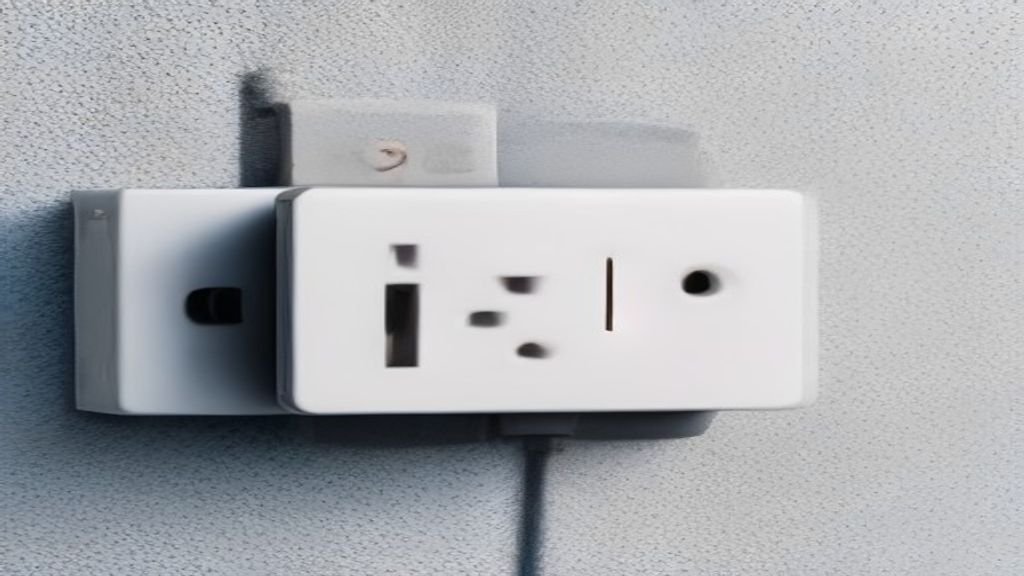
Never Plug These Appliances Into a Smart Plug — It’s a Bigger Risk Than You Think

Published

on

smart plug safety

Smart Plugs Are Handy — But Not Universal

Smart plugs are one of the cheapest ways to make an old device feel new. Plug in a lamp, a fan, or a string of holiday lights, and suddenly you’ve got app control and voice commands for less than the cost of a nice dinner out.

But just because a device can plug into one doesn’t mean it should. In fact, some appliances can overload a smart plug, causing overheating, short circuits, or even fires. The risk is real, and it’s often overlooked.

Here’s what you need to know before you start smartening up every outlet in your home.

Know Your Smart Plug’s Limits

Most standard smart plugs are rated for 15 amps and 1,800 watts. That sounds like a lot, but it’s not unlimited. High-draw appliances like space heaters, air conditioners, and refrigerators can easily exceed that, especially on startup.

When a motor starts, it draws a surge of current — often two to three times its running wattage. A refrigerator, for example, might run at 600 watts but spike to 1,200 or more when the compressor kicks in. If you add that to anything else on the same circuit, you’re asking for trouble.

Check the wattage on the appliance label. If it’s close to or above the smart plug’s rating, don’t use it.

Appliances You Should Never Plug Into a Smart Plug

Some devices are simply too risky. Here’s the list of what to avoid:

  • Space heaters and other heating appliances: They draw massive current and are a leading cause of house fires. Smart plugs can’t handle the load, and the heat can damage the plug itself.
  • Refrigerators and freezers: Besides the startup surge, a power cut can leave your food spoiling if the smart plug doesn’t restore power properly. Plus, the compressor can be damaged by frequent on/off cycling.
  • Air conditioners and dehumidifiers: These have large motors that draw high current. Smart plugs aren’t designed for that kind of sustained load.
  • Microwaves and toaster ovens: High wattage and heat. The plug can melt or catch fire.
  • Hair dryers and curling irons: They pull 1,500 watts or more. Not safe.
  • Power strips and extension cords: Plugging a smart plug into a power strip — or vice versa — can overload the circuit and is a fire hazard.

Why These Appliances Are Dangerous

The problem isn’t just wattage. Smart plugs are small devices with limited heat dissipation. When you push high current through them, they heat up. Over time, that heat can degrade the internal components, leading to arcing and fires.

Also, many smart plugs are made with plastic housings that can melt. A smart plug fire risk isn’t just theoretical — there have been recalls and reports of incidents.

What You Can Safely Plug In

Don’t throw away your smart plugs just yet. They’re perfect for low-power devices:

  • Lamps and LED bulbs
  • Fans (small ones, not industrial)
  • Phone chargers
  • Televisions and entertainment centers
  • Coffee makers (with a timer, not left on)
  • String lights and holiday decorations

These draw minimal wattage and won’t stress the plug. You can even use smart plugs to automate your morning routine — coffee starts brewing before you wake up, lights turn on at sunset, and fans shut off when you leave.

Smart Plug Safety Tips to Follow

If you’re going to use smart plugs, do it right. Here are a few rules of thumb:

  • Always check the wattage rating on both the plug and the appliance.
  • Never daisy-chain smart plugs or connect them to extension cords.
  • Keep smart plugs away from water and heat sources.
  • Inspect plugs regularly for signs of discoloration or melting.
  • Use a smart plug with a built-in fuse or surge protector for extra safety.
  • If a plug feels hot to the touch, unplug it immediately and stop using it.

These smart plug safety tips can prevent most problems before they start.

The Bottom Line

Smart plugs are a great entry into home automation, but they’re not a one-size-fits-all solution. For high-power appliances, leave them on a standard wall outlet and skip the smart features. Your safety — and your home — are worth more than the convenience.

When in doubt, check the manual or consult an electrician. A little caution goes a long way.

Continue Reading
Click to comment

Leave a Reply

Your email address will not be published. Required fields are marked *

Social Media

Snap CEO dodges Specs preorder questions on earnings call

Published

on

Specs smart glasses

Investors wanted numbers. They got a vision.

Snap CEO Evan Spiegel spent Monday’s Q2 earnings call talking about the future of Specs, the company’s long-awaited smart glasses. What he didn’t do? Give investors any concrete details about preorder demand.

That’s notable, given the device’s September launch event is just weeks away.

When pressed on how early orders are tracking, Spiegel deflected. “What we’re hearing from folks is really that they want to try Specs,” he told investors. “It’s obviously a high consideration purchase at $2,195.”

That price point is the elephant in the room. It’s more than six times the cost of most Meta Ray-Ban smart glasses, which start around $350. It’s cheaper than Apple‘s Vision Pro at $3,500, but that’s a low bar. The real question is whether consumers will pay premium-device money for a first-generation wearable from a company better known for filters than hardware.

The “try before you buy” problem

Spiegel’s core argument is that Specs is a product people need to experience in person. “Developers and folks who are familiar with the platform really understand it and understand the technical leaps we’ve made with this generation,” he said. “I think for the broader public and consumers, it’s going to be really important for folks to go hands-on.”

That’s a reasonable stance for a $2,195 gadget. But it also means Snap is betting heavily on its launch event to generate the kind of buzz that translates into orders. A demo can win people over. A spec sheet, apparently, cannot.

Spiegel acknowledged as much: “Our upcoming launch event will be an important sort of starting point for that consumer-oriented journey.”

Why go it alone?

Investors didn’t just want preorder numbers. They also pushed Spiegel on the broader strategy. Why is Snap, a company with a market cap dwarfed by its rivals, trying to build the next computing platform on its own? Why not partner with someone bigger?

Spiegel’s answer was part confidence, part history lesson. He reminded investors that Snap was a late entrant in social media, competing against established players like Facebook and Instagram. “We had to really innovate to continue to grow,” he said. “What’s so unique about this opportunity for us is really that we’re a first mover, and that really plays to our strengths as an innovator.”

The implication is clear: in social, Snap was the underdog. In smart glasses, it’s the pioneer. And being first, Spiegel argues, is where the company shines.

The technical hurdle is real

He also pushed back on the idea that building Specs is just another hardware project. “I think what some folks maybe don’t understand yet, especially because Specs are so new and we’re really the first mover in this category, is how difficult the product is to execute from a technical perspective,” Spiegel said.

That’s a fair point. Snap has spent more than a decade developing this device, unveiling the current generation in June. The engineering challenges — optics, battery life, weight, processing power — are substantial. But investors are less interested in the difficulty than in the payoff.

Mass-market adoption is years away

When asked about product-market fit, Spiegel offered a sobering timeline: don’t expect Specs to hit the mainstream until closer to the end of the decade. “I think things, for example, like weight and cost are going to have to come down to see unit volumes really meaningfully pick up,” he said.

Translation: this is a long game. Snap is positioning Specs as a platform play, not a quick-hit product. The company’s bet is that developers will build the ecosystem that makes the glasses indispensable — and that Snap’s head start will matter once the market matures.

“We do have, I think, a real advantage here in that developers have been building on the Specs platform now for several years,” Spiegel added.

What to watch at the September launch

Spiegel’s non-answers may frustrate investors, but they also set the stage for the launch event. Here’s what matters:

  • Preorder numbers: If Snap shares any early demand figures, that will move the stock. If it stays quiet, expect more questions.
  • Developer momentum: The quality of third-party apps will signal whether the platform has legs.
  • Pricing strategy: Any hints of a cheaper model or carrier subsidies could change the conversation.
  • Competitive response: Meta and Apple aren’t standing still. Their next moves will shape the market.

For now, Snap is asking the market to trust its vision. That’s a harder sell than a spec sheet — but it’s the only one Spiegel is offering. If you’re tracking the broader smart glasses market trends, this launch is the one to watch. And for context on how Snap’s strategy compares to rivals, check out our breakdown of Meta Ray-Ban vs. Apple Vision Pro.

Continue Reading

How To

5 New Movies to Watch This Week: Kevin Hart, a Horror Hit, and More (July 20-26)

Published

on

new movies to watch

It’s a packed week for streaming premieres

If you’ve been scrolling through your apps wondering what to press play on, the week of July 20-26 has some genuinely strong options. Three major platforms are rolling out original films, and one of the year’s most talked-about horror movies just landed on Peacock.

Here’s the short version: Curry Barker’s Obsession is now streaming. Kevin Hart has a new comedy on Netflix. And an animated favorite returns on Apple TV+. Let’s break down all five picks.

1. Obsession (Peacock)

This is the one everyone’s been whispering about. Obsession, directed by Curry Barker, finally hit Peacock last week after months of festival buzz. It’s an innovative horror film that bends genre rules, and it’s already being called one of 2026’s most distinctive releases.

Barker, who built a following with his short films on YouTube, brings a fresh voice to the horror space. The movie doesn’t rely on cheap jumpscares. Instead, it builds dread through atmosphere and a genuinely unsettling performance from its lead. If you’re a horror fan who’s tired of the same old tropes, this one’s for you.

Why it’s worth your time

  • It’s a bold, original vision from a director to watch.
  • Peacock subscribers already have access — no extra rental fee.
  • It’s the kind of film that sparks conversation long after the credits roll.

2. Kevin Hart’s new comedy (Netflix)

Netflix is betting big on Kevin Hart this week with a brand-new original comedy. The film, which premieres July 22, pairs Hart with a supporting cast that knows how to land a punchline. Expect the usual Hart energy — fast talk, big physical comedy, and a heartwarming core that sneaks up on you.

It’s not trying to reinvent the genre. But it’s exactly the kind of crowd-pleasing entertainment that makes a Friday night easy. If you’ve liked Hart’s previous Netflix collaborations, this one fits right in.

What to know before you watch

The runtime is a tight 98 minutes, which is a plus for a comedy. No filler, just jokes and a predictable-but-comfortable plot. Perfect for background viewing or a family movie night.

3. The animated favorite (Apple TV+)

Apple TV+ is bringing back a beloved animated character in a new feature that drops this week. The film leans into nostalgia but adds enough modern storytelling to keep younger viewers engaged. It’s a visual treat — the animation quality is stunning, with vibrant colors and expressive character design.

This one’s a safe bet for parents looking for something the whole family can enjoy without cringing. There’s genuine wit in the script, and the voice cast delivers.

4. A hidden gem on Paramount+

Paramount+ is premiering an original that hasn’t gotten as much hype as the others — and that’s a shame. It’s a small-scale drama with a big emotional payoff. The performances are understated, and the direction is patient, letting scenes breathe.

If you’re in the mood for something quieter than a Kevin Hart comedy, this is your pick. It’s the kind of movie that reminds you why you love cinema in the first place.

5. One more for the weekend

Rounding out the list is a documentary that’s been making waves on HBO Max. It’s a deep dive into a cultural phenomenon that you probably have an opinion about, even if you didn’t know it. The archival footage alone is worth the watch.

Documentaries can sometimes feel like homework. This one doesn’t. It’s paced like a thriller, with revelations that land like plot twists.

How to decide what to watch

Still stuck? Here’s a quick cheat sheet:

  • Want to be scared? Go with Obsession on Peacock.
  • Need a laugh? Kevin Hart’s Netflix comedy is your safest bet.
  • Family movie night? The Apple TV+ animated feature wins.
  • In the mood for something deep? Check out the Paramount+ drama.
  • Prefer reality? The HBO Max documentary is a must.

And if you’re looking for more streaming suggestions, check out our guide to the best Netflix originals this month or the top horror movies on Peacock right now.

Happy watching. Let me know in the comments which one you picked.

Continue Reading

How To

This US carrier has the fastest download speeds and it’s not close

Published

on

fastest download speeds

Who actually has the fastest network in the US?

Every carrier loves to talk. AT&T, Verizon, and T-Mobile all roll out flashy ads claiming their network is the one you should be paying for. But marketing budgets don’t move data. Independent testing does — and the numbers from the first half of 2026 tell a pretty clear story.

Ookla, the company behind Speedtest.net, runs a research arm called RootMetrics. In the first six months of 2026, RootMetrics conducted over three million independent tests across the three major US networks. That’s not a small sample. That’s a mountain of real-world data.

And the winner? It’s not particularly close.

T-Mobile’s lead is massive

T-Mobile came out on top with a median download speed that leaves its rivals in the dust. We’re talking a lead of more than 100 Mbps over the nearest competitor. That’s not a rounding error — that’s a generational gap.

Here’s the breakdown of median download speeds from the H1 2026 tests:

  • T-Mobile: 310.24 Mbps
  • Verizon: 194.02 Mbps
  • AT&T: 164.22 Mbps

So T-Mobile isn’t just winning. It’s winning by a mile. Verizon and AT&T are essentially in the same ballpark, trading blows depending on the market. But neither comes close to what T-Mobile is delivering on average.

Why the gap is widening

T-Mobile’s aggressive mid-band 5G rollout is the main reason. The carrier snapped up a ton of mid-band spectrum over the last few years, and it’s putting that spectrum to work. Mid-band offers a sweet spot — much faster than low-band, with better coverage than millimeter-wave.

Verizon has been leaning on its ultra-wideband network, which is fast but spotty. AT&T has been playing catch-up with its own mid-band deployment. But the data suggests T-Mobile’s strategy is paying off where it counts: real-world speeds that users actually experience.

Upload speeds and consistency matter too

Download speed is the headline stat, but it’s not the whole story. RootMetrics also measured upload speeds and network consistency. T-Mobile led there as well, with a median upload speed of 36.24 Mbps. Verizon and AT&T trailed at 21.33 Mbps and 18.66 Mbps, respectively.

Consistency is another key metric. T-Mobile hit 93.6% on RootMetrics’ consistency score, meaning users were able to complete normal tasks — streaming, browsing, video calls — without hiccups. Verizon scored 88.4%, and AT&T came in at 86.1%.

What does that mean for you? If you’re uploading large files, streaming in 4K, or just want a connection that doesn’t stutter, the gap between T-Mobile and the others is real. It’s not just about downloading big files fast — it’s about the whole experience feeling smooth.

Regional differences: it’s not a clean sweep everywhere

Before you switch carriers based on national averages, know this: the story changes depending on where you live. RootMetrics breaks down results by city, and there are places where Verizon or AT&T actually take the crown.

In some dense urban areas, Verizon’s ultra-wideband network delivers jaw-dropping speeds — when you’re within range. AT&T has strong showings in certain Midwest and Southeast markets. So if you’re in a specific city, the national numbers might not reflect your daily experience.

The takeaway? Check local data before making a decision. National averages are useful, but your neighborhood is what matters.

What about 5G coverage?

Speed is one thing, but coverage is the other half of the equation. A fast network that doesn’t reach you is useless. Here again, T-Mobile leads, with 5G coverage reaching about 90% of the US population. Verizon covers around 80%, and AT&T is at roughly 75%.

That coverage advantage is partly why T-Mobile’s speed numbers are so strong — more people are actually on its 5G network, not just within range of a tower. It’s a virtuous cycle: better coverage leads to more usage, which leads to more data for RootMetrics to analyze, which confirms the coverage advantage.

Should you switch carriers?

If you’re on T-Mobile, you’re probably feeling pretty good right now. If you’re on Verizon or AT&T, you might be wondering if it’s time to jump ship. But hold on — speed isn’t everything.

Consider your priorities:

  • Price: T-Mobile’s plans are competitive, but Verizon and AT&T often offer better deals for multi-line households.
  • Coverage in your area: Check RootMetrics’ city-level reports or run your own speed test comparison to see what’s actually available where you live.
  • Perks: Each carrier bundles different extras — streaming subscriptions, international data, device trade-in deals. Those can tip the scales.

The bottom line: T-Mobile has the fastest download speeds in the US right now, and it’s not particularly close. But the best carrier for you depends on your location, your budget, and what you value most. Use the data — just don’t let it make the decision for you.

Continue Reading

Trending