Connect with us

How To

This Lexus Proves You Don’t Have to Choose Between Luxury and Fuel Efficiency

Published

on

Lexus luxury fuel efficiency

Luxury and Efficiency: No Longer a Trade-Off

For years, the automotive world forced buyers into a frustrating corner. You could have a plush, whisper-quiet interior with real leather and a premium badge — or you could have a car that sips fuel like a miser. Rarely both.

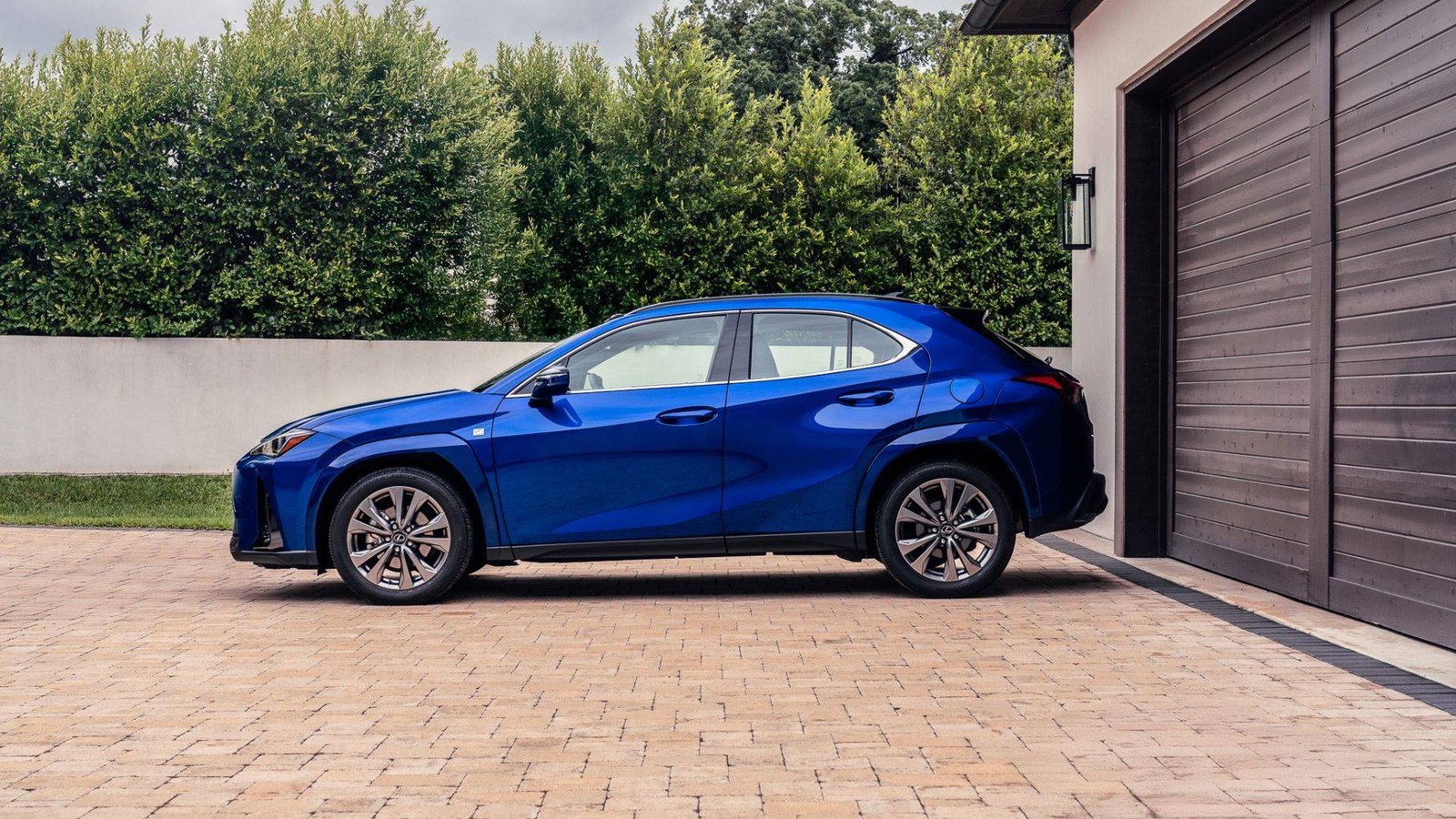
The Lexus ES 300h dismantles that old compromise. It’s a full-size luxury sedan that returns hybrid-level fuel numbers without making you feel like you’re driving an appliance. That’s a harder trick than it sounds.

Most automakers approach hybrids as eco-statement pieces. Lexus treats the ES 300h as a luxury car first, hybrid second. The difference shows in every touchpoint, from the ride quality to the cabin materials.

What Makes the ES 300h Different

The ES 300h pairs a 2.5-liter four-cylinder engine with an electric motor, producing a combined 215 horsepower. Those numbers won’t set your hair on fire, but that’s not the point. The point is how the powertrain delivers that output — smoothly, quietly, and with remarkable restraint.

Lexus engineers tuned the hybrid system to prioritize refinement over performance. The continuously variable transmission mimics a traditional automatic’s shift points, eliminating the droning sensation that plagues many hybrids. It’s a small detail that makes a big difference in daily driving.

Real-World Fuel Economy

Official EPA estimates put the ES 300h at 44 mpg combined. In real-world testing, owners regularly report figures in the high 30s to low 40s, even in mixed driving conditions. That’s genuinely impressive for a car with this much interior space and comfort.

Compare that to a traditional luxury sedan like the BMW 5 Series or Mercedes E-Class, which typically return mid-20s mpg. Over the course of a year, the ES 300h saves its owner roughly 200 gallons of fuel. At current prices, that’s real money.

Interior Comfort and Craftsmanship

Step inside the ES 300h and you’ll find a cabin that rivals cars costing significantly more. The semi-aniline leather seats are heated and ventilated, with 10-way power adjustment for the driver. The wood trim is genuine, not the plasticky fake stuff found in lesser vehicles.

Rear-seat passengers get generous legroom — 39.2 inches, to be precise. That’s more than enough for tall adults to stretch out on long journeys. The cabin stays remarkably quiet at highway speeds, thanks to laminated acoustic glass and active noise cancellation.

One of the most underrated features is the Mark Levinson audio system. It’s a 17-speaker setup that makes even mediocre podcasts sound like studio recordings. For audiophiles, it’s a compelling reason to choose the ES 300h over its rivals.

Technology and Safety Features

Lexus equips the ES 300h with a 12.3-inch touchscreen display, wireless Apple CarPlay and Android Auto, and a digital instrument cluster. The interface is intuitive, though it still lags behind the best systems from BMW and Audi in terms of responsiveness.

Standard safety features include pre-collision warning with pedestrian detection, adaptive cruise control, lane-keeping assist, and blind-spot monitoring. The Lexus Safety System+ 2.5 suite is comprehensive, and it works without being intrusive — a common complaint with rival systems.

Lexus Safety System+ 2.5

  • Pre-collision warning with automatic emergency braking
  • Adaptive cruise control with stop-and-go capability
  • Lane departure alert with steering assist
  • Blind-spot monitoring with rear cross-traffic alert
  • Road sign assist

The adaptive cruise control deserves special mention. It maintains a smooth, natural following distance without the jerky braking that plagues some competitors. It’s the kind of refinement that makes a difference on long commutes.

How It Compares to Rivals

The ES 300h’s main competitor is the Lincoln Nautilus hybrid, which offers similar fuel economy but a less polished driving experience. The BMW 530e plug-in hybrid offers more performance but requires regular charging to achieve good fuel numbers.

If you’re not ready for a full electric vehicle, the ES 300h represents a sweet spot. It delivers most of the benefits of electrification — low fuel costs, smooth acceleration, quiet operation — without the range anxiety or charging infrastructure concerns.

For buyers considering a hybrid luxury sedan or exploring luxury car fuel economy, the ES 300h deserves serious consideration. It’s a reminder that you don’t have to sacrifice comfort to be environmentally conscious.

Is the ES 300h Right for You?

The ES 300h starts around $44,000, which undercuts many European rivals by several thousand dollars. Standard equipment is generous, including LED headlights, a power sunroof, and dual-zone climate control.

If you value quiet comfort, low running costs, and impeccable build quality, the ES 300h is an easy recommendation. If you demand razor-sharp handling or blistering acceleration, look elsewhere — this car prioritizes serenity over sportiness.

Lexus also offers the ES 300h with its Premium Package, which adds a head-up display, panoramic sunroof, and upgraded leather. It’s worth the extra cost for buyers who plan to spend long hours behind the wheel.

The bottom line: the ES 300h proves that luxury and fuel efficiency aren’t mutually exclusive. It’s a refined, comfortable, and remarkably economical sedan that makes a compelling case for hybrid ownership without requiring any sacrifices in the areas that matter most.

Continue Reading
Click to comment

Leave a Reply

Your email address will not be published. Required fields are marked *

How To

I Went Through My Samsung Settings and Found 5 Features I Should Have Turned On Day One

Published

on

Samsung settings

The settings you skim past are the ones that matter

Samsung buries plenty inside One UI, and much of it stays untouched. You finish the initial setup, handle the basics, and assume everything else is fine as it is. Then you stumble into a menu you’ve scrolled past dozens of times and realize your phone already had a fix for something that’s been quietly annoying you.

That’s exactly what happened to me. I spent a slow afternoon poking through my Galaxy’s settings, and five things jumped out. Each one took under a minute to switch on. I wish I’d found them on day one.

1. Turn on Adaptive Battery to stop background drain

Your Galaxy learns how you use apps. It knows which ones you open every morning and which ones you haven’t touched in weeks. But it only acts on that knowledge if you tell it to.

Head to Settings > Battery and device care > Battery > More battery settings and toggle on Adaptive battery. This Samsung setting limits power for apps you rarely use, so your phone stops wasting juice in the background. The result? A noticeably longer day, especially if you’re the type who ends the night at 15%.

It’s not magic, but it’s close. And it’s one of the simplest Galaxy battery settings to flip.

2. Enable RAM Plus for smoother multitasking

If your phone stutters when you switch between heavy apps, the problem might not be the processor. It might be that you’re ignoring a built-in memory boost.

Open Settings > Battery and device care > Memory and find RAM Plus. Samsung lets you extend your physical RAM using a slice of internal storage. Bump it up to the maximum supported on your model, and you’ll notice fewer app reloads and smoother transitions.

Not every Galaxy supports this, but most recent ones do. Check the menu and see what your device offers.

3. Use Secure Wi-Fi to protect public connections

Free coffee shop Wi-Fi is convenient. It’s also a security risk. Samsung’s Secure Wi-Fi feature encrypts your traffic before it leaves the phone, so you don’t have to cross your fingers every time you connect somewhere public.

Find it under Settings > Connections > More connection settings > Secure Wi-Fi. Turn it on, and Samsung will handle the encryption automatically. It’s not a full VPN, but for everyday browsing on public networks, it adds a layer of protection you’re currently missing.

This is one of those Samsung hidden features that never gets mentioned in the setup wizard. A shame, really.

4. Set App Pairs to launch two apps at once

Multitasking on a Galaxy is more powerful than most people realize. You can split the screen between two apps, but setting that up manually every time takes too long. That’s why Samsung built App Pairs.

Open the recent apps screen, tap the app icon above any app, and choose Open in split screen view. Then select a second app. Your phone will save the pair as a single icon on the home screen or in the edge panel. One tap, and both apps launch together.

Perfect for people who live in YouTube and WhatsApp, or who constantly reference notes while writing emails. Once you try it, you’ll wonder how you lived without it.

5. Switch on Edge Panel for quick access to tools

The Edge Panel is one of Samsung’s most recognizable features, yet a surprising number of owners never enable it. It’s a thin handle on the side of your screen that slides open to reveal shortcuts, apps, and tools.

Go to Settings > Display > Edge screen and toggle on Edge panels. You can customize which panels appear — app shortcuts, weather, clipboard history, even a compass. It turns your phone into a more efficient tool, and it looks cool doing it.

If you’re tired of digging through app drawers, this is the fix.

Why these One UI settings fly under the radar

Samsung’s One UI is packed with options. That’s both a strength and a curse. The company stuffs so much into the software that the genuinely useful stuff gets buried under layers of menus.

None of these features are hidden in the sense of being secret. They’re just not promoted. You have to go looking, and most people don’t have time for that.

But now you do. Spend five minutes with these One UI tips, and your Galaxy will feel like a different phone. Not because it changed — but because you finally told it to work the way you always wanted.

Continue Reading

Social Media

TikTok Cuts 250 Jobs and Shutters Nashville Office Amid AI Moderation Shift

Published

on

TikTok layoffs 2025

What Happened: 250 Roles Cut, Nashville Office Shutters

TikTok is laying off 250 employees and closing its Nashville office, a site that housed part of the platform’s content-moderation team. The news, first reported by The New York Times, marks one of the more significant workforce reductions at the company in recent months.

The office, which TikTok leased in 2024, will officially close on October 5. Employees based there were told their roles would be eliminated as part of the restructuring.

Zanna Crowley, a spokesperson for the TikTok USDS Joint Venture, confirmed the move in a statement, saying the decision was made to “streamline our operations and better align our teams for long-term growth.” She added that the company remains “fully committed to providing secure, safe and positive experiences for the 200 million Americans that create, discover and connect with what they love on TikTok.”

That last line matters. It’s a reassurance aimed at users and regulators alike, but the subtext is clear: moderation is changing, and so is the geography of who does it.

Why Nashville? Why Now?

Nashville wasn’t a random pick when TikTok leased space there in 2024. The city had become something of a hub for content-moderation work, with a growing pool of talent familiar with the grind of reviewing flagged posts, videos, and comments.

But the economics of moderation have shifted. Social media companies are leaning harder on AI to detect and remove violent, explicit, or otherwise harmful content before a human ever sees it. That reduces the need for large, in-person moderation teams — and Nashville, like many satellite offices, becomes a cost center that’s easier to cut.

This isn’t unique to TikTok. Across the industry, platforms are quietly shrinking their human moderation ranks while touting AI’s ability to catch bad content faster. The trade-off is often less context, less nuance, and a heavier reliance on automated flags that sometimes get it wrong.

The AI Moderation Trade-Off

TikTok’s move reflects a broader trend in tech. AI systems can scan millions of videos in the time it takes a human team to clear a single queue. They don’t need breaks, benefits, or office space. That’s attractive to any company facing margin pressure.

But there are real costs. Human moderators catch things AI misses — sarcasm, coded language, cultural context, the kind of subtle harm that doesn’t fit a clean algorithm. The Nashville team, like similar groups elsewhere, provided that layer of judgment.

By closing the office and cutting those roles, TikTok is betting that its AI systems are good enough to fill the gap. That’s a gamble, and not just for the company. For creators and users, the quality of moderation directly affects what shows up in their feeds — and what gets taken down by mistake.

What This Means for TikTok’s Workforce and Strategy

The 250 layoffs are a small fraction of TikTok’s overall headcount, but they signal a strategic shift. The company is consolidating operations, likely toward larger hubs or remote-first structures, while investing more in automated moderation tools.

For the affected employees, the timing is rough. The Nashville office only opened last year, and many workers likely relocated for the role. Now they’re facing a job market that’s still tight in tech, especially for moderation positions that are increasingly being automated.

TikTok’s statement emphasizes long-term growth and alignment, which is corporate-speak for “we’re cutting what we don’t need.” Whether that growth materializes depends on whether the AI can do the job without sparking a public backlash over missed content or wrongful removals.

What’s Next for Content Moderation at TikTok?

Expect more consolidation, not less. TikTok will likely shift moderation work to other offices or rely on third-party contractors, many of whom work remotely. The company has also been investing in AI systems that can flag content in real time, reducing the need for post-hoc review.

But the human element isn’t disappearing entirely. Even the most advanced AI still requires human oversight for appeals, complex cases, and policy decisions. The question is how much of that work stays in-house — and where it’s located.

For now, the Nashville closure is a clear signal: TikTok is prioritizing efficiency over local presence. Whether that pays off in the long run is anyone’s guess.

If you’re following the broader shakeout in social media, you might also want to read about how other platforms are handling content moderation layoffs or the rise of AI in social media safety. Both stories show that TikTok isn’t alone in this transition.

Continue Reading

How To

I ditched Notepad for 5 minimalist editors. A 3KB app won me over

Published

on

Notepad alternatives

Why I started hunting for Notepad alternatives

For decades, Windows Notepad was the quiet workhorse of my desktop. Open a config file, tweak a setting, save, done. No fuss. No telemetry. Just text.

Then came the updates. AI features, tabs, spellcheck — all bolted onto a program that was once gloriously dumb. I don’t need a chatbot when I’m editing a hosts file. I need speed.

So I went looking. Five apps, one week, one simple rule: the winner had to open instantly and stay out of my way.

The contenders: from 3KB to full-featured

My test lineup covered the spectrum. There was a 3KB executable that felt like a relic from the Windows 95 era. A 2MB editor with syntax highlighting. A cross-platform option with a plugin ecosystem. And two others that promised “minimalism” but shipped with more menus than a Swiss Army knife.

The 3KB surprise

The smallest app in the bunch turned out to be the most honest. It does exactly one thing: edit text. No settings panel. No toolbar. No updates nagging you to try Copilot.

It launches in what feels like zero milliseconds. On a 2024 laptop with 32GB of RAM, that shouldn’t matter. But it does. Every millisecond of delay is a tiny tax on your attention.

Where the bigger apps stumbled

The 2MB editor was technically impressive. Syntax highlighting, regex search, macro recording — all there. But it took two seconds to load. Two seconds every time you just want to fix a typo in a config file.

The cross-platform option? Great on my Mac, frustrating on Windows. The plugin system encouraged bloat. I spent more time configuring the editor than editing.

What actually matters in a text editor

Here’s the thing nobody tells you about lightweight text editors: features are worthless if they slow you down. The best tool is the one you don’t think about.

My workflow with the 3KB app looks like this:

  • Press Win+R, type the app’s name, hit Enter
  • File opens in under a second
  • Edit, save, close
  • Total time: maybe 10 seconds

With Notepad’s new version, that same task takes three times longer. The AI suggestions pop up. The tab bar rearranges itself. The spellcheck underlines my IP addresses in red.

The AI bloat problem isn’t going away

Microsoft isn’t alone here. Every major text editor seems to be racing toward the same cliff. Add AI. Add collaboration. Add cloud sync. Nobody asks if users actually want these things.

For a minimalist text editor, every added feature is a betrayal of the core promise. You’re not making the tool better. You’re making it heavier.

The irony? The 3KB app I ended up loving was probably written in a weekend by someone who just wanted a faster Notepad. It has no roadmap. No enterprise edition. No AI integration plans. That’s the point.

Should you switch from Windows Notepad?

That depends on how you use Notepad. If you’re a writer drafting articles, the new features might genuinely help. Autosave is nice. So is the tabbed interface.

But if you’re a developer, sysadmin, or anyone who lives in config files, the bloat is a real problem. You don’t want an editor that thinks. You want one that opens.

My advice? Try a few Windows Notepad replacement options. See which one disappears into your workflow. For me, that was the 3KB app. It doesn’t have a name worth remembering. It doesn’t have a logo. It just works.

And honestly? That’s more than I can say for most software in 2025.

Continue Reading

Trending