Connect with us

How To

Transform Your Screen with Tunnel Live Wallpaper Creator: A 3D Animated Experience

Published

on

Transform Your Screen with Tunnel Live Wallpaper Creator: A 3D Animated Experience

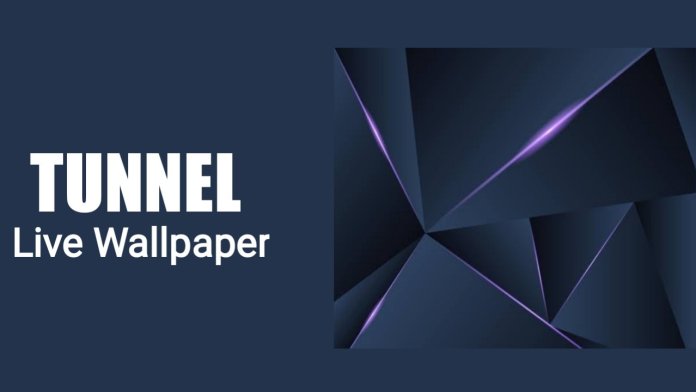
Are you tired of static, boring phone backgrounds? The Tunnel Live Wallpaper Creator offers a fresh way to personalize your Android device. This free application brings mesmerizing 3D animated wallpapers to your home screen, turning a simple smartphone into a visual playground. With deep customization options, it stands out among live wallpaper apps.

What Makes the Tunnel Live Wallpaper Creator Stand Out?

Unlike standard wallpapers, this app focuses on depth and motion. It generates a dynamic tunnel effect that draws the eye inward, creating a sense of infinite space. Users can adjust the tunnel’s shape, speed, and color scheme to match their mood or style. The app even supports an accelerometer mode, making the tunnel respond to phone tilts.

This means that every time you unlock your phone, you get a fresh, interactive experience. The app is designed to be lightweight, so it won’t slow down your device. Additionally, it includes a smart sleep feature that pauses the animation when the phone is inactive, preserving battery life.

Key Features of the 3D Tunnel Wallpaper App

  • Shape Customization: Choose between circular and square tunnel shapes.
  • Speed Control: Adjust how fast the tunnel moves, from a slow drift to a rapid spin.
  • Color and Pattern Options: Pick from sixteen textures and modify pattern colors.
  • Accelerometer Support: Enable motion-based perspective shifts.
  • Brightness Adjustment: Darken or brighten the tunnel center for better visibility.

These features allow you to create a truly unique wallpaper. For more tips on customizing your device, check out our guide on personalizing your Android home screen.

How to Download and Install the Tunnel Live Wallpaper App

Getting started is straightforward. First, ensure your phone runs Android 4.4 or higher. Then, scroll down to the download section on the app’s page and tap the install button. The app is free, with no hidden charges. Once installed, open the app and select your preferred wallpaper settings.

After configuring the tunnel, simply set it as your home screen wallpaper. The app works seamlessly with most launchers and themes. If you encounter any issues, try restarting the app or checking for updates. For more app recommendations, explore our list of top animated wallpaper apps.

Does the App Drain Your Battery?

Battery life is a common concern with live wallpapers. However, the Tunnel Live Wallpaper Creator is optimized for efficiency. It uses hardware acceleration to render graphics smoothly without excessive power draw. The sleep mode ensures that the animation stops when the screen is off, preventing background drain.

In testing, users report minimal impact on daily battery usage. This makes it suitable for long-term use. For those who want to save even more power, you can reduce the tunnel speed or disable the accelerometer. Learn more about Android battery saving tips to extend your phone’s life.

Final Thoughts on the Tunnel Live Wallpaper Creator

To sum up, this app offers a compelling mix of visual flair and practical design. It is easy to install, highly customizable, and battery-friendly. Whether you are a fan of sci-fi aesthetics or simply want something different, the Tunnel Live Wallpaper Creator delivers. Download it today and give your phone a new dimension.

Continue Reading
Click to comment

Leave a Reply

Your email address will not be published. Required fields are marked *

How To

What Is Google and How to Earn Money Online? A Complete Guide for Beginners

Published

on

What Is Google and How to Earn Money Online? A Complete Guide for Beginners

Have you ever wondered how the world’s most popular search engine can also become your personal income generator? The truth is, millions of people earn money from Google every single day—and you can too. Whether you’re a student, a stay-at-home parent, or someone looking to build a side hustle, Google offers multiple pathways to generate revenue. In this guide, we’ll break down exactly what Google is and how you can start earning money online using its powerful ecosystem.

Understanding Google: More Than Just a Search Engine

Google is far more than a simple search bar. It’s a sprawling technology company that provides everything from email (Gmail) and cloud storage (Google Drive) to video hosting (YouTube) and advertising platforms. At its core, Google’s search engine processes billions of queries each day, serving results in over 100 languages. But for anyone looking to earn money from Google, the real value lies in its monetization tools.

These tools allow individuals and businesses to turn online activity into cash. For instance, website owners can display ads through Google AdSense, while video creators can monetize their content on YouTube. The platform is designed to be accessible, meaning even beginners with minimal technical skills can get started.

How to Earn Money From Google: Proven Methods

Building on this foundation, let’s explore the most effective ways to generate income using Google’s services. Each method requires different levels of effort, but all are achievable with dedication.

1. YouTube Monetization

YouTube is the second-largest search engine in the world, and it’s owned by Google. Creators can earn money by enabling ads on their videos. Once you reach 1,000 subscribers and 4,000 watch hours, you can apply for the YouTube Partner Program. After approval, ads placed before, during, or alongside your videos generate revenue based on views and clicks. Many creators have turned this into a full-time career, earning thousands of dollars monthly.

2. Google AdSense for Websites and Blogs

AdSense is perhaps the most straightforward way to earn money from Google if you own a website or blog. The program automatically displays relevant ads on your site. When visitors click on those ads, you earn a share of the advertising revenue. The key is to drive consistent traffic—more visitors mean more clicks and higher earnings. However, getting approved by AdSense requires a well-optimized site with quality content. Many beginners fail because they apply before their site is ready. Therefore, focus on creating valuable articles and improving user experience first.

3. Google Opinion Rewards and Surveys

For those who prefer a simpler approach, Google Opinion Rewards pays users for completing short surveys. While the payouts are small (usually a few cents per survey), they accumulate over time and can be redeemed for Google Play credits or PayPal cash. This method is ideal for earning passive income without much effort.

Tips to Maximize Your Google Earnings

Now that you know the main methods, let’s discuss how to optimize your efforts. First, focus on a niche you’re passionate about—whether it’s tech reviews, cooking tutorials, or travel vlogs. Authentic content attracts loyal audiences. Second, invest time in learning SEO (Search Engine Optimization) to increase your visibility on Google’s search results. Higher rankings mean more traffic, which directly boosts your earning potential. Finally, diversify your income streams. Don’t rely solely on AdSense; consider affiliate marketing or selling digital products alongside your Google-based earnings.

Common Mistakes to Avoid

Many aspiring earners stumble because they rush the process. Applying for AdSense before your site has enough content is a frequent error. Similarly, uploading low-quality videos on YouTube can result in demonetization or low watch time. Another pitfall is ignoring analytics—Google provides detailed data on your performance. Use it to refine your strategy. For example, check which topics drive the most clicks and create more content around them. Patience is crucial; building a sustainable online income takes months, not days.

Final Thoughts: Your Journey to Earning From Google

To sum up, Google is not just a search engine—it’s a gateway to financial independence. Whether you choose YouTube, AdSense, or surveys, the opportunities are real and accessible. Start by learning the basics, then take consistent action. Remember, every successful creator or blogger began exactly where you are now. So pick a method that excites you, and begin today. For more insights, check out our guide on starting a profitable blog or YouTube monetization tips. The journey to earning online starts with a single step.

Continue Reading

How To

Use Cast to TV & Screen Mirroring App to Make Your Phone Screen Bigger

Published

on

Use Cast to TV & Screen Mirroring App to Make Your Phone Screen Bigger

Do you ever feel your phone screen is just too small for watching movies, playing games, or sharing photos with friends? Many users face this frustration daily. However, there is a simple solution: the Cast to TV & Screen Mirroring app. This handy tool lets you mirror your phone’s display onto a much larger TV screen. In this guide, we will walk you through everything you need to know—from downloading the app to using it effectively. By the end, you will be able to enjoy your favorite content on a big screen without any hassle.

Why Use a Screen Mirroring App?

Screen mirroring apps have become essential for modern smartphone users. They bridge the gap between your handheld device and your home entertainment system. Instead of squinting at a small display, you can cast your phone screen to a TV for a more immersive experience. This is especially useful during family gatherings or when you want to share a presentation at work.

Moreover, the Cast to TV & Screen Mirroring app is free and easy to use. It works with most Android phones and smart TVs. As a result, you do not need expensive equipment or technical expertise. Simply follow the steps below to get started.

How to Download the Cast to TV & Screen Mirroring App

Getting the app on your phone is straightforward. The entire process takes just a few minutes. Here is what you need to do:

  1. Open the Google Play Store on your Android device.
  2. In the search bar, type “Cast to TV & Screen Mirroring.”
  3. Look for the official app by the developer. It usually has a high rating and many downloads.
  4. Tap the “Install” button. The app will download and install automatically.

Alternatively, you can visit the Google Play Store directly to find the app. Once installed, you are ready to connect your phone to your TV.

Step-by-Step Guide: How to Use the App

Using the Cast to TV & Screen Mirroring app is simple. After installation, follow these steps:

1. Open the App and Grant Permissions

Launch the app on your phone. You will see a clean interface with a few options. Tap the down arrow icon or the “Start” button to begin. The app will ask for permission to access your device’s screen. Accept this request to proceed.

2. Scan for Nearby TVs

Once permissions are granted, the app will start scanning for compatible TVs in your area. Make sure your TV is turned on and connected to the same Wi-Fi network as your phone. This step is crucial for a successful connection.

3. Select Your TV

After scanning, a list of available devices will appear. Tap on your TV’s name to initiate the connection. On your TV screen, you may see a prompt asking for permission. Confirm it to allow your phone to mirror its display.

4. Enjoy Mirroring

Now your phone screen is displayed on the TV. You can watch videos, browse photos, or even play games. Everything you do on your phone will appear in real-time on the big screen. To stop mirroring, simply close the app or tap the “Disconnect” button.

Tips for a Better Screen Mirroring Experience

To get the most out of your Cast to TV & Screen Mirroring app, keep these tips in mind:

  • Stable Wi-Fi: A strong internet connection ensures smooth streaming without lag.
  • Update Your TV: Make sure your smart TV’s firmware is up to date for compatibility.
  • Close Background Apps: Free up your phone’s resources for better performance.

Additionally, if you encounter any issues, try restarting both your phone and TV. Most problems are resolved with a simple reboot. For more tech tips, check out our guide on hiding WhatsApp blue ticks or learn about lock screen widgets.

Frequently Asked Questions

Q: Does this app work with iPhones?
A: No, the app is designed for Android devices. iPhone users can use AirPlay or third-party apps.

Q: Is the app free?
A: Yes, the basic version is free. Some advanced features may require in-app purchases.

Q: Can I mirror my phone without Wi-Fi?
A: Some apps support local casting via Miracast or DLNA, but Wi-Fi is recommended for best results.

Final Thoughts

Using the Cast to TV & Screen Mirroring app is a game-changer for anyone who wants a bigger screen. It is easy to set up, works with most TVs, and enhances your media consumption. Whether you are watching a movie or giving a presentation, this app makes your phone screen larger instantly.

Do not forget to share this guide with friends who might benefit from it. They will thank you for the tip! For more helpful articles, visit our homepage.

Continue Reading

How To

YoCutie App Review: 100% Free Dating for All Android Devices

Published

on

YoCutie App Review: 100% Free Dating for All Android Devices

Looking for a free dating app that actually works without hidden fees? YoCutie might be the solution you need. This Android-friendly platform promises 100% free dating, letting you connect with new people near you. In this review, we explore its features, download process, and whether it lives up to the hype.

What Is YoCutie App?

YoCutie is a location-based dating app designed for Android users. It allows you to chat with strangers in your vicinity, making it easier to form new friendships or romantic connections. The app integrates with Facebook for quick registration but assures users that personal information stays private—only your name and age are visible to others.

Unlike many dating platforms that require subscriptions, YoCutie markets itself as completely free. This means no paywalls for messaging, matching, or browsing profiles. For anyone tired of premium-only features, this is a refreshing change.

Key Features of YoCutie

Free Unlimited Chatting

One standout feature is the ability to chat with friends all night without restrictions. You can send messages, share interests, and build connections without worrying about daily limits. This makes it ideal for those who enjoy long conversations.

Daily New Connections

YoCutie encourages users to meet new people every day. The app refreshes your feed with nearby profiles, so you always have fresh options. Whether you’re looking for casual dating or a serious relationship, variety is at your fingertips.

Easy to Use Interface

The app is straightforward to navigate. After downloading, you create an account, and the GPS feature immediately shows people around you. No complicated settings—just swipe, chat, and connect.

Is YoCutie Really Free?

Yes, YoCutie is 100% free to use. You won’t encounter any payment requests for basic functions. However, like many apps, it may offer optional in-app purchases for extra features. But core dating activities—messaging, profile browsing, and location matching—remain free.

This transparency sets it apart from competitors that hide costs. For budget-conscious users, a free dating app like YoCutie removes financial stress while exploring new relationships.

How to Download and Install YoCutie

Getting started is simple. Follow these steps:

  1. Visit the official YoCutie website or open the Google Play Store on your Android device.
  2. Search for “YoCutie” and tap the download button.
  3. Install the app and grant necessary permissions (location, storage).
  4. Sign up using your Facebook account or email.
  5. Start browsing profiles near you and send messages instantly.

For a direct link, check the download page on our site. Once installed, you can begin connecting within minutes.

Pros and Cons of YoCutie

Pros

  • Completely free dating with no hidden charges.
  • Location-based matching for local connections.
  • Privacy-focused—Facebook data isn’t shared publicly.
  • Easy setup and user-friendly design.

Cons

  • Limited to Android devices only.
  • May have fewer users compared to bigger platforms like Tinder.
  • Some users report occasional bugs or slow loading times.

Alternatives to YoCutie

If YoCutie doesn’t meet your needs, consider these other free dating app options:

  • Bumble – Women-first approach with free messaging.
  • OkCupid – Detailed profiles and free matching.
  • Facebook Dating – Integrated with your social network.

Each has unique features, but YoCutie stands out for its simplicity and zero-cost model.

Final Verdict: Should You Try YoCutie?

For Android users seeking a no-strings-attached dating experience, YoCutie is worth a shot. It delivers on its promise of 100% free dating, with essential tools to meet people nearby. While it may not have the polish of premium apps, its accessibility and straightforward design make it a solid choice.

However, if you value a larger user base or advanced filters, you might explore alternatives. Ultimately, YoCutie serves its niche well—connecting people without costing a dime. Download it today and see who’s around you.

For more app reviews, check out our guide on best free dating apps for Android or learn how to stay safe online.

Continue Reading

Trending